Best MyFlixer Alternatives in 2026: 9 Legal Services Compared
By ToolNimba Editorial Team November 9, 2026 10 min read

- Top pick
 Tubi
Free licensed movies and shows
Starting priceFreeCheck out TubiRead our review - Runner-up
 Pluto TV
Free live channels and on-demand
Starting priceFreeCheck out Pluto TVRead our review - Also great
 Netflix
Originals and broad catalog
Starting priceSee websiteCheck out NetflixRead our review
How we researched this
We compared official pricing and feature pages, app store listings, privacy policies and public user reviews. Prices change, so check the provider's site before you pay.
Key takeaways
- MyFlixer is an unauthorized streaming site, so the safe replacement is a licensed service that pays studios and runs stable, official apps.
- Tubi and Pluto TV are the best free legal starting points, with large licensed catalogs supported by ads.
- Netflix, Hulu, and Peacock suit viewers who want current shows, originals, and sports, with paid plans that vary by ads and screens.
- Readers should use licensed services only, and avoid mirror sites that copy the MyFlixer name, since those sites carry malware and legal risks.
Quick comparison
| Name | Best for | Starting price | Free plan | |
|---|---|---|---|---|
| Tubi | Free licensed movies and shows | Free | Yes | Visit |
| Pluto TV | Free live channels and on-demand | Free | Yes | Visit |
| Netflix | Originals and broad catalog | See website | No | Visit |
 Hulu | Current US TV shows | See website | No | Visit |
 Peacock | NBC shows and sports | See website | No | Visit |
 Disney+ | Family and franchise content | See website | No | Visit |
 Plex | Free streaming plus personal media | Free | Yes | Visit |
 The Roku Channel | Free movies and live channels | Free | Yes | Visit |
 Hoopla | Free with a library card | Free | Yes | Visit |
The best MyFlixer alternatives
MyFlixer offered movies and shows without proper licensing, and its mirrors change domains often and carry risks from pop-ups, fake players, and malware. The services below are legal alternatives, licensed to stream the titles they carry. They will not have every new release on day one, but they are stable, safe, and supported on official apps.
Tubi is the best free legal replacement for most MyFlixer users. It offers tens of thousands of licensed movies and shows, supported by ads, with no subscription or credit card required. Browsing by genre, collection, and search makes it easy to find a movie for the night without chasing mirror sites.
The catalog covers classics, horror, comedy, documentaries, and family titles, plus a growing set of Tubi originals. Apps run on phones, tablets, smart TVs, and web browsers, so viewing works on almost any device. For occasional movie nights, Tubi covers a surprising amount of ground for free.
The trade-off is ads and availability. Commercial breaks interrupt films, and the newest cinema releases are usually not on Tubi at launch. Specific titles also rotate in and out as licenses change. Tubi is best as a free base service, paired with one paid service for current shows.
- Large free licensed catalog
- No subscription needed
- Good genre browsing
- Ads interrupt viewing
- Newest releases may be unavailable
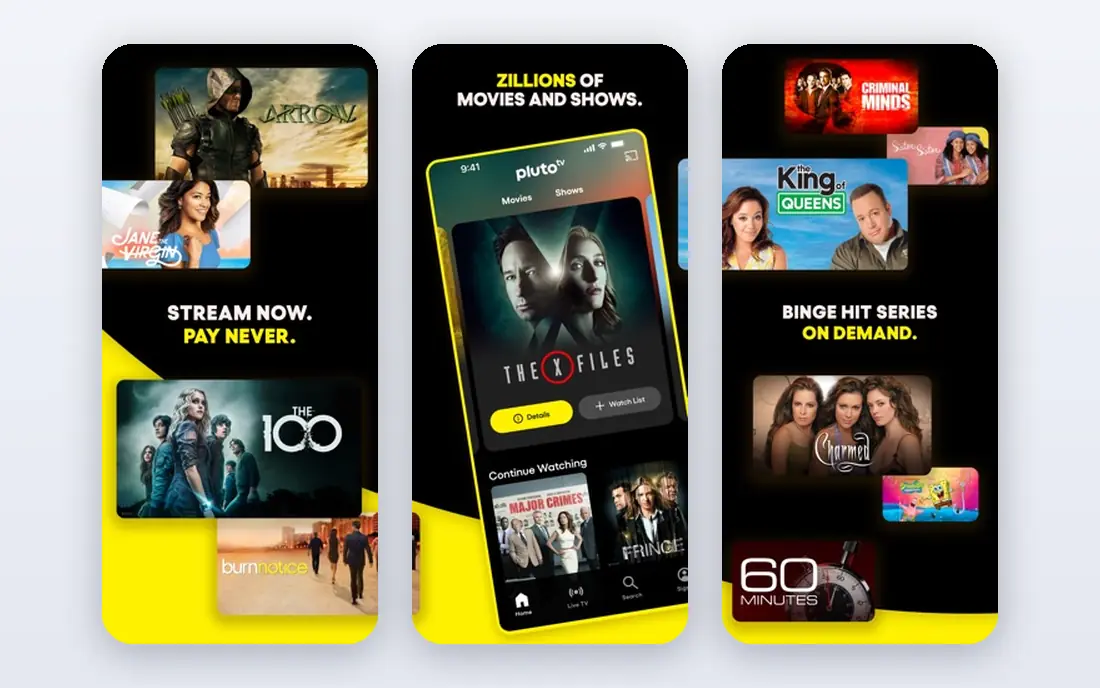
Pluto TV suits viewers who miss channel surfing. It offers hundreds of live channels organized by genre, from movies and news to reality and kids content, plus an on-demand library. That mix feels closer to traditional TV than a pure on-demand service.
The service is free with ads, and basic viewing does not require an account. Apps cover smart TVs, phones, tablets, and web browsers. For background viewing or for viewers who like to flip channels rather than pick a title, Pluto TV is a strong free pick.
The limits are ad load and control. Live channels play on a schedule, so viewers cannot always start a show from the beginning. Ads are also frequent on live channels. Pluto TV works best alongside Tubi, with Tubi for on-demand picks and Pluto TV for live-style browsing.
- Live channel surfing
- Large on-demand library
- No account needed for basic viewing
- Ads are frequent
- Live schedule controls what plays when
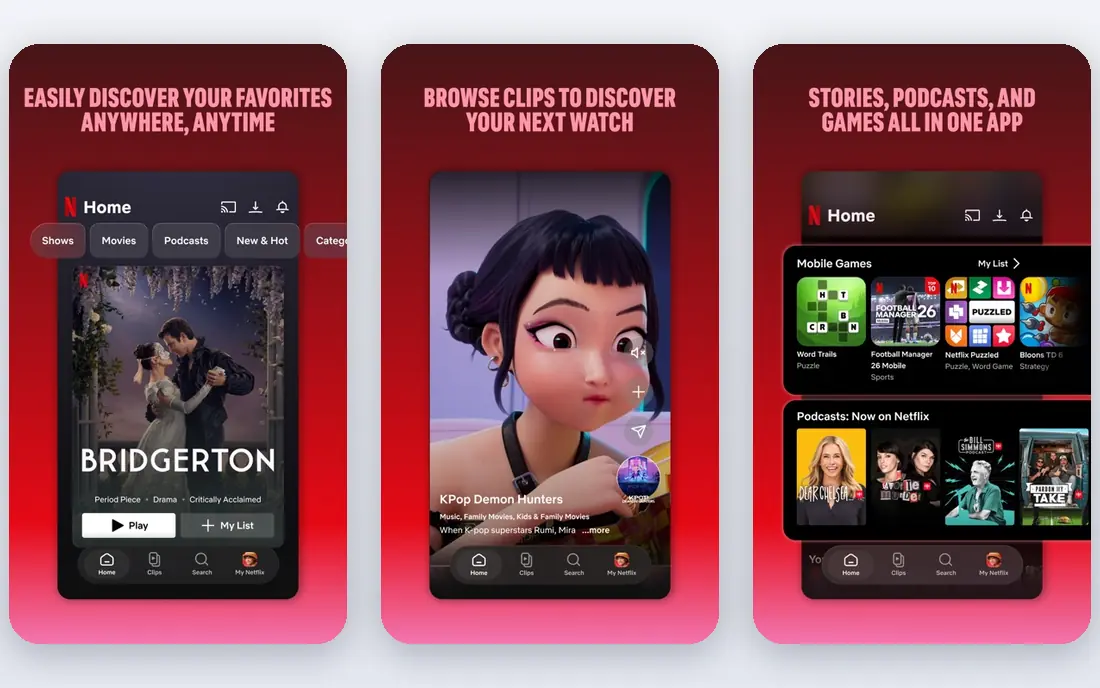
Netflix remains the most complete paid streaming service for most households. Its originals library covers drama, comedy, documentaries, and international titles, and its licensed catalog adds movies and shows from many studios. The apps are polished, with profiles, downloads, and recommendations that help families share one account.
Plans vary by ads, video quality, and simultaneous screens, so buyers should check the current plan page before subscribing. Ad-supported plans cost less, while ad-free plans cost more and allow more screens on higher tiers. Downloads on mobile help for travel and offline viewing.
The main drawback is price and churn. Netflix has no free tier, and costs add up when combined with other services. Titles also rotate as licenses expire. Netflix is best as a main paid service, not as an add-on to five other subscriptions.
- Large originals library
- Polished apps
- Strong recommendations
- No free tier
- Prices rise with ad-free and extra-member options
Hulu is the best paid pick for viewers who follow current US television. Many episodes from ABC, NBC, Fox, and FX appear the next day, which suits viewers who want to keep up with shows without cable. The library also includes movies, documentaries, and Hulu originals.
Plans include ad-supported and ad-free on-demand options, plus a live TV bundle for viewers who want channels and sports. Bundles with Disney+ and ESPN+ can lower the combined cost for households that want all three. Profiles and watchlists help families share the service.
The catch is ads on the cheaper plan, which interrupt shows, and the higher cost of live TV. Hulu is best for TV followers who want current episodes quickly. Viewers who mainly watch movies may get more value from Tubi plus Netflix or Peacock.
- Next-day episodes from major networks
- Strong TV library
- Bundle options
- Ads on lower plans
- Live TV costs much more than on-demand
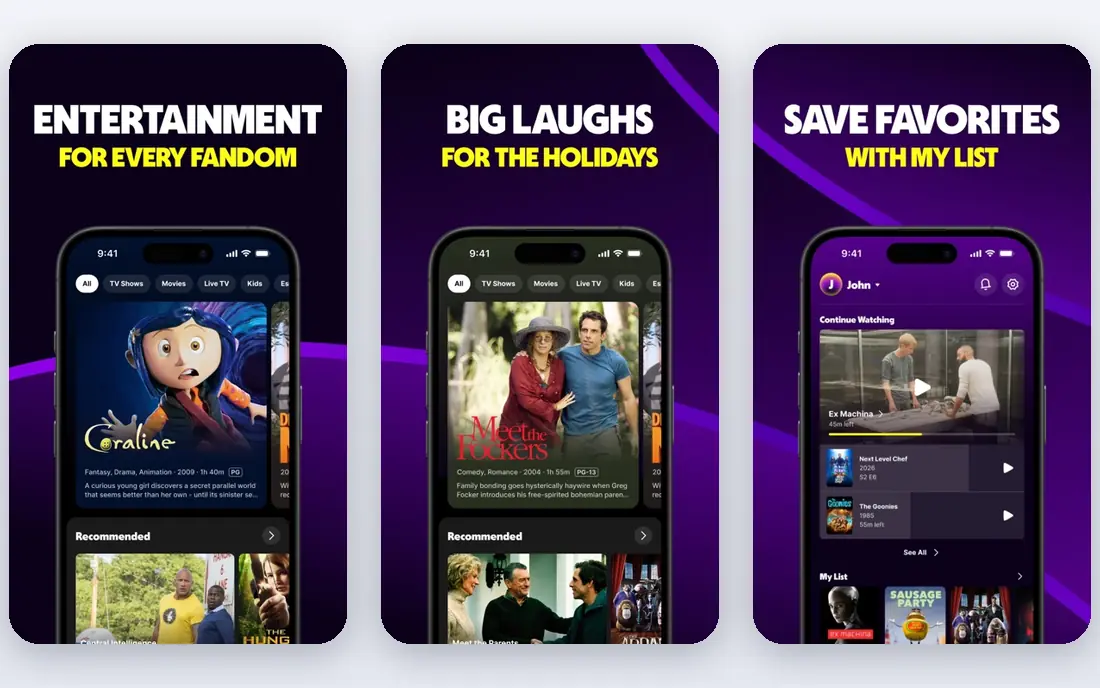
Peacock suits viewers who like NBC, Bravo, and Universal content, plus sports. It carries classic sitcoms, reality shows, movies, and live sports in supported plans, with originals that have grown over time. The entry price is lower than some rivals, which makes it a good second service.
The app covers phones, tablets, smart TVs, and web browsers, with profiles and downloads on supported plans. Sports fans get value from live events and studio shows, while sitcom fans get deep back catalogs. Peacock also offers a premium tier with fewer ads and more content.
The limits are originals depth and tier differences. Peacock originals trail Netflix and Hulu in volume, and some live sports and titles require higher tiers. Peacock is best as a complement to a main service, especially for NBC fans and sports viewers.
- NBC and Bravo content
- Sports coverage
- Lower entry price than some rivals
- Smaller originals library than Netflix
- Some content needs higher tiers
Disney+ is the clear pick for families and franchise fans. It carries Disney, Pixar, Marvel, Star Wars, and National Geographic content in one place, with family profiles and parental controls that help parents manage viewing. Original series tied to those franchises are a major draw.
Bundles with Hulu and ESPN+ can make Disney+ more affordable for households that want all three services. The apps are polished, with downloads for offline viewing and support for 4K on many titles and devices. For children and franchise fans, the catalog depth is hard to match.
The drawback is breadth for general adult viewing. Disney+ has fewer gritty dramas and licensed adult titles than Netflix or Hulu, though Hulu bundles fill that gap. Disney+ is best for families and franchise fans, not as a sole service for viewers who want every genre.
- Disney, Pixar, Marvel, and Star Wars libraries
- Family profiles
- Bundles available
- Less general adult drama than Netflix or Hulu
- No free tier
Plex offers two services in one app: free ad-supported movies and shows, and a personal media server for a user own collection. The free streaming catalog includes movies, shows, and live channels, though it is smaller than Tubi. That combination suits viewers who also have a personal library of rips or home videos.
Device support is broad, covering smart TVs, phones, tablets, computers, and streaming boxes. The free tier requires no subscription, and a paid Plex Pass adds features such as offline mobile sync, DVR, and advanced sharing. For tech-friendly households, Plex is a flexible hub.
The catch is setup for the personal server part, which requires a computer or NAS and some configuration. Free streaming alone is less rich than Tubi or Pluto TV. Plex is best for viewers who want free streaming plus a personal media library in one app.
- Free ad-supported streaming
- Personal media server option
- Wide device support
- Free catalog is smaller than Tubi
- Personal server needs setup
The Roku Channel is a free streaming service that works on Roku devices, phones, tablets, and web browsers, even without owning a Roku player. It offers licensed movies, shows, and live channels supported by ads, with a clean interface that suits casual viewing.
The service also offers premium subscriptions as add-ons, such as Showtime or Starz in supported regions, which lets viewers expand without leaving the app. That flexibility helps households that want one free base plus an occasional premium channel.
The limits are catalog rotation and ad breaks, which are common to free services. The Roku Channel does not match Netflix for originals or current shows. It is best as another free layer alongside Tubi and Pluto TV, giving viewers more licensed choices at no cost.
- Free licensed movies and shows
- Live channels
- Works without a Roku device
- Catalog rotates
- Premium add-ons cost extra
Hoopla is a hidden gem for library card holders. With a card from a participating public library, users can borrow movies, shows, music, audiobooks, and comics for free, with no ads. That makes Hoopla one of the few truly free, ad-free legal options.
The catalog includes films, documentaries, kids titles, and TV shows, though it is smaller than Netflix and varies by library. Borrowing works on phones, tablets, smart TVs, and web browsers, with downloads for offline viewing on mobile. For families and students, Hoopla adds real value at no cost.
The limits are borrow caps and library participation. Most libraries set a monthly borrow limit, so heavy viewers will hit the cap. Not every library offers Hoopla, so users must check with their local library. Hoopla is best as a free supplement, not as a sole streaming service.
- Free with eligible library card
- Movies, shows, music, and audiobooks
- No ads
- Monthly borrow limits
- Requires a participating library
How we picked these
We listed only licensed streaming services with official apps and stable catalogs, using official service pages and reputable comparisons. We excluded unauthorized sites and mirrors, and we did not link to any pirate service. We did not claim hands-on viewing of every title, and we treated pricing as variable, since streaming plans change often. Readers should check the current plan page before subscribing.
How to replace MyFlixer without losing movie night
Start free, then add one paid service. Tubi and Pluto TV cover a large amount of casual viewing at no cost, and Hoopla adds ad-free borrows for library members. Add Netflix for originals, Hulu for current TV, or Peacock for NBC and sports, depending on what the household actually watches.
Safety and legality notes
Licensed services pay studios, run official apps, and avoid the pop-ups and fake players common on mirror sites. Unauthorized sites can expose devices to malware, phishing, and legal risk, even when they appear to work. Readers should use licensed services, keep devices updated, and avoid entering payment details on unverified streaming sites.
Sources
- https://tubi.tv
- https://pluto.tv
- https://www.netflix.com
- https://www.hulu.com
- https://www.peacocktv.com
- https://www.disneyplus.com
- https://www.plex.tv
- https://therokuchannel.roku.com
- https://www.hoopladigital.com
- https://repairit.wondershare.com/online-video/myflixer-alternatives.html
- https://www.explosion.com/151196/myflixer-alternatives/
Frequently asked questions
What are the best MyFlixer alternatives?
Tubi and Pluto TV are the best free legal alternatives, while Netflix, Hulu, and Peacock are the best paid alternatives. The right mix depends on budget and taste. Most households do well with two free services plus one paid service.
Are MyFlixer alternatives legal?
The services on this list are legal because they license the titles they stream. MyFlixer itself is an unauthorized site, and its mirrors are not licensed. Readers should use licensed services only, and avoid sites that copy the MyFlixer name or offer new releases without a clear license.
Is there a free alternative to MyFlixer?
Yes, Tubi, Pluto TV, Plex, The Roku Channel, and Hoopla are all free legal options. Tubi and Pluto TV offer the largest free catalogs, while Hoopla is ad-free for library members. Free services use ads, except Hoopla, and their catalogs rotate over time.
Which alternative has the most movies?
Tubi has one of the largest free licensed catalogs, with tens of thousands of titles. Netflix has a larger overall catalog when originals and licensed titles are combined, but it is paid. For free viewing, Tubi plus Pluto TV covers the most ground.
Can I watch new releases on free services?
New cinema releases usually do not appear on free services at launch. They first appear on paid rentals, purchases, or premium streaming services, then move to free services later as licenses change. Viewers who want new releases quickly should check rental options on licensed stores.
Do I need a VPN for these alternatives?
No, licensed services in this list work without a VPN in the US, and using a VPN to bypass regional licensing can violate terms of service. A VPN does not make an unauthorized site legal. Stick to licensed services available in your region.