Official Company Contact Directory Best Practices in 2026: 9 Tools Compared
By ToolNimba Editorial Team November 10, 2026 10 min read

- Top pick
 GoProfiles
Small teams wanting a free start
Starting price$2 per user per monthCheck out GoProfilesRead our review - Runner-up
 Pingboard by Workleap
Visual org charts and profiles
Starting priceSee websiteCheck out Pingboard by WorkleapRead our review - Also great
 BambooHR
HR teams needing a profile-first directory
Starting priceSee websiteCheck out BambooHRRead our review
How we researched this
We compared official pricing and feature pages, app store listings, privacy policies and public user reviews. Prices change, so check the provider's site before you pay.
Key takeaways
- An official directory works only when one system owns the data, with HR or IT as the source of truth and other tools syncing from it.
- Show work contact details, role, team, location, and manager, and keep personal phone numbers and home details out of the shared directory.
- Automate updates from your HR system so joiners, movers, and leavers change once, not in five separate lists.
- Review access, accuracy, and outdated entries every quarter, and give employees a simple way to flag an error.
Quick comparison
| Name | Best for | Starting price | Free plan | |
|---|---|---|---|---|
| GoProfiles | Small teams wanting a free start | $2 per user per month | Yes | Visit |
| Pingboard by Workleap | Visual org charts and profiles | See website | No | Visit |
| BambooHR | HR teams needing a profile-first directory | See website | No | Visit |
 Zoho People | Teams wanting HR plus directory in one system | $3 per user per month | Free trial | Visit |
 Rippling | Companies wanting HR, IT, and directory together | See website | No | Visit |
 Sift | Large teams needing fast people search | See website | Free trial | Visit |
 Organimi | Simple, low-cost org charts | See website | Free trial | Visit |
 Softr | Custom directories built without code | $19 per month | Yes | Visit |
 ChartHop | Workforce planning plus org views | See website | No | Visit |
The best tools for an official company contact directory
An official company contact directory is the single trusted place where staff find who does what, which team they belong to, and how to reach them at work. The best practice is not a prettier spreadsheet. It is a governed system: one source of truth, clear fields, controlled access, and regular checks. We compared directory and HR tools on sync, search, permissions, and mobile access, and we paired each tool with the practice it supports best.
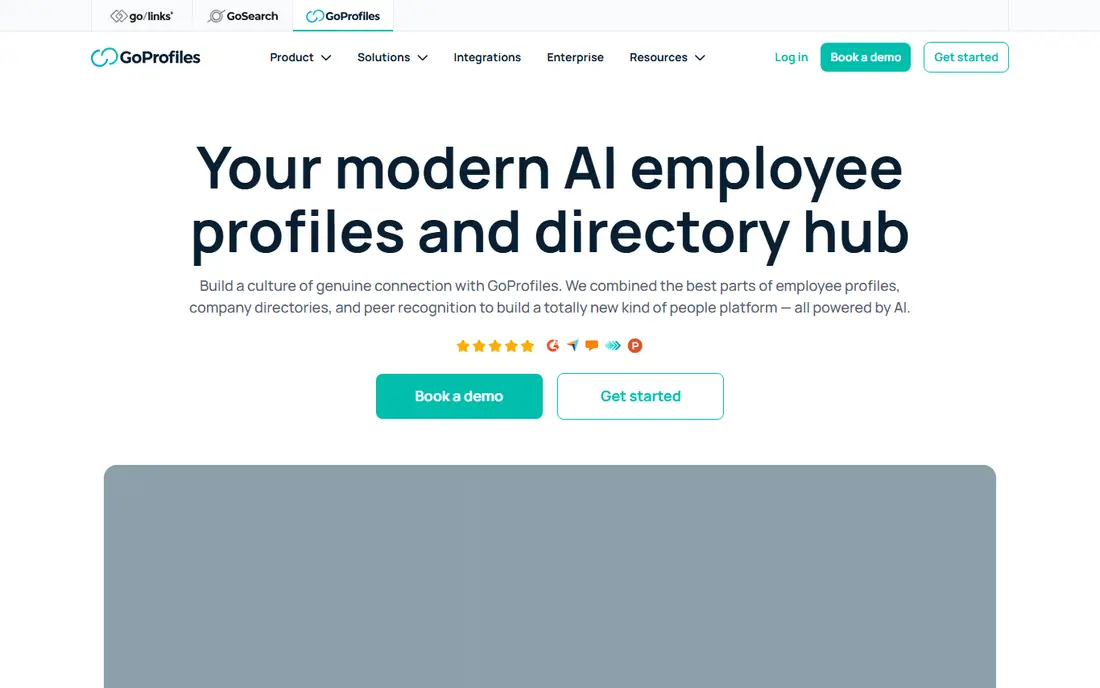
GoProfiles is a good starting point for a small company that needs a real directory without a large HR purchase. The free plan covers a basic org chart and directory, while paid plans add automatic sync from HR systems, so profiles stay current as people join or change teams. Recognition features also help new staff learn names and faces.
The main limit is that free and basic setups rely on manual or file imports, which can drift out of date if no one owns updates. Assign one owner, set a weekly check in the early months, and move to a synced plan once headcount grows. For a team under 50, that path is practical and low cost.
- Free plan for a basic directory
- Org chart and recognition in one hub
- HR system sync on paid plans
- Automatic HR sync needs a paid plan with a minimum seat count
- Advanced chart features sit on higher tiers

Pingboard built its name on org charts that people actually use, with profiles, reporting lines, and team views in one place. Staff can find a colleague, see who manages whom, and reach them through linked chat tools. That visual context helps in larger companies where a name search alone does not explain who owns a decision.
Buyers should check the current Workleap packaging carefully, since Pingboard is no longer sold as a simple standalone product in the same way. Ask how provisioning works from your HR or identity system, which fields sync, and what happens to profiles when someone leaves. The chart is strong, but the sync setup decides whether it stays accurate.
- Clear, navigable org charts
- Rich employee profiles
- Slack and Teams links for quick contact
- Now part of Workleap, so pricing and packaging changed
- No standalone free plan

BambooHR suits a company that already needs HR software, because the directory then comes from the same records that hold hiring, role, and reporting data. When a manager changes, the org chart and directory update from that single record, which cuts duplicate entry. Permission controls let HR limit sensitive fields while keeping work contact details visible.
The catch is scope. If you only need a directory, buying a full HR platform is more than required. BambooHR makes sense when HR, onboarding, and time-off already live there, or will soon. In that case, treat the directory as a benefit of clean HR data, not as a separate project.
- Directory tied directly to HR records
- Org chart updates from reporting lines
- Permission controls by role
- Quote-based pricing above a headcount threshold
- Directory alone does not justify buying a full HR system
Zoho People gives smaller and mid-size teams a directory inside a broader HR system at a low entry price. Profiles can carry custom fields for role, skills, location, and work contact details, and field-level access controls decide who sees what. Employees can update their own work details, which spreads the upkeep load.
The risk with any flexible HR tool is a messy setup. Decide your standard fields before launch, keep the list short, and lock sensitive fields to HR only. A directory with ten clear fields that stay current beats one with forty fields that no one trusts.
- Low entry price
- Customizable profiles and field-level access
- Self-service updates for employees
- Setup takes care to match your org structure
- Some advanced features sit on higher plans
Rippling is the governance pick for companies that want HR, payroll, and IT access managed together. When someone joins, the directory, email, and app access can be created from one workflow, and when someone leaves, access and directory entries close together. That joined-up leaver process is one of the most important directory practices, and many companies get it wrong with separate tools.
As with BambooHR, the platform is larger than a directory alone, and pricing is quoted. Rippling fits a growing company that already plans to centralize HR and IT. For a small team with a simple directory need, a lighter tool will be cheaper and faster to run.
- Directory linked to HR and IT provisioning
- Joiner and leaver changes flow through one system
- Strong access controls
- Quote-based pricing
- Broader platform may be more than a directory-only buyer needs
Sift focuses on finding people, not just listing them. Staff can search by name, team, skill, or location, which helps in a large company where the right expert may sit in another office. Sync from Active Directory, HR systems, or file imports keeps profiles aligned with the source system, and org views add reporting context.
The trade-off is price and scale. Sift is quoted per deployment, and it suits mid-size to large companies more than a ten-person team. Trial it with real data from two departments, and check search quality on skills and locations, since those fields are where a directory earns its keep.
- Fast people and skills search
- Sync from directories and HR systems
- Org chart views
- Quote-based pricing
- Large charts can be harder to navigate than simple team views
Organimi is a calm choice for a team that mainly needs a clear org chart with contact details attached. It is easy to build a chart, share it, and print it for an office wall or an onboarding pack. Sync options on higher plans connect to HR systems, so the chart can stay current without manual redraws.
It is not a full people hub, so teams that want recognition, skills search, or deep profiles should look at GoProfiles or Sift instead. Organimi wins when the goal is simple: show the structure, show how to reach each person, and keep it accurate.
- Simple chart building for small teams
- HR system sync on higher plans
- Printable and shareable charts
- Automatic sync and matrix charts need higher plans
- Fewer engagement features than full people hubs
Softr suits a company with an unusual directory need, such as a directory that mixes staff, contractors, and partner contacts with different visibility rules. You can build custom views, search, and permissions on top of a spreadsheet or database source, without writing code. The free plan lets you test a layout before paying.
The best practice here is to fix the data first. Softr shows whatever source you connect, so a messy spreadsheet becomes a messy directory. Assign a data owner, set standard fields, and schedule a regular clean-up. Softr is a strong front end, but it does not replace governance.
- Custom directory layouts without coding
- Role-based permissions
- Free plan for a first version
- You still need a clean data source behind it
- Building and maintaining the directory is your job
ChartHop fits companies that want the directory to support planning, not just contact lookup. Org views connect to headcount, compensation planning, and people analytics, so leaders can see structure, open roles, and team changes in one place. HR and payroll sync keep the underlying data aligned.
That breadth comes with setup cost and module pricing, so ChartHop is best for a mid-size or larger company with a people team. Smaller teams should not buy planning features just to get a directory. When planning is already on the roadmap, though, ChartHop turns the directory into a working management tool.
- Org charts tied to headcount and planning data
- HR and payroll sync
- People analytics for leaders
- Module-based pricing can grow with use
- More setup than a chart-only tool needs
How we picked these
We compared vendor feature pages, pricing pages, and directory comparisons, and we kept tools that support a governed, searchable directory with profiles, org views, and sync or import from a source system. We favored tools that publish pricing where available and marked quote-based tools as See website. We treated best practices as part of the product choice: a tool only earns a place if it helps a company keep data accurate, controlled, and easy to find over time.
Best practices that make any directory work
Tools help, but practices decide whether staff trust the directory. Start with one source of truth, usually your HR system or identity directory, and let other tools sync from it. Never let five teams keep five lists.
Set standard fields and access rules
Publish a short field list: full name, job title, team, manager, work email, work phone, location, and time zone. Keep personal mobile numbers, home addresses, and pay details out of the shared directory. Use role-based access so HR sees sensitive fields while most staff see work contact details only.
Keep it current and easy to correct
Automate joiner, mover, and leaver changes from HR, and give every employee a simple correction route, such as an edit request or a self-service profile update. Review the directory every quarter for duplicates, outdated teams, and leavers who still appear. A directory that staff know is current gets used, and a stale one gets ignored.
Sources
Frequently asked questions
What should an official company contact directory include?
Include work name, title, team, manager, work email, work phone, office location, and time zone. Add skills or areas of responsibility only if your team will keep them current.
Who should own the company directory?
HR or IT should own it, with one named owner responsible for accuracy, access, and reviews. Department leads can verify their own teams, but one owner must resolve conflicts and approve field changes.
Should personal phone numbers be in the directory?
No, unless an employee chooses to share a work mobile for on-call duties. Keep personal numbers and home details out of the shared directory, and use work channels for routine contact.
How often should a directory be updated?
Automated HR sync should update joiners, movers, and leavers as they happen. Add a full accuracy review every quarter, plus a check after any reorganization or office move.
Is a spreadsheet enough for a small company directory?
A spreadsheet can work for a very small, stable team, but it breaks as headcount grows or people change roles. Move to a synced tool such as GoProfiles or Zoho People once updates become frequent or errors appear.