OneNote Alternatives in 2026: 9 Apps Compared
By ToolNimba Editorial Team November 9, 2026 10 min read

- Top pick
 Notion
Notes, docs, and databases together
Starting priceFreeCheck out NotionRead our review - Runner-up
 Obsidian
Private, local-first Markdown notes
Starting priceFreeCheck out ObsidianRead our review - Also great
 Evernote
Heavy capture, clipping, and search
Starting priceFreeCheck out EvernoteRead our review
How we researched this
We compared official pricing and feature pages, app store listings, privacy policies and public user reviews. Prices change, so check the provider's site before you pay.
Key takeaways
- Notion is the best all-round OneNote alternative for users who want notes, docs, and databases in one workspace.
- Obsidian and Joplin are the best picks for private, local-first notes you fully own, with no subscription required for the core app.
- Evernote remains the closest match for heavy capturers who clip web pages and search everything, including text in images.
- Zoho Notebook and UpNote are the cheapest upgrades for users who want a familiar notebook feel without a high monthly price.
- Apple Notes and Google Keep suit users who want fast, free capture inside an ecosystem they already use.
Quick comparison
| Name | Best for | Starting price | Free plan | |
|---|---|---|---|---|
| Notion | Notes, docs, and databases together | Free | Yes | Visit |
| Obsidian | Private, local-first Markdown notes | Free | Yes | Visit |
| Evernote | Heavy capture, clipping, and search | Free | Yes | Visit |
 Zoho Notebook | Cheapest upgrade with a migrator | Free | Yes | Visit |
 Joplin | Open-source, encrypted notes | Free | Yes | Visit |
 Google Keep | Quick lists and sticky notes | Free | Yes | Visit |
 Apple Notes | Apple users wanting a free, simple app | Free | Yes | Visit |
 Bear | Beautiful Markdown writing on Apple devices | Free | Yes | Visit |
 UpNote | A clean, cheap Evernote-style replacement | Free | Yes | Visit |
The best OneNote alternatives
OneNote is free, flexible, and deeply tied to Microsoft 365, so the best alternative depends on why you are leaving it. Some users want databases, some want privacy, and some just want a simpler notebook. We compared official pricing pages and recent OneNote alternative comparisons to build this list.

Notion is the most capable OneNote alternative for users who outgrow freeform notebooks. Pages become docs, databases, planners, and wikis, so a note can live next to a task list, a project tracker, and a shared team page. Templates for meeting notes, reading lists, and project hubs shorten the setup time.
The trade-off is structure. OneNote lets you click anywhere and type, while Notion asks you to think in blocks and databases, which some users find slower for quick capture. Plus costs $10 per member per month billed annually, or $12 month to month, and Business is $20 billed annually. If you want a workspace, not just a notebook, Notion is the pick.
- Combines notes, docs, wikis, and databases
- Strong templates and collaboration
- Free plan works for individuals
- Steeper learning curve than OneNote
- Can feel like building software before you can take a note
- Offline access is limited

Obsidian is the best alternative for users who want to own their notes. Notes live as Markdown files on your own device, so you can open them in any text editor, back them up yourself, and leave Obsidian without an export battle. Backlinks and graph view help connect ideas across a large archive, and plugins add tasks, calendars, and PDF annotation.
Sync costs $4 per user per month billed annually, or $5 month to month, and Publish is $8 per site per month billed annually, but the core app is free. Real-time collaboration is not native, so teams should look at Notion instead. For personal knowledge work, Obsidian's privacy and portability are unmatched.
- Notes are plain Markdown files on your device
- Graph view and backlinks
- Large plugin community
- Free for personal and work use
- No native real-time collaboration
- Sync and publishing are paid add-ons
- Setup takes more effort
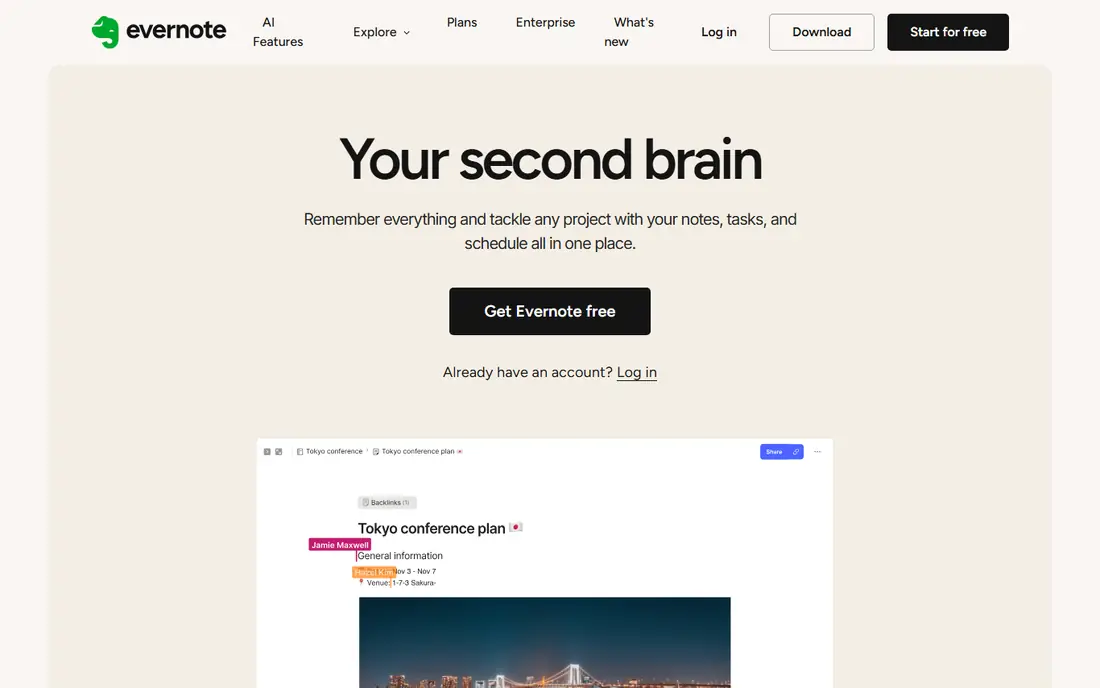
Evernote is the veteran alternative for users who capture everything. Its web clipper saves articles cleanly, its search finds text inside images and PDFs through OCR, and notebooks plus tags handle a large, messy archive. For researchers and professionals who clip daily, that capture strength still matters.
The free plan is now tight, at 50 notes and 1 notebook, and paid plans are expensive: Starter at $99 per year, or $14.99 month to month, and Advanced at $249.99 per year. If you capture heavily and search constantly, Evernote may justify the price. If you take simpler notes, cheaper options here do the job.
- Strong web clipper
- OCR search across notes and images
- Notebooks and tags suit large archives
- Free plan is limited to 50 notes and 1 notebook
- Paid plans are pricey, with Advanced at $249.99 per year
Zoho Notebook is the easiest switch for OneNote users on a budget. Its card-based notebooks feel familiar, it includes a built-in OneNote migrator to move your notes, and its Pro plan is among the cheapest here at $1.99 per month, or $1.67 billed annually. The free plan covers most personal note-taking without a tight note cap.
The limits are ecosystem and depth. Zoho Notebook has fewer third-party integrations and less database power than Notion, and its community is smaller than Obsidian's. If you want a familiar notebook at a low price, and you do not need databases or plugins, Zoho Notebook is hard to beat.
- Free plan is generous
- Built-in OneNote migrator
- Pro is very cheap
- Cards and notebooks feel familiar
- Smaller community and fewer integrations than Notion or Obsidian
- Less suited to heavy database work
Joplin is the best open-source alternative to OneNote. The app is free, notes use Markdown, end-to-end encryption protects synced notes, and it runs on Windows, Mac, Linux, iOS, and Android. You can sync through Joplin Cloud, starting around 2.99 euros per month, or through your own storage, which keeps costs low and control high.
The interface is less polished than Notion or Bear, and collaboration is manual rather than real-time. Sync also needs a little setup if you do not use Joplin Cloud. For privacy-minded users and open-source fans, those trade-offs are worth it for a free app that never locks your notes away.
- Free and open source
- End-to-end encryption
- Runs on every major platform
- Markdown import and export
- Interface is less polished than rivals
- Collaboration is manual
- Sync setup needs care
Google Keep is the best alternative for users who only need fast capture. Open it, type a note, set a reminder, and move on. Labels and colors organize short notes, lists, and reminders, and it syncs across Android, iOS, and the web with your Google account. For shopping lists, quick ideas, and reminders, nothing here is faster.
The limit is depth. Keep has no notebook hierarchy, no databases, and weak support for long documents or heavy formatting. It is a complement to a main note app, not a replacement for a full OneNote library. Use Keep for capture, and Notion, Obsidian, or Joplin for the archive.
- Free with a Google account
- Fastest capture on this list
- Reminders and labels
- Works well on Android and the web
- No real notebook structure
- Weak for long documents
- Storage shares Google's 15 GB free allowance
Apple Notes is the best OneNote alternative for users who live in Apple's ecosystem. It is free, fast, and reliable, with folders, tags, and collaboration, plus handwriting and sketching on iPad. iCloud sync keeps notes current across iPhone, iPad, and Mac without extra setup.
The obvious limit is platform. There is no full Android or Windows app, and export options are weaker than Markdown-based tools. Storage beyond the free 5 GB iCloud allowance starts with iCloud+ at $0.99 per month for 50 GB. If you use Apple devices exclusively, Apple Notes is the simplest free switch.
- Free with an Apple device
- Fast and reliable
- Good handwriting and sketching on iPad
- ICloud sync
- Apple ecosystem only
- Limited structure and export options compared with Obsidian or Joplin
Bear is the best alternative for writers on Apple devices. Its editor is clean and focused, tags replace folders for flexible organization, and Markdown keeps notes portable with good export options. Writing in Bear feels calmer than in a database workspace, which suits long notes, drafts, and journals.
Bear Pro costs $2.99 per month or $29.99 per year, and sync across devices requires Pro, while the free version covers local notes. The hard limit is platform: Bear runs on Mac and iOS only, with no Windows or Android version. Writers on Apple hardware will love it; everyone else should pick Obsidian or Joplin.
- Clean, focused Markdown editor
- Tags instead of folders
- Fast search
- Good export options
- Apple devices only
- Sync requires Bear Pro
- No Windows or Android version
UpNote is the closest cheap replacement for users who like Evernote's notebook model without its price. Notebooks, tags, and a clean editor run on Windows, Mac, iOS, Android, and the web, and Premium costs $1.99 per month or $39.99 lifetime, which is excellent value for a long-term note app.
The free plan caps at 50 notes, so most switchers will need Premium, though the lifetime price softens that. UpNote also lacks Notion's databases and Obsidian's plugins. If you want a simple, good-looking notebook that works everywhere for a one-time price, UpNote is the pick.
- Familiar notebook and tag model
- Runs on every major platform
- Premium is $1.99 per month or $39.99 lifetime
- Free plan caps at 50 notes
- Smaller feature set than Notion
- Fewer integrations than larger rivals
How we picked these
We compared official pricing pages and recent OneNote alternative comparisons from October 2026, favoring apps that are actively supported, offer a free plan, and cover a distinct reason for leaving OneNote: workspaces, privacy, capture, price, speed, or Apple-only simplicity. We left out OneNote itself, since this list is about alternatives, and we noted where free plans cap notes or where sync requires a paid plan.
What to check before you migrate
Export a test notebook before you move everything. Check how formatting, images, handwriting, and attachments survive the move, since no migrator is perfect. Zoho Notebook's built-in migrator helps OneNote users, while Obsidian and Joplin benefit from Markdown exports that keep your notes portable.
Match the app to your capture style
If you click anywhere and type, Notion's block structure may slow you down, and Zoho Notebook or UpNote will feel more familiar. If you write long, linked notes, Obsidian or Bear will feel better. If you clip the web daily, Evernote's clipper and search still lead. Test capture for a week before migrating an archive.
Check sync and export before you commit
A note app is only as good as its sync and exit path. Confirm sync works on all your devices, check whether sync needs a paid plan, as with Bear, and confirm you can export to Markdown or another open format. The cheapest app is expensive if it traps years of notes.
Sources
- https://www.notion.com
- https://obsidian.md
- https://evernote.com
- https://www.zoho.com/notebook/
- https://joplinapp.org
- https://keep.google.com
- https://www.apple.com/notes/
- https://bear.app
- https://getupnote.com
- https://www.flozic.ai/blog/alternatives/onenote-alternatives
- https://www.taskade.com/blog/best-evernote-alternatives
Frequently asked questions
What is the best alternative to OneNote?
Notion is the best all-round alternative for workspaces and collaboration, Obsidian is best for private local notes, and Evernote is best for heavy web clipping and search. Zoho Notebook and UpNote are the best cheap notebook-style alternatives, while Apple Notes suits Apple-only users.
What is the best free alternative to OneNote?
Notion, Obsidian, Joplin, Google Keep, and Apple Notes all offer useful free plans. Obsidian and Joplin are best for free, private, local-first notes with no note cap on the core app, while Notion is best for a free collaborative workspace.
Can I migrate my notes from OneNote?
Yes, though results vary by tool. Zoho Notebook includes a built-in OneNote migrator, and Markdown exports help with Obsidian and Joplin. Test a small notebook first to check formatting, images, and attachments before migrating your full library.
Is Obsidian better than OneNote?
Obsidian is better for privacy, portability, and linked notes, since notes are plain Markdown files on your device. OneNote is better for freeform canvas notes, handwriting, and Microsoft 365 integration. Choose Obsidian if owning your notes matters most, and stay with OneNote if canvas-style notes matter most.
What is the best OneNote alternative for Mac?
Bear and Apple Notes are the best Mac-first options, with Bear better for Markdown writing and Apple Notes better for free, simple capture. Obsidian and Notion are the best cross-platform options if you also use Windows or Android.
Do OneNote alternatives work on Windows and Android?
Yes, most do. Notion, Obsidian, Evernote, Zoho Notebook, Joplin, Google Keep, and UpNote all run on Windows and Android, among other platforms. Bear and Apple Notes are the exceptions, since they are limited to Apple devices.