Best Smartsheet Alternatives in 2026: 9 Tools Compared
By ToolNimba Editorial Team November 10, 2026 11 min read

- Top pick
 Monday.com
Visual boards and automations
Starting price$9 per monthCheck out Monday.comRead our review - Runner-up
 Asana
Timelines and team workload
Starting price$10.99 per monthCheck out AsanaRead our review - Also great
 ClickUp
Many features for a lower price
Starting price$7 per monthCheck out ClickUpRead our review
How we researched this
We compared official pricing and feature pages, app store listings, privacy policies and public user reviews. Prices change, so check the provider's site before you pay.
Key takeaways
- Monday.com is the closest visual switch for teams that want boards, automations and dashboards without a spreadsheet grid.
- ClickUp and Zoho Projects give the lowest entry prices in this group, while Asana and Wrike suit larger, more structured programs.
- Airtable and Notion work best when the work lives next to linked data, docs and wikis rather than in a strict project plan.
- Check which plan includes Gantt charts, automations and guest access before you commit, because those features move between tiers.
Quick comparison
| Name | Best for | Starting price | Free plan | |
|---|---|---|---|---|
| Monday.com | Visual boards and automations | $9 per month | Yes | Visit |
| Asana | Timelines and team workload | $10.99 per month | Yes | Visit |
| ClickUp | Many features for a lower price | $7 per month | Yes | Visit |
 Wrike | Larger, structured projects | $10 per month | Yes | Visit |
 Airtable | Linked data with a grid view | $20 per month | Yes | Visit |
 Notion | Projects next to docs and wikis | $10 per month | Yes | Visit |
 Zoho Projects | Low-cost project tracking | $4 per month | Yes | Visit |
 Trello | Simple Kanban boards | $5 per month | Yes | Visit |
 Microsoft Planner | Microsoft 365 teams | $10 per month | No | Visit |
The best Smartsheet alternatives
Smartsheet suits spreadsheet lovers, but its pricing and plan limits push many teams elsewhere. These nine options cover boards, timelines, databases and simple task lists.

Monday.com turns a sheet of tasks into color-coded boards that a whole team can read at a glance, which is why it suits marketing, operations and client work. For buyers, the clearest strength is Visual boards and dashboards, and that advantage shows up most when the tool is used for visual boards and automations. Pricing starts at $9 per month, with a free plan listed as Yes, so check the current plan page for limits on seats, usage or features before you rely on that price.
What stands out in daily use is strong automations. The honest catch is Gantt charts need Standard or above, and a second limit to weigh is costs rise with seats. If those limits do not block your main workflow, this is a solid shortlist pick. If they do, move to the next option in this list rather than forcing a tool to fit a job it handles poorly.
- Visual boards and dashboards
- Strong automations
- Many templates
- Gantt charts need Standard or above
- Costs rise with seats
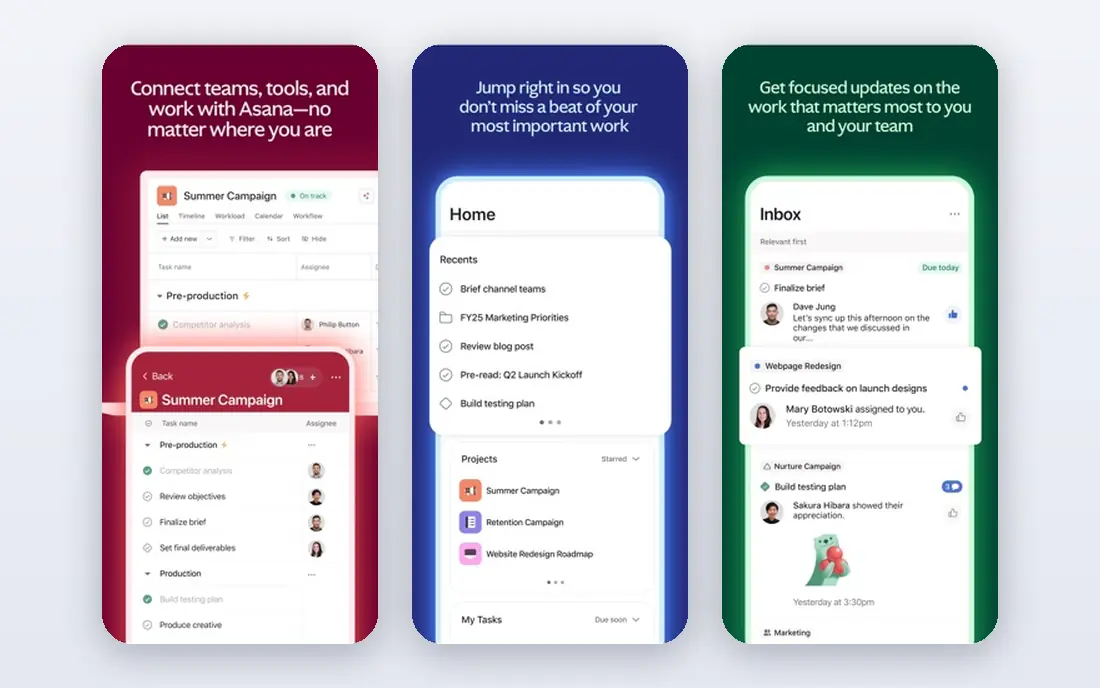
Asana suits teams that need to see who is doing what and when, with timelines, milestones and workload views that keep larger programs on track. For buyers, the clearest strength is Timeline and workload views, and that advantage shows up most when the tool is used for timelines and team workload. Pricing starts at $10.99 per month, with a free plan listed as Yes, so check the current plan page for limits on seats, usage or features before you rely on that price.
What stands out in daily use is clear goals and portfolios. The honest catch is Advanced features need higher tiers, and a second limit to weigh is can feel busy on small projects. If those limits do not block your main workflow, this is a solid shortlist pick. If they do, move to the next option in this list rather than forcing a tool to fit a job it handles poorly.
- Timeline and workload views
- Clear goals and portfolios
- Clean interface
- Advanced features need higher tiers
- Can feel busy on small projects
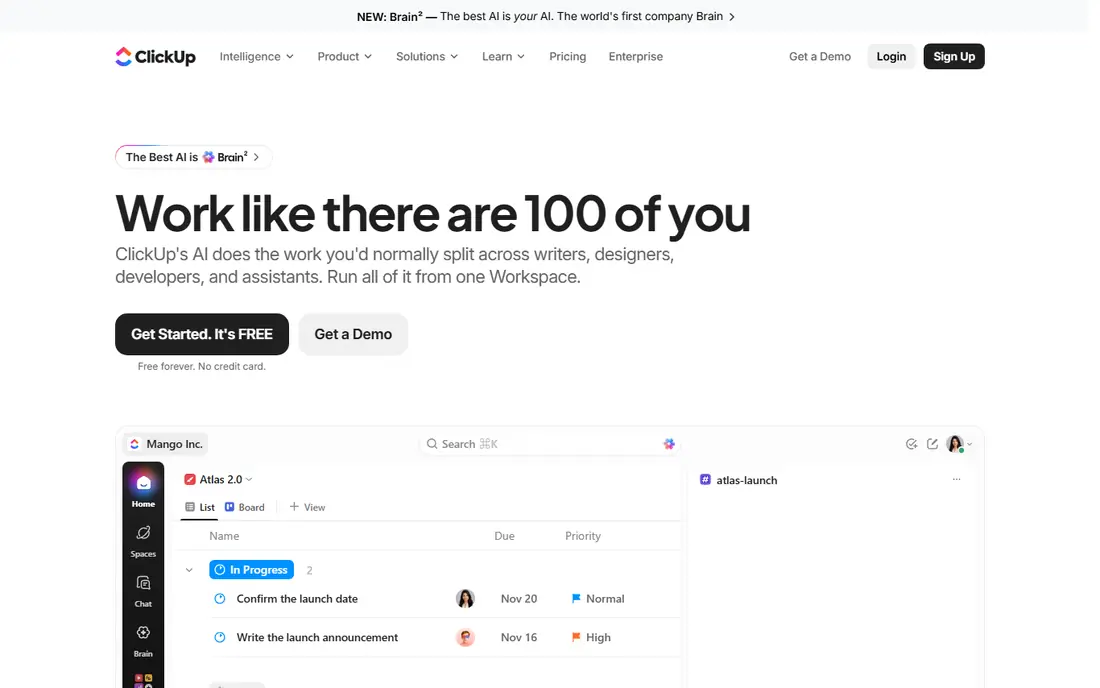
ClickUp appeals to teams that want tasks, docs, goals and time tracking in one workspace instead of paying for several separate tools. For buyers, the clearest strength is Wide range of views and docs in one place, and that advantage shows up most when the tool is used for many features for a lower price. Pricing starts at $7 per month, with a free plan listed as Yes, so check the current plan page for limits on seats, usage or features before you rely on that price.
What stands out in daily use is generous free plan. The honest catch is Setup takes time, and a second limit to weigh is the number of options can overwhelm new users. If those limits do not block your main workflow, this is a solid shortlist pick. If they do, move to the next option in this list rather than forcing a tool to fit a job it handles poorly.
- Wide range of views and docs in one place
- Generous free plan
- Time tracking
- Setup takes time
- The number of options can overwhelm new users
Wrike suits mid-size and larger teams that run many projects at once and need reporting, approvals and resource views in one place. For buyers, the clearest strength is Flexible views and reporting, and that advantage shows up most when the tool is used for larger, structured projects. Pricing starts at $10 per month, with a free plan listed as Yes, so check the current plan page for limits on seats, usage or features before you rely on that price.
What stands out in daily use is strong for cross-team work. The honest catch is Business features are priced higher, and a second limit to weigh is learning curve for casual users. If those limits do not block your main workflow, this is a solid shortlist pick. If they do, move to the next option in this list rather than forcing a tool to fit a job it handles poorly.
- Flexible views and reporting
- Strong for cross-team work
- Approval workflows
- Business features are priced higher
- Learning curve for casual users
Airtable keeps the spreadsheet feel Smartsheet users like, but adds linked records, attachments and views that turn a tracker into a small database. For buyers, the clearest strength is Grid, calendar and gallery views over linked records, and that advantage shows up most when the tool is used for linked data with a grid view. Pricing starts at $20 per month, with a free plan listed as Yes, so check the current plan page for limits on seats, usage or features before you rely on that price.
What stands out in daily use is strong templates. The honest catch is Paid plans cost more than simple task tools, and a second limit to weigh is advanced features need higher tiers. If those limits do not block your main workflow, this is a solid shortlist pick. If they do, move to the next option in this list rather than forcing a tool to fit a job it handles poorly.
- Grid, calendar and gallery views over linked records
- Strong templates
- Automations
- Paid plans cost more than simple task tools
- Advanced features need higher tiers
Notion suits teams whose projects live next to notes, specs and wikis, so the plan, the brief and the discussion stay in the same place. For buyers, the clearest strength is Docs, wikis and tasks in one workspace, and that advantage shows up most when the tool is used for projects next to docs and wikis. Pricing starts at $10 per month, with a free plan listed as Yes, so check the current plan page for limits on seats, usage or features before you rely on that price.
What stands out in daily use is flexible pages. The honest catch is Not a dedicated Gantt or resource tool, and a second limit to weigh is heavy setups need care. If those limits do not block your main workflow, this is a solid shortlist pick. If they do, move to the next option in this list rather than forcing a tool to fit a job it handles poorly.
- Docs, wikis and tasks in one workspace
- Flexible pages
- Good templates
- Not a dedicated Gantt or resource tool
- Heavy setups need care
Zoho Projects is the budget pick in this group, and it suits small teams inside the Zoho suite or teams that want Gantt charts without a high monthly bill. For buyers, the clearest strength is Low starting price, and that advantage shows up most when the tool is used for low-cost project tracking. Pricing starts at $4 per month, with a free plan listed as Yes, so check the current plan page for limits on seats, usage or features before you rely on that price.
What stands out in daily use is Gantt charts on every plan. The honest catch is Interface feels less polished than rivals, and a second limit to weigh is some integrations are basic. If those limits do not block your main workflow, this is a solid shortlist pick. If they do, move to the next option in this list rather than forcing a tool to fit a job it handles poorly.
- Low starting price
- Gantt charts on every plan
- Zoho suite links
- Interface feels less polished than rivals
- Some integrations are basic
Trello suits small teams that want a simple board and little else, and it is often the fastest way to move a team off a shared spreadsheet. For buyers, the clearest strength is Fast, simple boards, and that advantage shows up most when the tool is used for simple kanban boards. Pricing starts at $5 per month, with a free plan listed as Yes, so check the current plan page for limits on seats, usage or features before you rely on that price.
What stands out in daily use is easy for new users. The honest catch is Weak for timelines and reporting on free and basic plans, and a second limit to weigh is limited structure. If those limits do not block your main workflow, this is a solid shortlist pick. If they do, move to the next option in this list rather than forcing a tool to fit a job it handles poorly.
- Fast, simple boards
- Easy for new users
- Wide Power-Up options
- Weak for timelines and reporting on free and basic plans
- Limited structure
Microsoft Planner suits teams already paying for Microsoft 365, because boards, tasks and Teams chats stay inside the tools staff already open each day. For buyers, the clearest strength is Included with many Microsoft 365 plans, and that advantage shows up most when the tool is used for microsoft 365 teams. Pricing starts at $10 per month, with a free plan listed as No, so check the current plan page for limits on seats, usage or features before you rely on that price.
What stands out in daily use is simple boards and tasks. The honest catch is Advanced scheduling needs a higher Planner plan, and a second limit to weigh is reporting is limited. If those limits do not block your main workflow, this is a solid shortlist pick. If they do, move to the next option in this list rather than forcing a tool to fit a job it handles poorly.
- Included with many Microsoft 365 plans
- Simple boards and tasks
- Teams links
- Advanced scheduling needs a higher Planner plan
- Reporting is limited
How we picked these
We compared official feature pages, pricing pages and app store listings for each tool, and checked which plan includes the views and automations most Smartsheet users need. We did not claim hands-on testing. Prices can change, so confirm the current plan on the vendor site before you buy.
How to choose a Smartsheet alternative
Start from the view your team actually opens every day. If that view is a grid, Airtable or a spreadsheet-style tool will feel familiar. If it is a board or timeline, Monday.com, Asana or ClickUp will feel faster. A tool that looks strong in a demo can still slow a team down when its main view does not match daily work.
Next, count editors, not just viewers. Several tools charge for people who edit, while viewers and commenters may be free. Add up the real editor count, check guest rules for outside partners, and test imports with a real sheet before you migrate a whole portfolio. A short trial with one live project tells you more than a feature checklist.
Sources
Frequently asked questions
Are there free alternatives to Smartsheet?
Yes. ClickUp, Wrike, Asana, Trello, Airtable, Notion and Zoho Projects all offer free plans, though limits on views, automations and storage differ. A free plan suits a small team or a trial, while larger teams usually need a paid plan for timelines and reporting.
Which Smartsheet alternative is best for most teams?
Monday.com is a strong default for visual project work, Asana suits teams that need timelines and workload views, and ClickUp suits teams that want many features for a lower price. The best choice depends on whether your team prefers boards, timelines or a database view.
Can I import Smartsheet sheets into these tools?
Most tools in this list support CSV or spreadsheet import, and several offer direct import guides for Smartsheet data. Expect some cleanup after import, especially for formulas, automations and permissions, so test one sheet first.
Which option is cheapest?
Zoho Projects has the lowest starting paid price in this group, followed by ClickUp and Trello. Free plans can be cheaper still, but check the limits on projects, automations and file storage before you rely on them.
Do these tools have Gantt charts?
Most do, but the plan matters. Monday.com puts Gantt charts on its Standard plan and above, Asana from Starter, Wrike from Team, and Zoho Projects on every plan. Confirm the exact plan before you buy if timelines are essential.