Tilt Skaffold Alternatives Low Footprint in 2026: 9 Tools Compared
By ToolNimba Editorial Team November 8, 2026 9 min read

- Top pick
 DevSpace
Light local Kubernetes development
Starting priceFreeCheck out DevSpaceRead our review - Runner-up
 Garden
Graph-based dev for complex services
Starting priceSee websiteCheck out GardenRead our review - Also great
 Telepresence
Local coding against a remote cluster
Starting priceFreeCheck out TelepresenceRead our review
How we researched this
We compared official pricing and feature pages, app store listings, privacy policies and public user reviews. Prices change, so check the provider's site before you pay.
Key takeaways
- DevSpace is our pick for most developers who want a light local Kubernetes loop without a heavy platform.
- kind and k3d are the lowest footprint ways to run a local cluster, since they run Kubernetes inside containers.
- Telepresence suits developers who want to code locally while using a real remote cluster, instead of copying the whole stack locally.
- Garden and Okteto fit larger teams, but they add more moving parts than a solo developer usually needs.
Quick comparison
| Name | Best for | Starting price | Free plan | |
|---|---|---|---|---|
| DevSpace | Light local Kubernetes development | Free | Yes | Visit |
| Garden | Graph-based dev for complex services | See website | Yes | Visit |
| Telepresence | Local coding against a remote cluster | Free | Yes | Visit |
 Okteto | Remote dev environments for teams | See website | Free trial | Visit |
 Docker Compose | Local multi-container apps without Kubernetes | Free | Yes | Visit |
 kind | Local Kubernetes in Docker containers | Free | Yes | Visit |
 k3d | Lightweight k3s clusters in Docker | Free | Yes | Visit |
 Minikube | Local single-node Kubernetes cluster | Free | Yes | Visit |
 vCluster | Virtual clusters inside one real cluster | Free | Yes | Visit |
The best tilt skaffold alternatives low footprint
We compared official docs, pricing pages, and public reviews, focusing on local resource use, setup effort, and how close the loop feels to Tilt and Skaffold. Tilt and Skaffold are the reference tools, so this list focuses on lighter or different ways to get a fast inner loop.
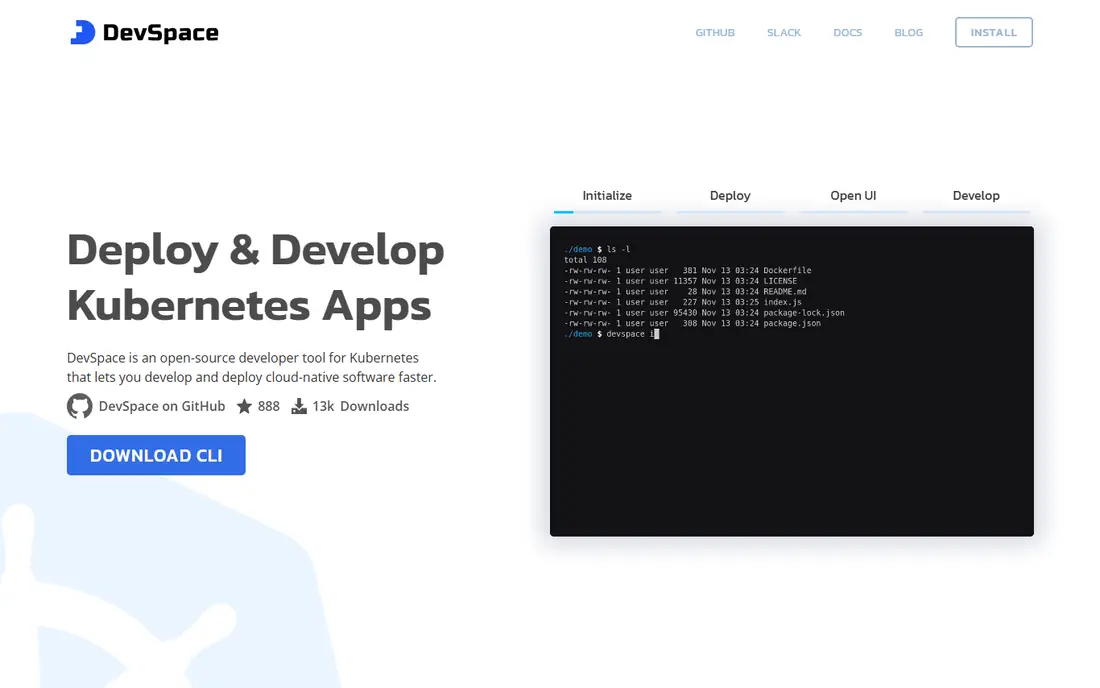
DevSpace is the closest low footprint replacement for many Tilt and Skaffold users. One CLI handles building, deploying, file sync, port forwarding, and terminal access, with a config file that stays readable for a small service set. It can run against a local cluster or a remote one, which keeps options open as a project grows.
The config still needs attention, especially for multi-service setups with custom pipelines. For a solo developer or a small team that wants fast sync and a simple CLI, DevSpace gives most of the Tilt loop with less overhead.
- Single CLI for build, deploy, and sync
- Dev containers
- Works with Helm and kubectl
- YAML config still needs care
- Smaller community than Tilt or Skaffold

Garden models a project as a graph of services, tests, and builds, so it can run only what changed and in the right order. That helps teams with many services that depend on each other, where a simple sync tool leaves ordering and testing to manual steps. It also handles deploys with Helm, kubectl, and other providers.
The graph model takes learning time, and a solo developer with two services may not need it. For a team with a tangled service map, the ordering and caching pay off, but the footprint in concepts is larger than kind or DevSpace.
- Dependency graph for services
- Tests and builds in one flow
- Good for microservices
- Heavier concept load than DevSpace
- Cloud features add cost for teams
Telepresence takes a different approach: instead of copying a whole stack locally, it connects local code to a remote cluster, swapping in a local service for a remote one. That keeps local CPU and memory use very low, since only the service being changed runs on the laptop. Debugging feels local while dependencies stay remote.
Setup needs cluster permissions and a working network path, which can be a barrier in locked-down environments. For developers on a shared cluster with many services, it is often the lightest practical loop.
- Run code locally while using remote services
- Fast debug loop
- Low local resource use
- Needs cluster access and setup
- Network quirks can appear on some setups
Okteto gives each developer a full environment inside Kubernetes, with sync, forwarding, and preview environments for pull requests. Teams like the shared setup, since every developer gets the same environment without local cluster tuning. It also handles the case where a laptop cannot run the full stack.
That platform scope is also its drawback for low footprint use. Solo developers may find a CLI tool cheaper and simpler, while teams that need shared environments and previews will value Okteto enough to pay for it.
- Full dev environments in the cluster
- Good team workflows
- Preview environments
- Hosted and team pricing adds cost
- More platform than a solo developer needs
Docker Compose is the lowest friction option when a developer does not actually need Kubernetes locally. One compose file defines services, networks, and volumes, and a single command starts the stack. Resource use is low, and the learning curve is short compared with any Kubernetes tool.
The limit is clear: Compose is not Kubernetes, so Helm charts, ingress, and cluster behavior still need separate testing. Use it when local speed matters most and cluster testing happens in CI or a shared cluster.
- Simplest local multi-container setup
- One file for services
- Very low resource use
- Not Kubernetes
- Manifests still need writing for production deploys
kind, short for Kubernetes in Docker, runs cluster nodes as Docker containers on a laptop. That makes it extremely light and easy to create or delete, which is why it is popular for CI, tests, and learning. A developer can spin up a conformant cluster in minutes without a virtual machine.
kind alone does not provide the Tilt-style sync loop. Pair it with DevSpace, Skaffold, or a simple sync script to get live reload. As a cluster base, it is one of the lightest options available.
- Runs Kubernetes nodes as containers
- Very light
- Great for CI and testing
- No built-in sync loop
- Needs a separate tool for live reload
k3d runs k3s, a lightweight Kubernetes distribution, inside Docker containers. Clusters start fast and use less memory than a full virtual machine cluster, which suits laptops with limited RAM. Multi-node clusters are easy to create for testing, and teardown is just as fast.
k3s is close to standard Kubernetes but not identical in every detail, so final checks should still run on a production-like cluster. Pair k3d with DevSpace or another sync tool for a complete low footprint loop.
- Very fast k3s clusters in Docker
- Low memory use
- Easy multi-node setups
- K3s differs slightly from full Kubernetes
- No built-in dev loop
Minikube is the long-standing way to run a single-node Kubernetes cluster locally, with drivers for Docker, virtual machines, and other backends. Addons for ingress, metrics, and dashboards make it easy to test cluster features without a cloud account. Docs and community help are extensive.
It uses more resources than kind or k3d, especially with a virtual machine driver. Developers on a light laptop should try the Docker driver or switch to kind or k3d. Minikube still suits developers who want a stable, well-documented local cluster.
- Mature local cluster tool
- Many drivers and addons
- Good docs
- Heavier than kind or k3d
- Single node limits multi-node testing
vCluster creates virtual Kubernetes clusters inside a real host cluster, giving each developer or preview environment an isolated namespace that feels like its own cluster. That avoids giving every developer a full cluster, which saves cost and setup time for teams. Creation is fast, and cleanup is simple.
A host cluster is still required, so it is not a laptop-only tool in the way kind is. For teams with a shared cluster, vCluster is a low footprint way to give many developers isolated environments without multiplying infrastructure.
- Cheap virtual clusters per developer
- Isolation without new hardware
- Fast creation
- Needs a host cluster
- Virtual cluster limits differ from a real cluster
How we picked these
We compared official docs, pricing pages, and public reviews, and we kept tools that are maintained and usable in 2026 for local or team Kubernetes development. We favored light resource use, simple setup, and a clear dev loop, and we mixed cluster tools with dev loop tools so readers can pair them. We did not claim hands-on testing, and prices can change, so readers should confirm the current price on the vendor site before buying.
What to check before you buy
Start with how much of the stack must run locally. If only one service changes at a time, Telepresence or a virtual cluster may beat a full local copy. If the whole stack must run locally, kind or k3d plus a sync tool gives the lightest cluster base.
Next, test the sync loop on a real change. Time how long it takes from saving a file to seeing the change in a running service, and check how logs and errors surface. A fast loop with unclear errors wastes more time than a slightly slower loop with clear output.
Finally, check team fit. Solo developers need a simple CLI and a light cluster, while teams need shared environments, previews, and access controls. A tool that fits one developer may not fit ten, so test with the team size you actually have.
Questions to ask on a trial
- How much RAM and CPU does a typical local setup use on our laptops?
- How fast is the save-to-running loop for our largest service?
- How are logs, errors, and port forwarding handled during development?
- How does the tool handle multi-service dependencies and shared config?
Sources
Frequently asked questions
What is the lowest footprint alternative to Tilt and Skaffold?
kind or k3d paired with DevSpace is usually the lightest practical setup, since the cluster runs in containers and DevSpace handles sync. Docker Compose is even lighter if you do not need Kubernetes locally at all.
Is DevSpace better than Skaffold?
DevSpace is simpler for many local workflows, with dev containers and sync in one CLI, while Skaffold is a mature Google tool with strong CI and build support. Choose DevSpace for a light local loop and Skaffold when CI integration and build flexibility matter more.
Can I develop locally without running Kubernetes on my laptop?
Yes. Telepresence lets local code use a remote cluster, and vCluster gives isolated virtual clusters on a shared host cluster. Both keep laptop resource use low while keeping real cluster services available.
Do I still need Tilt if I use kind or k3d?
No, not necessarily. kind and k3d provide the cluster, while DevSpace, Skaffold, or Tilt provide the dev loop. Many developers pair kind with DevSpace for a light Tilt-like loop.
Is Garden too heavy for a small team?
Garden can be heavy in concepts for a team with two or three services, but it helps larger microservice teams with dependency ordering and testing. Small teams should start with DevSpace or Compose and move to Garden only when ordering becomes painful.
What is the cheapest way to get preview environments?
vCluster on a shared cluster and Okteto preview environments both offer previews, with vCluster being the cheaper open source path. Okteto adds team workflows and hosted options at a paid tier.