WeTransfer Alternatives in 2026: 9 Tools Compared
By ToolNimba Editorial Team November 9, 2026 9 min read

- Top pick
 Smash
Largest free transfers
Starting priceFreeCheck out SmashRead our review - Runner-up
 SwissTransfer
Free 50GB transfers
Starting priceFreeCheck out SwissTransferRead our review - Also great
 Google Drive
Google users and collaboration
Starting priceFreeCheck out Google DriveRead our review
How we researched this
We compared official pricing and feature pages, app store listings, privacy policies and public user reviews. Prices change, so check the provider's site before you pay.
Key takeaways
- Smash and SwissTransfer send the largest files for free, with Smash offering no size limit on its free plan and SwissTransfer allowing up to 50GB.
- Google Drive, Dropbox, and pCloud suit people who also need storage and collaboration, not just a one-off transfer.
- Filemail and TransferNow offer the best balance of free limits, password protection, and paid upgrades for client work.
- Check link expiry before you send, because free links can expire in as little as 48 hours on some services.
Quick comparison
| Name | Best for | Starting price | Free plan | |
|---|---|---|---|---|
| Smash | Largest free transfers | Free | Yes | Visit |
| SwissTransfer | Free 50GB transfers | Free | Yes | Visit |
| Google Drive | Google users and collaboration | Free | Yes | Visit |
 Dropbox Transfer | Dropbox users | Free | Yes | Visit |
 Send Anywhere | Device-to-device sharing | Free | Yes | Visit |
 Filemail | Client transfers | Free | Yes | Visit |
 TransferNow | Password-protected transfers | Free | Yes | Visit |
 pCloud Transfer | No-account sending | Free | Yes | Visit |
 MASV | Video and media professionals | See website | Yes | Visit |
The best WeTransfer alternatives
WeTransfer is simple, but its free plan limits transfers and storage time. These alternatives cover larger files, longer links, better security, and storage that lasts beyond a single send.
Smash is the closest free replacement for WeTransfer, with one big advantage: there is no file-size limit on the free plan. Small files send at full speed, while very large files join a queue, which can slow delivery at busy times. Links last up to seven days on the free plan, and paid plans extend that to 30 days with custom download pages.
The queue is the honest trade-off. If you regularly send multi-gigabyte video files on deadline, the Pro plan at around $10 per month is worth it for priority sending. For occasional large sends, the free plan is hard to beat.
- No file-size limit on the free plan
- No account needed
- Link customisation on paid plans
- Large free transfers are queued for priority
- Paid plans needed for longer link life
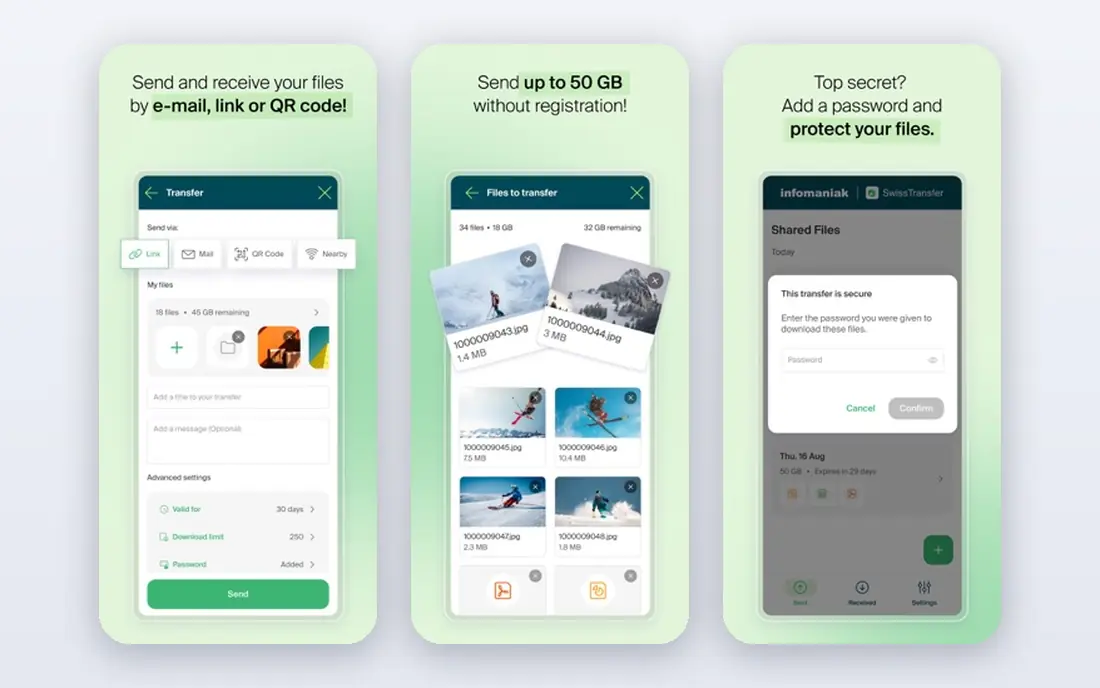
SwissTransfer, from the Swiss company Infomaniak, lets you send up to 50GB for free without creating an account, with links lasting up to 30 days. That combination of size, time, and simplicity beats most rivals on the free tier, and the interface is clean and fast.
The limit is scope. SwissTransfer is a transfer tool, not a storage or collaboration platform, so you cannot build a shared workspace around it. For a one-off large send, it is excellent. For ongoing client work, pair it with a storage tool or pick a paid transfer service with branding and history.
- Up to 50GB per transfer free
- No account needed
- Links last up to 30 days
- No paid storage tier for most users
- Fewer collaboration tools than Drive or Dropbox
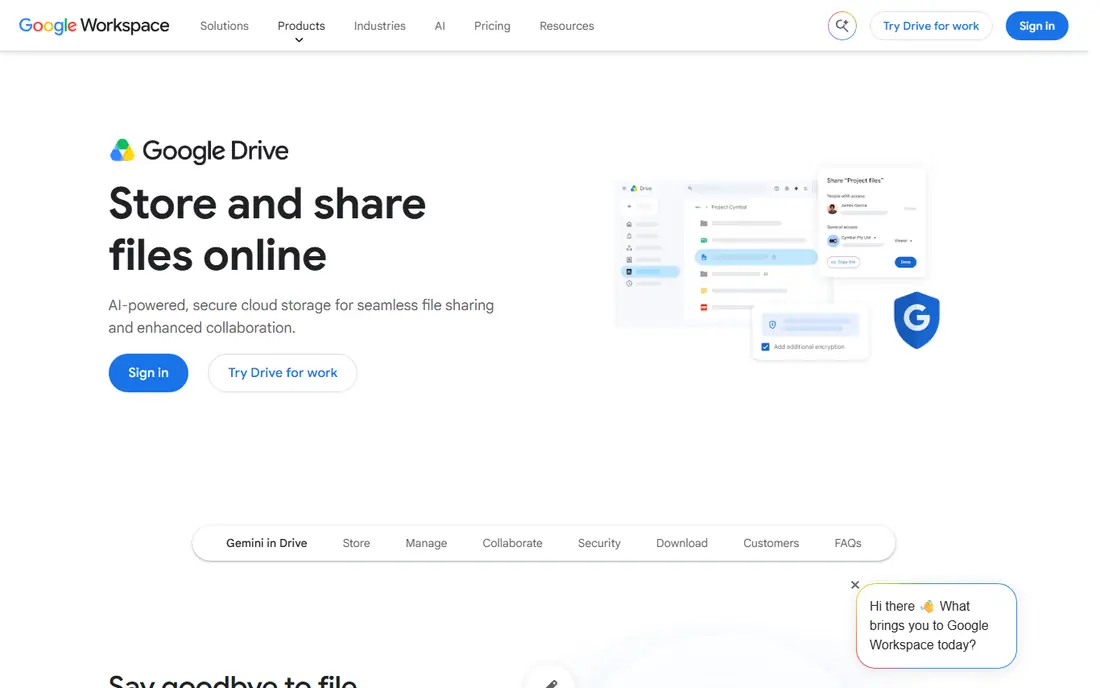
Google Drive suits people already in the Google ecosystem. You upload a file once, share a link, and control whether recipients can view, comment, or edit. Collaboration on Docs, Sheets, and Slides is built in, and 15GB of free storage is shared across Drive, Gmail, and Photos.
Storage is the catch. That 15GB fills fast if you store photos and mail, and the 100GB paid plan costs $1.99 per month. Drive is also less suited to one-off anonymous sends than Smash or SwissTransfer, because sharing settings and account requirements can confuse less technical recipients.
- 15GB free storage shared across Google
- Easy sharing and collaboration
- Strong search
- Recipients need a Google account for some features
- Free storage fills quickly with photos and mail
Dropbox Transfer lets you send files without giving recipients access to your whole Dropbox. Transfer pages look professional, you can add a password and expiry date on paid plans, and delivery tracking shows when files are downloaded. It is a natural fit for Dropbox users who already store client work there.
Free users are limited to 2GB per transfer, which is smaller than Smash, SwissTransfer, or Filemail. Paid Dropbox plans raise the limit to 100GB per transfer in many cases, but if you only need transfers and not storage, a dedicated transfer tool will cost less.
- Clean transfer pages
- Link expiry and password controls on paid plans
- Works with Dropbox storage
- Free transfers are limited to 2GB
- Paid plans needed for large files
Send Anywhere is built for speed between devices. You can send a file with a six-digit key, a link, or a QR code, and device-to-device transfers support larger files than link sharing. It works across phones, tablets, and computers, which suits people moving files between their own devices.
Link expiry is short at 48 hours, and free link downloads are capped at 10GB per month. For a quick send to a colleague who will download today, that is fine. For a client who may download next week, choose a service with a longer link life.
- No account needed for many transfers
- 10GB by link
- Device-to-device transfers up to 50GB
- Link downloads expire after 48 hours
- Free link downloads are capped monthly
Filemail is a practical WeTransfer replacement for client work. Free transfers go up to 5GB without registration, links last seven days, and paid plans raise the limit to 250GB per transfer with longer storage and custom branding. Upload speeds are fast, and the interface stays simple.
The free plan caps you at two transfers per 24 hours, so busy days will push you to a paid plan. That limit is easy to hit if you send many small files, in which case Smash or SwissTransfer may suit you better.
- 5GB free transfers without registration
- Fast uploads
- Paid plans up to 250GB per transfer
- Free plan allows two transfers per 24 hours
- Branding needs a paid plan
TransferNow stands out because password protection is available even on the free plan, which matters for sensitive client files. Free transfers go up to 5GB without an account, and premium plans raise the limit to 250GB per transfer with storage up to a year. The interface is simple and the transfer page is clean.
Free links expire after seven days, so recipients need to download promptly. For recurring clients who need files available for weeks, a paid plan or a storage tool such as Drive or Dropbox is a better fit.
- 5GB free transfers without signup
- Free password protection
- Premium plans up to 250GB
- Free links expire after seven days
- Paid plans needed for longer storage
pCloud Transfer lets you send up to 5GB without creating a full account, with only an email check to confirm the send. Links last seven days, and the process is quick and clean. It is a good choice for a one-off send when you do not want to sign up for another service.
The transfer tool is separate from pCloud storage, so you cannot build a shared folder or workspace around a transfer. If you need ongoing storage and sharing, look at pCloud storage plans or Google Drive instead of the transfer-only tool.
- 5GB free transfers
- No account needed, email check only
- Links last seven days
- Transfer is separate from pCloud storage plans
- No collaboration tools in the transfer tool
MASV is built for video, post-production, and media teams that move very large files regularly. You pay per gigabyte, around $0.25 per GB, with 15GB free each month, and files are delivered quickly through a global network. That model suits professionals who send large files in bursts rather than every day.
The pay-as-you-go model can surprise casual users. A 100GB transfer costs around $25 in delivery charges, which is more than a month of a flat-rate transfer plan. For occasional large sends, Smash or SwissTransfer are cheaper. For professional media delivery, MASV speed and reliability justify the price.
- Built for large media files
- Pay-as-you-go at around $0.25 per GB
- Fast global delivery
- Pay-per-GB costs add up on huge transfers
- Needs an account and payment method
How we picked these
We compared official feature and pricing pages and public transfer comparisons from September and October 2026, focusing on free size limits, link expiry, account requirements, and paid upgrade paths. We favoured tools that work in the US today, publish their limits clearly, and cover the main reasons people leave WeTransfer: size limits, short link life, and cost.
How to pick a transfer tool
Start with file size and urgency. If you send files over 10GB, Smash and SwissTransfer are the only strong free options. If you send files under 5GB, Filemail, TransferNow, and pCloud Transfer all work well and differ mainly on link life and password options.
Next, check security needs. Password protection, link expiry, and download tracking matter for client work, contracts, and unreleased media. TransferNow offers password protection free, while Smash, Dropbox Transfer, and Filemail put some controls behind paid plans.
Finally, decide whether you need storage or just a send. Storage tools such as Google Drive and Dropbox keep files available indefinitely and support collaboration, while transfer tools are better for one-off sends to people who should not see your whole folder. Many professionals use both: Drive for ongoing work, and Smash or SwissTransfer for large one-off deliveries.
Sources
Frequently asked questions
What is the best free WeTransfer alternative?
Smash and SwissTransfer are the strongest free options. Smash has no file-size limit on its free plan, while SwissTransfer allows up to 50GB per transfer with links lasting up to 30 days. Both work without an account for most sends.
Do recipients need an account to download files?
No, on most tools in this list. Smash, SwissTransfer, Filemail, TransferNow, and pCloud Transfer all let recipients download from a link without creating an account. Storage tools such as Google Drive and Dropbox may ask recipients to sign in for some features.
How long do transfer links last?
It varies widely. Send Anywhere links last 48 hours, Smash and Filemail free links last seven days, and SwissTransfer links can last up to 30 days. Paid plans extend link life on most services, so check expiry before you send an important file.
Is it safe to send large files with these tools?
Reputable transfer tools use encryption in transit and at rest, and many offer password protection and link expiry. For sensitive files, use a password, set a short expiry, and confirm the recipient downloaded the file before the link expires.
What is the best alternative for video professionals?
MASV is built for large media files and fast delivery, with pay-as-you-go pricing. Smash Pro also suits video professionals who send large files often and want priority sending without per-gigabyte charges.