Best AI Image Generation Tools in 2026: 10 Apps Compared
By ToolNimba Editorial Team October 28, 2026 12 min read

- Top pick
 Midjourney
Artistic and cinematic images
Starting price$10 per monthCheck out MidjourneyRead our review - Runner-up
 ChatGPT Images
Conversational edits and text accuracy
Starting priceFreeCheck out ChatGPT ImagesRead our review - Also great
 Adobe Firefly
Commercial-safe client work
Starting priceFreeCheck out Adobe FireflyRead our review
How we researched this
We compared official pricing and feature pages, app store listings, privacy policies and public user reviews. Prices change, so check the provider's site before you pay.
Key takeaways
- Midjourney still leads on artistic look, but it has no free tier, so it suits creators who will use it often enough to justify $10 per month.
- ChatGPT image generation and Google Gemini offer the easiest start, since image tools sit inside chat plans many people already pay for.
- Adobe Firefly is the safest pick for commercial client work, thanks to licensed training data and Photoshop integration.
- Ideogram is the best choice when an image must contain readable text, such as a poster, sign, or product label.
- Stable Diffusion and Flux give the most control and privacy for technical users, but they need setup time and a capable computer or API budget.
Quick comparison
| Name | Best for | Starting price | Free plan | |
|---|---|---|---|---|
| Midjourney | Artistic and cinematic images | $10 per month | No | Visit |
| ChatGPT Images | Conversational edits and text accuracy | Free | Yes | Visit |
| Adobe Firefly | Commercial-safe client work | Free | Yes | Visit |
 Google Gemini Images | Photoreal images in Google apps | Free | Yes | Visit |
 Leonardo AI | Game art and custom styles | Free | Yes | Visit |
 Ideogram | Readable text in images | Free | Yes | Visit |
 Recraft | Vectors and brand sets | Free | Yes | Visit |
 Stable Diffusion | Free local control | Free | Yes | Visit |
 Flux | Photoreal open-model images | Free | Yes | Visit |
 Canva AI | Images inside social designs | Free | Yes | Visit |
The best ai image generation tools apps
Image tools now differ less on whether they can make a pretty picture and more on what job that picture must do. A poster needs readable text. A client campaign needs safe licensing. A game project needs a consistent style across hundreds of assets. The ten tools below cover those jobs, with clear notes on price, free access, and limits.
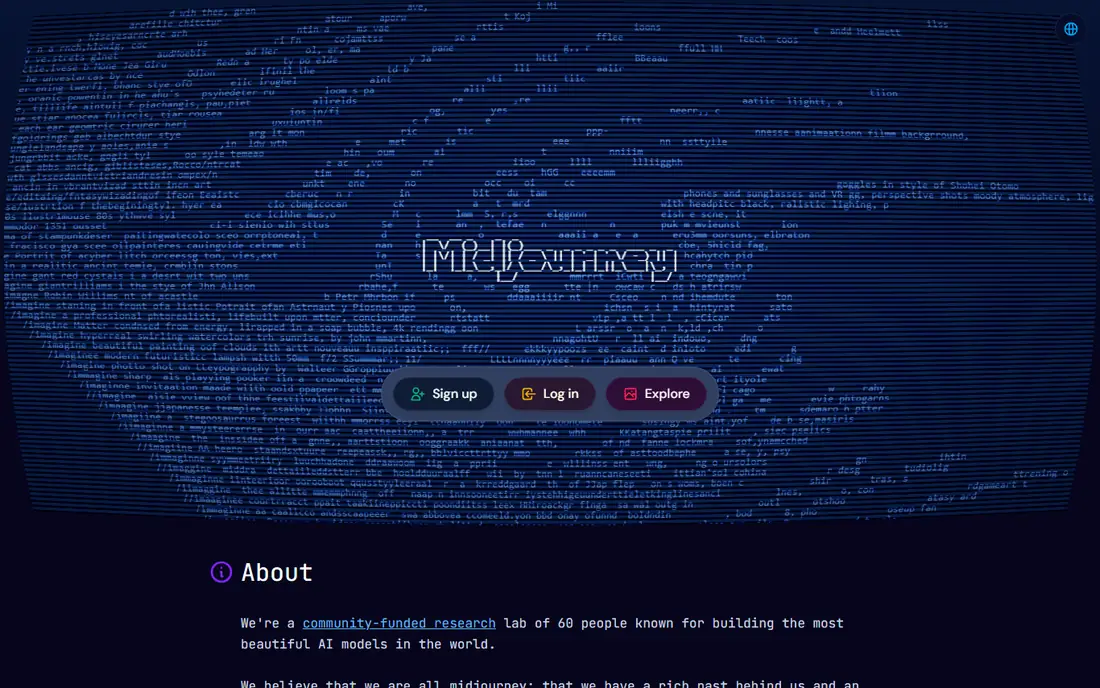
Midjourney remains the benchmark for look and feel. Prompts tend to produce polished, cinematic images with strong lighting and composition, even without long prompt engineering. The web app, style references, and character consistency tools make it easier to keep a series of images in the same visual world, which matters for campaigns and portfolios.
The cost is the barrier. Basic starts at $10 per month, with higher tiers adding more fast generation time and features such as stealth mode. There is no free plan to test at length, and text inside images is less reliable than in Ideogram or ChatGPT images. For creators who judge work mainly on visual impact, Midjourney is still the first tool to try.
- Strongest artistic quality out of the box
- Web app plus style and character references
- Fast generation on paid plans
- No free tier
- Weaker at accurate text than some rivals
- Commercial terms need checking for enterprise use
ChatGPT image generation, now branded as GPT Image inside ChatGPT, is the easiest way for most people to start. You describe an image, ask for a change in plain language, and iterate without learning prompt syntax or a new interface. Text in images, such as signs and labels, is handled better here than in many artistic tools, which helps for social posts and mockups.
Free access is limited, and Plus at $20 per month raises limits and adds broader ChatGPT features. It is not the best tool for precise artistic control or for generating hundreds of assets in a set style. For everyday images, edits, and ideas inside a chat you already use, it is the most convenient option on this list.
- Edit images by chatting in plain language
- Strong prompt and text accuracy
- No separate app for ChatGPT users
- Free use has limits
- Plus at $20 per month for higher limits
- Less fine control than Midjourney or Leonardo
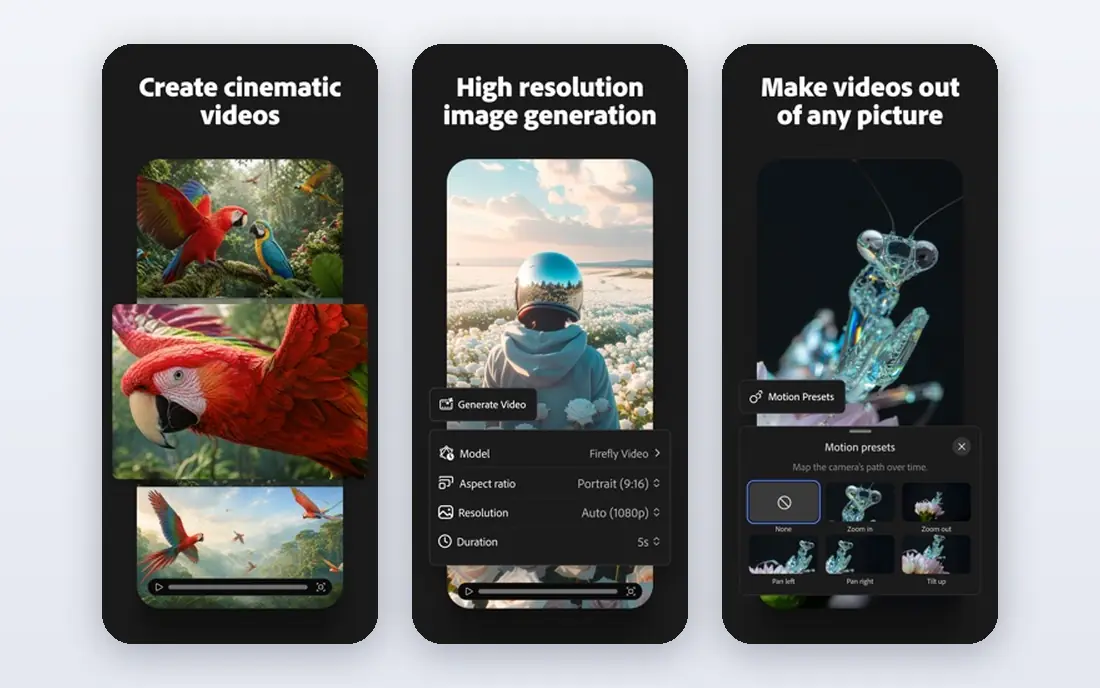
Firefly is the tool to choose when licensing matters. Adobe states that its image models are trained on licensed content, which reduces legal risk for ads, product pages, and client work. Generative Fill in Photoshop lets you extend, replace, and clean up photos in ways that feel natural, and Firefly also works in Express and Illustrator workflows.
A limited free tier gives monthly credits to test the system, while standalone plans start from $9.99 per month. Firefly is less wild and artistic than Midjourney, and some users find its outputs more polished than surprising. For brand teams and agencies that must defend every image they publish, that safety is worth the trade.
- Trained on licensed content
- Generative Fill in Photoshop
- Free monthly credits to start
- Standalone plans from $9.99 per month
- Less experimental than Midjourney
- Best features need Creative Cloud
Gemini image generation, powered by Imagen models in the Gemini app, gives many users a free route to high-quality images. It handles photoreal scenes, edits to an uploaded photo, and follow-up changes in conversation, without a separate subscription. For Google Workspace users, that link to Docs, Drive, and Search adds practical value.
Free use has limits, and Google AI Pro at $19.99 per month raises them and adds other AI features. Commercial use terms vary by plan, so check them before client work. Gemini is not the best tool for deep style tuning, but for fast, realistic images inside a familiar Google workflow, it is a strong free starting point.
- Free access in the Gemini app
- Strong photorealism with Imagen models
- Editing and image understanding in one chat
- Paid AI Pro at $19.99 per month for higher limits
- Commercial terms differ by plan
- Style control is lighter than Leonardo
Leonardo AI suits creators who need many assets in a consistent style. Game designers, illustrators, and product teams can train or select models, save styles, and generate characters, props, and environments that look like they belong together. Free daily tokens let you test the system without paying, which is useful before committing to a paid plan.
Paid plans start from $12 per month and add more tokens and features. The interface offers a lot of controls, which can overwhelm a first-time user, and results depend on choosing the right model. For volume work and style control, especially in games and concept art, Leonardo offers more production value than a general chat image tool.
- Free daily tokens
- Custom models and style controls
- Good for characters, items, and environments
- Paid plans from $12 per month
- Interface can feel busy
- Quality varies by model choice
Ideogram solves a specific frustration: AI images that ruin words. It renders posters, banners, logos, and signs with text that actually reads correctly far more often than most rivals. That makes it the go-to tool for social graphics, event posters, book covers with titles, and product mockups where the words are part of the design.
The free tier allows daily generations for non-commercial use, while paid plans start from $8 per month and add commercial rights and higher limits. Ideogram is less suited to pure fine art or photoreal portraits, where Midjourney or Gemini may look better. When text must be right, start here and judge other tools against it.
- Best-in-class readable text for posters and logos
- Free tier with daily generations
- Simple prompt workflow
- Paid plans from $8 per month
- Artistic range is narrower than Midjourney
- Free use is for non-commercial work
Recraft is different because it produces editable vectors, not just flat pictures. Logos, icons, illustrations, and brand sets can be exported as SVG files and edited in design software, which saves a redraw step for brand work. Style controls help keep a set of assets consistent, from social icons to packaging illustrations.
Free access allows daily generations for non-commercial use, while paid plans start from $12 per month. Recraft is not the best choice for photoreal images or cinematic art. For designers who need clean, scalable assets that fit a brand system, it fills a gap that raster-only generators leave open.
- True vector output for logos and icons
- Brand styles for consistent sets
- Free tier for testing
- Paid plans from $12 per month
- Photorealism is weaker
- Best for design assets, not photos
Stable Diffusion remains the open option. You can run it on your own computer, use community models, and generate without a monthly subscription or sending prompts to a vendor. That privacy and control appeal to developers, researchers, and artists who want to tune every setting, from sampling to custom styles.
The cost is time and hardware. Local generation needs a capable GPU, often with 8GB or more of video memory, and setup through tools like ComfyUI takes effort. Hosted APIs start at low per-image prices for users who want control without local hardware. For total control and no subscription, Stable Diffusion is still unmatched.
- Free and open source to run locally
- Huge model and extension ecosystem
- Full privacy on your own machine
- Needs a capable GPU for good speed
- Setup is technical
- Quality depends on model and settings
Flux, from Black Forest Labs, has become a leading open model for photoreal detail and readable text. It produces clean skin, fabric, and product detail, and handles longer prompts well, which helps for advertising and product visuals. Open weights allow local use, while APIs let teams pay per image without managing hardware.
As with Stable Diffusion, local use needs a strong GPU and some setup, and hosted prices vary by provider. Flux is less of a one-click app than ChatGPT or Gemini, but it offers a middle path: near-commercial quality with open-model freedom. Technical teams and serious creators will get the most from it.
- Strong photorealism and text rendering
- Open weights for local use
- API options for teams
- Local use needs a strong GPU
- Hosted pricing varies
- Model choice affects quality and speed
Canva AI, known as Magic Media inside Canva, is best for people who need a finished design, not just an image file. Generate a background, a product shot, or an illustration, then drop it into a social post, slide, or ad template and export in the right size. That workflow saves time for marketers and small teams who publish often.
The free tier covers basic use, while Canva Pro from about $15 per month adds more AI credits and full design features. Specialist tools beat Canva on artistic range and control, and Canva is less useful if you need images outside its editor. For fast social and marketing designs, it is the most practical all-in-one choice.
- Images go straight into posts, slides, and ads
- Easy editing and templates
- Free tier for basic use
- Canva Pro from about $15 per month
- Image quality lags specialist tools
- Best inside Canva, not standalone
How we picked these
We compared official pricing pages, model pages, and public reviews for image tools that are available now in 2026. We checked free tiers, paid starting prices, text accuracy, licensing terms, and export options, since those details decide whether an image is usable for client work or only for personal experiments. We left out tools that had closed, tools that only generate video, and tools with no working free or paid access we could verify.
We also judged tools by job, not by a single beauty score. A tool that makes a stunning portrait but ruins poster text fails for a poster job, while a vector tool that looks plain for photos wins for logos. That job-based view shaped the list and the buying guide below.
How to choose the right image tool
Start with the end use
A social post, a client ad, a game asset, and a logo need different outputs. Check licensing, file type, and text accuracy for that use before comparing style. A free tool with the wrong license can cost more than a paid tool with the right one.
Test text, faces, and hands early
Generate the hardest cases first: a poster with a long title, a close portrait, and a product in hand. Many tools look good on simple scenes and fail on these tests. Keep the tool that passes your hardest case, not the one with the prettiest demo gallery.
Count the real cost per usable image
Subscriptions, credits, and API prices all measure different things. Track how many generations it takes to get one usable image, then compare monthly cost divided by usable images. A cheap plan that needs ten tries per keeper may cost more than a pricier plan that needs two.
Keep a consistent style system
Save prompts, reference images, seed values where available, and brand colors in one place. Style references in Midjourney, custom models in Leonardo, and brand styles in Recraft all help, but only if you reuse them. A style sheet saves more time than switching tools every week.