Best AI Trading App in 2026: 9 Apps Compared
By ToolNimba Editorial Team October 28, 2026 11 min read

- Top pick
 Trade Ideas
Active day traders
Starting price$89 per monthCheck out Trade IdeasRead our review - Runner-up
 TrendSpider
Technical traders
Starting price$82 per monthCheck out TrendSpiderRead our review - Also great
 TradingView
Beginners and charting
Starting price$12.95 per monthCheck out TradingViewRead our review
How we researched this
We compared official pricing and feature pages, app store listings, privacy policies and public user reviews. Prices change, so check the provider's site before you pay.
Key takeaways
- Trade Ideas is the strongest pick for active stock traders who want AI-generated signals and fast scanning during market hours.
- TrendSpider suits technical traders who want automated trendlines, backtesting, and alerts without watching charts all day.
- TradingView is the best starting point for beginners, since its free plan, charts, and community tools teach the basics at low cost.
- Composer and Pionex suit hands-off users, but they serve different markets: Composer for stocks and ETFs, Pionex for crypto bots.
- This is not financial advice. Trading carries risk, AI signals can be wrong, and past signals do not guarantee future results.
Quick comparison
| Name | Best for | Starting price | Free plan | |
|---|---|---|---|---|
| Trade Ideas | Active day traders | $89 per month | Yes | Visit |
| TrendSpider | Technical traders | $82 per month | No | Visit |
| TradingView | Beginners and charting | $12.95 per month | Yes | Visit |
 Tickeron | AI pattern signals | See website | Free trial | Visit |
 Composer | No-code stock strategies | $10 per month | Yes | Visit |
 3Commas | Crypto automation | $15 per month | Free trial | Visit |
 Danelfin | AI stock scores | $20 per month | Yes | Visit |
 Magnifi | AI-assisted research | See website | Free trial | Visit |
 Pionex | Free crypto bots | Free | Yes | Visit |
The best AI trading apps
AI trading tools range from signal scanners and chart automation to no-code strategy builders and crypto bots. None of them remove risk, and none should trade your money without your understanding of the strategy. The tools below are still active in 2026 and cover stocks, ETFs, and crypto, with different levels of automation and control. We compared official pricing, feature pages, and public guides to build this list.
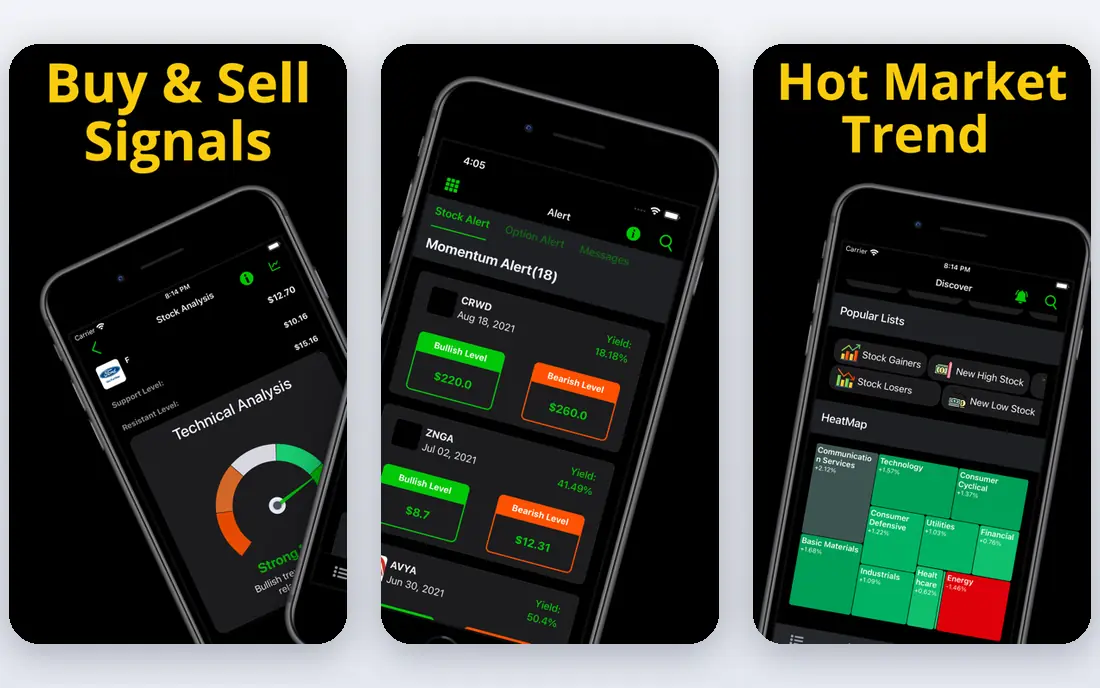
Trade Ideas is the closest thing to an AI co-pilot for day traders on this list. Its Holly engine runs many strategy simulations overnight and presents a shortlist for the next session, with entry, stop, and target levels. During the day, its scanner flags momentum, volume spikes, and unusual price action across the market.
The catch is price and focus. Holly sits on the Premium tier, so the entry plan is mainly a scanner, and the interface assumes you already trade actively. Occasional traders will struggle to justify over $2,000 per year on annual Premium billing. For traders who watch screens during market hours, Trade Ideas is the most powerful stock tool here.
- Holly AI generates trade ideas from overnight strategy simulations
- Real-time scanning for momentum and volume
- Backtesting and brokerage automation on Premium
- Full AI signals require the higher Premium plan
- Interface feels dense for beginners
- Annual cost is high for occasional traders
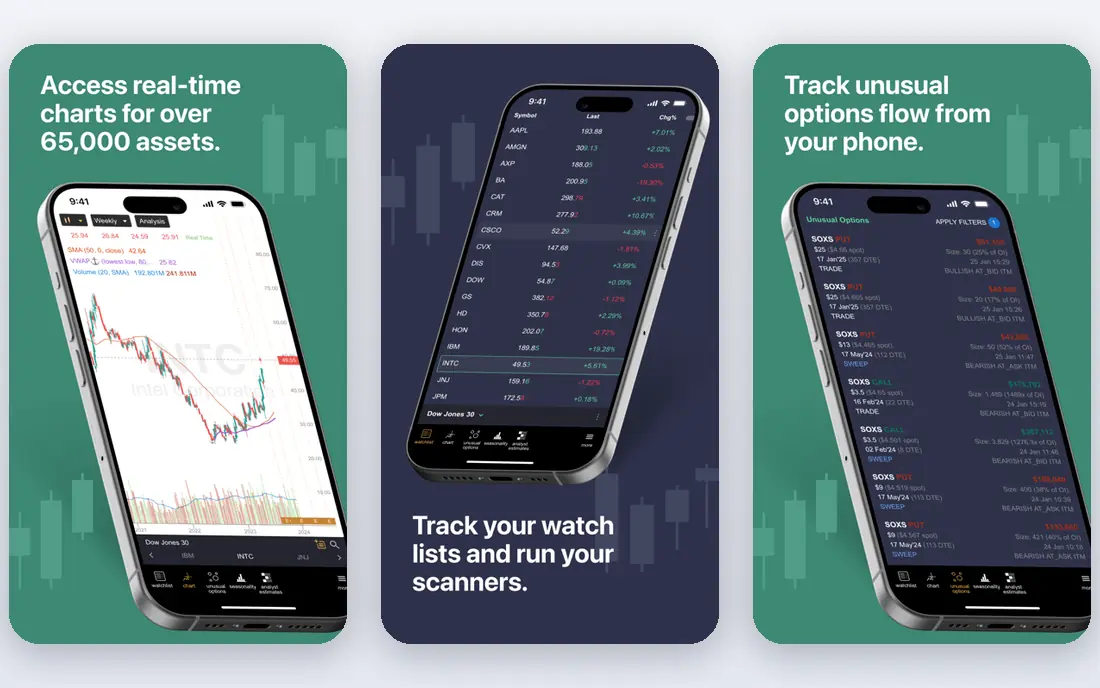
TrendSpider automates the tedious part of technical trading: drawing trendlines, spotting patterns, and testing whether a setup worked in the past. You can scan watchlists, set alerts for breakouts or pattern changes, and backtest ideas before risking money. That saves hours of manual chart work each week.
It is a technician tool. If your decisions come from earnings, news, or company fundamentals, TrendSpider adds less value. There is also no free tier to fall back on, so the paid trial is the main way to test it. For active technical traders, the automation is genuinely useful, but beginners may find it heavy at first.
- Automatic trendlines, patterns, and multi-timeframe analysis
- Backtesting and strategy automation
- Strong alerts so you do not watch charts all day
- No free plan, only a paid trial in many cases
- Best for technical traders, less useful for fundamentals-led investors
- Subscription cost adds up

TradingView is the best first step for anyone learning AI-assisted trading. Its free plan covers charts, basic indicators, and paper trading, while paid plans add more alerts, layouts, and data. The community library lets beginners study indicators and strategies without building everything from scratch.
TradingView is not a pure AI signal tool like Trade Ideas. Its AI help sits more in screening, alerts, and community tools than in a single engine that picks trades for you. That is actually a strength for beginners, since it encourages learning charts and risk rules rather than following signals blindly. Start free, learn paper trading, and only pay when you need more alerts or data.
- Excellent charts across stocks, crypto, forex, and futures
- Large community of indicators and ideas
- Alerts, screeners, and paper trading
- AI features are lighter than dedicated AI tools
- Higher plans are needed for more alerts and layouts
- Broker integration varies by region
Tickeron focuses on pattern detection and AI robots that follow defined strategies. Each robot shows a track record and rules, which helps users compare approaches rather than trusting a single black-box signal. Coverage across asset classes also suits traders who watch more than one market.
Pricing by module makes comparison tricky, since the cost depends on which robots and data you enable. Past robot performance also does not guarantee future results, and some robots suit trending markets better than choppy ones. Use Tickeron to research patterns and signals, not as a set-and-forget system.
- AI pattern recognition and signal robots with track records
- Coverage across stocks, ETFs, crypto, and forex
- Educational material for signal users
- Pricing varies by module, so total cost is hard to compare
- Signal track records are historical, not a promise of future results
- Interface can feel busy
Composer lets you build a trading strategy by dragging blocks for assets, conditions, and rebalancing, without writing code. You can backtest the idea, set it to run on a schedule, and adjust weights as markets change. That makes it appealing for investors who want a rules-based portfolio but do not want to code or trade daily.
Composer is not a stock picker that finds hidden winners for you. Your strategy is only as good as its rules, and backtested results can look better than live results. It also works within its own brokerage setup, so check account and transfer details before moving funds. For disciplined, hands-off stock and ETF strategies, Composer is a clear and honest tool.
- Visual, no-code strategy builder for stocks and ETFs
- Backtesting and automated rebalancing
- Simple interface for hands-off investors
- Limited to stocks and ETFs in its brokerage model
- Strategy results depend on your rules and market conditions
- Automation still carries market risk
3Commas is a crypto automation platform that connects to exchanges by API and runs bots for dollar-cost averaging, grid trading, and signal strategies. It suits crypto traders who want automation without moving funds to a new exchange, since trades execute on the exchange you already use.
Crypto risk is the main warning. Bots follow rules, but they cannot predict crashes, exchange outages, or liquidity gaps, and a grid bot in a falling market can keep buying into losses. Use read-and-trade API keys with care, never share withdrawal permissions unless you fully understand the risk, and start with small amounts. For experienced crypto traders, 3Commas is a flexible automation tool.
- DCA, grid, and signal bots across many exchanges
- Trailing stops and portfolio tools
- API connections keep funds on your exchange
- Crypto markets are volatile and bots can lose money fast
- Setup needs care with API permissions
- Higher plans needed for more bots
Danelfin gives each stock and ETF a single AI score, built from many fundamental, technical, and sentiment factors. That simplicity helps beginners compare stocks without reading dozens of indicators at once. Its explanations show which factors lift or lower a score, which makes the tool more transparent than a bare buy or sell label.
A score should not replace your own research. Scores change as data changes, and a high score does not mean a stock fits your risk tolerance or time horizon. Danelfin works best as a research filter: use it to shortlist stocks, then check earnings, valuation, and risk before any trade.
- AI score from 1 to 10 for stocks and ETFs
- Plain explanations of score drivers
- Coverage for US and European stocks
- A score is not a trade recommendation
- Coverage is thinner than full broker platforms
- Higher plans needed for full data and alerts
Magnifi is an AI research assistant that answers investing questions in plain English. You can ask about a stock, compare ETFs, screen for themes, or check a portfolio, and it returns research summaries and data to explore. That chat format suits beginners who find traditional screeners intimidating.
Chat tools can simplify or miss context, so verify any key claim in earnings reports, filings, or broker data before trading. Magnifi also does not replace a broker or a full charting platform for execution. As a research starting point, it is friendly and fast, but treat its answers as leads, not decisions.
- Plain-English questions for stocks, ETFs, and portfolios
- Research summaries and screening in chat form
- Useful for learning investing concepts
- Pricing has varied across sources, so check the current plan
- Chat answers need verification against primary sources
- Not a full trading platform
Pionex is a crypto exchange with built-in trading bots, which means you do not pay a separate bot subscription. Its grid, DCA, and other bots run inside the exchange, and you pay trading fees on executed trades. That low entry cost makes it popular for crypto traders who want to test automation without a monthly bot bill.
Free does not mean risk-free. Crypto prices can fall sharply, bots can lock capital in losing positions, and exchange availability varies by country and state. Start small, learn one bot type at a time, and keep most funds outside any single bot strategy. For crypto automation on a budget, Pionex is the easiest place to start.
- Built-in crypto bots with no subscription fee
- Trading fees apply instead
- Grid, DCA, and arbitrage bots in one exchange app
- Crypto only, with high volatility risk
- Bot profits depend on market conditions
- Exchange and regulatory availability varies by region
How we picked these
We compared official pricing and feature pages, asset coverage, and public guides, and we favored tools that state their pricing, explain their AI approach in plain terms, and still operate in 2026. We left out tools that promise guaranteed profits, tools with no clear pricing or company page, and tools that require handing over full withdrawal access without clear controls. Prices change, so confirm the current plan on the vendor site before you subscribe.
How to use AI trading tools safely
Start with paper trading or a tiny amount, and track every signal or bot decision for at least a few weeks. Compare AI suggestions with your own rules for entry, stop loss, and position size, and never let a tool trade more than you can afford to lose. That discipline matters more than any single signal.
Separate research from execution
Use AI for research, screening, and alerts, and keep execution under your control until you trust a strategy through different market conditions. Automated execution can help disciplined traders, but it can also repeat a bad rule faster than manual trading. Review automated trades weekly, not just when something goes wrong.
Check costs and data
Add subscription fees, market data fees, trading commissions, and spreads to your return calculation. A strategy that looks profitable before fees can lose money after them, especially for frequent traders. Also check whether real-time data is included, since delayed data can make backtests and signals misleading.
Sources
- https://www.tradeideas.com
- https://www.trendspider.com
- https://www.tradingview.com
- https://www.tickeron.com
- https://www.composer.trade
- https://3commas.io
- https://www.danelfin.com
- https://www.magnifi.com
- https://www.pionex.com
- https://hyscaler.com/insights/top-ai-trading-apps-boost-investment/
- https://www.finder.com/stock-trading/ai-trading-bot