Best Antivirus Software in 2026: 9 Programs Compared
By ToolNimba Editorial Team October 28, 2026 10 min read

- Top pick
 Bitdefender
Most homes
Starting price$24.99 per yearCheck out BitdefenderRead our review - Runner-up
 Norton
Families and extras
Starting price$29.99 per yearCheck out NortonRead our review - Also great
 McAfee
Multi-device homes
Starting priceSee websiteCheck out McAfeeRead our review
How we researched this
We compared official pricing and feature pages, app store listings, privacy policies and public user reviews. Prices change, so check the provider's site before you pay.
Key takeaways
- Bitdefender is our pick for most homes, because it pairs strong protection with a free Windows version and a clear multi-device suite.
- Norton suits families who want backup, a VPN, and parental controls in one subscription, but renewal prices are much higher than first-year prices.
- Microsoft Defender is a solid free starting point on Windows, and Avast and AVG offer free tiers for users who want extra features without paying.
- Always check the renewal price before you buy, because first-year discounts often double or more in year two.
Quick comparison
| Name | Best for | Starting price | Free plan | |
|---|---|---|---|---|
| Bitdefender | Most homes | $24.99 per year | Yes | Visit |
| Norton | Families and extras | $29.99 per year | No | Visit |
| McAfee | Multi-device homes | See website | No | Visit |
 Kaspersky | Strong core protection | See website | Yes | Visit |
 Avast | Free protection | Free | Yes | Visit |
 AVG | Free protection | Free | Yes | Visit |
 Malwarebytes | Malware cleanup | See website | Yes | Visit |
 Microsoft Defender | Windows users | Free | Yes | Visit |
 ESET | Lightweight protection | See website | No | Visit |
The best antivirus software
Good antivirus software should protect you quietly, without slowing your computer or nagging you constantly. The best choice depends on how many devices you have, whether you need a VPN or parental controls, and how much you want to pay after the first-year discount ends. We compared official product and pricing pages, independent lab summaries, and public reviews to build this list.
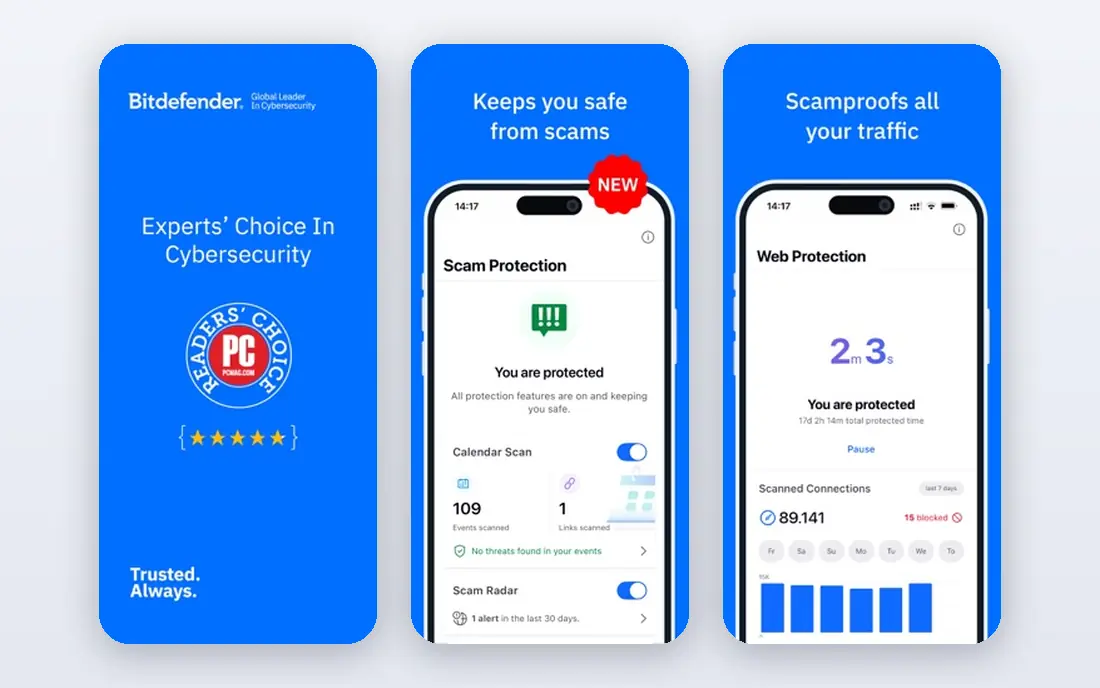
Bitdefender is our pick for most home users, because it covers the basics well and scales up cleanly. Real-time malware protection, web protection, and ransomware protection sit at the core, while higher tiers add a VPN, parental controls, a password manager, and scam protection. A free version for Windows covers basic antivirus needs if you do not want a paid suite yet.
The main catch is pricing structure. First-year prices reported in October 2026 started at $24.99 for Antivirus Plus, with Total Security higher, and renewal prices were notably higher, so note both figures before checkout. The VPN on lower tiers also has a daily data limit, with unlimited data on higher tiers. For most households, Total Security hits the best balance of coverage and cost.
- Strong real-time protection
- Free Windows version
- Multi-device suites with VPN and parental controls
- Full VPN data is limited on lower tiers
- Renewal prices are higher than first-year offers
Norton suits homes that want one subscription to cover several needs at once. Norton AntiVirus Plus started at $29.99 for the first year for one device in recent listings, while Norton 360 Standard and Deluxe add a VPN, dark web monitoring, cloud backup, and parental controls on Deluxe. Current plans also list scam protection and a password manager, which helps less technical family members stay safer online.
The pricing warning matters more here than with most rivals. Renewal prices listed on Norton pages were $59.99 per year for AntiVirus Plus, $94.99 for Standard, and $124.99 for Deluxe, so the second year can cost roughly twice the first. If you like the bundle, set a renewal reminder and compare prices again before it renews.
- Antivirus plus VPN, backup, and password manager
- Scam and deepfake protection on current plans
- 60-day money-back guarantee
- Renewal prices jump sharply
- Suite can feel heavy with many extras
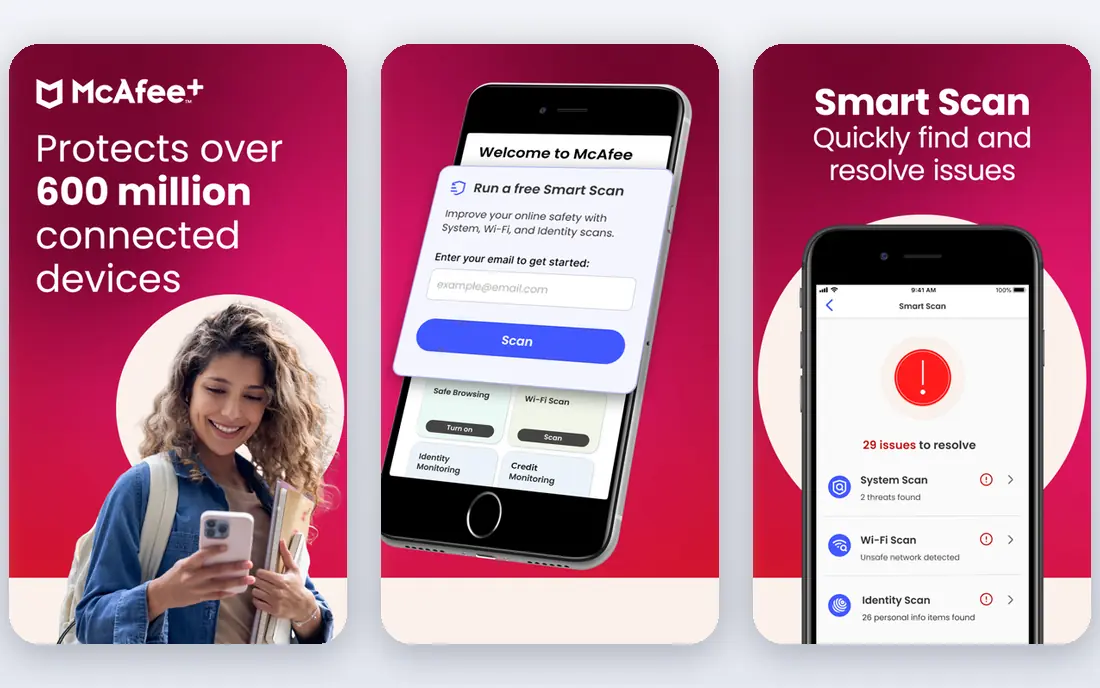
McAfee is a practical choice for households with many phones, tablets, and computers, because its plans often cover a large number of devices under one subscription. Core antivirus protection is joined by a firewall, web protection, and, on higher tiers, a VPN, password manager, and identity monitoring. Setup is straightforward, and a single dashboard helps you see which devices are protected.
Pricing is the reason we list this as See website. McAfee runs frequent promotions, and the first-year and renewal prices vary by plan and region, so a figure quoted here could be out of date quickly. Check the official pricing page for the plan you want, and confirm how many devices it covers before you pay.
- Covers many devices on one plan
- Includes VPN and identity tools on higher tiers
- Easy family setup
- Pricing and plan names change often
- Some users report heavy system impact
Kaspersky has long scored well in independent malware tests, and its core protection remains its main strength. Real-time scanning, web protection, and ransomware tools cover everyday threats, while paid tiers add a VPN, password manager, and parental controls. A free tier is available for users who want basic protection without a subscription.
There is a caveat to weigh. Kaspersky has faced government restrictions and trust questions in the US and some other regions, so check current guidance for your country and workplace before you install it. If you are comfortable with that background and want focused, strong protection, Kaspersky is a solid option.
- Strong malware protection in independent tests
- Free tier available
- Clear, focused interface
- Availability and trust questions in some regions
- Higher tiers add cost for extras
Avast Free Antivirus is one of the most complete free options, with real-time protection, a behavior shield, and Wi-Fi network checks. For a single computer or a tight budget, it gives you meaningful protection without a subscription, and paid tiers add a firewall, ransomware shield, webcam protection, and cleanup tools.
The free experience includes prompts to upgrade, which some users find annoying. Avast has also faced past criticism over data practices, and its privacy policy is worth reading if that concerns you. If you want free protection with more shields than Windows Defender alone, Avast is a reasonable choice.
- Free tier covers core antivirus
- Wi-Fi and behavior shields
- Easy to install
- Free version includes upgrade prompts
- Premium features require a paid plan
AVG AntiVirus Free offers a similar free package to Avast, which makes sense, since both brands sit under the same parent company. You get real-time malware protection, web and email shields, and a simple dashboard that is easy for beginners to use. The paid Internet Security tier adds a firewall, ransomware protection, and webcam protection.
Because AVG and Avast share technology, there is little reason to install both. Pick the interface you prefer, and expect upgrade prompts in the free version either way. For a no-cost second layer on a home computer, AVG does the job without demanding much setup.
- Free tier with real-time protection
- Simple interface
- Paid suite adds firewall and extras
- Free version includes upgrade prompts
- Owned by the same company as Avast, so features overlap
Malwarebytes earns its place for a different job: cleaning up a computer that may already be infected. The free version scans on demand and removes malware, which makes it a useful second-opinion scanner alongside another antivirus program. The paid Premium tier adds real-time protection, web protection, and ransomware protection.
Do not rely on the free version alone for everyday protection, because it only scans when you run it. Pair it with Defender or a full suite, or upgrade to Premium if you want Malwarebytes as your main protection. For troubled computers, it is often the first tool support forums suggest, and that reputation is deserved.
- Strong at removing existing infections
- Light real-time protection on paid tier
- Simple interface
- Free version does not include real-time protection
- Fewer extras than full suites
Microsoft Defender is the easiest antivirus choice for most Windows users, because it is already there. It provides real-time protection, firewall controls, ransomware protection through controlled folder access, and regular updates through Windows Update. Independent lab results in recent years have placed it close to paid products for core protection.
It lacks the bundled VPN, password manager, and identity tools found in paid suites, though Microsoft offers some of those separately. If you keep Windows updated, avoid risky downloads, and do not need a bundle, Defender plus smart browsing habits may be enough. It is also a good baseline to keep running even if you add a cleanup tool such as Malwarebytes.
- Built into Windows at no extra cost
- Solid real-time protection
- Low friction and no extra install
- Fewer extras than paid suites
- Parental and VPN features need separate Microsoft services
ESET suits users who notice when security software slows their computer. Its home products focus on core antivirus, web protection, and device control, with a reputation for light system impact. The interface is plain and businesslike, which some users prefer to suites packed with marketing features.
The trade-off is breadth. ESET offers fewer lifestyle extras than Norton or Bitdefender, and there is no free tier, only a trial on many plans. Pricing varies by plan and region, so check the official site for the current home plan. If speed and quiet protection matter more to you than a bundle, ESET is worth a trial.
- Low system impact
- Clear interface
- Strong core protection for home users
- No free tier
- Fewer bundle extras than Norton or Bitdefender
How we picked these
We compared official product pages, pricing pages, and privacy policies, along with independent lab summaries and public reviews. We favored products that are still maintained, clearly describe what each tier includes, and offer a free tier or trial where stated. We left out products with unclear pricing, discontinued home versions, or poor independent test records. No antivirus program catches everything, so safe browsing and regular updates matter as much as the product you pick.
What to look for before you buy
Start by counting devices and operating systems. A single Windows laptop needs far less than a family with Windows, Mac, Android, and iOS devices. Check that the plan you choose covers each device type, because some cheap plans are Windows only, and mobile protection can differ a lot from desktop protection.
Read the renewal price, not just the first year
First-year discounts are common, and renewal prices are often much higher. Before you buy, write down both prices, check whether renewal is automatic, and set a reminder a few weeks before renewal. You can often rebuy at a new-customer price or switch products, but only if you notice in time.
Do not run two real-time antivirus programs at once
Two real-time scanners can conflict, slow your computer, and cause false alerts. Pick one main antivirus for real-time protection, and use on-demand tools such as the free Malwarebytes scanner only when you need a second check. Keep your operating system and browser updated, since many attacks use old software rather than new malware.