Best Apps for Productivity Tips in 2026: 9 Apps Compared
By ToolNimba Editorial Team October 28, 2026 12 min read

- Top pick
 Todoist
Fast task capture
Starting priceFreeCheck out TodoistRead our review - Runner-up
 Notion
All-in-one notes and databases
Starting priceFreeCheck out NotionRead our review - Also great
 TickTick
Tasks, habits and focus timer in one app
Starting priceFreeCheck out TickTickRead our review
How we researched this
We compared official pricing and feature pages, app store listings, privacy policies and public user reviews. Prices change, so check the provider's site before you pay.
Key takeaways
- Todoist is the fastest way to capture tasks, with natural-language input and a free plan that covers five projects, while Pro costs $5 per month billed yearly.
- Notion is the best all-in-one workspace for notes, docs and databases, with a genuinely useful free plan for one person and Plus at $10 per member per month billed yearly.
- TickTick packs the most into one app, combining tasks, calendar, habits and a focus timer, with Premium at $49.99 per year.
- Team apps such as Trello, ClickUp, Asana and Monday.com all offer free plans, but their paid tiers and seat rules differ enough that you should price your real team before choosing.
Quick comparison
| Name | Best for | Starting price | Free plan | |
|---|---|---|---|---|
| Todoist | Fast task capture | Free | Yes | Visit |
| Notion | All-in-one notes and databases | Free | Yes | Visit |
| TickTick | Tasks, habits and focus timer in one app | Free | Yes | Visit |
 Trello | Simple visual boards | Free | Yes | Visit |
 ClickUp | Custom team workflows | Free | Yes | Visit |
 Asana | Structured team projects | Free | Yes | Visit |
 Monday.com | Visual team planning | Free | Yes | Visit |
 Any.do | Guided daily planning | Free | Yes | Visit |
 Forest | Focus sessions without distractions | See website | No | Visit |
The best apps for productivity tips
The best productivity app is the one you will actually open every morning, and that depends on how you work rather than how many features an app lists. We compared official pricing pages, feature lists, app store listings and public reviews, and we focused on free plan limits, paid prices and the point where each app starts to feel like work itself. Our pick for most people is Todoist for personal tasks and Notion for everything else, but the right answer changes fast once teams, boards or habits enter the picture.
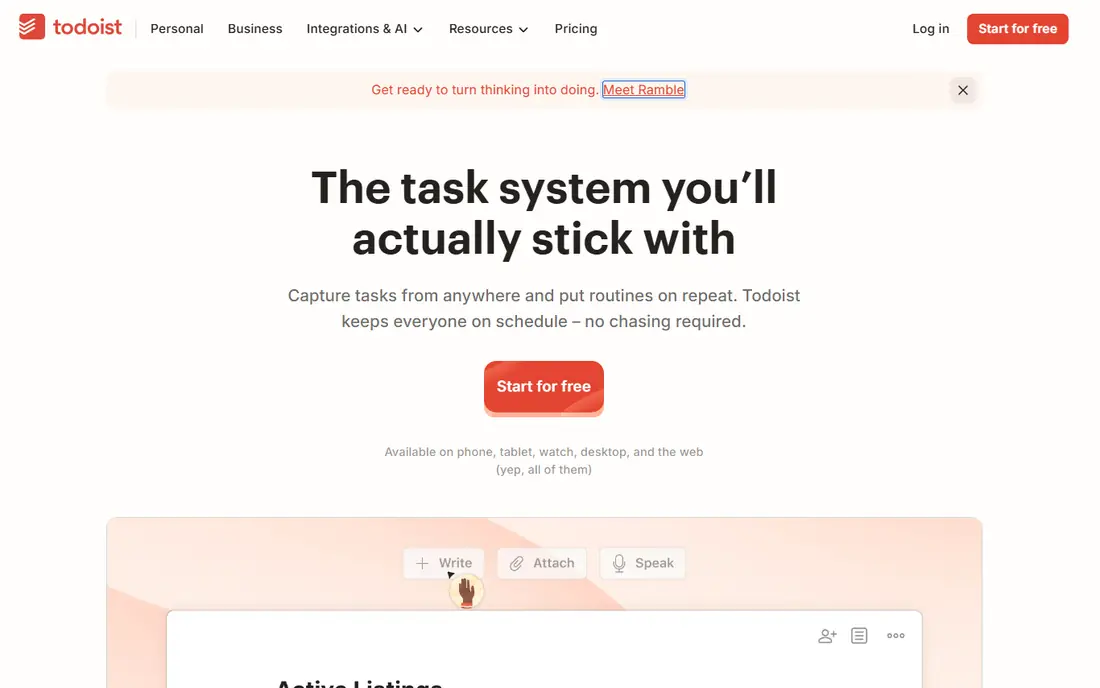
Todoist wins on capture speed, and capture speed is what keeps a task system alive. Type "submit report every Friday at 3pm" and it becomes a recurring task with no extra taps, and the same list follows you across phone, desktop, browser and watch. Priorities, labels, filters and subtasks cover most personal systems without turning the app into a project management suite.
The free Beginner plan gives you five personal projects, three filter views and one week of history, which is enough to learn the app but tight once work and home share it. Pro costs $7 per month, or $5 per month billed yearly, and adds 300 projects, calendar layout, custom reminders and the full AI Assist features. If you run a single list and a handful of areas, free lasts a long time. If you manage clients or many projects, budget for Pro from the start.
- Natural-language task entry
- Runs on every major platform
- Clean interface that stays fast with many projects
- Free plan caps at five projects
- Calendar layout needs Pro
- No built-in habit tracking
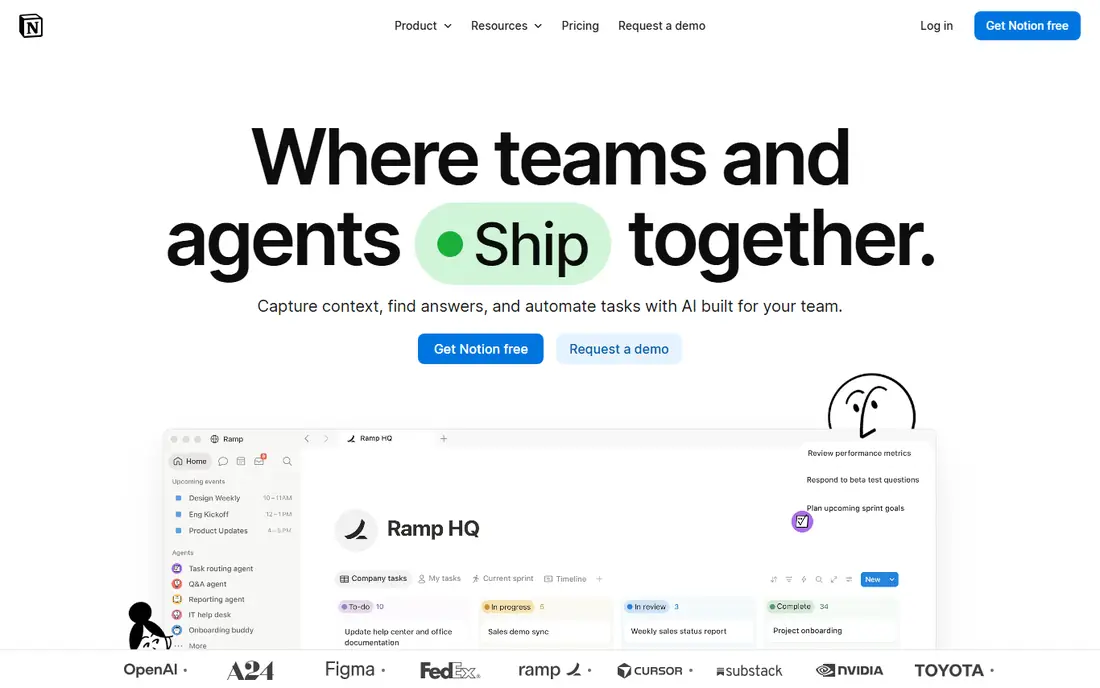
Notion replaces several apps at once, which is both its strength and its warning label. Pages, databases, calendars, Kanban boards and wikis live in one workspace, so a daily task list, a project tracker and a habit log can share the same data instead of living in three tools. Templates make the blank page less daunting, and export to HTML, Markdown or CSV means your notes are not trapped.
The free plan is genuinely useful for one person, with unlimited pages and blocks, but file uploads cap at 5 MB and page history at seven days. Plus costs $10 per member per month billed yearly, or $12 monthly, and adds unlimited uploads, longer history and custom automations. Full AI features, including the Notion Agent and AI meeting notes, sit on Business at $20 per member per month billed yearly. Start free, build one system well, and only pay when a limit actually bites.
- Unlimited pages and blocks for one person
- Databases, templates and wikis in one workspace
- Strong export options
- Steeper learning curve than a simple list app
- Full AI needs the Business plan
- Free plan limits file size and history
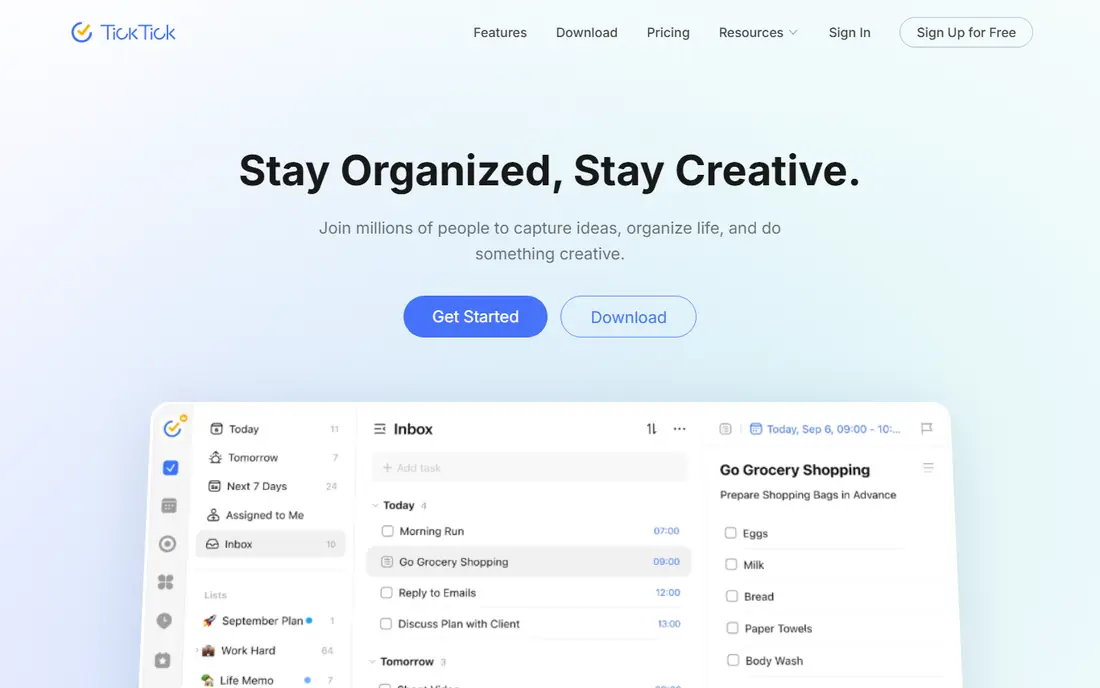
TickTick is the app for people who want their whole day in one place. Tasks sit next to a calendar, habits get their own tracker, and a Pomodoro timer runs focus sessions without a second app. The Eisenhower matrix view helps when everything feels urgent, and the free plan covers nine lists, 99 tasks per list and five habits, which is more headroom than most people need.
Premium costs $49.99 per year, about $4.17 per month, and lifts the caps to 299 lists and 999 tasks per list, with more reminders and checklist items. That is good value against rivals that charge monthly. The trade-off is density: TickTick shows a lot at once, and people who prefer a minimal list may find Todoist calmer. If you want tasks, habits and focus time together, TickTick is the most complete single app here.
- Calendar view, habit tracking and Pomodoro timer built in
- Generous free limits
- Good value Premium plan
- Interface can feel busy
- Shared lists cap at 29 members
- Some advanced views need Premium
Trello is still the fastest way to get a small team moving. Cards on a board need no training, and lists, labels, due dates and checklists cover most small projects without a manual. The free plan supports up to 10 collaborators per workspace, which is enough for many small teams, and an inbox captures tasks from email, Slack and Teams.
Standard costs $5 per user per month billed yearly and adds unlimited boards, advanced checklists and custom fields, while Premium at $10 adds timeline, calendar, table and dashboard views. What Trello will not do is manage dependencies or heavy reporting, and teams that outgrow it often move to ClickUp or Asana. For a team that mainly needs a shared board, Trello stays the simplest honest choice.
- Boards are instant to understand
- Free plan covers up to 10 collaborators per workspace
- Butler automation on paid plans
- No native task dependencies
- Reporting stays basic
- Advanced views need Premium
ClickUp is the most flexible app on this list, and flexibility cuts both ways. The free plan gives unlimited tasks and unlimited members, with limits on spaces, lists, storage and whiteboards, which makes it a serious team tool at no cost. Paid Unlimited costs $7 per user per month billed yearly and removes most of those caps, while views from list and board to Gantt and calendar let each team work its own way.
The catch is setup time. ClickUp has so many options that a new workspace can feel like a project in itself, and solo users may find it heavier than Todoist or TickTick. Keep files elsewhere, since the 60 MB free storage cap fills fast with screenshots. If your team needs custom workflows, dashboards and automations in one place, ClickUp gives the most per dollar. If you just need a list, look elsewhere.
- Unlimited tasks and members on the free plan
- 15 plus views including Gantt
- Strong automations on paid plans
- Setup takes real effort
- Free storage caps at 60 MB
- Interface can overwhelm solo users
Asana suits teams that want structure without building it themselves. Projects come with list, board, timeline and Gantt views, and paid plans add rules, portfolios and workload views that help managers see who is overloaded. New team members usually learn it faster than ClickUp, because there are fewer knobs to turn.
The pricing is the honest drawback. The free plan now stops at two users, so even a small team pays, and Starter costs $10.99 per user per month billed yearly. Seats are sold in blocks once you pass five users, which can inflate the bill for a six-person team. Asana is worth it when cross-functional work needs clear ownership and deadlines, but price your actual team before you commit.
- Clear list, board, timeline and Gantt views
- Rules and portfolios on paid plans
- Easy for new team members to learn
- Free plan now stops at two users
- Starter costs $10.99 per user per month billed yearly
- Seats sold in blocks above five users
Monday.com is built for managers who think in boards and dashboards. Work is visual by default, with color-coded status columns, timeline views and dashboards that show progress at a glance, and templates cover marketing, sales, HR and product work. That visual style makes it easy to show a whole team where a project stands in one meeting.
The free plan covers up to two users, and Basic costs $9 per seat per month billed yearly, with a three-seat minimum on paid plans. Automation actions are capped by plan, so heavy users may need a higher tier. Monday.com fits teams that want a polished, visual plan and are happy to pay per seat. Solo users and tiny teams will get more from a free-first app.
- Colorful dashboards make progress easy to see
- Many templates for common workflows
- Automations on paid plans
- Free plan covers up to two users
- Basic costs $9 per seat per month billed yearly
- Three-seat minimum on paid plans
Any.do is the calmest app on this list, and its best feature is a habit rather than a tool. The daily planning moment asks you to review today's tasks each morning, which helps people who collect tasks but never review them. Lists, calendar views, reminders and location-based alerts cover the basics well, and the design stays pleasant on phone and desktop.
Premium costs $4.99 per month billed yearly, or more month to month, and adds unlimited recurring tasks, color tags, advanced reminders and WhatsApp reminders. It still lacks the depth of Todoist filters or TickTick habits, and team features are light. Any.do fits people who want a gentle daily routine and a clean list, not a full project system.
- Daily planning moment encourages a morning review
- Clean design across phone and desktop
- Calendar and reminders included
- Fewer power features than Todoist or TickTick
- Premium costs more monthly than some rivals
- Team features are light
Forest takes a different angle from every other app here: it does not manage tasks, it protects your attention. Start a focus session and a virtual tree grows while you stay off your phone. Leave the app early and the tree withers, which is a small sting that works better than a plain timer for many people. Friends can plant trees together, turning focus into a shared habit.
That focus comes with limits. Forest is a paid app with no free plan, and it will not replace your task list, so most people pair it with Todoist, TickTick or a notebook. The stats are simple compared with a time tracker. If your problem is starting work rather than organizing it, Forest is a cheap, charming fix. If your problem is organization, pick a task app first and add Forest second.
- Planting a virtual tree makes focus tangible
- Gamified streaks encourage repeat sessions
- Friends can plant together
- No free plan
- Not a task manager, so it pairs with another app
- Focus stats are simple
How we picked these
We compared official pricing pages, feature lists, app store listings and public reviews for widely used productivity apps, and we kept only apps that are actively maintained and work on current phones and computers. We weighed free plan limits, paid prices, platform coverage, and the point where each app's limits force an upgrade. We did not run controlled hands-on trials, so our findings rest on published features, pricing and public reviews rather than claimed daily use.
How to pick the right productivity app
Start from the job that fails most often. If tasks slip because capture is slow, pick Todoist. If notes, docs and projects scatter across tools, pick Notion. If you need tasks, habits and a timer together, pick TickTick. If a team shares work, shortlist Trello for simplicity, ClickUp for flexibility, Asana for structure or Monday.com for visual planning, then price your real team size on each.
Make the free plan prove itself
Use the free plan for two full weeks before paying, and watch for the limit that actually bites. Todoist users hit the five-project cap, Notion users hit file size or history, ClickUp users hit storage, and Asana or Monday.com users hit the two-user free cap. Pay only for the limit you hit, not for features you might use one day. Most people need one task app, one notes app at most, and a calendar, and adding a fourth tool usually hurts more than it helps.
Sources
- https://www.todoist.com/help/account-and-billing/plans/todoist-pro-pricing-update-in-2025-bxBvHZuJZ
- https://www.todoist.com/help/account-and-billing/plans/todoist-plans-pricing-and-billing-faq-Vq2z0HWL6
- https://2sync.com/blog/best-to-do-list-apps
- https://2sync.com/blog/best-organization-apps
- https://myflexnote.com/blog/best-productivity-apps
- https://www.tasktoolsai.com/blog/best-free-ai-task-manager-knowledge-workers-2026.html
- http://clickup.com/blog/task-management-software/?ref=deskera.com
- https://peerbie.com/blog/trello-alternatives/
- https://peerbie.com/blog/clickup-alternatives/
- https://www.flozic.ai/blog/alternatives/asana-alternatives
- https://get-alfred.ai/blog/notion-pricing
- https://workmanagementhub.com/notion-pricing-2026/