Best Apps in 2026: 9 Apps Compared
By ToolNimba Editorial Team October 28, 2026 11 min read

- Top pick
 Google News
Everyday free news reading
Starting priceFreeCheck out Google NewsRead our review - Runner-up
 Apple News
Apple owners and magazines
Starting priceFreeCheck out Apple NewsRead our review - Also great
 Flipboard
Magazine-style browsing
Starting priceFreeCheck out FlipboardRead our review
How we researched this
We compared official pricing and feature pages, app store listings, privacy policies and public user reviews. Prices change, so check the provider's site before you pay.
Key takeaways
- Google News is our pick for most readers, since it is free, cross-platform, and mixes local and global stories in one feed.
- Apple News is the best choice for iPhone, iPad, and Mac owners, with a free feed and an optional News+ subscription at $12.99 per month.
- Feedly and Ground News suit readers who want control, with Feedly for following specific sources and Ground News for comparing coverage across outlets.
- A good everyday phone needs only a few strong apps, and the list below keeps news, navigation, and music covered without asking you to pay for everything.
- Free plans cover most daily reading, while paid plans mainly add magazines, ad-free reading, deeper search, or AI summaries.
Quick comparison
| Name | Best for | Starting price | Free plan | |
|---|---|---|---|---|
| Google News | Everyday free news reading | Free | Yes | Visit |
| Apple News | Apple owners and magazines | Free | Yes | Visit |
| Flipboard | Magazine-style browsing | Free | Yes | Visit |
 Ground News | Comparing coverage and bias | $9.99 per year | Yes | Visit |
 Feedly | Following specific sources by RSS | Free | Yes | Visit |
 SmartNews | Fast offline headline reading | Free | Yes | Visit |
 BBC News | Trusted global reporting | Free | Yes | Visit |
 Google Maps | Everyday navigation and places | Free | Yes | Visit |
 Spotify | Music and podcasts on the go | Free | Yes | Visit |
The best apps
Most phones are full of apps we rarely open. This list focuses on the apps that earn daily use: news apps that keep you informed without a long scroll, plus two everyday tools for getting around and listening. We compared official feature pages, app store listings, pricing pages, and public reviews, with news apps featured first because they shape how most people start the day.
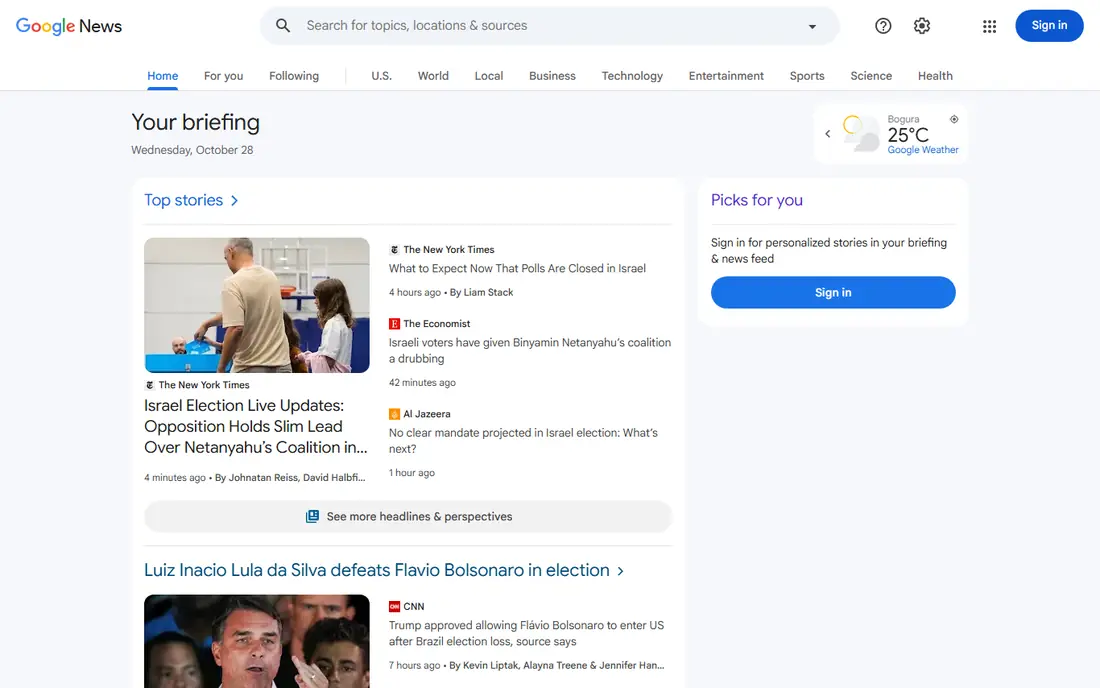
Google News is the easiest recommendation on this list, because it costs nothing and works on Android, iPhone, and the web. It builds a feed from your interests and location, shows local headlines alongside global stories, and offers a full coverage view that gathers several outlets on the same story. That last feature is the one to use when a headline feels one-sided, since it lets you compare reporting in a few taps. The catch is the same as with any personalized feed. The more you tap one kind of story, the more of it you will see, so it helps to follow a few topics outside your usual interests and to open full coverage on major stories. For most readers, Google News plus one trusted outlet app is enough for daily news, with no subscription needed.
- Free and cross-platform
- Personalized feed plus full coverage views
- Strong local news and breaking alerts
- Personalization can narrow what you see
- Some stories link to paywalled sources
Apple News gives iPhone, iPad, and Mac owners a polished free news feed, with curated top stories, topic channels, and local coverage. The layout is calm, articles load cleanly, and audio stories and puzzles add variety for subscribers. News+ at $12.99 per month adds magazines and a set of newspapers, and Family Sharing lets up to six people use one subscription. The limit is platform. Android and Windows users cannot use it, and News+ does not replace every individual newspaper subscription, so check whether your must-read titles are included before you pay. If you already live in the Apple ecosystem and you read magazines, News+ can replace two or three separate magazine costs. If you only want headlines, the free feed is plenty.
- Clean reading experience on Apple devices
- Curated top stories
- News+ adds hundreds of magazines and newspapers
- Apple devices only
- News+ costs $12.99 per month and does not include every major newspaper
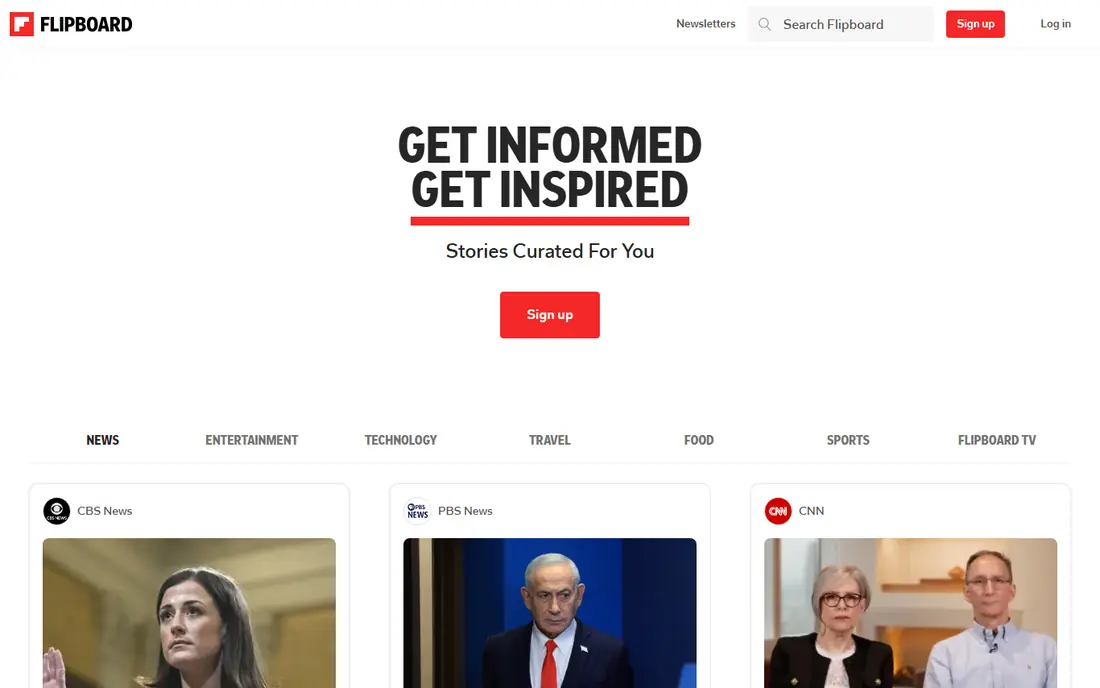
Flipboard turns news reading into browsing a magazine. You follow topics, publications, and creators, and the app arranges stories into visual collections that are pleasant to scroll on a phone or tablet. That format suits readers who like to discover stories on food, travel, tech, or design, not just scan breaking headlines. The trade-off is focus. A broad set of interests can crowd out urgent news, so Flipboard works best as a second app for discovery and longer reads, alongside Google News or Apple News for daily headlines. It is free, it syncs across devices, and it is a good pick for people who enjoy reading in the evening rather than checking alerts all day.
- Visual magazine layout
- Easy topic and source following
- Good for discovery beyond headlines
- Feed can feel broad if you follow too many topics
- Fewer hard-news tools than Google News
Ground News answers a question other news apps skip: who is covering this story, and who is not. For major stories, it groups coverage by outlet leaning, shows headline wording side by side, and flags stories that get heavy coverage on one side and little on the other. That view helps readers spot framing differences before they form an opinion. The ratings themselves deserve care. They summarize third-party assessments, not a direct fact check of each article, so use them as context, not as proof. The entry Pro plan at $9.99 per year is inexpensive for readers who check coverage daily, and the free tier gives a useful taste. Pair Ground News with a broad feed, and you get both speed and perspective.
- Shows how outlets across the spectrum cover the same story
- Bias and factuality context for many publishers
- Blind-spot alerts
- Ratings draw on third-party sources and are not a final verdict on truth
- Full features need a paid plan
Feedly is for readers who want to choose their sources instead of trusting an algorithm. You add publications, blogs, journals, and topic feeds, organize them into folders, and read new posts in one place. That control suits professionals, students, and hobbyists who follow niche topics that general news apps often miss. The free plan covers up to 100 sources in three folders, which is enough for a focused reading list, but heavy readers will hit the limit. Paid plans start around $6 per month billed yearly for Pro, with higher tiers adding AI summaries and search. If you already know which outlets you trust, Feedly gives you a calmer, more intentional feed than any personalized news app.
- Follow exact sources and topics you choose
- Folders and boards for research
- AI assistant on paid plans
- Free plan limits sources and folders
- Paid plans are priced for serious readers and teams
SmartNews is built for quick headline checks. It loads fast, groups trending stories by topic, and supports offline reading for commutes or flights. That speed makes it a good morning app: open it, scan the top stories, save one or two longer pieces, and move on. The price of that simplicity is control. You cannot shape sources as precisely as in Feedly, and the free version includes ads. For readers who want a fast, free second news app, especially on Android, SmartNews is a solid pick. Use it for breadth, and keep a trusted outlet or Ground News handy for stories that need a second look.
- Fast loading and offline reading
- Trending headlines across topics
- Simple interface
- Less source control than Feedly
- Ads and sponsored content in the free version
BBC News remains a strong single-source app for global coverage. It offers breaking alerts, live pages for major events, video, and analysis that is clearly labeled as analysis rather than mixed into straight reporting. For readers in the United States who want an outside view on world events, it is a useful counterweight to domestic feeds. Personalization is lighter here than in Google News or Apple News, which some readers will see as a plus. You get an editorial front page first, not only stories chosen for you. The app is free, it works on iOS and Android, and it pairs well with an aggregator: use the aggregator for breadth, and open BBC News when a world story needs depth and context.
- Strong global and breaking coverage
- Live reporting and video
- Clear separation of news and analysis
- Less personalization than Google News
- Some features vary by region
Google Maps is the most useful non-news app on most phones, and it earns its place here for daily life. It handles driving with live traffic, transit with schedules, and walking directions, and it shows hours, reviews, photos, and busy times for restaurants and shops. Offline maps help on road trips or in areas with weak signal. The honest catch is privacy and data. Maps works best when location history and sharing are on, so review those settings and turn off what you do not need. Business hours and closures can also lag when owners do not update listings, so call ahead for important visits. For navigation, local discovery, and trip planning in one free app, there is still no close rival.
- Reliable driving, transit, walking, and cycling directions
- Live traffic and business hours
- Offline maps for trips
- Uses location data heavily
- Some business details depend on owner updates
Spotify rounds out this list because music and podcasts fill the time between news checks, commutes, and workouts. The free tier gives access to a very large catalog with ads, while Premium adds offline downloads, on-demand playback on mobile, and higher audio quality. Playlists, daily mixes, and podcast recommendations make discovery easy without much setup. The free tier is the main limit. Ads interrupt listening, and mobile playback is more restricted than on desktop. If you listen daily, check the current Premium price in the app before you subscribe, since student, duo, and family plans change the value a lot. For casual listening, the free tier is enough, and it pairs well with the news apps above for a complete daily phone.
- Huge music and podcast catalog
- Good playlists and discovery
- Works on phones, desktops, and many speakers
- Free tier has ads and shuffle limits on mobile
- Premium is needed for offline listening and full control
How we picked these
We compared official feature pages, pricing pages, and app store listings, along with public reviews of news and everyday apps in 2026. We kept apps that are widely available in the United States, free to start, and useful at least weekly for most people. For news apps, we favored a mix of broad aggregators, magazine-style readers, source-controlled RSS, and perspective tools, so readers can pick by reading style rather than by a single ranking. We checked prices in October 2026 and used "See website" or a starting figure where a price varies by plan, region, or store.
How to build a calmer daily app routine
Pick one main news app and one second view
Use Google News or Apple News as your main feed, then add Ground News, BBC News, or Feedly as a second view. Two news apps give you breadth and perspective without five feeds competing for attention. Turn off breaking alerts from all but one app, or your phone will buzz for the same story several times.
Follow sources on purpose
Once a month, review the topics and sources you follow. Unfollow outlets you never open, add one local source, and add one source outside your usual views. That short review does more for balance than any single app feature, and it keeps personalized feeds from narrowing over time.
Keep the everyday tools simple
Maps for getting around, a music app for listening, and a news app for headlines cover most daily phone needs. Add apps only when a real task repeats, such as budgeting, fitness, or language learning. A phone with fewer, better apps is easier to use, easier to update, and easier to keep private.
Sources
- https://news.google.com
- https://www.apple.com/apple-news/
- https://flipboard.com
- https://ground.news
- https://feedly.com
- https://www.smartnews.com
- https://www.bbc.com/news
- https://maps.google.com
- https://www.spotify.com
- https://zapier.com/blog/best-news-apps/
- https://daily.dev/blog/best-news-aggregator-apps-tested-compared/
- https://inspiretothrive.com/ground-news-pricing/