Best ASO Tools in 2026: 8 Tools Compared
By ToolNimba Editorial Team November 12, 2026 10 min read

- Top pick
 AppTweak
ASO teams and agencies
Starting price$79 per monthCheck out AppTweakRead our review - Runner-up
 Sensor Tower
Market intelligence
Starting priceSee websiteCheck out Sensor TowerRead our review - Also great
 AppFollow
Review management and ASO
Starting priceFreeCheck out AppFollowRead our review
How we researched this
We compared official pricing and feature pages, app store listings, privacy policies and public user reviews. Prices change, so check the provider's site before you pay.
Key takeaways
- AppTweak is our pick for most ASO teams because it pairs keyword depth with market data for both major stores.
- Sensor Tower suits larger publishers that need market intelligence and ad data, although pricing is quote-based.
- Appfigures and AppFollow are strong lower-cost starts, with free plans that cover basic tracking and review work.
- Keyword volumes are estimates, not exact download counts, so use them to compare terms and track movement over time.
Quick comparison
| Name | Best for | Starting price | Free plan | |
|---|---|---|---|---|
| AppTweak | ASO teams and agencies | $79 per month | Free trial | Visit |
| Sensor Tower | Market intelligence | See website | Free trial | Visit |
| AppFollow | Review management and ASO | Free | Yes | Visit |
 App Radar | Daily ASO workflow | See website | Free trial | Visit |
 Appfigures | Analytics plus ASO tracking | Free | Yes | Visit |
 MobileAction | Apple Search Ads plus ASO | $15 per month | Yes | Visit |
 ASOdesk | Budget keyword tracking | Free | Yes | Visit |
 SplitMetrics | Store page testing | See website | Free trial | Visit |
The best aso tools
ASO tools help you find keywords people search for in the App Store and Google Play, track your rank, watch competitors, and manage reviews. The field mixes two kinds of tools: data platforms that estimate search volume, and workflow tools that help you publish and test listings. We compared official pricing pages, feature pages, and public guides, and we kept only tools that are still sold in 2026.
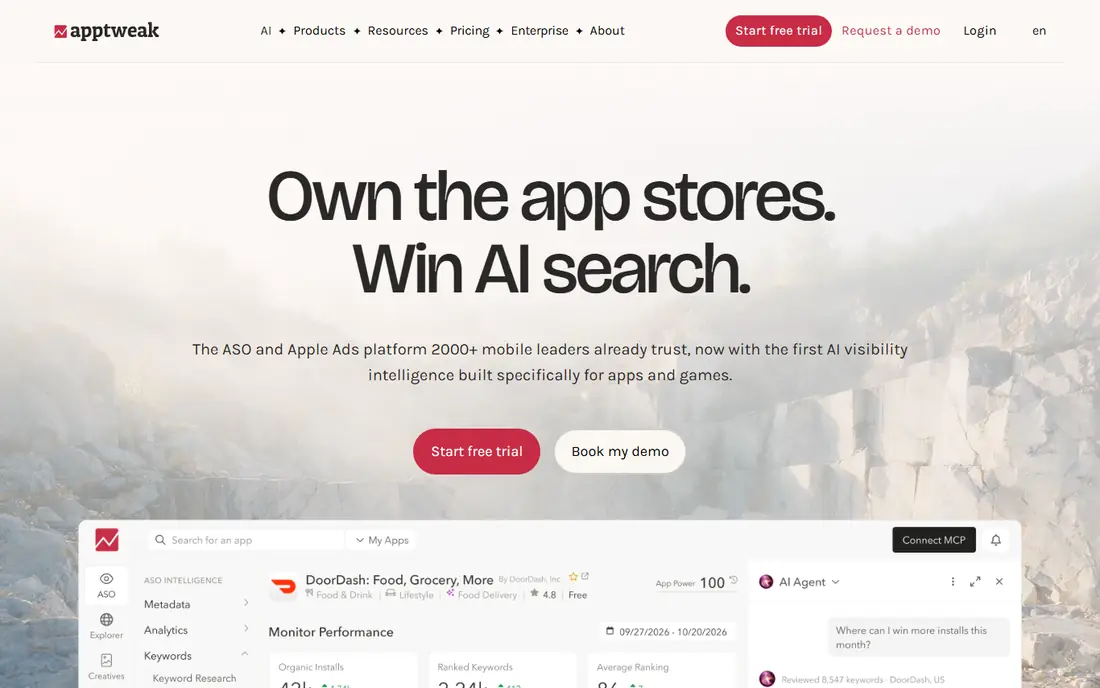
AppTweak is the default pick for a team that does ASO every week. Keyword research, rank tracking, and competitor views are in one workspace, and coverage spans the App Store and Google Play. That breadth helps when you manage several apps or work for clients with different audiences.
The keyword tools are the main draw. You can compare terms, see related keywords, and track movement over time, which helps you choose a title and subtitle with evidence rather than guesswork. Market data adds context on categories and competitors, so you can see why a rival ranks for a term you want.
The catch is price and limits. The entry plan is 79 dollars per month on annual billing in many listings, and API access sits on separate plans. For a solo developer with one app, that may be more than needed. For a team or agency, the depth usually justifies the cost.
- Deep keyword data
- Both major stores
- Competitor and market views
- Entry price is high for a solo developer
- API access costs extra
- Estimates still need care

Sensor Tower is best seen as a market intelligence platform that also supports ASO, rather than a pure ASO workflow tool. It estimates downloads and revenue, tracks categories, and shows ad activity, which helps a publisher decide where to invest. After its acquisition of data.ai, its coverage is even broader.
For a large publisher, that context is valuable. You can compare markets, watch a competitor launch, and size a category before you build a listing around it. The data helps with strategy, not just keyword choice.
The trade-off is cost and focus. Pricing is quote-based and aimed at larger teams, and a solo developer will find the platform heavy for simple rank tracking. If you need market intelligence at scale, Sensor Tower is a strong pick. If you only need keywords and ranks, a smaller tool will cost less.
- Broad market and download estimates
- Ad intelligence
- Large data coverage
- Quote-based pricing
- More than a small team needs
- ASO workflow is not its main focus
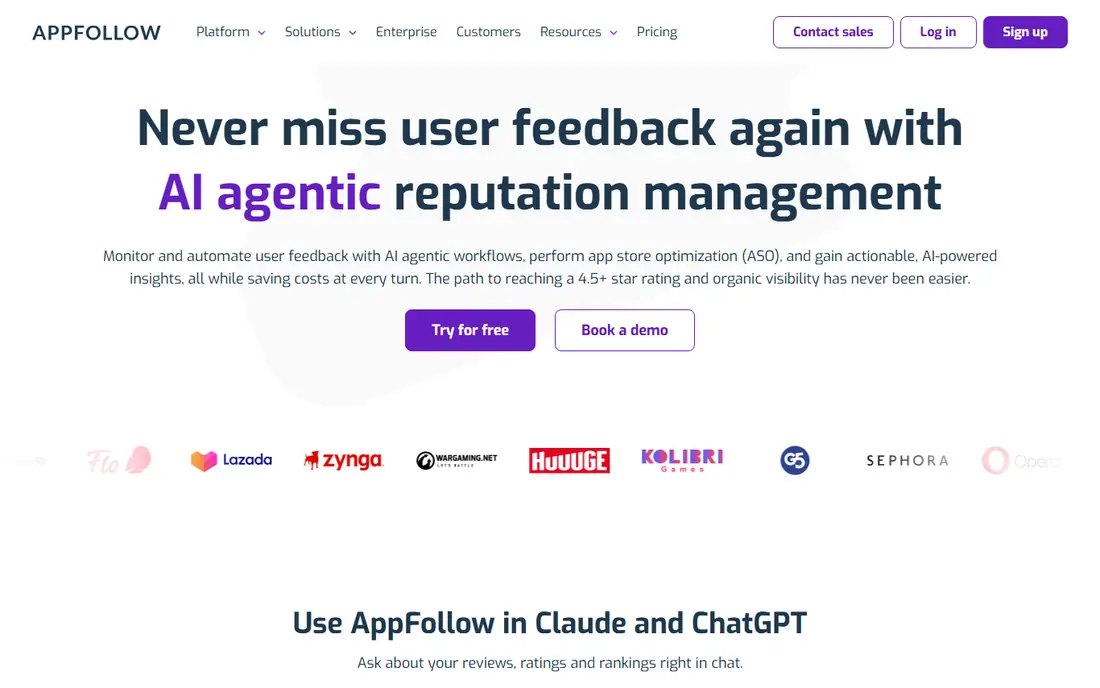
AppFollow stands out for review work. It pulls reviews from the App Store, Google Play, and other stores into one inbox, so a team can reply, tag themes, and spot problems without checking each store separately. Sentiment tools help you see which issues come up most often.
ASO features sit alongside that review core. Keyword tracking, rank views, and competitor checks cover the daily ASO job, although the deepest keyword research still belongs to AppTweak or Sensor Tower. For a team where reviews drive rating and conversion, that balance is useful.
The free plan is a real start, while paid plans add more apps, keywords, and integrations. Check the plan that covers your app count, because review tools are most useful when every app you own is included. AppFollow is a good pick when support and product teams share the same review inbox.
- Free plan to start
- Strong review aggregation
- Sentiment and reply tools
- Paid ASO plans rise in price
- Review depth varies by store
- Setup takes care
App Radar is built for the daily ASO routine. You track keywords, draft metadata, localize listings, and publish changes from one workspace, which reduces the copy-and-paste work between tools and store consoles. That workflow focus helps a small team stay consistent.
Apple Search Ads insights are a useful extra. You can see paid search terms alongside organic ranks, which helps you decide where paid and organic work should support each other. Localization tools also help when you launch in several countries.
The limits are price clarity and data depth. Plans are often listed in euros, and API access needs a higher tier or add-on. Market estimates are also thinner than Sensor Tower. For a team that wants one place to run ASO day to day, App Radar is still a strong choice.
- Keyword tracking and metadata workflow
- Publishing tools
- Apple Search Ads views
- Pricing in euros on many plans
- API access needs a higher plan
- Smaller market data than Sensor Tower
Appfigures mixes app analytics with ASO tracking, which suits developers who want sales, downloads, and ranks in one dashboard. You can see how a rank change lines up with downloads and revenue, rather than tracking ranks in isolation. That link helps you judge whether a keyword change actually helped.
The free plan covers basic analytics, while keyword tracking starts on paid plans. That split means a solo developer can start free for analytics, then pay when keyword work becomes regular. The range of reports can feel busy at first, but the core views are clear once you set up your apps.
The catch is that keyword depth is not as strong as AppTweak for pure research. Appfigures is best when you want analytics plus solid tracking in one tool. If keyword discovery is your main job, pair it with a research-first tool or choose AppTweak instead.
- Free starter plan
- Sales and rank analytics in one place
- Broad store coverage
- Keyword features need a paid plan
- Interface has many views
- Support for small plans is basic
MobileAction is a good low-cost entry for teams that run Apple Search Ads alongside ASO. Keyword tools, rank tracking, and competitor views cover the basics, and the Search Ads data helps you see which paid terms compete with your organic terms. The entry price is lower than many rivals.
That combination matters because paid and organic search share the same store results page. A term that is expensive to buy may still be worth winning organically, and a term you rank for may need less paid support. MobileAction makes that comparison easier than using two separate tools.
The limits are plan depth. Higher tiers add more keywords, markets, and reports, so a large portfolio will need a higher plan. For a small team or indie developer with a clear Apple Search Ads focus, MobileAction offers strong value for the price.
- Low entry price
- Apple Search Ads data
- Keyword and competitor tools
- Depth varies by plan
- Enterprise features cost more
- Interface can feel dense
ASOdesk is a budget-friendly option for indie developers and small teams. The free plan covers one app with basic tracking, and paid plans add more keywords, competitors, and review tools at a lower price than AppTweak or Sensor Tower. That makes it a practical first ASO tool.
Keyword tracking and semantic analysis help you build a keyword list without a large budget. Review replies and basic reporting cover the daily jobs, although the data is thinner than the market leaders. For a single app, that trade-off is often acceptable.
The catch is scale. A portfolio with many apps and countries will outgrow ASOdesk faster than it will outgrow AppTweak. If you have one or two apps and a tight budget, ASOdesk is a sensible start that you can upgrade from later.
- Free plan for one app
- Affordable paid plans
- Keyword and review tools
- Smaller data coverage than leaders
- Fewer integrations
- Support is more limited
SplitMetrics, which also owns App Radar, focuses on testing what happens after a user finds your app. You can test screenshots, icons, and descriptions on simulated store pages before you change the live listing, and you can run Apple Search Ads experiments with clearer results. That testing focus is different from keyword research.
For a team with steady traffic, that difference matters. A better screenshot or first line can raise installs without a better rank, and testing lets you prove which change helped. SplitMetrics is built for that conversion job.
The limits are price and traffic needs. Pricing is quote-based, and tests need enough visitors to give a clear result. A new app with little traffic will learn less from testing than from basic keyword and listing work. Use SplitMetrics when conversion, not discovery, is your main bottleneck.
- Strong A/B testing for store pages
- Pre-launch testing
- Apple Search Ads optimization
- Quote-based pricing
- Needs real traffic to learn
- Not a full keyword research tool
How we picked these
We compared official pricing pages, feature pages, and public ASO guides for tools that are still sold in 2026. We favored tools with keyword research, rank tracking, and review or testing features, and we noted where pricing is published and where it is quote-based. We did not claim hands-on testing.
We also separated data tools from workflow tools, because buyers often confuse them. A market data platform is not the same as a daily ASO workspace, even if both show keywords. The list keeps both kinds, with a clear note on what each one does best.
What to check before you choose
Start with your main job. If you need keyword discovery, choose a research-first tool. If you need review replies, choose a review-first tool. If you need to test screenshots, choose a testing tool. One tool rarely does all three jobs equally well.
Next, check store coverage and country coverage for your apps. Some tools are stronger on iOS, some cover both major stores well, and some add other stores. Your top markets should be covered on the plan you can afford, not only on the top tier.
Finally, treat volumes as estimates. Use them to compare terms, track movement, and spot trends, not as a promise of downloads. Pair the tool with App Store Connect and Google Play Console, which are free and give you real impression and install data for your own apps.
Sources
Frequently asked questions
What is ASO?
ASO, or app store optimization, is the work of improving how an app is found and chosen in an app store. It covers keywords, title, subtitle, screenshots, ratings, and reviews, all of which affect search rank and install rate.
Are keyword volumes exact?
No, keyword volumes from third-party tools are estimates based on models and store data. They are useful for comparing terms and tracking change over time, but they are not exact download counts for a keyword.
Can I do ASO with only free tools?
Yes, for basic work. App Store Connect and Google Play Console are free and show real data for your own apps, and free plans from Appfigures, AppFollow, and ASOdesk cover basic tracking. Paid tools help when you need deeper research or manage several apps.
Do I need a different tool for Apple and Google?
Most tools on this list cover both major stores, although depth can differ by store. Check that your plan covers both stores and your key countries before you pay, especially if one store drives most of your installs.
How long does ASO take to show results?
Rank and install changes often take weeks, because store indexes update over time and users need to find the new listing. Track ranks weekly, avoid changing many elements at once, and judge a change over at least a few weeks.