Best Bible Apps in 2026: 9 Apps Compared
By ToolNimba Editorial Team October 28, 2026 10 min read

- Top pick
 YouVersion
Daily reading and plans for most people
Starting priceFreeCheck out YouVersionRead our review - Runner-up
 Olive Tree
Phone-first study with synced notes
Starting priceFreeCheck out Olive TreeRead our review - Also great
 Logos
Serious study and original languages
Starting priceFreeCheck out LogosRead our review
How we researched this
We compared official pricing and feature pages, app store listings, privacy policies and public user reviews. Prices change, so check the provider's site before you pay.
Key takeaways
- YouVersion is our pick for most readers, because it is fully free with many translations, plans, and audio.
- Blue Letter Bible is the best free study upgrade, with original-language tools and commentaries at no cost.
- Logos is the strongest choice for pastors and serious students who want a large linked library.
- Olive Tree suits phone-first study, with synced notes and books you buy once rather than rent.
- Start free, and only pay for a study library or audio app once you know which features you use weekly.
Quick comparison
| Name | Best for | Starting price | Free plan | |
|---|---|---|---|---|
| YouVersion | Daily reading and plans for most people | Free | Yes | Visit |
| Olive Tree | Phone-first study with synced notes | Free | Yes | Visit |
| Logos | Serious study and original languages | Free | Yes | Visit |
 Blue Letter Bible | Free deep study tools | Free | Yes | Visit |
 Bible Gateway | Multi-translation search | $6.99 per month | Yes | Visit |
 Glorify | Daily devotion and worship | Free | Yes | Visit |
 Dwell | Audio-first listening | $9.99 per month | Free trial | Visit |
 BibleProject | Visual and thematic learning | Free | Yes | Visit |
 Ascension | Catholic reading and catechism | $59.95 per year | Yes | Visit |
The best bible apps
We compared official app pages, app store listings, and public guides checked in 2026, and we focused on translations, offline access, audio, study tools, and what is truly free versus paid. Reading preferences differ by tradition, so we included broad, Catholic, and study-focused options.

YouVersion, also known as the Bible App, is the safest first download for most readers. It is free with no ads and no in-app purchases in its core app, and it offers a large catalogue of translations, reading plans, verse images, and audio Bibles. Daily reminders and streaks help many people keep a reading habit, and plans can be shared with friends or a church group.
The trade-off is depth. You can read, highlight, and follow a plan very well, but original-language study and linked commentaries are thinner than in dedicated study apps. That is fine for daily reading, and many readers pair YouVersion with Blue Letter Bible for deeper study. If you want one free app that just works, start here.
- Fully free with no paywalled features
- Many translations and reading plans
- Audio and offline text
- Study tools are lighter than Logos or Blue Letter Bible
- Community features may not suit private readers
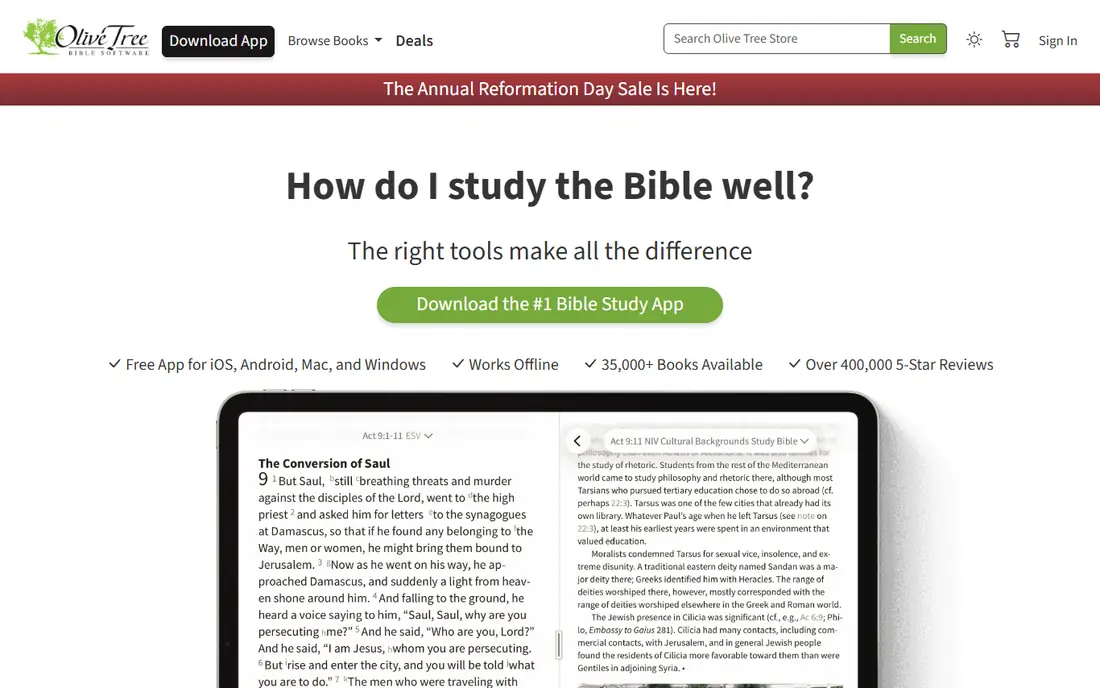
Olive Tree suits readers who outgrow a simple reading app but do not want a Logos-sized library. The app itself is free, and you can do real study with free resources, including split-window views that place two translations or a translation and a commentary side by side. Notes are long-form and taggable, and they sync across iOS, Android, Mac, and Windows.
Costs appear when you build a library. Major study Bibles and commentaries are bought individually, and a serious collection can run into hundreds of dollars even on sale, though you own what you buy. The store is large and the design feels older than YouVersion or Glorify. For phone-first study with notes you keep, Olive Tree is a strong middle path.
- Free app with generous free resources
- Split-window reading
- Notes sync across phone, tablet, and desktop
- Premium commentaries cost extra
- Store can feel overwhelming
- Interface looks dated next to newer apps
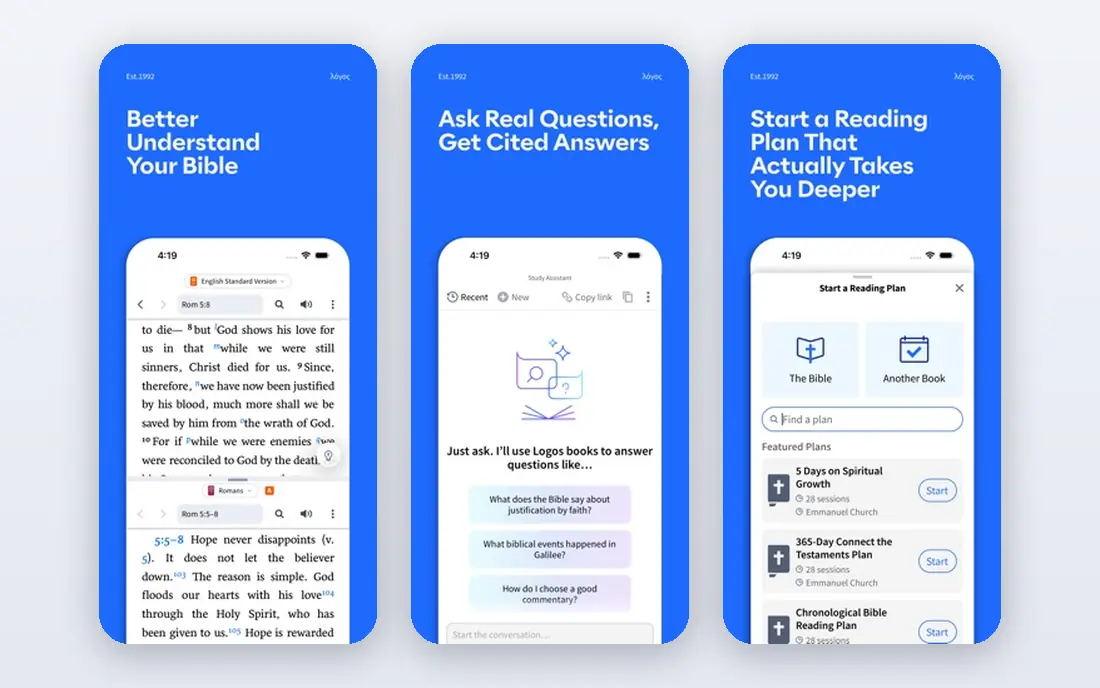
Logos is the professional standard for pastors, students, and serious lay readers. Its library links Bibles, commentaries, lexicons, and journals, so a word study can jump from a verse to a lexicon entry to a commentary note without retyping a search. Original-language tools, including interlinear Bibles and morphology data, are the deepest on this list.
That power has a price and a learning curve. The base app is free, but the most useful libraries and features require purchases or a subscription, and costs rise with library size. The app can also feel slow on older devices. If you preach, teach, or study weekly in depth, Logos is worth the investment. If you mainly read daily, start free elsewhere.
- Huge linked library
- Strong Greek and Hebrew tools
- Desktop, web, and mobile workflows
- Full libraries and subscriptions are expensive
- App can feel heavy on older phones
Blue Letter Bible is remarkable because its best tools cost nothing. You get interlinear Bibles, Strong's Concordance data, lexicons, cross-references, and classic commentaries through a nonprofit site and app, with no paywall for the core study features. For a reader who wants to check a Greek or Hebrew word behind an English verse, it is the best free option.
The experience is plainer than YouVersion or Olive Tree, and reading plans and social features are thinner. That matters less when your goal is study rather than habit tracking. Pair it with YouVersion for daily reading, and you have a complete free setup that covers both habits and depth.
- Fully free nonprofit app and site
- Strong's numbers, interlinear text, lexicons, and commentaries
- No subscription
- Design is plain compared with newer apps
- Fewer reading plans and community features
Bible Gateway is the quickest way to compare translations side by side in a browser or app. Search is fast, parallel views are clear, and the free tier covers reading across many versions. That makes it handy for checking a verse in several translations before you settle on wording for teaching or writing.
Plus, at $6.99 per month or $69.99 per year, adds study Bible notes, selected commentaries, dictionaries, maps, and an interlinear tool, with a seven-day trial for new members. Without Plus, you still have a solid free reader, but deep study is thinner than Blue Letter Bible. Use the free tier for comparison, and try Plus only if you will open its study resources weekly.
- Fast parallel translation search
- Large translation catalogue
- Plus adds study Bibles and commentaries
- Best study resources sit behind Plus
- Free app includes ads and fewer offline options than some rivals
Glorify is built around a daily rhythm rather than a study desk. It combines Scripture reading with guided prayer, devotionals, and worship music, which suits readers who want a short, focused time each morning. The design is calm and simple, and the free tier covers daily use well.
Study tools are lighter here, and readers who want lexicons or commentaries will need another app. Premium content also exists behind a subscription, so check what is included free before you rely on a specific series. For devotion and habit building, Glorify is a warm, easy pick, especially for readers who find larger study apps distracting.
- Guided prayer and worship music in one app
- Daily devotionals
- Clean, calming design
- Less study depth than Olive Tree or Logos
- Some premium content sits behind a subscription
Dwell is the audio Bible done properly. It offers many voice recordings across translations, listening plans such as the Bible in a year, curated passages, and playlists by theme, with offline downloads and gentle background music. For commutes, workouts, and bedtime listening, it feels more like a crafted audio app than a reader with audio added on.
It is a paid app, with Solo plans listed at $9.99 per month or $59.99 per year in recent app store listings, plus Duo and Family options, after a 7-day free trial. Readers who mainly want text will get more free value from YouVersion. Listeners who finish books by ear, though, often find Dwell worth the subscription.
- Many distinct voices and translations
- Listening plans and playlists
- Offline listening with background music
- Paid app with only a 7-day trial
- Reading and study tools are secondary to audio
BibleProject takes a different route into Scripture: short, animated videos that explain how a book fits together, what a theme means, and how passages connect. Its app and site are free, and its videos help new readers grasp context before they explore a long book. Podcasts and study material extend the same visual, theme-led approach.
It is not a replacement for a reading or study app. Note-taking, lexicons, and parallel translations are limited, so most readers will use BibleProject alongside YouVersion or Olive Tree. As a learning companion, especially for group study and teaching, it is one of the best free resources available.
- Free animated videos on books and themes
- Clear overviews for new readers
- Podcasts and classroom material
- Not a full study Bible app
- Limited note-taking and original-language tools
Ascension is the clearest Catholic pick on this list. It offers the full Bible, the Catechism, and Catholic devotionals, with links to the popular Bible in a Year podcast, in one app. For Catholic readers who want Scripture and Church teaching together, that combination avoids juggling two apps.
Readers outside that tradition will find less relevant content, and premium access is listed at $59.95 per year in recent guides, though a free tier covers basic reading. Check which features sit behind the subscription before paying, since free reading may already meet your needs. For Catholic daily reading and study, Ascension is our pick.
- Full Catholic Bible and Catechism
- Bible in a Year podcast links
- Catholic devotionals and reading plans
- Less useful outside Catholic tradition
- Full premium access costs $59.95 per year in recent guides
How we picked these
We compared official app pages, app store listings, and public guides checked in 2026, and we favored apps that are live, supported, and genuinely useful for reading, study, listening, or devotion. We checked each vendor homepage to confirm it loads and belongs to the product named. We did not claim hands-on testing, and we treated translation counts and library sizes as vendor claims rather than verified totals. Where prices differed between app store listings, we used the most recent figure and noted the billing term.
How to choose the right app for your habit
Start with how you actually engage with Scripture. Daily readers need plans, reminders, and audio. Students need lexicons and commentaries. Listeners need voices and offline playback. One app rarely does all three best, so pairing a free reader with a free study tool often beats paying for one large suite.
Check translations and offline access first
Confirm your preferred translation is available, and test offline downloads before a trip or a low-signal week. Also check font size, night mode, and audio quality, since small comfort details decide whether you open the app daily. A beautiful app you avoid is worse than a plain app you use.
Keep notes where you can find them later
If you take notes, check sync, export, and backup before you build a large library of highlights. Olive Tree and Logos handle synced notes well, while simpler apps may keep notes only on one device. A short export test now saves frustration later.
Sources
- https://www.best-bible-app.com/
- https://rankite.com/blog/best-bible-software
- https://favourudelue.com/the-best-bible-apps-compared/
- https://www.warmpeach.com/blog/best-bible-apps-for-mac
- https://biblenote.ai/blogs/bible-gateway-review
- https://www.chmeetings.com/blog/best-bible-apps/
- https://apprecs.com/ios/1343917374/dwell%3A-audio-bible