Best Budgeting Apps for Couples in 2026: 9 Apps Compared
By ToolNimba Editorial Team October 28, 2026 12 min read

- Top pick
 Honeydue
Free couples tracking
Starting priceFreeCheck out HoneydueRead our review - Runner-up
 Monarch Money
Full household dashboard
Starting price$99.99 per yearCheck out Monarch MoneyRead our review - Also great
 YNAB
Zero-based budgeting
Starting price$109 per yearCheck out YNABRead our review
How we researched this
We compared official pricing and feature pages, app store listings, privacy policies and public user reviews. Prices change, so check the provider's site before you pay.
Key takeaways
- Honeydue is the strongest free starting point for couples, because it was built for two people and lets each partner control what is shared.
- Monarch Money gives the fullest household picture, with net worth, investments, and per-transaction privacy controls, at $99.99 per year for Core.
- YNAB suits couples who want a strict plan and are willing to assign every dollar a job, but it takes more weekly effort than a tracker.
- Goodbudget works well when a couple prefers digital envelopes and a slower, more deliberate pace, and its free tier is genuinely usable.
- Price alone is a poor guide here, because the app both partners will open every week will beat a stronger app that only one partner uses.
Quick comparison
| Name | Best for | Starting price | Free plan | |
|---|---|---|---|---|
| Honeydue | Free couples tracking | Free | Yes | Visit |
| Monarch Money | Full household dashboard | $99.99 per year | No | Visit |
| YNAB | Zero-based budgeting | $109 per year | No | Visit |
 Goodbudget | Digital envelope budgeting | Free | Yes | Visit |
 PocketGuard | Seeing what is safe to spend | $12.99 per month | Yes | Visit |
 EveryDollar | Simple Ramsey-style planning | Free | Yes | Visit |
 Splitwise | Splitting shared expenses | Free | Yes | Visit |
 Rocket Money | Finding subscriptions to cancel | Free | Yes | Visit |
 Copilot Money | Clean tracking for Apple households | $95 per year | No | Visit |
The best budgeting apps for couples
Couples rarely need the same thing from a budget. Some households merge everything, some keep separate accounts with a shared pot, and some only want to stop arguing about bills. The apps below cover those setups, and we compared their official feature pages, pricing, app store listings, privacy controls, and public reviews before ranking them.
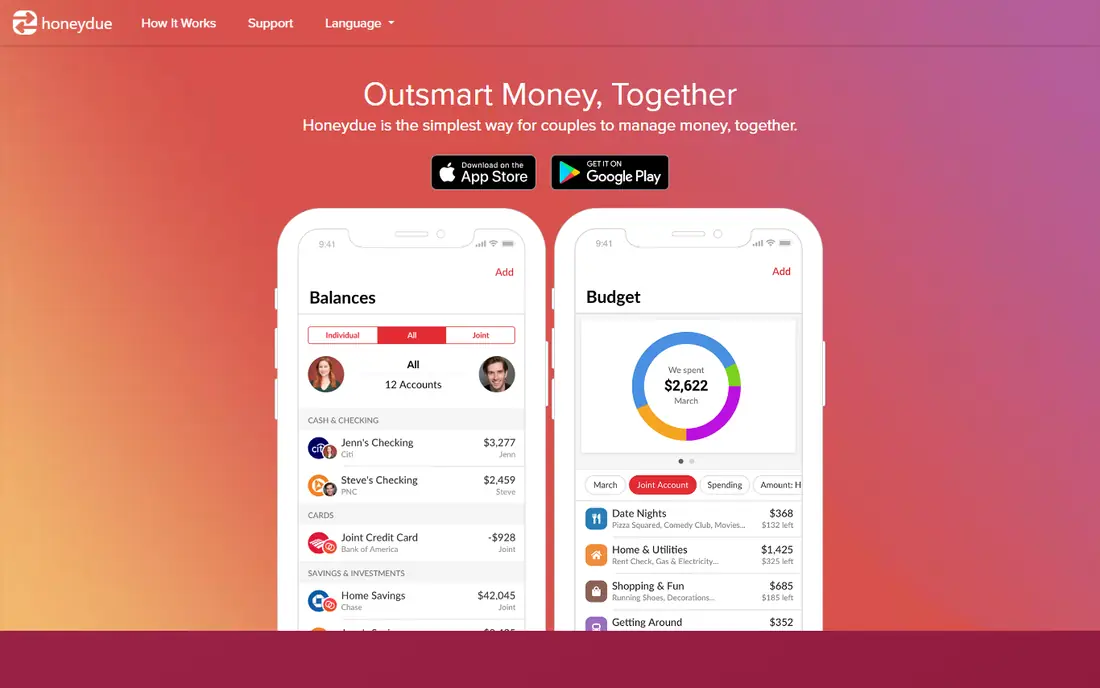
Honeydue starts with the couple, not with a single user who later invites a partner. Each person links their own accounts and chooses how much to share, account by account, so one partner can show a balance without showing every transaction from that account. That middle ground matters for households that share bills but keep some spending private.
Bill reminders, monthly category limits, and a short chat thread on individual transactions cover the everyday friction points, like asking whether a bill was paid or what a charge was for. The catch is depth. Honeydue is a tracker and coordinator first, not a planning system, so couples who want detailed forecasts, net worth charts, or strict envelope rules will outgrow it. For a first shared app, though, the price and the low setup burden are hard to beat.
- Built for couples
- Per-account sharing controls
- Bill reminders and in-app chat on transactions
- Budgeting tools are basic
- No desktop-first experience
- Limited investment tracking
Monarch Money is the closest thing on this list to a complete household money dashboard. Both partners get their own login under one subscription, accounts and budgets sit in one shared view, and individual transactions can be marked so a partner sees the category total without the line-item detail. That privacy toggle is the feature couples mention most, because it preserves a shared picture without turning every coffee into a shared ledger entry.
Net worth tracking, investment holdings, custom categories, and spending targets make Monarch useful beyond the monthly budget, and it handles joint and separate accounts at the same time. The honest catch is the setup hour. Monarch assumes you will organise categories yourself, and a household that skips that work will end up with a messy dashboard. It also charges from the start, with a short trial, so try it during a normal spending week before paying for a year.
- One subscription covers the household
- Per-transaction privacy toggle
- Net worth and investment views
- No permanent free plan
- Setup takes time to get categories right
- Not an envelope system
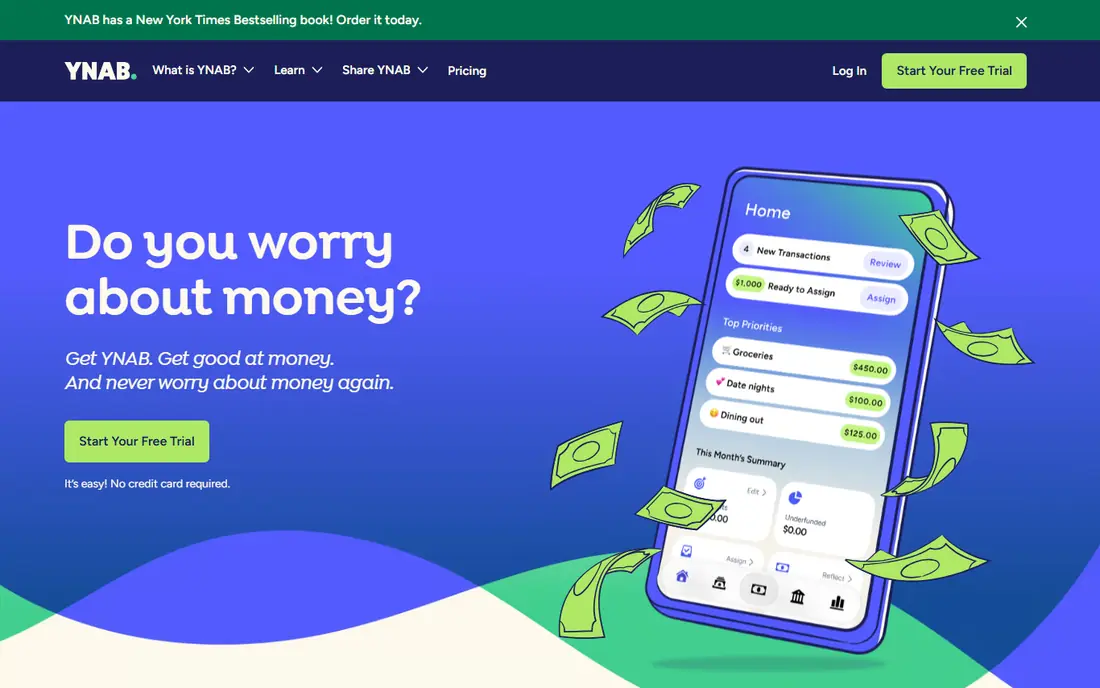
YNAB, short for You Need A Budget, asks couples to give every dollar a job before spending it, using only money already in the account. That rule sounds simple, and it is, but living by it changes how a household talks about money. Instead of looking back at what was spent, both partners decide in advance what rent, food, savings, and fun money get, then move money between categories when plans change.
The method is the strength and the barrier. Couples who review the budget weekly often say it is the first system that changed their spending, while couples who want a passive tracker will find the approval and assignment work annoying. YNAB Together lets up to six people share one plan, and the 34-day trial is long enough to test a full pay cycle. If only one partner is willing to do the weekly work, pick a simpler app from this list.
- Clear method with four rules
- Up to six people on one plan
- Long 34-day trial
- Steep learning curve
- No full investment dashboard
- Monthly billing costs much more than annual billing
Goodbudget turns the old cash envelope system into shared digital envelopes. A couple creates envelopes for rent, groceries, transport, and savings, fills them from income, and watches each envelope fall as spending happens. Because envelopes sync between devices, both partners see the same remaining balance before either of them spends.
The free tier covers a limited set of envelopes and devices, which is enough to test whether the method fits your household. Paid Premium adds more envelopes, more devices, and bank sync, at $10 per month or $80 per year in the sources we checked. The catch is manual discipline. Without paid bank sync, someone has to enter spending, and the system only works if both partners keep doing it. For couples who like limits they can see at a glance, that trade-off is worth it.
- Clear envelope method
- Synced envelopes for both partners
- Usable free tier
- Bank sync is a paid feature
- Manual entry takes discipline
- No investment tracking
PocketGuard answers one question well: after bills, debt payments, and savings goals, how much is actually left to spend. That single leftover number is easy for both partners to check before a purchase, which makes it useful for households that overspend by accident rather than by plan. Debt payoff planning and subscription tracking add value for couples working down cards or loans together.
Couples use PocketGuard by sharing one profile, since there is no dedicated couples mode with separate views. That means full visibility for both partners, with hashtags or custom categories as a workaround for personal spending. If privacy between partners matters, Honeydue or Monarch fits better. If a simple, shared guardrail matters more, PocketGuard is a strong, low-friction pick, with a free tier and a Plus plan for deeper tools.
- One clear leftover amount
- Debt payoff tools
- Bill and subscription views
- No built-in couples mode
- Shared login means full visibility
- Plus costs $74.99 per year on annual billing
EveryDollar keeps budgeting to its simplest form: list income, list planned spending, and make the two match. That plain layout is the point. Couples who follow Dave Ramsey's Baby Steps will find the structure familiar, and the free tier lets a household try zero-based planning with manual entry before paying anything.
Premium adds bank connections and faster entry, and it is priced at $79.99 per year in the sources we checked. The catch is rigidity. EveryDollar is built around one debt payoff order and a cautious view of credit cards, so couples who want flexible categories, investment views, or a more custom method may feel boxed in. For a household that wants a clean plan and a familiar method, though, the simplicity is a genuine advantage.
- Very simple zero-based layout
- Clear fit for Ramsey Baby Steps
- Free manual-entry tier
- Bank sync needs Premium
- Premium is $79.99 per year
- Rigid approach to credit cards and debt order
Splitwise does not try to be a budget app, and that focus is why it belongs here. Couples with separate accounts often do not need a merged budget, they need a fair record of shared costs: rent, groceries, travel, and dinners out. One partner logs an expense, chooses the split, and the running balance shows who owes whom, without either person keeping a spreadsheet.
The free tier covers the core splitting most couples need, while Pro adds receipt scanning, currency conversion, and deeper tools. The catch is scope. Splitwise will not track net worth, set category budgets, or show a full spending picture, so pair it with a bank app or one of the trackers above if you want both jobs done. As a settlement tool, though, it removes a common source of small arguments.
- Fast expense splitting
- Clear who owes whom
- Works for couples and housemates
- Not a full budget app
- No bank sync for planning
- Pro features cost extra
Rocket Money starts from a different problem: money leaking out through subscriptions, forgotten trials, and rising bills. It links accounts, lists recurring charges in one place, and lets a household see the monthly total for services it may no longer use. That view alone can pay for the time spent setting it up, especially for couples who have added streaming, apps, and memberships over several years.
Premium adds deeper budgeting, alerts, and bill negotiation help, with a price the user selects within a published range. The honest catch is that negotiation outcomes are not guaranteed, and Rocket Money is better at finding waste than at teaching a strict budgeting method. Use it as a cleanup tool alongside a planner, or as a light tracker if your main goal is to cut recurring costs together.
- Subscription detection
- Spending summaries
- Free tier with bank sync
- Premium price varies by what you choose
- Bill negotiation results vary
- Not a strict budgeting method
Copilot Money is the pick for a household that lives on iPhone, iPad, and Mac and wants tracking to feel pleasant rather than like admin work. Accounts connect, transactions are categorised, and cash-flow views show what is coming in and going out without a wall of charts. The design is the selling point, and for couples who have abandoned plainer apps, that matters more than it sounds.
The catch is platform fit and sharing. Copilot has historically been Apple-first, so a household with an Android phone in the mix should confirm current support before subscribing. It also leans toward tracking and adaptive budgets rather than the strict zero-based method of YNAB or the household controls of Monarch. For an Apple household that wants a clean shared view, it is a strong option, with a trial of about a month in the sources we checked.
- Clear cash-flow views
- Smart categorisation
- Well-designed Apple apps
- Apple-first, so Android households should check support first
- No permanent free plan
- Lighter household sharing than Monarch
How we picked these
We compared official feature pages, current pricing pages, app store listings, privacy policies, and public reviews for each app, and we only kept apps that are available now and that a couple can actually use together, whether through a built-in couples mode, a shared login, or a household subscription. We favoured apps with clear sharing controls, because a budget that exposes everything or hides everything will frustrate at least one partner. We also checked whether bank connections, free tiers, and trials matched what the vendor publishes, and we noted where sources disagreed rather than picking a flattering number.
What to agree on before you pick an app
A good app will not fix a missing conversation, so settle three points before you pay. First, decide how merged your money will be in the app: fully joint, hybrid with personal spending, or separate with a shared pot for bills. Second, decide who does the weekly review, because a budget maintained by one partner alone tends to become a source of friction. Third, decide what privacy you both want, including whether individual transactions stay visible or only category totals are shared.
If you merge everything, Monarch or YNAB gives you the fullest control. If you keep separate accounts, Honeydue or Splitwise gives you sharing without a full merger. If you mainly need to stop overspending, PocketGuard gives you a single number to check. Try the free tier or trial during a normal month, with real bills and real spending, and judge the app on whether both of you opened it in week three, not on how it looked on day one.
Check security before you link a bank account
Budgeting apps that connect to bank accounts should use a trusted data aggregator, encrypted connections, and two-factor login, and they should offer read-only access where possible. This is not financial advice, and linking accounts carries risk, so read the privacy policy, check which banks are supported, and turn on every login protection the app offers. If either partner is uneasy about linking, start with manual entry in Goodbudget or EveryDollar and add connections later.