Best Calorie Counter App in 2026: 9 Apps Compared
By ToolNimba Editorial Team October 28, 2026 10 min read

- Top pick
 MyFitnessPal
Largest food database
Starting priceFreeCheck out MyFitnessPalRead our review - Runner-up
 Lose It
Easy beginner tracking
Starting priceFreeCheck out Lose ItRead our review - Also great
 Cronometer
Nutrient detail
Starting priceFreeCheck out CronometerRead our review
How we researched this
We compared official pricing and feature pages, app store listings, privacy policies and public user reviews. Prices change, so check the provider's site before you pay.
Key takeaways
- MyFitnessPal has the largest food database and device links, but barcode and meal scanning now need Premium.
- Cronometer is our pick for nutrient detail, because its free tier tracks many nutrients from verified sources.
- Lose It is the easiest start for beginners, while MacroFactor suits lifters who want adaptive calorie and macro targets.
- FatSecret offers the most generous free tier for basic tracking, including barcode scanning without a subscription.
- No app replaces medical advice, and calorie targets should fit your health needs, activity, and any condition you manage.
Quick comparison
| Name | Best for | Starting price | Free plan | |
|---|---|---|---|---|
| MyFitnessPal | Largest food database | Free | Yes | Visit |
| Lose It | Easy beginner tracking | Free | Yes | Visit |
| Cronometer | Nutrient detail | Free | Yes | Visit |
 Yazio | Recipes and fasting tools | Free | Yes | Visit |
 Lifesum | Meal plans and polished design | Free | Yes | Visit |
 FatSecret | Free tracking on a budget | Free | Yes | Visit |
 MyNetDiary | Verified food search | Free | Yes | Visit |
 MacroFactor | Adaptive macro targets | $11.99 per month | Free trial | Visit |
 Carb Manager | Low carb and keto tracking | Free | Yes | Visit |
The best calorie counter apps
We compared official feature pages, pricing pages, app store listings, and public reviews for apps that are live in the US. We focused on what the free tier actually allows, whether barcode scanning needs a subscription, and how each app handles macros and nutrients. This is not medical advice, and you should talk to a clinician or dietitian before starting a restrictive diet or a large calorie change.

MyFitnessPal is still the default pick for many people, mainly because you can find almost any food, brand, or restaurant item in its database. It links to many fitness trackers and apps, and its diary, weight log, and macro view are familiar to long-time users. Premium adds barcode scanning, meal scanning, recipe import, and a meal planner.
The free tier is weaker than it used to be. Barcode and meal scanning sit behind Premium, which costs $19.99 per month or $79.99 per year in the sources we checked. If you scan most foods, that paywall matters, and you should check the free tier on your phone before you commit to logging here.
- Very large food database
- Broad device and app integrations
- Strong recipe and meal tools on Premium
- Barcode, voice, and meal scanning need Premium
- Premium costs $79.99 per year
- User-submitted entries can contain errors
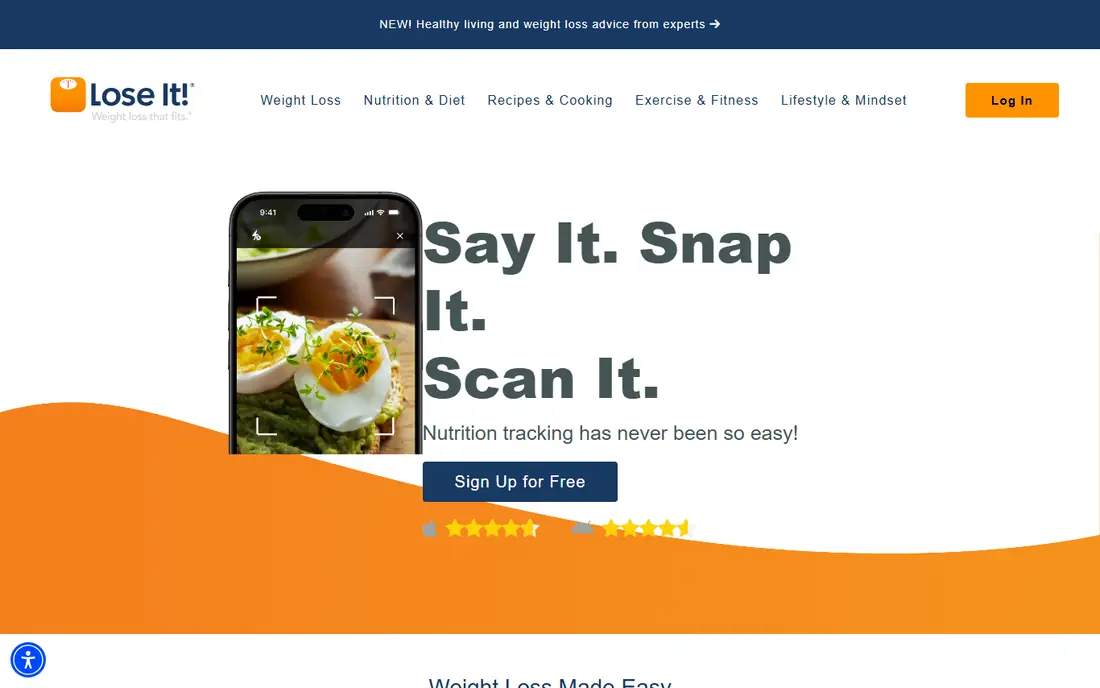
Lose It is the easiest app here to start with if calorie counting feels new. Setup asks for your goal, activity, and weight plan, then gives a daily calorie budget and a simple diary. Logging a meal takes a few taps once you save frequent foods, and the weight chart makes progress easy to see without extra charts.
Premium is where the faster logging tools live. New accounts need Premium for barcode, photo, and voice logging, and Premium costs about $79.99 per year in recent sources. If you log mainly by searching foods, the free tier may be enough, but barcode users should budget for Premium or pick FatSecret.
- Simple diary and goal setup
- Clear weight and calorie view
- Low-friction logging for new users
- Barcode, photo, and voice logging need Premium for new accounts
- Premium rose to $79.99 per year in recent sources
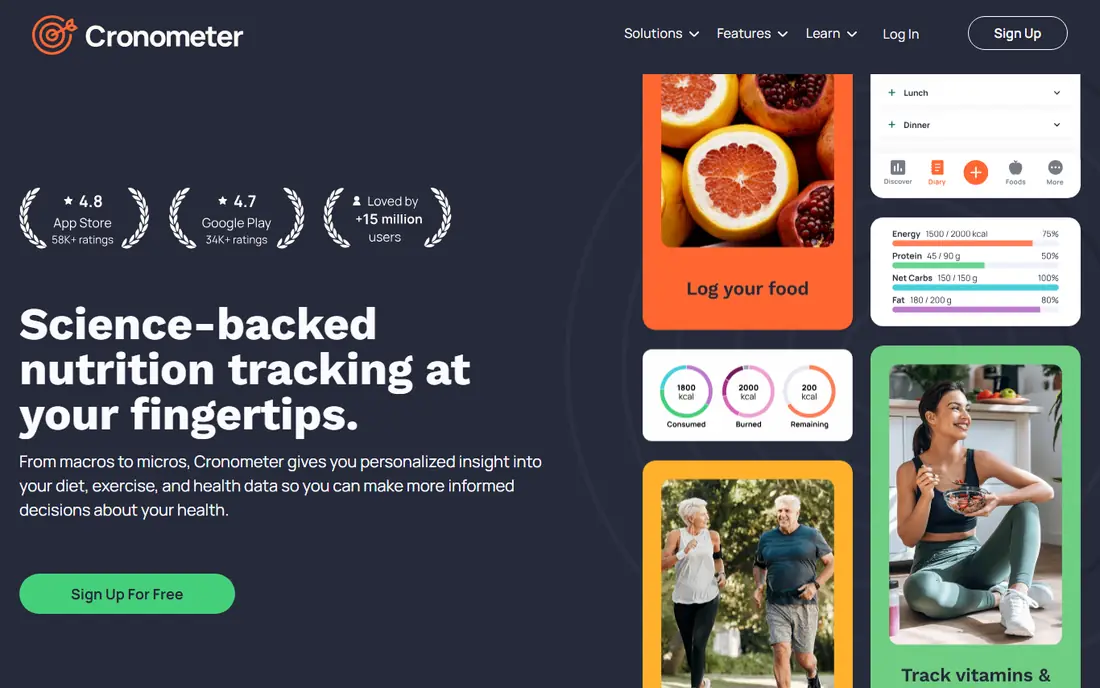
Cronometer is our pick if you care about nutrients, not just calories. Its free tier tracks calories and macros plus many vitamins and minerals, using verified sources where possible, which helps people who want to check protein, fiber, sodium, or iron. Barcode scanning is available on the free tier, which is a clear advantage over MyFitnessPal and Lose It.
The detail is also the drawback. A user who only wants a daily calorie total may find the nutrient panels, targets, and charts more than needed. Gold costs about $54.95 per year in recent sources and adds fasting, custom charts, and more, but most basic users can stay free.
- Free tracking for many nutrients
- Verified food sources
- Barcode scanning on the free tier
- Depth can feel heavy for simple calorie goals
- Photo and some advanced tools need Gold
- Interface is less playful than rivals
Yazio suits people who want recipes and a fasting timer alongside calorie counting. The free tier covers basic logging, while Pro adds barcode scanning, meal plans, and deeper nutrition analysis for about $47.90 per year in recent sources. Its recipe section helps when you cook at home and want ideas that fit your calorie budget.
The free tier is limited for scanners. If you scan packaged foods daily, you will hit the Pro paywall quickly. Yazio also lacks a full web app, so phone-first users will be happier than people who prefer logging on a computer.
- Good recipe library
- Fasting timer and meal planning tools
- Lower annual Pro price than some rivals
- Barcode and many planning tools need Pro
- No full web app
- Pro price varies by promotion
Lifesum is the most polished app in this list, with clean onboarding, meal plans, and a visual score for food choices. Premium adds meal planning, fasting tools, and deeper tracking, which makes it a good fit if you want guidance rather than a bare diary. The design makes daily logging feel less like admin work.
Free users should test it first. Many planning and analysis tools need Premium, and the free tier works best as a preview rather than a long-term tracker. If you plan to pay, Lifesum is pleasant, but free users will get more from Cronometer or FatSecret.
- Polished design and onboarding
- Meal plans and recipe ideas
- Clear macro and life score views on Premium
- Free tier is limited
- Many core tools need Premium
- Premium costs about $44.99 per year in recent sources
FatSecret is the best free option for basic calorie and macro tracking. Its free tier includes barcode scanning, the full food database, and macro tracking, without pushing you to a subscription for the core diary. That makes it a strong pick if MyFitnessPal or Lose It paywalls frustrate you.
The trade-off is polish. Ads appear on the free tier, and the design feels older than Lifesum or Yazio. Premium Plus costs about $19.99 per year in recent sources and mainly removes ads and adds extras, so most users can stay free and still log well.
- Barcode scanning and full food database free
- Macro tracking without a subscription
- Community and journal tools
- Ads on the free tier
- Design feels dated next to Lifesum
- Premium Plus adds only modest extras
MyNetDiary is a strong middle ground between a simple diary and a nutrient tool. Its free tier offers detailed tracking, and its verified search filter helps you avoid the duplicate or wrong entries that plague large user databases. Health tracking options, including diabetes-related views, make it useful for people who track more than weight.
Premium adds an AI coach and advanced planning, but the core diary works well free. If you want a clean, accurate food search without paying for Cronometer Gold or MyFitnessPal Premium, MyNetDiary deserves a trial week.
- Verified food search filtering
- Detailed nutrition reports
- Diabetes and health tracking options
- AI coach and advanced planning need Premium
- Premium costs $59.99 per year, with Premium Plus at $99.99 per year
MacroFactor is built for lifters and people running a structured cut or bulk, rather than casual logging. It adjusts your calorie and macro targets over time based on your weight trend and logged intake, instead of fixing one number at signup. That adaptive approach helps when your activity or weight changes during a training block.
It is not a free app, and that is the main barrier. It costs $11.99 per month or $71.99 per year in recent sources, with a trial but no permanent free tier. It also works best if you log most days, so inconsistent loggers will get less value from the adaptive engine.
- Adaptive calorie and macro targets based on your logged data
- Strong for structured cuts and bulks
- Barcode and food tools included
- No permanent free tier
- Needs consistent, complete logging to adapt well
- Costs $71.99 per year on the annual plan
Carb Manager is the clear pick for low carb and keto tracking, because net carbs are central, not an afterthought. It shows net carbs alongside calories and macros, offers keto recipes and meal plans, and includes a food database geared to low carb eating. That focus saves keto users from doing net carb math by hand.
General calorie counters may find the keto framing distracting, and some premium features cost about $39.99 per year. If you do not follow a low carb plan, Cronometer or FatSecret will be simpler, but for keto, Carb Manager is hard to beat.
- Net carb tracking built in
- Keto recipes and meal plans
- Barcode and food database for low carb foods
- General calorie users may not need keto tools
- Some premium features cost $39.99 per year
- Interface favors keto goals
How we picked these
We compared official feature pages, pricing pages, app store listings, and public reviews for apps that are live in the US and offer real calorie and macro tracking. We checked what the free tier allows, whether barcode scanning needs a subscription, and how each app handles nutrients, recipes, and fasting. We kept only apps with a working diary and a clear price, and we wrote See website in other lists where a price could not be verified, though prices here come from vendor or recent app store sources.
How to pick a tracker you will actually use
Start with how you log. If you scan packaged foods, pick an app with free barcode scanning, such as Cronometer or FatSecret, or budget for Premium elsewhere. If you cook most meals, recipes, saved meals, and a verified search matter more than scanning. Try one app for a full week before you judge it, because saved foods and meals make week two far faster than day one.
Next, set a target you can live with. A very low calorie goal may look fast on paper, but it is hard to sustain and can be unsafe, especially if you have a medical condition, are pregnant, or have a history of disordered eating. Use the app target as a starting point, adjust based on hunger, energy, and weight trend, and talk to a clinician or dietitian if you are unsure.
Finally, check data and privacy before you pay. Confirm whether you can export your food log and weight history, what health data the app shares, and how easy it is to cancel a subscription. A tracker you can leave without losing years of logs is safer than one that locks your history behind a paid plan.
Sources
- https://www.myfitnesspal.com
- https://www.loseit.com
- https://www.cronometer.com
- https://www.yazio.com
- https://www.lifesum.com
- https://www.fatsecret.com
- https://www.mynetdiary.com
- https://www.macrofactor.com
- https://www.carbmanager.com
- https://calorietrackerlab.com/bestof/best-calorie-counter-app-2026-9-apps-compared-by-accuracy/
- https://bodybuddy.app/blog/7-best-calorie-counter-apps-in-2026-tested-and-ranked