Best Community Platforms in 2026: 8 Platforms Compared
By ToolNimba Editorial Team November 12, 2026 9 min read

- Top pick
 Circle
Paid creator communities
Starting price$89 per monthCheck out CircleRead our review - Runner-up
 Mighty Networks
Mobile-first memberships
Starting price$79 per monthCheck out Mighty NetworksRead our review - Also great
 Discourse
Open forums and support
Starting priceFreeCheck out DiscourseRead our review
How we researched this
We compared official pricing and feature pages, app store listings, privacy policies and public user reviews. Prices change, so check the provider's site before you pay.
Key takeaways
- Circle and Mighty Networks suit paid creator communities that need courses, events, and mobile apps in one branded space.
- Discourse fits open discussion and support forums where search, long threads, and self-hosting matter more than courses.
- Discord and Skool suit fast, chat-led groups, while Hivebrite fits alumni and professional associations with structured directories.
- Transaction fees matter as much as monthly price, because a low plan with a high fee can cost more than a higher plan once sales grow.
- Test moderation, member onboarding, and mobile use with real members before you move an existing group.
Quick comparison
| Name | Best for | Starting price | Free plan | |
|---|---|---|---|---|
| Circle | Paid creator communities | $89 per month | Free trial | Visit |
| Mighty Networks | Mobile-first memberships | $79 per month | Free trial | Visit |
| Discourse | Open forums and support | Free | Yes | Visit |
 Skool | Simple course communities | $99 per month | Free trial | Visit |
 Discord | Chat-led communities | Free | Yes | Visit |
 Bettermode | B2B customer communities | See website | Yes | Visit |
 Hivebrite | Alumni and associations | See website | No | Visit |
 BuddyBoss | WordPress community sites | See website | Yes | Visit |
The best community platforms
A good community platform gives members a clear reason to return, not just another feed. We compared official pricing and feature pages, moderation options, course and event tools, and mobile access, then grouped each platform by the kind of community it serves best.
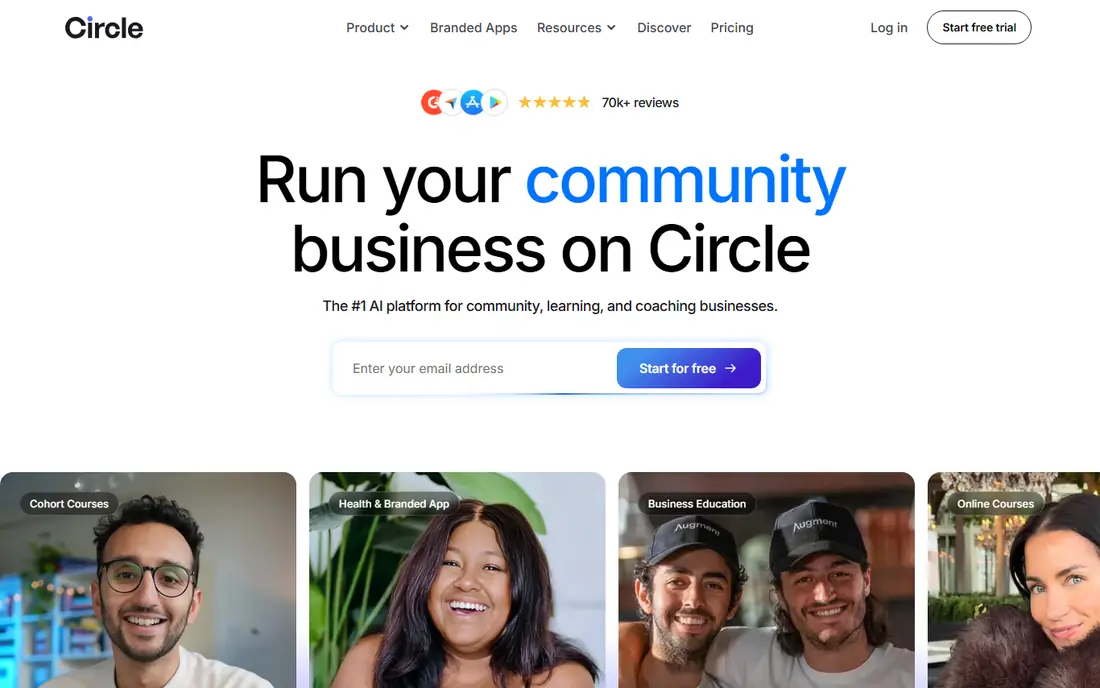
Circle is our pick for most paid creator communities because it keeps discussion, courses, live events, and member directories in one branded home. Creators can run free and paid spaces side by side, gate content by plan, and use workflows to welcome members or move them between groups. That structure helps a community feel organized rather than chaotic.
The main cost to watch is transaction fees on lower tiers, which fall as you move up in plan. If you sell courses or memberships through Circle, model total cost at your real sales volume. Also check whether you need a branded mobile app, because that sits on higher plans.
- Branded spaces for discussion, courses, and events
- Strong member profiles and workflows
- Good course integration
- Transaction fees apply on lower tiers
- Advanced automation sits on higher plans
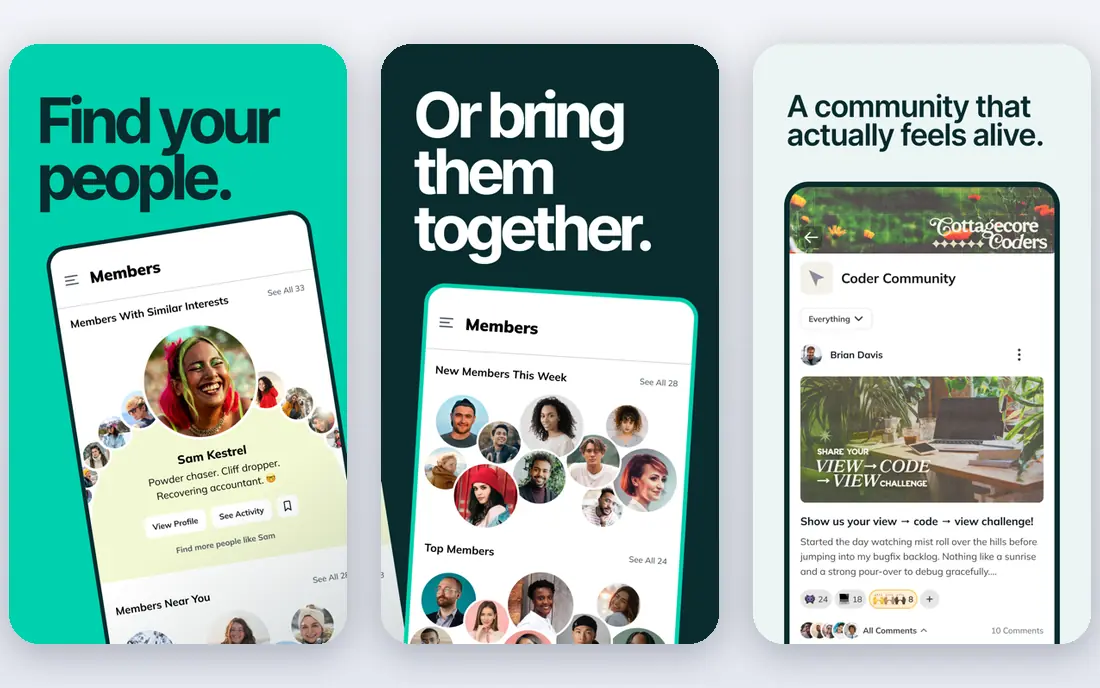
Mighty Networks suits creators who expect most members to join from a phone. Every plan includes native mobile apps, which helps engagement for coaching groups, fitness programs, and paid memberships. Courses, community feeds, events, and member plans sit together, so a new member does not need five separate logins.
The trade-off is control. You get a polished hosted product, but less freedom to reshape the layout or own the full stack than with WordPress or Discourse. If brand control and data ownership matter most, weigh that against the convenience of built-in apps.
- Native mobile apps on every plan
- Courses, events, and paid plans in one place
- Good discovery for members
- Transaction fees on lower tiers
- Design control is more limited than a self-hosted site
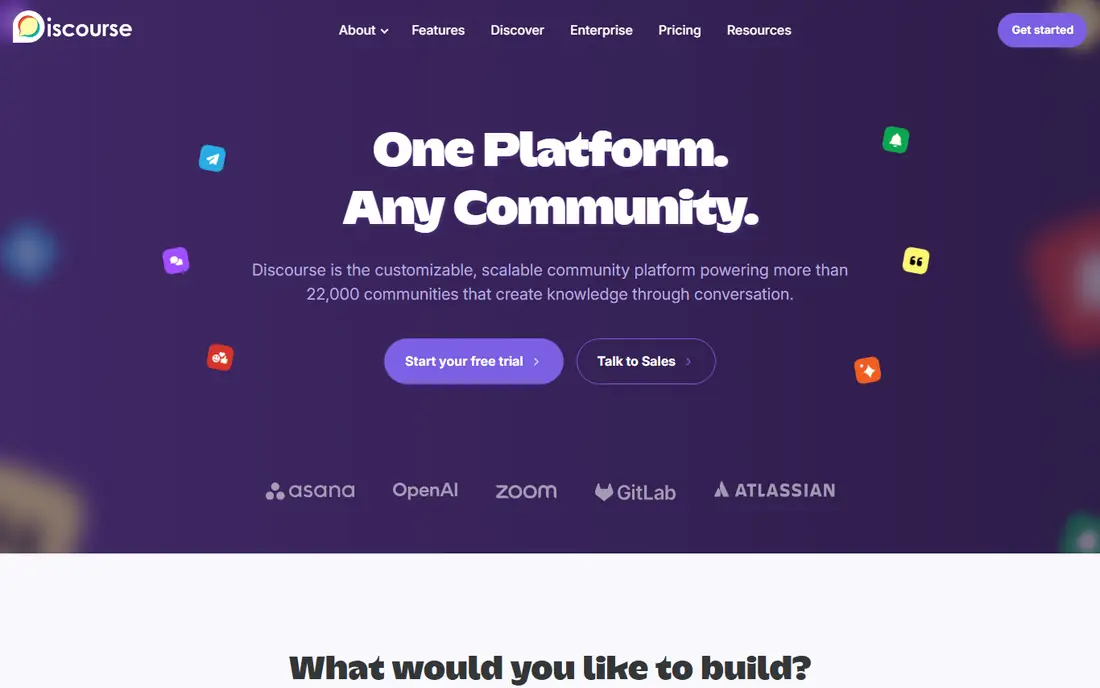
Discourse is the best choice for communities built around questions, answers, and long threads. Search works well, topics stay findable for years, and trust levels let regular members help with moderation over time. Developers, product users, and support communities often prefer this format to a fast chat feed.
It is less of a turnkey course platform. You can add plugins and integrations, but paid memberships and course delivery need extra setup. Self-hosting is free apart from hosting costs, while hosted plans suit teams that want Discourse to handle updates and uptime.
- Free open-source self-hosting
- Strong search and long-form discussion
- Good moderation and trust levels
- Less suited to paid courses out of the box
- Hosted plans start higher than some rivals
Skool wins on simplicity. A creator can set up a classroom, a community feed, a calendar, and member levels in an afternoon, without choosing between dozens of modules. Gamification, with levels and leaderboards, gives new members a clear path to take part, which helps small coaching and course groups stay active.
The same simplicity limits larger operations. Teams that need deep automation, complex pricing tiers, or heavy branding may outgrow Skool. For a single paid group with one main offer, though, that focus is often a strength rather than a weakness.
- Very simple setup
- Classroom, community, and calendar in one place
- Gamification keeps members active
- Single-plan pricing can feel rigid
- Fewer design and automation options than Circle
Discord suits communities that live in real-time chat. Servers can hold text channels, voice rooms, stages, and forums, and most younger or gaming-adjacent audiences already have accounts. That low friction helps a new group grow fast without asking members to learn a new app.
The weakness is memory. Important guides and answers get buried in chat unless you pin them, use forum channels, or link to an external knowledge base. Large servers also need clear rules, roles, and active moderators, because open chat can drift quickly without them.
- Free to start
- Voice, video, and text channels in one place
- Huge existing user base
- Hard to surface long-form content
- Moderation takes real effort at scale
Bettermode fits software companies that want a customer community tied to support, product feedback, and help content. It offers branded spaces, widgets that can sit inside a product site, and integrations that connect community activity to support workflows. That makes it a practical choice for teams that measure success by fewer support tickets and better product feedback.
Pricing has varied in third-party comparisons, so confirm the current plan directly before budgeting. Also plan the launch around real use cases, such as onboarding, troubleshooting, and feature requests, rather than opening empty spaces and hoping members fill them.
- Strong customization for customer and support communities
- Widgets and integrations for product sites
- Good for feedback and help content
- Pricing varies across sources, so confirm the current plan
- Setup takes more planning than a creator tool
Hivebrite suits alumni networks, professional associations, and membership organizations that need structure. Directories, chapters, events, and member groups help large organizations stay organized across regions and cohorts. Admin controls also suit teams that must manage many member types and approval workflows.
That formality can feel heavy for a small creator group. Hivebrite is best when the organization, not a single creator, owns the community, and when staff need reports, segments, and chapter management. Expect a sales-led process and a demo before pricing is clear.
- Strong directories and member profiles
- Good for chapters, events, and alumni networks
- Structured engagement tools
- Quote-based pricing
- More formal than a casual creator community
BuddyBoss appeals to owners who want to run a community on their own WordPress site. The free plugin adds profiles, groups, forums, and activity feeds, while paid options add themes and a mobile app. That ownership suits course sellers and brands that already run WordPress and want control over data, design, and member experience.
Ownership also means responsibility. You handle hosting, updates, backups, and plugin conflicts, or you pay someone to do it. If you prefer a hosted service that handles all of that, Circle or Mighty Networks will feel easier, even though you give up some control.
- Full ownership on WordPress
- Free plugin available
- Mobile app option for branded communities
- You manage hosting, updates, and compatibility
- Total cost includes themes, plugins, and app fees
How we picked these
We compared official pricing and feature pages, checked that each homepage loads and matches the product, and looked at moderation, courses, events, mobile access, and data control. We kept a mix of creator tools, open forums, chat platforms, and association software, because one model does not fit every community. We did not claim hands-on testing, and where pricing differed across sources we wrote See website.
How to choose the right platform
Start with how your members already behave. A group that chats all day needs different tools from a group that searches for answers once a month.
Match the format to the habit
Chat suits fast, social groups. Forums suit questions that should stay searchable. Courses suit learning groups that need structure and progress. Pick the format that matches your main activity, then treat other features as helpful extras.
Count the real cost
Add monthly price, transaction fees, app fees, and staff time for moderation. A free platform can still cost a lot in moderation time, while a paid platform with lower fees can be cheaper once sales grow. Model cost at six months of realistic member and sales numbers.
Test moderation before launch
Set clear rules, approval steps, and roles for moderators. Run a small pilot with trusted members, watch where confusion or spam appears, and fix onboarding before you open the doors wide. A calm, well-run small group beats a large, noisy one.
Keep an exit path
Check what you can export, including member lists, posts, and content, and what happens to paid plans if you leave. Even if you never move, a clear export option protects your community and gives you a stronger position in future pricing talks.
Sources
- https://circle.so
- https://www.mightynetworks.com
- https://www.discourse.org
- https://www.skool.com
- https://discord.com
- https://www.bettermode.com
- https://hivebrite.com
- https://www.buddyboss.com
- https://home.bettermode.com/blog/all-in-one-community-platform
- https://www.guideflow.com/blog/user-community-platform
Frequently asked questions
What is the best community platform for creators?
Circle and Mighty Networks are strong starting points for paid creator communities, because both combine discussion, courses, events, and mobile access. Circle suits creators who want structured spaces and workflows, while Mighty Networks suits mobile-first memberships.
Can I run a community for free?
Yes. Discord, Discourse self-hosted, and BuddyBoss with its free plugin all offer free starting points. Free options still need time for moderation, hosting, or setup, so factor staff time into the real cost before you choose.
What is the difference between Circle and Mighty Networks?
Both serve paid creator communities, but Circle leans toward structured spaces, courses, and workflows, while Mighty Networks leans toward native mobile apps and a simpler member experience. Try both trials with the same test group to see which layout your members prefer.
Is Discord good for a business community?
Discord works well for chat-led and informal business communities, especially when members already use it. It is weaker for long-form guides, searchable support content, and formal member directories, so many teams pair it with a forum or help center.
How do I move an existing group to a new platform?
Announce the move early, explain what improves, and migrate members in stages with clear login help. Keep the old group open for a short overlap period, move key guides first, and ask early members to post and answer questions in the new space.
Should I choose a hosted platform or self-host?
Hosted platforms handle updates, security, and uptime, which suits small teams. Self-hosting gives more control and data ownership, but you manage hosting, updates, and backups. Choose hosted when speed matters, and self-host when control matters more than convenience.