Best Constellation App in 2026: 9 Apps Compared
By ToolNimba Editorial Team November 12, 2026 9 min read

- Top pick
 Stellarium
Accurate planetarium simulation
Starting priceFreeCheck out StellariumRead our review - Runner-up
 Star Walk 2
Beautiful AR sky view
Starting priceFreeCheck out Star Walk 2Read our review - Also great
 SkySafari
Deep sky catalog and planning
Starting priceFreeCheck out SkySafariRead our review
How we researched this
We compared official pricing and feature pages, app store listings, privacy policies and public user reviews. Prices change, so check the provider's site before you pay.
Key takeaways
- Point-and-identify AR is the fastest way to learn constellations, while a chart view is better for planning a session.
- Free apps cover constellation ID well, so pay only for deeper catalogs, telescope control, or ad-free use.
- Offline catalogs matter for dark-sky trips, since signal is often weak far from towns.
- A red night mode and a dim screen help you keep your night vision while you learn the sky.
Quick comparison
| Name | Best for | Starting price | Free plan | |
|---|---|---|---|---|
| Stellarium | Accurate planetarium simulation | Free | Yes | Visit |
| Star Walk 2 | Beautiful AR sky view | Free | Yes | Visit |
| SkySafari | Deep sky catalog and planning | Free | Yes | Visit |
 Night Sky | Simple AR constellation ID | Free | Yes | Visit |
 SkyView Lite | Quick free star ID | Free | Yes | Visit |
 Sky Guide | Clean AR guide for beginners | See website | No | Visit |
 NASA App | Space images and ISS sightings | Free | Yes | Visit |
 Solar Walk 2 | 3D solar system exploration | $2.99 one-time | No | Visit |
 Heavens-Above | Satellite and ISS pass predictions | Free | Yes | Visit |
The best constellation apps
We compared official app listings, catalog depth, and pricing for apps that identify constellations and help you learn the night sky today. Every app below shows constellations, though some focus on AR identification and others on planning and deeper astronomy.
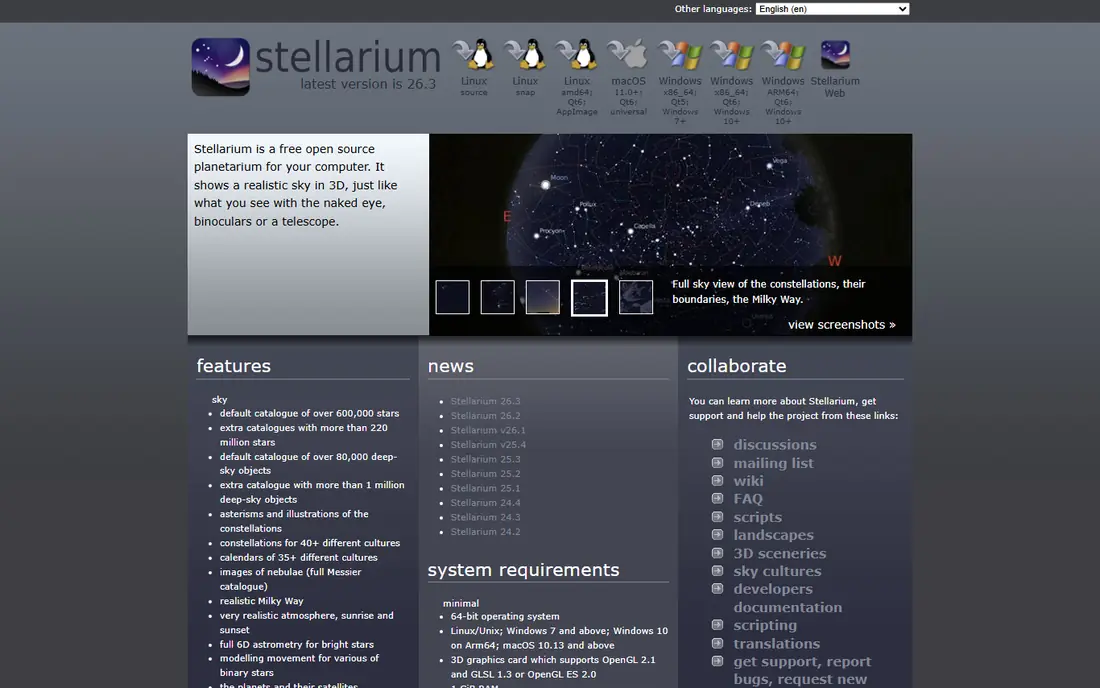
Stellarium is open-source planetarium software that has been a desktop standard for years, and its mobile app brings the same accurate sky to your phone. You can point at the sky, see constellations with artwork and labels, simulate any date and time, and watch the sky move through the night. The free desktop and web versions are excellent for planning at a desk.
The mobile app is free with a built-in star catalog, while Stellarium Plus adds a much deeper catalog and telescope control as a one-time or subscription upgrade. Most beginners will not need Plus until they own a telescope. If you want the most accurate simulation for learning constellations, Stellarium is our top pick.
- Realistic sky simulation
- Time travel to any date
- Free desktop and web versions
- Mobile Plus upgrade needed for deepest catalog
- Interface has many options
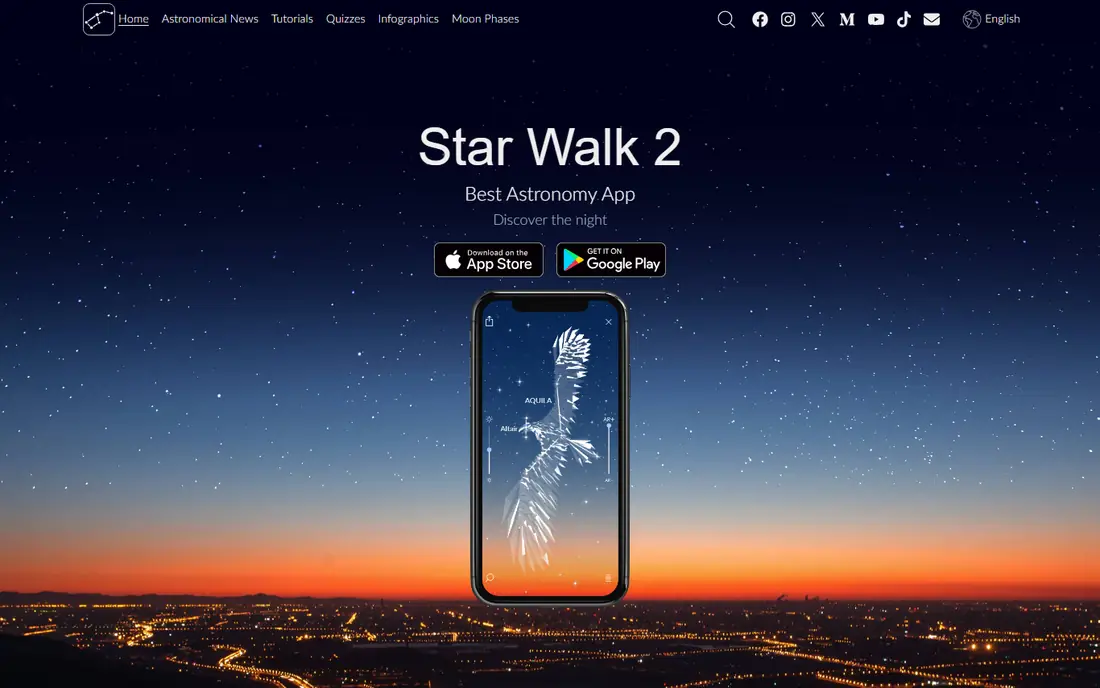
Star Walk 2 is the app to show friends when they ask what that bright star is. Point your phone at the sky and it labels stars, planets, and constellations with clear artwork, and a time machine lets you see the sky at another time. The design is polished, and night mode keeps the screen dim for dark adaptation.
The free version includes ads, and an ad-free edition is listed around $2.99, with extra content in paid tiers. For casual stargazing and teaching kids or friends, Star Walk 2 is the most enjoyable app here. For deep planning, pair it with Stellarium or SkySafari.
- Attractive AR view
- Constellation artwork
- Night mode and time machine
- Free version includes ads
- Some features need the paid edition
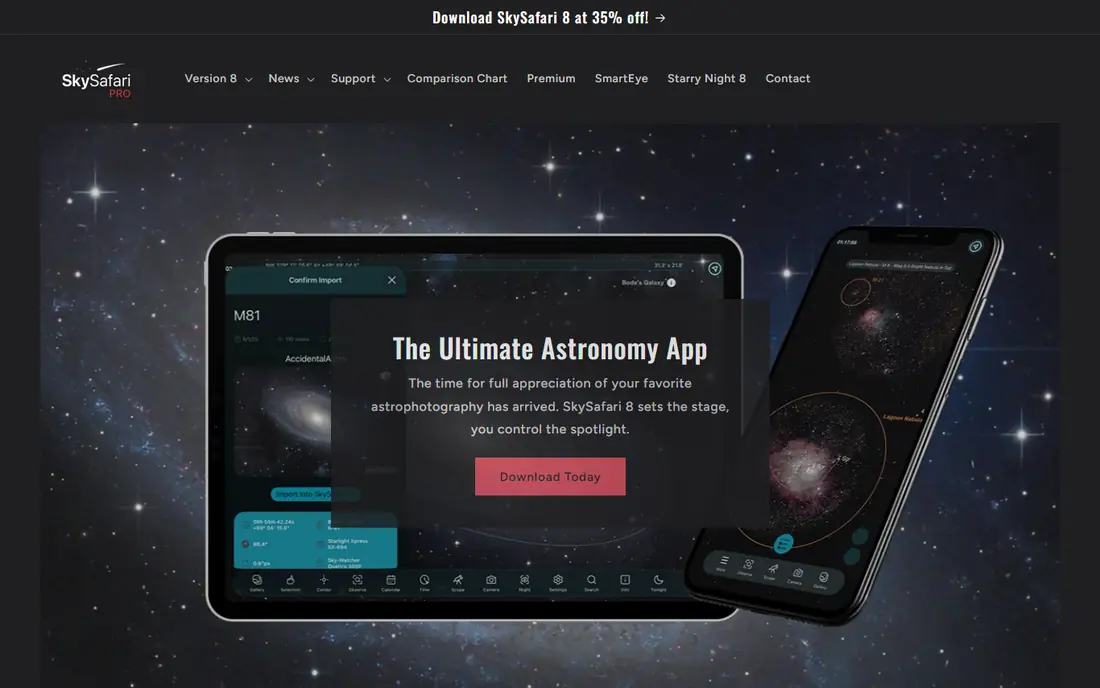
SkySafari is what many amateur astronomers use as their main sky app. The free Basic version includes over 100,000 stars, all 88 constellations, planets, and major satellites, plus a time simulation mode. Paid Plus and Pro tiers add millions more objects, deeper catalogs, and telescope control, which matter once you observe with equipment.
Beginners rarely need the paid tiers at first, since Basic already covers constellation learning well. If you plan to buy a telescope or build observing lists, SkySafari gives you a clear upgrade path without switching apps. For serious hobbyists, it is the best all-round choice here.
- Large object database
- Observing lists and planner
- Telescope control on paid tiers
- Full power needs paid tiers
- Large downloads on Pro
Night Sky offers a clean AR view that labels constellations, stars, and planets as you point your phone upward, with guided tours for popular objects. Its design is calm and easy to read in the dark, which helps when you are learning with family or friends. Apple Watch support adds a handy way to get alerts for visible passes and events.
It is strongest on Apple devices, and some tours and features need purchases. For a simple, pleasant constellation finder that does not overwhelm you with catalogs, Night Sky is a strong pick, especially for iPhone users.
- Clean AR identification
- Constellation tours
- Apple Watch support
- Best on Apple devices
- Some features need in-app purchases
SkyView Lite, from Terminal Eleven, is the lightweight free version of SkyView. Point your phone at the sky to identify stars, constellations, and planets, with a simple overlay that is easy to read. There is little setup, which makes it ideal for a first night out or for kids.
The Lite version is intentionally basic, so learners who want tours, deep catalogs, or planning tools should look at Stellarium or SkySafari. As a free, no-fuss identifier, SkyView Lite does its one job well and costs nothing to try.
- Free and simple
- AR identification
- Works without much setup
- Fewer learning features than rivals
- Paid full version adds extras
Sky Guide, from Fifth Star Labs, is known for its elegant AR view and clear constellation artwork. It is a pleasure to use on a dark night, with labels that are easy to read and a design that stays out of the way. That clarity makes it a good teaching app for beginners and families.
It is a paid app rather than a free starter, so we list its price as See website to reflect current store pricing. If you want a beautiful, focused guide and do not mind paying, Sky Guide is worth it. If you want free ID first, start with SkyView Lite or Stellarium.
- Elegant AR design
- Clear constellation lines
- Good for teaching
- Paid app
- Less deep than SkySafari for planning
The NASA App is not a pure constellation finder, but it belongs here because it adds context that sky apps lack. You get NASA images, mission updates, videos, and ISS sighting information, all free and authoritative. That makes it a great companion app for stargazing nights, especially when you want to know what the space station pass overhead actually is.
Use it alongside an AR app, not instead of one. Point with Stellarium or Star Walk 2 to learn constellations, then open NASA for images and mission stories that make the sky feel closer.
- Free NASA images, videos, and missions
- ISS sighting alerts
- Reliable information
- Not a dedicated constellation AR app
- Sky ID is secondary
Solar Walk 2, from Vito Technology, lets you explore the solar system in 3D, with planets, moons, and satellites you can rotate and inspect. It is listed around $2.99 as a paid download, with an ads-supported variant also available on some stores. For learners who want to understand planets and orbits, not just star patterns, it adds a useful dimension.
It is not the best pure constellation app, since its strength is solar system visualisation. Pair it with a constellation AR app if you want both star patterns and planet context in one stargazing session.
- 3D solar system models
- Satellite and planet information
- Educational tours
- Focus is the solar system, not constellation ID
- Paid download
Heavens-Above is the go-to tool for knowing when the International Space Station, Starlink trains, and other satellites will pass over your location. Its predictions are accurate and detailed, with sky charts showing the pass path. The website is free, and the app extends that to your phone for use outside.
Its AR and constellation features are secondary to pass prediction, so it is a companion rather than a main sky map. For stargazing nights, check Heavens-Above first for passes, then use your main constellation app to learn the stars while you wait.
- Accurate satellite pass predictions
- ISS and Starlink tracking
- Free web and app
- Less polished AR view
- Mainly a prediction tool
How we picked these
We compared official app listings, catalog depth, and pricing, and we kept only apps that are available now and that help users identify constellations or learn the night sky. We favoured free apps with a usable AR or chart view, and we included planning and satellite tools because they shape a real stargazing night. We left out astrology apps, wallpaper apps, and tools with no real sky identification.
How to choose a constellation app for your first night out
Pick by how you will use it outside. If you want to point and ask what that star is, an AR app like Star Walk 2, Night Sky, or SkyView Lite is fastest. If you want to plan a session at home, Stellarium or SkySafari chart views are better. Many stargazers keep two apps: one for quick ID and one for planning.
Protect your night vision
Use night mode or a red screen filter, keep brightness low, and put the phone away between identifications. Your eyes need 20 to 30 minutes to adapt fully to darkness, and one bright screen can reset that. A dim AR view is a feature, not a flaw, on a dark night.
Learn a few constellations at a time
Start with easy patterns for your season and hemisphere, such as Orion in winter or the Summer Triangle in summer, and learn the bright stars inside them. Trying to memorise all 88 constellations at once is frustrating. Return to the same patterns on several nights until you can find them without the app.
Check offline use before a dark-sky trip
Download offline catalogs and check that AR works without signal before you drive to a dark site. Rural signal is often weak, and a sky app that needs a connection will fail exactly when you need it. Test the app in flight mode at home first.
Sources
Frequently asked questions
What is the best constellation app?
Stellarium is our pick for accurate simulation and learning, Star Walk 2 is our pick for beautiful AR identification, and SkySafari is our pick for deeper planning and telescope use. All three cover constellations well, so pick by whether you value simulation, beauty, or depth most.
What is the best free constellation app?
Stellarium, SkyView Lite, and SkySafari Basic are all free and identify constellations well. Stellarium offers the deepest free simulation, SkyView Lite is the simplest free identifier, and SkySafari Basic offers a strong free catalog for planning.
Do constellation apps work offline?
Many do, if you download the catalog and test offline mode before you go. Stellarium and SkySafari offer offline catalogs, while some AR features still need GPS, which works without mobile data. Check your chosen app in flight mode first.
What is the best app for kids learning constellations?
Star Walk 2 and Night Sky are good for kids because their AR views are visual and easy to follow. Start with a few bright constellations, use night mode, and keep sessions short so the focus stays on the real sky.
Can constellation apps control a telescope?
Yes, on paid tiers. SkySafari Plus and Pro and Stellarium Plus offer telescope control over Bluetooth or Wi-Fi in supported setups. Check that your telescope model is supported before paying for that feature.