Best Content Writing Tools in 2026: 8 Tools Compared
By ToolNimba Editorial Team November 12, 2026 9 min read

- Top pick
 Jasper
Brand-voice marketing drafts
Starting price$69 per monthCheck out JasperRead our review - Runner-up
 Copy.ai
Team seats and workflows
Starting price$29 per monthCheck out Copy.aiRead our review - Also great
 Writesonic
SEO articles and visibility
Starting price$79 per monthCheck out WritesonicRead our review
How we researched this
We compared official pricing and feature pages, app store listings, privacy policies and public user reviews. Prices change, so check the provider's site before you pay.
Key takeaways
- Jasper suits marketing teams that need brand voice and long-form drafts at scale, while Copy.ai suits teams that need many seats cheaply.
- Claude and ChatGPT offer the strongest general drafting for solo writers, with free tiers that cover a lot of everyday work.
- Surfer SEO and Writesonic suit content teams that must rank and get cited, not just draft quickly.
- Grammarly and QuillBot are editing tools, not drafters, and they pair well with any drafting tool on this list.
- Rytr is the cheapest paid drafter here, and it fits short-form copy better than long-form articles.
Quick comparison
| Name | Best for | Starting price | Free plan | |
|---|---|---|---|---|
| Jasper | Brand-voice marketing drafts | $69 per month | Free trial | Visit |
| Copy.ai | Team seats and workflows | $29 per month | No | Visit |
| Writesonic | SEO articles and visibility | $79 per month | Free trial | Visit |
 Rytr | Budget short-form drafts | $9 per month | Yes | Visit |
 Grammarly | Editing and polish | $12 per month | Yes | Visit |
 QuillBot | Paraphrasing and summaries | $8.33 per month | Yes | Visit |
 Surfer SEO | SEO scoring and briefs | $49 per month | Free trial | Visit |
 Claude | Natural long-form prose | $20 per month | Yes | Visit |
The best content writing tools
Content writing tools now split into drafters, editors and optimizers. Drafters produce first versions, editors fix grammar and tone, and optimizers score drafts against search results. We compared vendor pricing pages and feature pages to sort these tools by the job they actually do, so you do not pay for an optimizer when you need a drafter.

Jasper suits marketing teams that produce a steady stream of on-brand content. Brand voice settings help keep blog posts, ads and emails consistent across writers, and campaign workflows link drafts to briefs and assets. Long-form drafting is a strength, with outlines, sections and rewrites that suit blog and landing page work.
The price is the main barrier for solo writers. Entry pricing is per seat per month, and there is no free plan beyond a trial. Small teams should test whether brand voice controls actually save editing time before committing. For teams that publish often and need consistency, Jasper is a solid core tool.
- Strong brand voice controls
- Long-form drafting and campaigns
- Team workflows
- No free plan, trial only
- Price rises per seat for larger teams
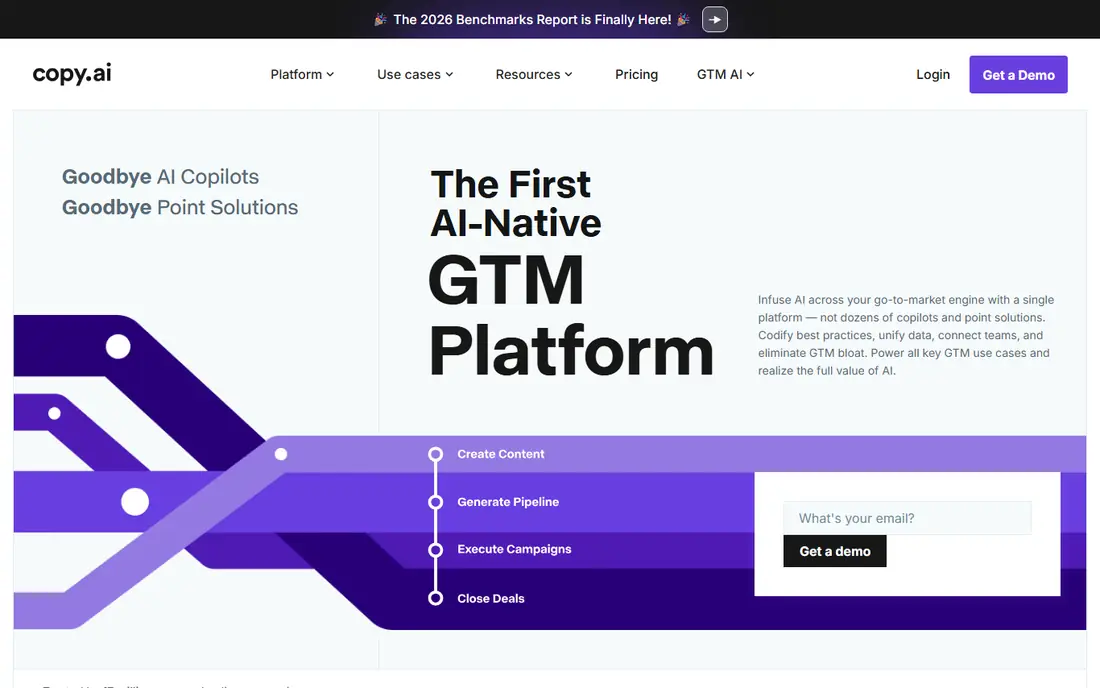
Copy.ai offers strong value for teams because its chat plan covers five seats for a flat monthly price. That makes it cheap per person for sales and marketing teams that need short copy, emails, social posts and workflow automation. The chat interface is easy for non-specialist writers to use.
Long-form blog drafting is not its strength. Teams that need deep articles will likely pair Copy.ai with Claude, ChatGPT or an SEO tool. Copy.ai fits best when the job is volume short-form copy and repeatable workflows, not single long articles that need nuance.
- Low flat price for five seats
- Chat drafting
- Workflow automation for sales and marketing
- Short-form focus
- Long-form drafting is weaker than Jasper or Claude

Writesonic has moved toward SEO and AI search visibility, with article workflows that produce structured drafts plus tracking for ChatGPT, Google AI Overviews and Gemini. That combination suits content teams that must rank and get cited, not just publish. The starter plan includes a set number of articles per month, which helps budgeting.
Pure writers who only need drafts will pay for tracking they may not use. The entry price is also higher than Rytr or general chat tools. Writesonic fits content operations where search performance is measured, and where article volume is steady enough to use the monthly allowance.
- SEO article packs
- AI search visibility tracking
- Structured article workflows
- Higher entry price than general drafters
- Tracking features add cost for pure writers
Rytr is the cheapest paid drafter on this list, and its free tier covers a small monthly character allowance that suits occasional writers. Templates cover emails, social posts, product descriptions and short blog sections, and support for many languages helps small global teams. For short-form copy, Rytr delivers competent drafts fast.
Long-form articles need more editing, and output can feel generic without strong prompts and human revision. Rytr works best as a first-draft tool for short copy, not as a replacement for a skilled writer. At its price, that is a fair trade for freelancers and small businesses.
- Very low price
- Usable free tier
- Many templates and languages
- Long-form output is weaker
- Editing still needed for publish-ready work
Grammarly is an editing layer, not a drafting tool, and it pairs with every drafter here. It checks grammar, clarity, tone and conciseness wherever you write, from docs to email to social posts. The free plan covers basics plus a limited number of AI prompts per month, while the paid plan adds more AI help and style controls.
Teams that expect Grammarly to write articles from scratch will be disappointed. Its value is in polishing human or AI drafts quickly and catching errors before publishing. For any writer who publishes often, Grammarly is a low-cost safety net that improves every draft it touches.
- Works across apps and browsers
- Grammar, clarity and tone checks
- Free basics
- Not a drafter
- AI prompts are limited on the free plan
QuillBot suits writers who need to rephrase, shorten or clarify existing text. Paraphrasing modes range from formal to creative, and the summarizer condenses long articles into key points. Students, researchers and editors use it to rework sentences without losing meaning, and the annual price is low.
The free plan limits paraphrase length and available modes, so heavy users need the paid plan. QuillBot does not replace a drafter for original articles. Use it beside a drafting tool when rewriting, summarizing or tightening drafts is a daily task.
- Strong paraphrasing modes
- Summarizer
- Low annual price
- Free plan limits paraphrase length and modes
- Not a full article drafter
Surfer SEO helps content teams write pages that can rank. It analyzes top search results for a keyword, builds a brief with terms and structure, and scores a draft as you write. That feedback helps writers cover topics that search engines and readers expect, rather than guessing at length or headings.
Surfer does not draft articles on its own in the same way Jasper or Claude does, so teams need a drafting tool beside it. The trial requires a card in some cases, so check trial terms before signing up. For SEO-led content teams, Surfer is a strong optimizer that improves drafts measurably.
- Scores drafts against live search results
- Content briefs
- Optimization guidance
- No free plan beyond a trial
- Needs a drafter beside it for full workflow
Claude is our pick for solo writers who need natural long-form prose. It handles outlines, full articles, rewrites and editing with a tone that often needs less fixing than other general models. A large context window helps when optimizing a full post or analyzing research. The free tier covers a lot of everyday writing.
Claude lacks marketing templates, brand voice systems and SEO scoring, so teams that need those features should pair it with Jasper or Surfer. All AI output still needs fact-checking and human editing before publishing. For writers who value prose quality over workflow automation, Claude is hard to beat at its price.
- Natural long-form writing
- Strong editing and analysis
- Generous free tier
- No marketing templates or SEO scoring built in
- Output still needs fact-checking
How we picked these
We compared vendor pricing pages and feature pages, favoring tools that are live in 2026 and that serve a clear job: drafting, editing or optimizing. We left out tools that had pivoted away from writing or that offered only a demo with no usable plan. Prices change often, so confirm the current plan on the vendor site before buying.
What to check before you choose
Start with the job you do most. If you write short marketing copy daily, Copy.ai or Rytr may be enough. If you write long articles, Claude or Jasper will save more editing time. If you must rank, add Surfer or Writesonic. Buying a drafter when you need an editor, or an optimizer when you need a drafter, wastes money even at a low price.
Test with your own brief
Run the same brief through two tools and compare editing time, not just first-draft quality. A tool that produces a flashy first draft but needs heavy fact-checking may cost more time than a plainer tool. Check tone control, output length and how well the tool follows your outline and source facts.
Keep humans in the loop
AI drafts can invent facts, misstate prices and repeat weak claims. Fact-check every number, quote and claim against a primary source before publishing. Keep a human editor for final review, especially for health, finance or legal topics. A writing tool speeds drafting; it does not remove responsibility for accuracy.
Sources
Frequently asked questions
What is the best content writing tool for beginners?
Rytr suits beginners on a budget, with a free tier and simple templates. ChatGPT or Claude free tiers also work well for learning, since they handle many writing tasks without a paid plan. Start free, then pay only when volume or team needs grow.
Can AI writing tools replace human writers?
No, not for publish-ready work that needs accuracy, original insight and brand judgment. AI tools speed first drafts and rewrites, but humans must plan, fact-check, edit and take responsibility for the final text. Teams that publish AI drafts without review risk errors and generic content.
Do I need both a drafter and an SEO tool?
It depends on your goals. If search traffic matters, an SEO tool such as Surfer helps align drafts with what searchers and search systems expect. If you write mainly for email, social or internal use, a drafter alone may be enough.
How much should I budget for content writing tools?
Solo writers can start free or at $9 to $20 per month. Small teams often spend $29 to $69 per month for a drafting tool, plus $49 per month if they add SEO scoring. Add editing tools such as Grammarly at $12 per month only if your team publishes often.
Is Jasper worth it for a solo writer?
Jasper is usually worth it for teams that need brand voice and steady output, not for solo writers with low volume. Solo writers often get similar drafts from Claude or ChatGPT at lower cost. Test the trial with real briefs before paying per seat.