Best Food Delivery Service to Work in 2026: 9 Services Compared
By ToolNimba Editorial Team October 28, 2026 11 min read

- Top pick
 ezCater
Large catered meetings
Starting priceSee websiteCheck out ezCaterRead our review - Runner-up
 DoorDash for Business
Everyday team ordering
Starting priceSee websiteCheck out DoorDash for BusinessRead our review - Also great
 Uber Eats for Business
Individual team meals
Starting priceSee websiteCheck out Uber Eats for BusinessRead our review
How we researched this
We compared official pricing and feature pages, app store listings, privacy policies and public user reviews. Prices change, so check the provider's site before you pay.
Key takeaways
- ezCater is the strongest choice for large catered meetings, with more than 140,000 restaurants and tools for budgets and recurring orders.
- DoorDash for Business and Uber Eats for Business suit everyday team lunches, because staff can order individually from familiar restaurants.
- Grubhub Corporate, Cater2Me and Fooda cover different office sizes, from a single team lunch to a daily subsidized meal program.
- The best service depends on order size, dietary needs, delivery reliability and how much control you want over budgets and approvals.
Quick comparison
| Name | Best for | Starting price | Free plan | |
|---|---|---|---|---|
| ezCater | Large catered meetings | See website | No | Visit |
| DoorDash for Business | Everyday team ordering | See website | No | Visit |
| Uber Eats for Business | Individual team meals | See website | No | Visit |
 Grubhub Corporate | Corporate accounts and catering | See website | No | Visit |
 Cater2Me | Curated office catering | See website | No | Visit |
 Fooda | Daily office meal programs | See website | No | Visit |
 Sharebite | Employee meal stipends | See website | No | Visit |
 HUNGRY | Group catering and chefs | See website | No | Visit |
 ZeroCater | Managed office food programs | See website | No | Visit |
The best food delivery service to work options
Workplace food delivery is not the same as ordering dinner at home. An office service needs group ordering, dietary filters, scheduled delivery, budget controls and a single invoice, plus a backup plan when a restaurant is late. We compared official business pages, catering options, restaurant range, ordering controls and public reviews for services built for offices and teams.

ezCater is the leading US platform for workplace catering, and it is built for meetings, events and recurring office programs rather than single meals. Businesses can order from more than 140,000 restaurants, set budgets, manage approvals and schedule orders days in advance, with support available around the clock. Average order values above $400 show how much of its business comes from group orders, not solo lunches.
That scale is a strength for office managers who feed 20 or 200 people, but it also means you should plan ahead for large events and confirm setup, servingware and dietary options with the restaurant. In October 2026, Uber agreed to acquire ezCater for $2.3 billion, with plans to combine it with Uber Eats and Uber for Business, so the service may gain wider restaurant reach over time. For now, ezCater remains the first service to check for catered office lunches.
- More than 140,000 restaurants nationwide
- Tools for recurring orders and budgets
- 24/7 customer support
- Catering prices vary by restaurant and order size
- Large orders need advance planning
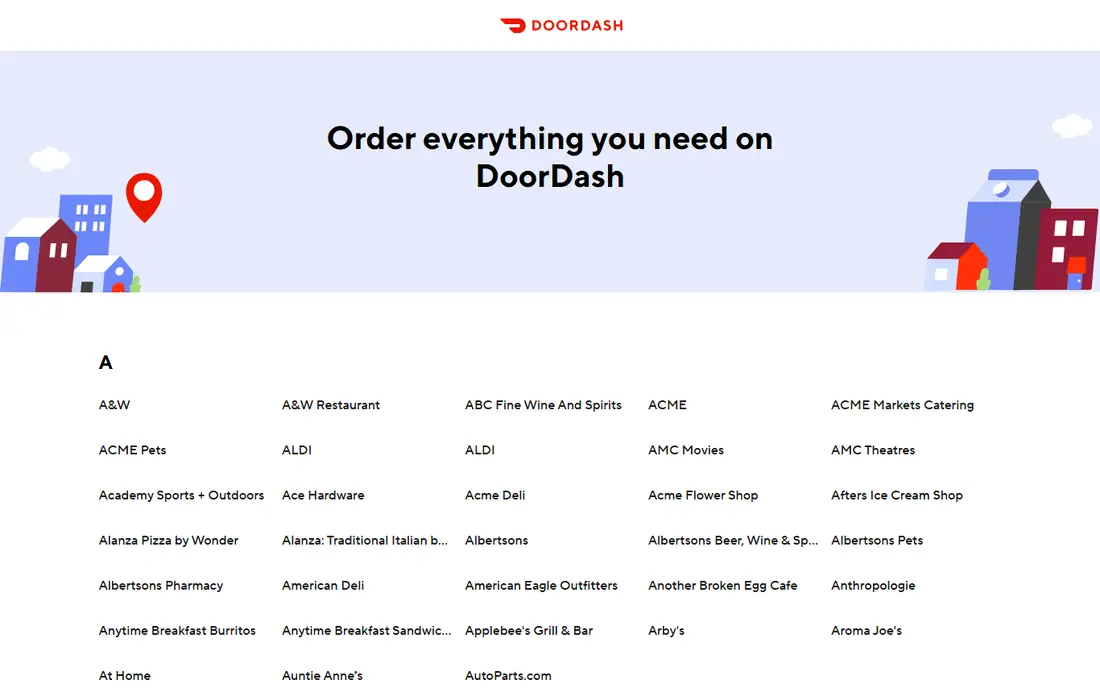
DoorDash for Business brings the consumer DoorDash network into the office. Teams can place group orders, managers can set budgets and meal credits, and employees can order from restaurants they already know. That familiarity helps adoption, because staff do not need to learn a new app or a limited menu to get lunch at work.
The trade-off is that DoorDash is still a delivery marketplace, so quality and timing depend on the local restaurant and courier. For a daily team lunch, that usually works well, especially in cities with deep restaurant coverage. For a formal catered event with setup and service, a dedicated catering platform like ezCater may be more reliable. Use DoorDash for Business for frequent, flexible team meals, and keep a catering backup for large events.
- Huge restaurant range
- Group ordering and meal credits
- Familiar consumer app experience
- Fees and delivery costs vary by order
- Catering options depend on local restaurant availability

Uber Eats for Business lets companies offer meal programs, group orders and stipends through the Uber Eats app. Employees can order individually within a budget, which suits hybrid teams where not everyone is in the office on the same day. Managers get centralized billing and controls through Uber for Business, rather than chasing individual receipts.
For large catered meetings, Uber Eats is catching up, especially after the planned ezCater acquisition, but dedicated catering services still offer deeper event tools today. If your main need is daily or weekly meals for staff in different locations, Uber Eats for Business is a strong, flexible choice. If your main need is a served lunch for 100 people, compare ezCater first.
- Wide restaurant network
- Group orders and employee meal programs
- Integration with Uber for Business
- Catering depth is growing but still behind dedicated catering platforms
- Fees vary by market
Grubhub Corporate, part of Grubhub for Work, serves offices with corporate accounts, group ordering and catering options. Companies can set up accounts for teams, manage orders centrally, and offer meal allowances without reimbursing each employee separately. In cities where Grubhub has strong restaurant coverage, that makes everyday office ordering simple.
Coverage is uneven, so check your city before you commit. Some markets have deep Grubhub restaurant lists, while others lean more toward DoorDash or Uber Eats. Catering menus also vary by restaurant, so a large event may need more coordination than on ezCater. For offices that already use Grubhub, or where Grubhub coverage is strong, the corporate program is a practical fit.
- Corporate ordering and catering options
- Wide US restaurant coverage
- Group ordering tools
- Restaurant depth varies by city
- Fees and minimums vary by restaurant
Cater2Me focuses on curated catering for offices, matching companies with local caterers and restaurants that suit their size, budget and dietary needs. Instead of browsing thousands of menus alone, an office manager can get help building a menu for a team lunch, a client meeting or a recurring weekly program. That curation helps when you need vegetarian, vegan, gluten-free and halal options in one order.
The limit is geography. Cater2Me serves selected cities, so it may not cover a smaller office location. Pricing is also quote-based, which means you need to request a menu and price for your event rather than seeing a fixed menu price online. If you are in a covered city and you want help rather than a self-serve marketplace, Cater2Me is worth a quote.
- Curated local caterers and restaurants
- Help with menus for dietary needs
- Recurring office lunch programs
- Availability depends on city
- Pricing is quote-based, so comparison takes time
Fooda runs a different model from a standard delivery marketplace. It brings rotating restaurants into offices as pop-ups, and it also supports delivery programs, so employees get variety without leaving the building. Employers can subsidize meals, set a daily program, and give staff a reason to come into the office on team days. The rotating menu keeps lunch from feeling repetitive.
That model works best for offices with enough staff to support a pop-up, and availability depends on location. A small office or a one-off event in a new city may be better served by ezCater or DoorDash for Business. For a mid-size or large office that wants a daily lunch program with variety, Fooda is a strong option to explore.
- Rotating restaurant pop-ups in offices
- Subsidized and employer-paid programs
- Simple employee ordering
- Pop-up model depends on office size and location
- Less suited to one-off catering in some markets
Sharebite is built for employee meal benefits rather than a single office lunch order. Companies give staff a stipend or allowance, and employees use it at participating restaurants, including for delivery or pickup. That flexibility suits hybrid teams, because a remote employee can use the same benefit as an office employee, and managers keep control over budgets and spending.
For a large catered meeting, Sharebite is not the first choice, because it is designed around individual stipends rather than a single group order with setup. Pair it with a catering service for events, and use Sharebite for everyday meal benefits. If your goal is a fair, flexible food perk for a distributed team, Sharebite fits well.
- Meal stipends employees can use at many restaurants
- Budget controls
- Supports hybrid and remote teams
- Less focused on large catered events
- Restaurant coverage varies by city
HUNGRY connects offices with local chefs, caterers and restaurants for group meals and events. The emphasis is on curated menus and quality, which suits client lunches, team celebrations and office events where food quality matters more than speed. Companies can order for groups, set dietary preferences, and get help planning a menu that fits the occasion.
As with other curated services, availability depends on the city, and larger events need a quote and advance planning. HUNGRY is less suited to a last-minute solo lunch than DoorDash or Uber Eats. For a planned office event where you want a step up from standard delivery, HUNGRY is a good service to compare with ezCater and Cater2Me.
- Catering from local chefs and restaurants
- Group menus and office events
- Focus on quality and variety
- Availability is city-dependent
- Pricing is quote-based for larger events
ZeroCater offers managed food programs for offices, handling vendor selection, menus, ordering and logistics on behalf of the company. That hands-off model appeals to office managers who do not have time to plan lunch every day, because ZeroCater curates vendors, manages dietary needs and keeps the program running. It suits companies that want a consistent daily or weekly food benefit without running it themselves.
The catch is fit and cost. Managed programs work best for offices with enough staff and a regular schedule, and pricing is custom, so you need a conversation with sales to get a quote. Smaller offices or one-off events may find a self-serve marketplace cheaper and simpler. If you run a larger office and you want food handled for you, ZeroCater is worth a proposal.
- Fully managed meal programs for offices
- Curated vendors and menus
- Handles ordering and logistics
- Best for larger offices with regular programs
- Pricing is custom and needs a sales conversation
How we picked these
We compared official business pages, catering and group ordering features, restaurant range, budget and approval tools, and public reviews for workplace food services. We focused on services that serve offices and teams, not consumer dinner delivery alone, and we noted where a service is city-dependent or quote-based. We also noted the planned Uber and ezCater deal, because it may change catering options for Uber Eats for Business over time.
What to check before you choose a workplace service
Match the service to the order size
Use a catering platform for meetings and events, a marketplace for everyday team lunches, and a stipend service for hybrid teams. A service that is excellent for a solo lunch may struggle with a served lunch for 100 people, and vice versa.
Confirm dietary coverage and setup
Check vegetarian, vegan, gluten-free, halal, kosher and allergy options before you book, and confirm whether the order includes plates, cutlery, servingware and setup. For large events, confirm delivery timing, contact details and a backup plan if a restaurant cancels.
Set budgets and approvals early
Use budget caps, approval workflows and a single invoice where possible, so finance does not chase receipts. For stipends, set a clear monthly limit and expiry rule, and check which restaurants accept the benefit in each employee location.
Test with a small order first
Run a small team lunch before a large event, and check delivery timing, food temperature, packaging and customer support response. A short trial reveals problems that a sales page cannot, and it gives staff a chance to learn the ordering flow.
Driver and gig pay note: this guide focuses on workplace ordering, but if you also care about courier pay, check each marketplace's current driver pay page and local delivery fees, because pay and tips vary by city and order type. That detail matters for ethics and for delivery reliability, but it should not replace checking food quality and timing for your office.
Sources
- https://www.ezcater.com
- https://www.doordash.com/business
- https://www.uber.com/business/uber-eats
- https://www.grubhub.com
- https://www.cater2.me
- https://www.fooda.com
- https://www.sharebite.com
- https://www.tryhungry.com
- https://www.zerocater.com
- https://www.businesswire.com/news/home/20261006655239/en/Uber-to-Acquire-ezCater-as-it-Brings-Catering-to-Uber-Eats