Best Home Workout App in 2026: 10 Apps Compared
By ToolNimba Editorial Team November 13, 2026 10 min read

- Top pick
 Nike Training Club
Free guided workouts for all levels
Starting priceFreeCheck out Nike Training ClubRead our review - Runner-up
 FitOn
Free classes with social motivation
Starting priceFreeCheck out FitOnRead our review - Also great
 Apple Fitness+
Apple Watch owners who want studio classes
Starting price$9.99 per monthCheck out Apple Fitness+Read our review
How we researched this
We compared official pricing and feature pages, app store listings, privacy policies and public user reviews. Prices change, so check the provider's site before you pay.
Key takeaways
- Nike Training Club and FitOn are the strongest free starting points, with guided workouts that need little or no equipment.
- Apple Fitness+ and Peloton suit people who want studio style classes and already own the matching devices or apps.
- Freeletics, Fitbod, and Centr suit people who want a structured plan that progresses over weeks, not just single workouts.
- Down Dog and Alo Moves are strong for yoga and low impact training at home.
- Start with a free app for two weeks before paying, and stop any workout that causes sharp pain. This is general fitness information, not medical advice.
Quick comparison
| Name | Best for | Starting price | Free plan | |
|---|---|---|---|---|
| Nike Training Club | Free guided workouts for all levels | Free | Yes | Visit |
| FitOn | Free classes with social motivation | Free | Yes | Visit |
| Apple Fitness+ | Apple Watch owners who want studio classes | $9.99 per month | Free trial | Visit |
 Peloton App | Studio style classes without Peloton hardware | $12.99 per month | Free trial | Visit |
 Freeletics | Structured bodyweight progression | See website | Yes | Visit |
 Fitbod | Personalized strength plans | $15.99 per month | Free trial | Visit |
 Centr | Full lifestyle programs with training and meals | $29.99 per month | Free trial | Visit |
 BODi | Structured multi week transformation programs | $14.99 per month | No | Visit |
 Down Dog | Customizable yoga at home | See website | Yes | Visit |
 Alo Moves | Yoga, Pilates, and mindful movement | See website | Free trial | Visit |
The best home workout apps
The best home workout app is the one you will actually open three times a week. Price, equipment, and class style matter, but habit matters more, so we weighted free starting points and clear progression heavily.
Nike Training Club gives you a full guided workout library without a subscription, which is rare in this category. Workouts cover strength, cardio, yoga, and mobility, with options that need no equipment at all. Beginner plans are clearly labeled, so new exercisers can start without guessing which session fits them.
The trade off is coaching depth. You get good instruction inside each workout, but not a live coach or a plan that adapts day by day to your performance. For most people starting at home, that is a fair trade for a free app this complete.
- Large free workout library
- No equipment options
- Plans for strength, cardio, and mobility
- No live classes
- Less personal coaching than paid apps
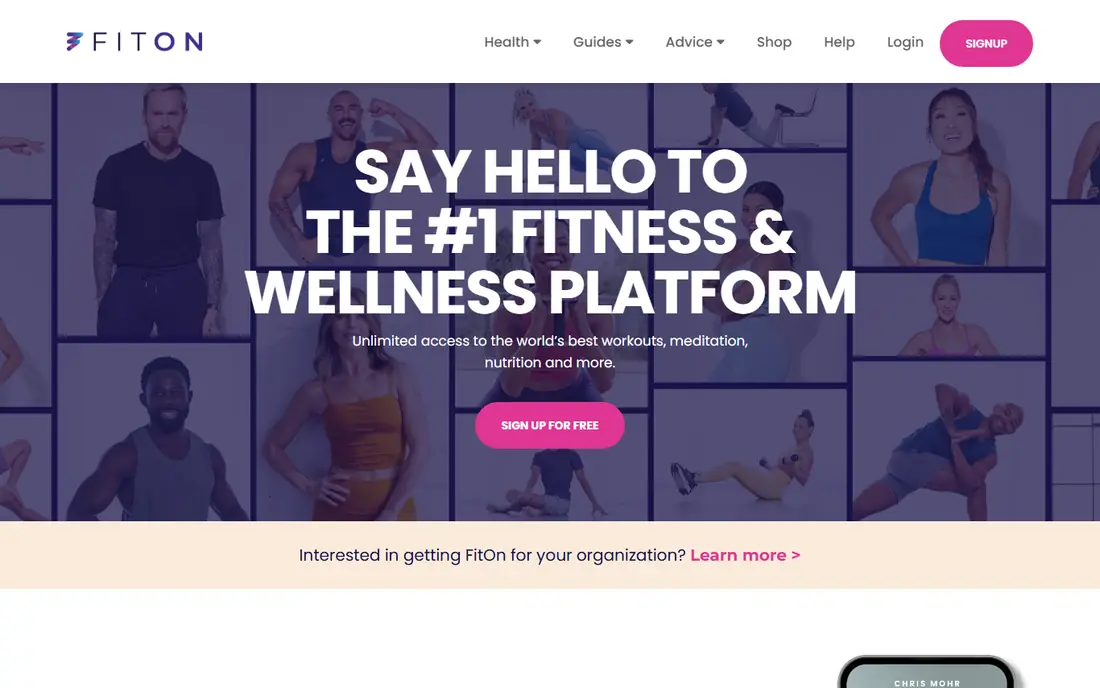
FitOn is another genuinely free option, with classes across cardio, strength, yoga, Pilates, and dance. The social side, including working out with friends and joining challenges, helps people who struggle to stay consistent alone. It works well on a phone or a TV, which matters when floor space is tight.
Some premium content sits behind a paid upgrade, and instructor style varies more than in a tightly produced studio app. If you want variety without a monthly bill, FitOn is one of the first apps to try.
- Free class library
- Cardio, strength, yoga, and Pilates
- Social features and challenges
- Paid upgrade gates some content
- Class style varies by instructor

Apple Fitness+ offers studio style classes in strength, HIIT, yoga, Pilates, dance, and more, with your Apple Watch metrics shown on screen during the workout. That live feedback helps you pace yourself, and the weekly new workouts keep the library fresh. It also includes meditations and programs for beginners.
The limit is the ecosystem. You need Apple devices to get the full experience, and an Apple Watch enables the on screen metrics that make it stand out. If you already live in that ecosystem, it is a strong pick. If not, a cross platform app will serve you better.
- Wide class range
- Apple Watch metrics on screen
- New workouts added weekly
- Best experience needs an Apple Watch
- Apple devices only
The Peloton App brings the company's class library to your phone or TV without requiring a bike or treadmill. You get live and on demand classes in strength, yoga, Pilates, cardio, and meditation, with instructors who are good at keeping energy high through a hard session. It suits people who like the feeling of a class, even at home alone.
Pricing is the catch. The entry app plan is affordable, but higher tiers cost more, and owners of Peloton hardware get the most from the platform. If you love class energy and do not want equipment, the app alone still holds up well.
- Large live and on demand class library
- Strong instructor energy
- Strength, yoga, and cardio
- Price rises for higher tiers
- Best experience still favors Peloton equipment owners
Freeletics is built around bodyweight training that gets harder as you get fitter. Its coach feature builds a plan from your level and feedback, which suits people who want structure rather than picking a random workout each day. You need very little space or equipment, which makes it practical in a small home.
The limit is load. Bodyweight training can build strength and conditioning, but people who want heavy barbell work will outgrow it. For apartment friendly training with a clear progression, it is one of the best options here.
- Bodyweight plans that progress over weeks
- No gym needed
- Coach feature adapts to feedback
- Bodyweight focus limits heavy strength work
- Paid coach is needed for full plans
Fitbod builds strength workouts around the equipment you actually own, from dumbbells at home to a full gym. It tracks your sets, suggests weights, and adjusts as you progress, which removes a lot of guesswork for lifters. Home users can set it to bodyweight and dumbbell only and still get a sensible plan.
It is less suited to people who want dance or yoga classes, because strength is its core. If your goal is to get stronger at home with dumbbells, Fitbod gives you more structure than a general class app.
- Plans adapt to your equipment and recovery
- Tracks sets and progress
- Gym and home options
- Strength focused, less class variety
- Subscription needed for full use
Centr bundles training programs, meal ideas, and mindfulness content in one place, with coach led plans that run for several weeks. That breadth suits people who want a single program to follow, rather than piecing together workouts, meals, and recovery from separate apps. Production quality is high, and programs are clearly structured.
The price is the main barrier, since it sits above most apps here. If you only want workouts, a cheaper app will do. If you want a full program with meals included, Centr justifies its cost better.
- Training, nutrition, and mindfulness in one app
- Coach led programs
- High production quality
- Higher monthly price
- More than some users want in one app
BODi, formerly Beachbody On Demand, is built around multi week programs that follow a clear arc from start to finish. That structure helps people who do better with a set schedule than with open ended class browsing. Programs range from beginner friendly to advanced, with nutrition guidance alongside training.
There is no free plan, so you commit before you can test the full library. If you like following one program to the end, that structure is a strength. If you prefer picking a different workout each day, a class library app will feel freer.
- Long form programs with a clear arc
- Wide range from beginner to advanced
- Nutrition support
- No free plan
- Program style is prescriptive
Down Dog generates a new yoga session each time, matched to your level, available time, and focus area. That variety keeps a daily yoga habit fresh without repeating the same video for months. It suits beginners and experienced practitioners alike, because you set the pace and difficulty.
It is a yoga app first, so people who want heavy strength or cardio classes will need a second app. For a home yoga practice that adapts to a busy day, Down Dog is hard to beat.
- Yoga sessions generated to your level and time
- No two sessions alike
- Beginner friendly
- Yoga focused, not a full strength program
- Paid plan needed for full features
Alo Moves focuses on yoga, Pilates, barre, and mindful movement, with well produced classes and multi week series. It suits people who want a calm, consistent practice at home, or a low impact complement to running or strength work. The class quality is consistently high, and series give you a path to follow.
Strength and cardio depth are thinner than in a general fitness app, so high intensity trainers may need another option. For yoga and Pilates at home, Alo Moves is a polished pick.
- High quality yoga and Pilates classes
- Programs and series
- Works on phone and TV
- Less strength and cardio depth
- Subscription required after trial
How we picked these
We compared official app pages, pricing pages, and app store listings for home workout apps that are available in the US today and that offer guided workouts you can do without a gym. We favored apps with a free tier or trial, clear beginner paths, and a range of class styles. We did not claim hands-on testing, and we treated pricing as variable where vendors list different monthly and annual rates.
How to choose a home workout app
Start with your space and equipment
Be honest about what you own and how much floor space you have. Bodyweight apps such as Nike Training Club, FitOn, and Freeletics need almost nothing. Fitbod and Centr work better if you own dumbbells or resistance bands. Picking for your real setup beats picking for a setup you plan to buy someday.
Match the style to your motivation
Some people stay consistent with live class energy, others with a quiet plan they follow alone. Peloton and Apple Fitness+ suit the first group, while Freeletics, Fitbod, and BODi suit the second. Try the free tier first and notice which style you return to after a week.
Use the free tier as a trial
Most apps here offer a free plan or trial. Use it for at least two weeks, at your real workout times, before you pay. Check whether the library stays fresh, whether the app runs well on your TV or phone, and whether you like the instructors.
Build in rest and progression
A good plan increases difficulty gradually and includes rest days. Avoid jumping into advanced sessions in week one, and stop any movement that causes sharp pain. If you have a health condition or injury, talk to a clinician before starting a new program. This article is general fitness information, not medical advice.
Sources
Frequently asked questions
What is the best free home workout app?
Nike Training Club is our pick for most people, because its full guided library is free and covers strength, cardio, and mobility with no equipment options. FitOn is a close second, especially if you like class variety and social challenges.
What is the best home workout app for beginners?
Nike Training Club and FitOn both label beginner workouts clearly and need no equipment to start. Apple Fitness+ also has a beginner program, but it works best if you already own Apple devices and a watch.
Can I get fit with just a home workout app?
Yes, for general fitness, if you train consistently and progress gradually. Bodyweight and dumbbell programs can build strength and cardio fitness at home. A gym still helps for heavy barbell training, but it is not required for a solid base.
Do I need equipment for a home workout app?
No, not to start. Many apps offer no equipment workouts that use bodyweight only. Dumbbells or resistance bands widen your options later, but they are not required for your first weeks.
How much do home workout apps cost?
Prices range from free to about 30 dollars per month. Free apps cover most needs for beginners, while paid apps add coaching, structured programs, and wider class libraries. Annual billing usually lowers the monthly rate.
Which app is best for yoga at home?
Down Dog is our pick for a daily yoga practice that changes each session, while Alo Moves suits people who want polished yoga and Pilates series. Both work well in a small space with just a mat.