Best House Hunting Apps in 2026: 9 Apps Compared
By ToolNimba Editorial Team October 28, 2026 11 min read

- Top pick
 Zillow
Broadest home search
Starting priceFreeCheck out ZillowRead our review - Runner-up
 Redfin
Fast updates and tour booking
Starting priceFreeCheck out RedfinRead our review - Also great
 Realtor.com
Detailed listing data
Starting priceFreeCheck out Realtor.comRead our review
How we researched this
We compared official pricing and feature pages, app store listings, privacy policies and public user reviews. Prices change, so check the provider's site before you pay.
Key takeaways
- Zillow, Redfin, and Realtor.com remain the three apps most buyers should start with, because each covers a different strength: breadth, speed, and listing detail.
- Every app in this list is free to download and search, so the real cost is your time, not a subscription.
- Home value estimates are starting points, not appraisals, and they can differ by tens of thousands of dollars between apps.
- If you tour homes in person, pick an app that lets you book tours and save notes in one place, rather than juggling screenshots.
- Availability and listing freshness vary by city, so check two apps for the same neighborhood before you rely on one feed.
Quick comparison
| Name | Best for | Starting price | Free plan | |
|---|---|---|---|---|
| Zillow | Broadest home search | Free | Yes | Visit |
| Redfin | Fast updates and tour booking | Free | Yes | Visit |
| Realtor.com | Detailed listing data | Free | Yes | Visit |
 Trulia | Neighborhood context | Free | Yes | Visit |
 Homes.com | Direct agent contact | Free | Yes | Visit |
 Compass | Brokerage listings and agents | Free | Yes | Visit |
 Homesnap | Looking up homes on the go | Free | Yes | Visit |
 Movoto | Market data and price history | Free | Yes | Visit |
 Xome | Auctions and bank-owned homes | Free | Yes | Visit |
The best house hunting apps
These apps all search homes for sale and rent, but they do not work the same way. Some pull from brokerage feeds, some add their own agents, and some focus on auctions or neighborhood detail. We compared official feature pages, app store listings, and public reviews to see where each one actually helps.
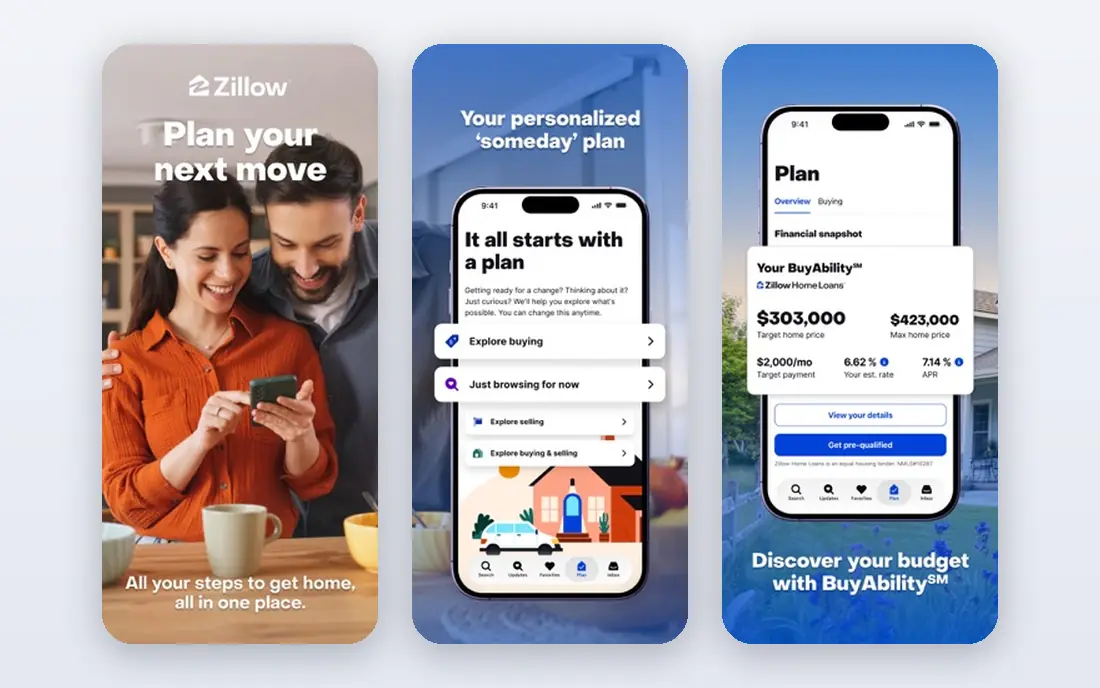
Zillow is our pick if you want one app to start a search in almost any US city. You can filter by price, beds, baths, home type, and days on market, draw a custom area on the map, and save searches that send alerts when something new matches. The listing pages also show price history, tax history, and nearby schools, which helps you compare homes without opening five tabs.
The honest catch is freshness. A home can go under contract and still look available for a short time, and the Zestimate is an automated estimate, not a valuation from an appraiser. Use Zillow to find candidates and track prices, then confirm status with the listing agent or your own agent before you plan a tour around a single home.
- Very large listing coverage
- Zestimate values and price history
- Saved searches with alerts
- Some listing statuses can lag
- Estimates can be off for unusual homes
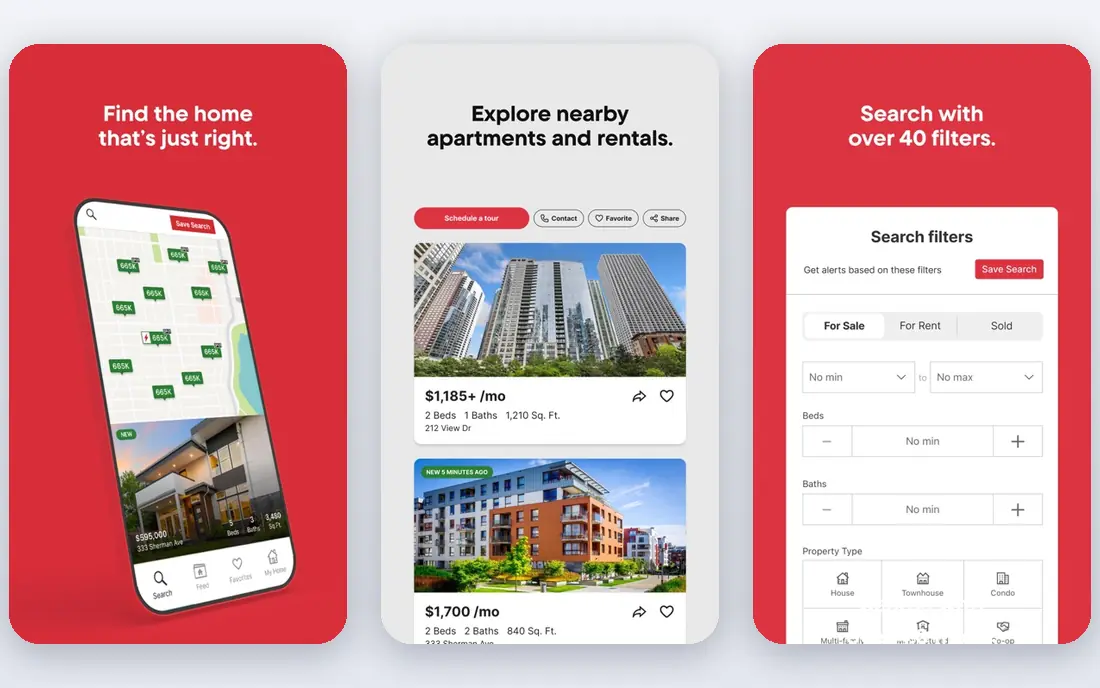
Redfin stands out when speed matters in a competitive market. Its listings refresh often from MLS feeds, and you can book a tour directly in the app instead of calling around. Sold history, price changes, and comparable sales are easy to find on each listing, which makes it simpler to judge whether an asking price looks reasonable for the area.
Redfin is also a brokerage, so keep that in mind when you read its suggestions. That setup is convenient if you want an agent, a tour, and a mortgage preapproval in one place, and Redfin is now part of Rocket Companies, which adds Rocket Mortgage options. If you already have an agent you trust, you can still use the app mainly for search and tours.
- Frequent MLS refreshes
- Easy tour scheduling
- Redfin Estimate and sold data
- Brokerage services vary by market
- Recommendations can steer you toward Redfin agents
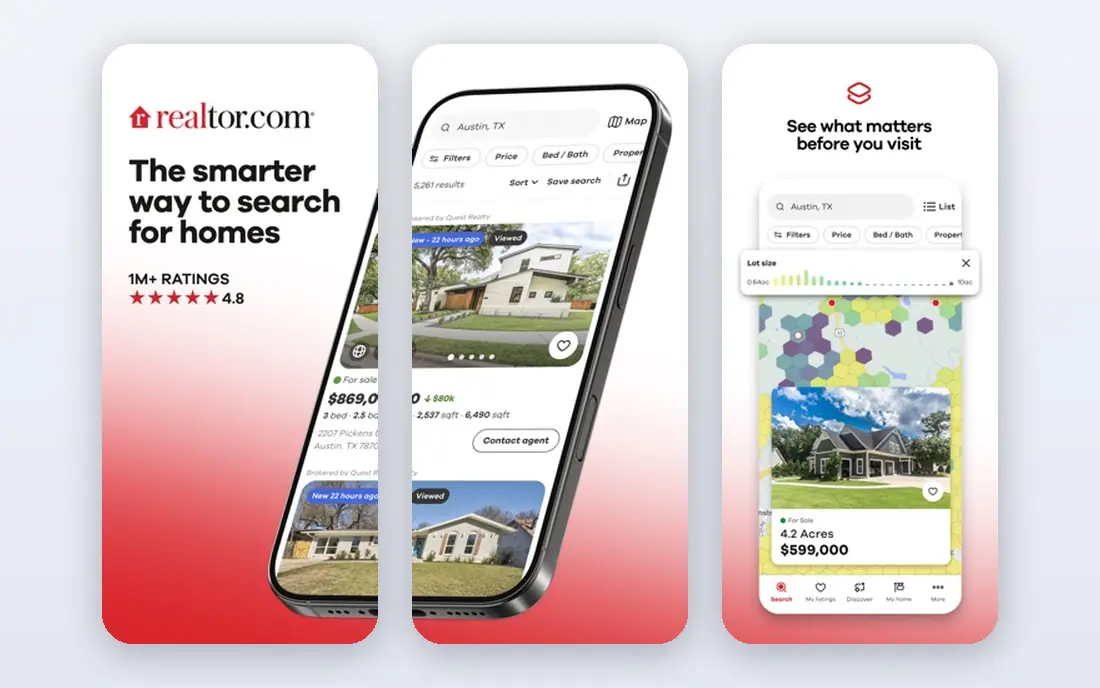
Realtor.com is a strong choice when you want to trust the listing itself. Because it draws heavily on MLS data, status changes, photos, and property details tend to be presented in a consistent way, and you can compare several independent value estimates on the same home. The built-in affordability calculator also helps you test how a price, down payment, and rate change your monthly payment.
Where it falls short is polish. Saved searches and alerts work, but the experience is not as smooth as Zillow for some buyers, and you will need an account for the fuller set of tools. We would still keep it in your rotation, especially when you want a second check on whether a home is still on the market.
- MLS-sourced listings
- Affordability and mortgage calculators
- Multiple home value estimates
- Search and alerts feel less polished than Zillow
- Some features need an account
Trulia is the app to open after you find a home you like, because it puts the neighborhood first. You can look at maps for schools, crime data, commute options, and local amenities, and read resident reviews that describe what daily life feels like in an area. That context matters as much as the kitchen photos, especially if you are moving to a city you do not know well.
Trulia shares a parent company with Zillow, so its listings overlap a lot with Zillow. That overlap is useful for cross-checking, but it also means Trulia alone will not usually show you homes that Zillow misses. Use it as your neighborhood research tool, and keep a faster MLS-driven app for status checks.
- Neighborhood maps and resident insights
- Crime and school context
- Same broad listing feed as Zillow
- Listing status can lag like other portals
- Estimates should be treated with care
Homes.com earns a place here for buyers who want a straight line to the listing agent. Instead of routing every inquiry through a paid lead system, it emphasizes direct contact, which can mean faster answers about showings, offers, and property condition. The site also publishes neighborhood insights and video tours for many areas, which helps when you are narrowing down suburbs from another state.
The trade-off is scale. In some markets the search experience feels thinner than the big three portals, and you may still want Zillow or Redfin open for breadth. If direct communication matters to you, though, Homes.com is worth trying early in your search, not as an afterthought.
- Neighborhood video tours and insights
- Direct contact with the listing agent
- Clear property details
- Smaller brand recognition than Zillow
- Coverage depth varies by market
Compass is different from the portals above because it is a brokerage first. That gives you direct access to Compass listings and agents, and the app is built around working with an agent from search through closing. Agent profiles, local market knowledge, and private or coming-soon listings in some markets can be genuinely useful if you plan to buy with Compass.
The catch is obvious: it is not a neutral aggregator. You will see Compass inventory well, but you should still compare with a portal that covers every brokerage in your area. Think of Compass as a strong second app, especially in cities where Compass has a large local team.
- Large brokerage listing network
- Agent profiles and local expertise
- Clean search and saved homes
- Not a neutral portal, since it is tied to Compass agents
- Inventory depends on local Compass presence
Homesnap is built for the drive-around stage of house hunting. See a for-sale sign, or a house you like with no sign at all, and you can take a photo in the app to pull up property details. That makes it a handy companion when you are exploring neighborhoods in person and want to know the beds, baths, lot size, and recent sale history on the spot.
As a main search tool, it is narrower than Zillow or Redfin, and data quality can vary by region. We would not replace your primary app with Homesnap, but we would keep it on your phone for weekends when you are out looking at streets rather than sitting at a desk.
- Snap a photo to look up a home
- Quick property facts while driving an area
- Messaging with agents
- Data depth varies by region
- Less useful as a primary daily search app
Movoto is a good pick if you like numbers with your listings. It puts price history, market trends, and neighborhood data close to the search results, so you can see whether prices in an area are rising, flat, or cooling before you fall for one house. Filters for price, size, and property type are straightforward, and the app works well for buyers who compare many homes side by side.
It does not have the same reach as Zillow, and in some markets you will see listings you already saw elsewhere. That is fine if you use Movoto for research rather than discovery. Open it when you want to check the story behind a price, not just the price itself.
- Market trends and price history
- School and neighborhood data
- Straightforward filters
- Smaller audience than the big portals
- Some listings may duplicate other feeds
Xome belongs on this list for a specific buyer: someone who wants to look at auctions, foreclosures, and bank-owned homes in addition to regular listings. Those properties follow different rules, timelines, and financing steps, and Xome puts them in one search instead of making you hunt across auction sites. Map overlays and neighborhood data help you judge location before you dig into auction terms.
For most first-time buyers, Xome should not be the only app. Auction homes can need repairs, have title or occupancy complications, and sell on tight deadlines. If that world interests you, use Xome to learn the inventory, and talk to an agent and lender who handle auctions before you bid.
- Auction and foreclosure listings
- Traditional listings alongside auctions
- Map overlays for neighborhoods
- Auction buying carries extra risk and complexity
- Not ideal as a first-time buyer starting point
How we picked these
We compared official feature pages, pricing and plan details, app store listings, and public reviews for the major home search apps available in the United States in October 2026. We kept only apps that are free to search, still actively maintained, and useful for buying a home, not just for agents or investors. We also checked that each app covers homes for sale, not only rentals, and we favored apps with distinct strengths so this list is not nine copies of the same search box.
What to check before you make an offer
Start with two apps, not nine. Pick one for breadth, such as Zillow, and one for freshness, such as Redfin or Realtor.com, and compare the same homes in both. Save your searches, turn on alerts for your price range, and set a habit of checking new listings at the same time each day so you do not miss a home that moves fast.
Use estimates as a starting point
Compare the Zestimate, the Redfin Estimate, and the Realtor.com estimates for the same address, then look at recent sold homes nearby. If the estimates disagree by a lot, that is a signal to ask your agent for comparable sales, not a reason to trust the highest or lowest number. Condition, renovations, lot, and street position all affect value in ways an automated model cannot see.
Tour with a checklist
Before a tour, note the must-haves you agreed on as a household: bedrooms, commute, school zone, yard, parking, and budget ceiling. During the tour, check water pressure, windows, noise, storage, and signs of water damage, and take your own photos. Afterward, write a short note in the app or in a shared document while the details are fresh, because homes blur together after three tours in one day.
Sources
- https://www.zillow.com
- https://www.redfin.com
- https://www.realtor.com
- https://www.trulia.com
- https://www.homes.com
- https://www.compass.com
- https://www.homesnap.com
- https://www.movoto.com
- https://www.xome.com
- https://listwithclever.com/best-home-buying-websites/
- https://www.lilachbullock.com/zillow-alternatives/