Best HR Software for Small Business in 2026: 9 Platforms Compared
By ToolNimba Editorial Team October 28, 2026 12 min read

- Top pick
 Gusto
Payroll plus light HR for small teams
Starting price$49 per month plus $6 per personCheck out GustoRead our review - Runner-up
 BambooHR
Employee records and time off
Starting price$10 per employee per monthCheck out BambooHRRead our review - Also great
 Rippling
HR, payroll and IT in one system
Starting price$8 per user per month plus $40 base feeCheck out RipplingRead our review
How we researched this
We compared official pricing and feature pages, app store listings, privacy policies and public user reviews. Prices change, so check the provider's site before you pay.
Key takeaways
- Payroll-led tools like Gusto and OnPay suit small teams that want tax filing handled without a separate payroll vendor.
- BambooHR is the clearer pick when employee records, time off and hiring matter more than payroll itself.
- Rippling and Deel cost more and need quotes, but they cover IT access and global hiring that simpler tools do not.
- Zoho People and Homebase give genuinely free starting points, though both charge for their fuller feature sets.
- Always price a tool at your real headcount, because base fees and per-person charges change the total fast.
Quick comparison
| Name | Best for | Starting price | Free plan | |
|---|---|---|---|---|
| Gusto | Payroll plus light HR for small teams | $49 per month plus $6 per person | Free trial | Visit |
| BambooHR | Employee records and time off | $10 per employee per month | Free trial | Visit |
| Rippling | HR, payroll and IT in one system | $8 per user per month plus $40 base fee | Free trial | Visit |
 OnPay | Simple all-in payroll pricing | $49 per month plus $6 per worker | Free trial | Visit |
 Zenefits | Benefits and onboarding for small teams | $8 per employee per month | No | Visit |
 Zoho People | Free HR for very small teams | Free for up to 5 users | Yes | Visit |
 Homebase | Scheduling and time tracking for hourly teams | Free | Yes | Visit |
 Paychex Flex | Established payroll with HR support | See website | No | Visit |
 Deel | Hiring contractors and staff abroad | See website | No | Visit |
The best hr software for small business
Small teams rarely need every HR feature at once. They need payroll that files taxes on time, records that stay in one place, and time off that does not live in a spreadsheet. The nine tools below cover those jobs in different ways, from free starting points to full systems for growing companies.
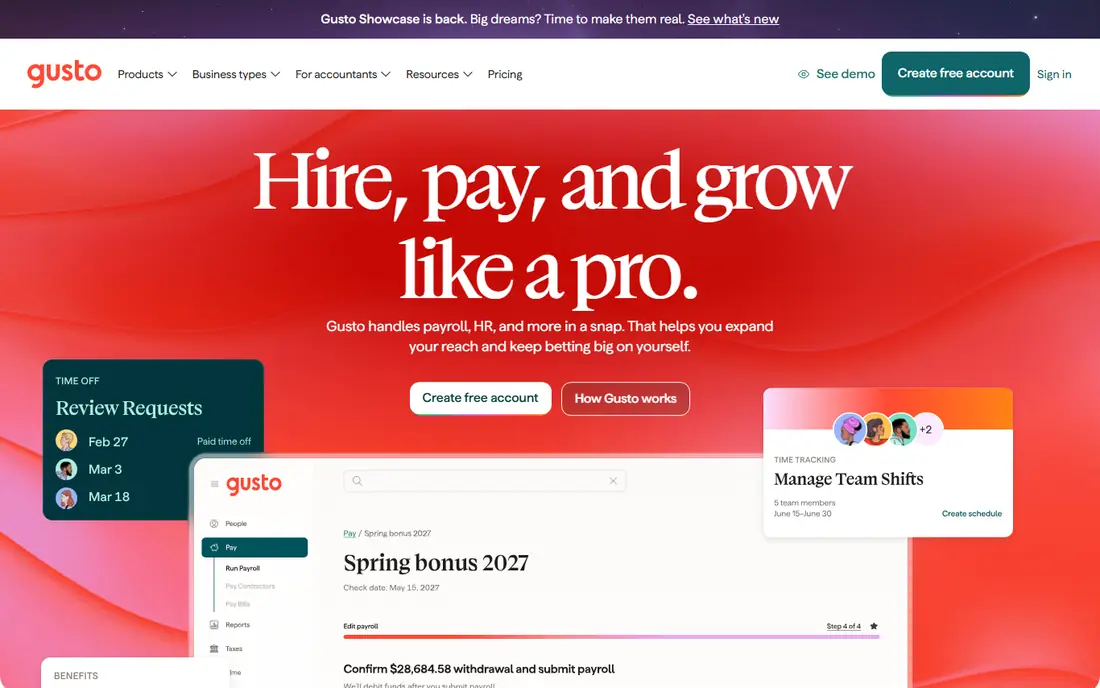
Gusto is our pick for most small businesses that want payroll handled first and HR added on top. The Simple plan covers full-service payroll, contractor payments, benefits administration and basic time-off policies, and employees can complete onboarding, view pay stubs and download tax forms without asking the owner for help. That self-service side matters when a team has no dedicated HR person.
The catch is the way costs stack up as needs grow. Multi-state payroll, next-day direct deposit and fuller team management sit on the Plus plan, at $80 per month plus $12 per person, so a team spread across states should price Plus rather than Simple. Gusto also works best for US-based teams, and international hiring is limited to contractors rather than full global employment.
- Full-service federal and state tax filing
- Clear published pricing
- Easy employee self-service for pay stubs and forms
- Higher plans are needed for multi-state payroll and fuller HR tools
- Phone support is limited on the entry plan
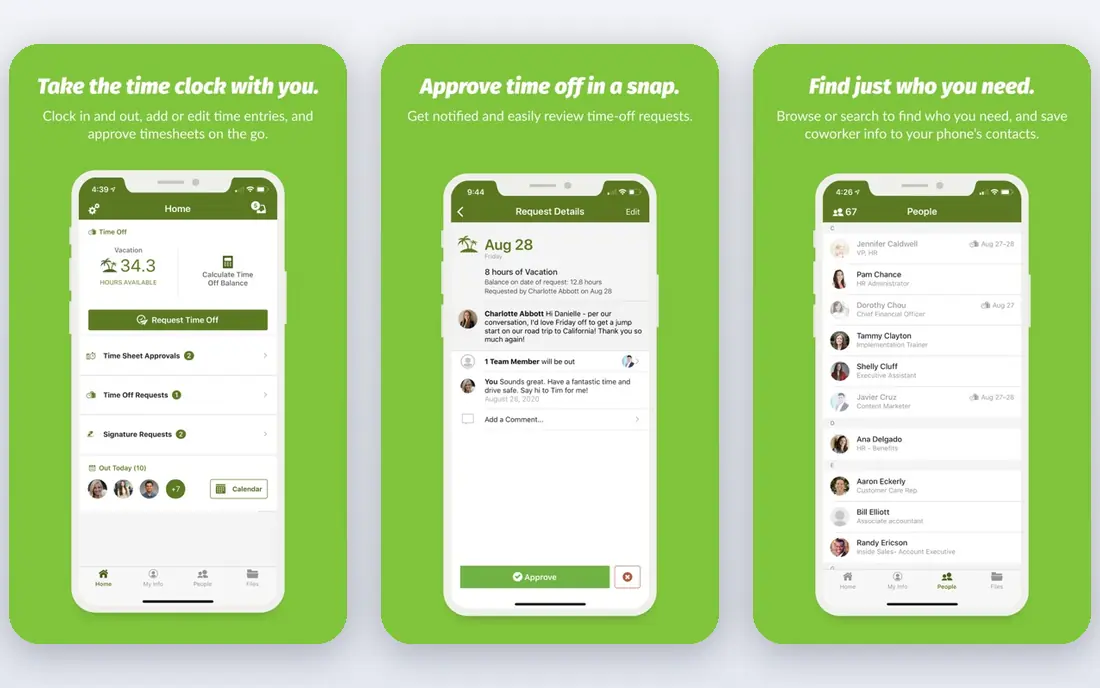
BambooHR starts from the HR record rather than the pay run, which makes it a strong fit for teams that already have payroll sorted or plan to add it later. Core covers employee records, custom reports, approval workflows, hiring basics, onboarding checklists and time-off management. Managers can approve time off and see team data without digging through email threads.
Pricing needs a careful read. The $10 per employee per month Core rate applies to larger teams, while smaller teams pay a flat monthly rate starting at $250, so a 10-person team pays more per person than the headline rate suggests. Payroll, benefits administration and time tracking are quoted add-ons, so get a total that includes them before comparing BambooHR with an all-in payroll tool.
- Clean employee records and reporting
- Built-in hiring and onboarding
- Time-off management with custom policies
- Payroll and benefits are paid add-ons
- Teams of 25 or fewer pay a flat rate starting at $250 per month
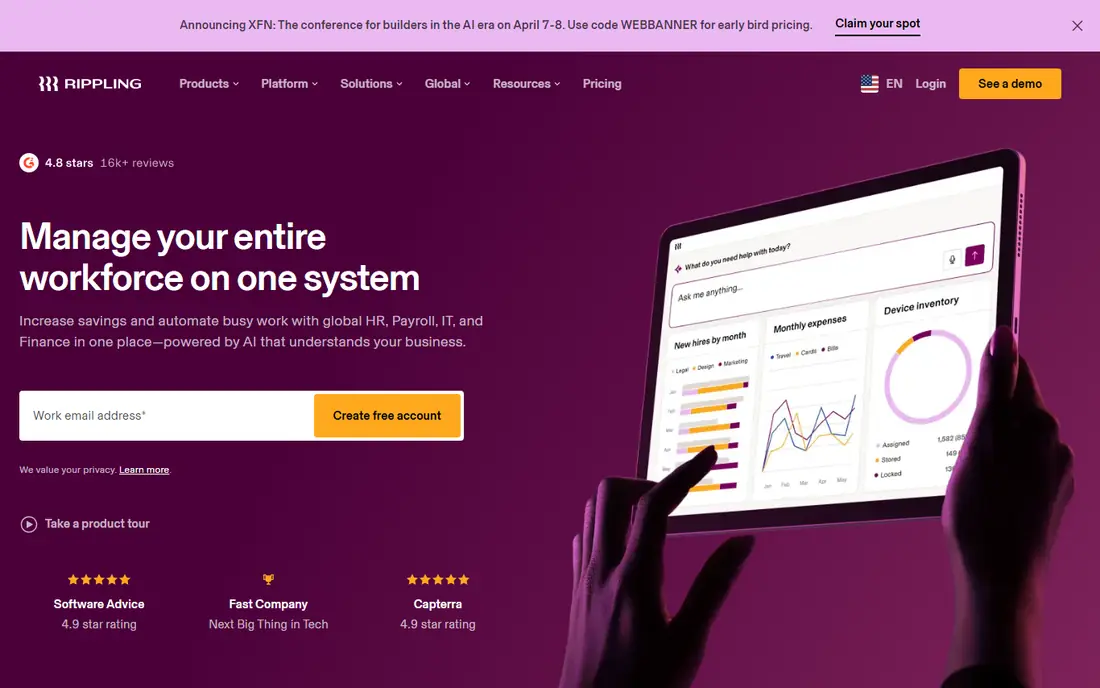
Rippling suits fast-growing teams that are tired of updating the same employee details in five different systems. When someone joins, one record can trigger payroll setup, benefits enrollment, software accounts and device management, and offboarding can revoke access in the same way. That joined-up approach is the main reason teams pick Rippling over a payroll-only tool.
The trade-off is price transparency. The platform starts at $8 per user per month plus a $40 monthly base fee, but payroll, benefits, time tracking and IT modules add to that figure, and the full total only becomes clear in a quote. Smaller teams will usually get better value from Gusto or OnPay.
- One employee record drives HR, payroll and app access
- Strong automation for joining and leaving
- Global payroll and hiring options
- Modules are priced on top of the platform fee, so totals rise quickly
- Final pricing requires a quote
OnPay keeps the buying decision short, which is a real benefit for owners who do not want to compare plan tiers. Payroll Essentials includes unlimited pay runs, multi-state payroll, federal, state and local tax filings, new hire reporting and year-end W-2 and 1099 forms for $49 per month plus $6 per worker. Contractors and employees sit in the same plan, so mixed teams do not need two products.
What OnPay does not do is bundle everything. HR tools cost $15 per month plus $2 per worker, and time tracking costs $15 per month plus $4 per worker, so a team that wants both should add $30 per month plus $6 per worker to the headline price. Direct deposit timing also depends on a risk assessment, with two-day or four-day processing, so owners who need next-day pay should check this before signing up.
- One plan includes multi-state payroll and tax filings
- W-2 and 1099 forms included
- No tiered feature gates for core payroll
- HR and time tracking are paid add-ons
- No admin mobile app for running payroll
Zenefits, now part of TriNet, is built around getting new hires set up and enrolled in benefits without paper forms. Employees can complete offer paperwork, enroll in medical, dental and vision plans, and keep access to pay stubs and documents after they leave. For a small team that offers benefits, that enrollment flow is the strongest part of the product.
Payroll is priced separately, as an add-on at around $6 per employee per month on top of the HR plan, and there is a five-employee billing minimum, so a team of two or three pays for five seats. Teams that only need payroll will find Gusto or OnPay simpler.
- Strong benefits administration
- Digital onboarding with documents and enrollment
- Employee directory and org chart
- Payroll is a separate add-on
- Plans are billed for a minimum of five employees
Zoho People is the easiest free starting point on this list for a team of five or fewer. The free plan covers employee records, time off and attendance, which is enough to replace spreadsheets and shared folders for a very small business.
The free plan is a starting point, not a full HR system for a growing company. Performance reviews and deeper reporting sit on paid plans, and the interface can feel crowded at first. Still, for a micro team, Zoho People is a sensible first step before paying for BambooHR or Rippling.
- Free plan covers core HR for up to five users
- Time off, attendance and employee records included
- Wide Zoho integration options
- Paid plans are needed for larger teams and deeper features
- Interface can feel busy for first-time users
Homebase is made for cafes, shops, clinics and other businesses where most staff work shifts. The free plan covers scheduling, time tracking, team messaging and hiring tools for one location and up to 10 employees, which is a generous starting point for an hourly team. Managers can build rotas, track hours and message staff in one place instead of juggling group chats and paper timesheets.
Homebase is not a full HR system in its free form. Payroll, fuller HR tools and multi-location support sit on paid plans, and salaried teams will outgrow it faster than a shop with shift workers. For hourly teams, though, the combination of scheduling and time tracking in a free plan is hard to beat.
- Free plan for one location and up to 10 employees
- Scheduling, time clocks and team messaging included
- Built for hourly and shift work
- Full HR and payroll features need paid plans
- Best suited to hourly teams rather than salaried office staff
Paychex Flex is the established-vendor option for owners who want a provider with deep compliance resources and a long track record. It covers payroll, tax filing, benefits administration, time tracking and HR tools in one system, with support levels that grow with the plan. Businesses in regulated industries or with complex pay rules often value that depth over a simpler self-service tool.
The main drawback is that pricing is not published, so owners cannot compare Paychex Flex with Gusto or OnPay without a quote. The system can also feel larger than a small team needs. It makes most sense for teams that expect steady growth.
- Long-established payroll provider
- Broad HR, benefits and compliance support
- Dedicated support options on higher plans
- Pricing is quote-only, so comparison takes a sales call
- Can feel heavy for a team of under ten
Deel solves a different problem from the rest of this list: hiring people who live in other countries. It handles contractor agreements and payments, and its employer-of-record service lets a US company employ staff abroad without setting up a local entity. Local tax, benefits and labor rules are handled through Deel, which removes a large amount of legal guesswork.
That global reach comes at a price, and employer-of-record fees are far higher than domestic payroll per person, so Deel only makes sense once a team hires abroad. A purely US-based business will get better value from Gusto, OnPay or BambooHR.
- Contractor payments and employer-of-record hiring in many countries
- Local compliance handled by Deel
- One dashboard for a global team
- Pricing is quote-based and employer-of-record fees are high
- Overkill for a purely domestic team
How we picked these
We compared official feature pages, pricing pages and app store listings for each product, along with public reviews that described real setup and support experiences. We kept only tools that are live in October 2026, that truly serve small businesses, and that publish enough detail to judge price and features honestly. Where a vendor only gives a quote, we say so rather than guessing a number.
We favored tools that cover the jobs small teams do every week, such as running payroll, tracking time off, onboarding new hires and scheduling shifts. We also weighed free plans, published pricing, and whether a tool stays useful as a team grows from five to fifty people.
What to check before you buy HR software
Start with the job you do most often. If staff are hourly, scheduling and time tracking matter as much as tax filing. If your team is salaried and spread across states, multi-state payroll and benefits handling matter more. Write down your must-have list before any demo.
Count the total cost at your headcount
Add the base fee, the per-person fee and every add-on you actually need, then multiply by twelve. A tool that looks cheap at five people can become the most expensive option at twenty, especially when payroll, benefits and time tracking are separate add-ons. Ask for the all-in monthly total in writing, and check whether the price changes when you add contractors as well as employees.
Test onboarding and time off before you commit
Run a trial with a real new-hire checklist, a time-off request and a pay run if the trial allows it. Watch how long each task takes and whether employees can complete forms without help from the owner. If onboarding still needs spreadsheets and email follow-ups, the tool is not saving the time it promises.
Check support, data access and exit terms
Find out how support works on the plan you will actually buy, not the top plan. Check that you can export employee records, pay history and tax filings if you leave, and confirm the notice period for cancelling. These details rarely appear in a demo, but they matter a lot when a problem appears during a pay run.
Sources
- https://www.gusto.com
- https://www.bamboohr.com
- https://www.rippling.com
- https://www.onpay.com
- https://www.zenefits.com
- https://www.zoho.com/people/
- https://www.homebase.com
- https://www.paychex.com
- https://www.deel.com
- https://www.effy.ai/blog/hr-systems-for-small-business
- https://www.business.com/reviews/onpay/