Best Investing Apps in 2026: 9 Apps Compared
By ToolNimba Editorial Team October 28, 2026 12 min read

- Top pick
 Fidelity
All-round investing and research
Starting priceFreeCheck out FidelityRead our review - Runner-up
 Charles Schwab
Retirement savers and active traders
Starting priceFreeCheck out Charles SchwabRead our review - Also great
 Robinhood
Mobile-first beginners
Starting priceFreeCheck out RobinhoodRead our review
How we researched this
We compared official pricing and feature pages, app store listings, privacy policies and public user reviews. Prices change, so check the provider's site before you pay.
Key takeaways
- Fidelity, Charles Schwab, Robinhood, Vanguard, Webull, and SoFi all offer $0 commissions on online US stock and ETF trades, so the choice turns on research, account types, and extra fees.
- Fractional shares from $1 at Fidelity and Robinhood make it easier to start small, while Schwab Stock Slices start at $5 for S&P 500 companies.
- Betterment and Acorns suit hands-off investors, but their monthly fees hit small balances harder than a percentage fee does.
- Wealthfront suits investors who want automated management plus tax-loss harvesting, with a $500 minimum for its core portfolio.
- This is not financial advice, and investing carries risk, including possible loss of money you invest.
Quick comparison
| Name | Best for | Starting price | Free plan | |
|---|---|---|---|---|
| Fidelity | All-round investing and research | Free | Yes | Visit |
| Charles Schwab | Retirement savers and active traders | Free | Yes | Visit |
| Robinhood | Mobile-first beginners | Free | Yes | Visit |
 Vanguard | Long-term index investors | Free | Yes | Visit |
 Webull | Active traders and charting | Free | Yes | Visit |
 SoFi Invest | Investing plus banking in one app | Free | Yes | Visit |
 Betterment | Hands-off goal-based investing | $5 per month | No | Visit |
 Wealthfront | Automated investing with tax tools | See website | No | Visit |
 Acorns | Spare-change investing | $4 per month | No | Visit |
The best investing apps
The best investing app is the one that matches how you invest, not the one with the flashiest home screen. Some people want to pick their own stocks and ETFs, others want a managed portfolio, and many want an IRA alongside a taxable account. We compared official fee schedules, pricing pages, app store listings, and public reviews for apps that are actively available in the United States in October 2026, and we focused on commissions, minimums, account types, and the fees that are easy to miss.
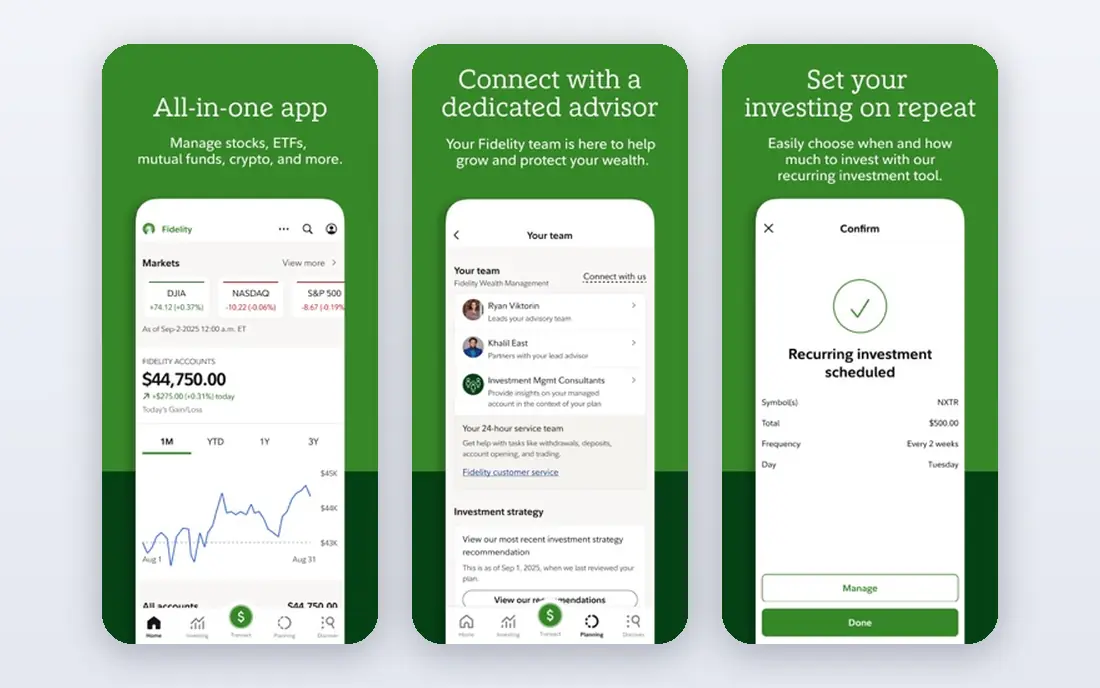
Fidelity is our pick for most investors because it covers the widest range of needs without a high cost. You can open a taxable account, Roth IRA, traditional IRA, or other account types with no account minimum, trade US stocks and ETFs for $0 commission online, and buy fractional shares from $1. That combination suits a beginner with a small first deposit and a long-term investor who wants depth later.
Research is where Fidelity pulls ahead of simpler apps. It offers analyst reports, screeners, educational material, and an active trading platform for people who want more detail. The honest catch is the learning curve. The main app packs in a lot, and a brand-new investor may need time to find the features that matter. Options traders should also note the $0.65 per contract fee, which is standard at several large brokers but higher than Robinhood and Webull.
- $0 commissions on online US stocks and ETFs
- Fractional shares from $1
- Broad research and many account types
- App can feel dense for a first-time investor
- Options cost $0.65 per contract
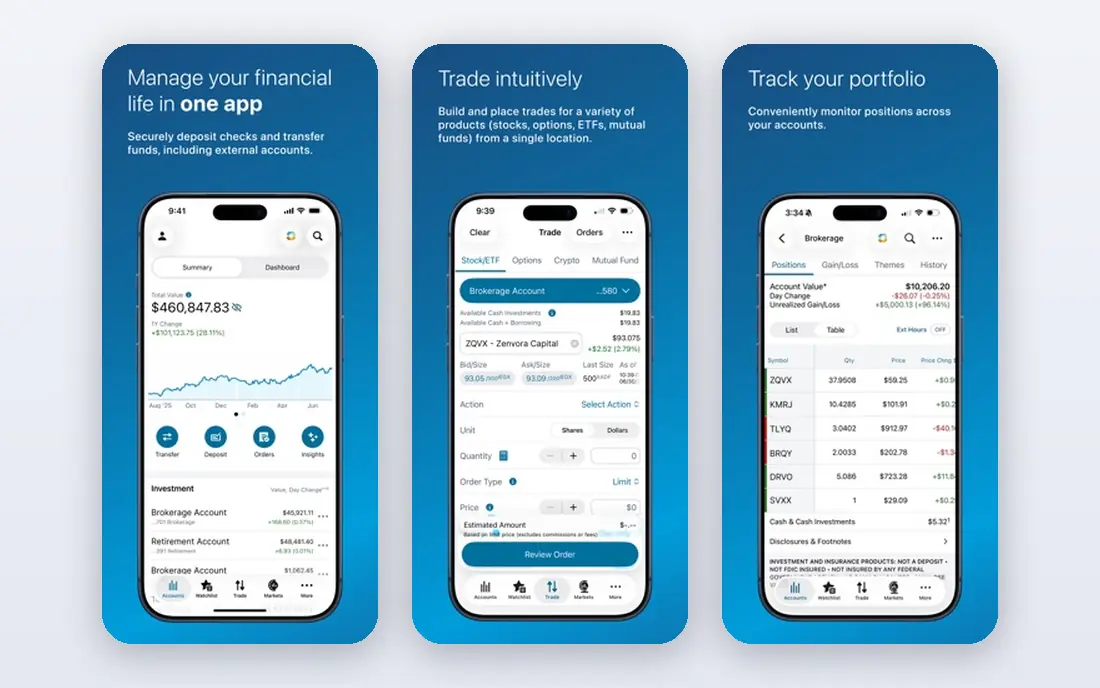
Schwab suits an investor who wants a full-service broker at DIY prices. You can open a brokerage account with no minimum, trade US stocks and ETFs online for $0 commission, and use thinkorswim, a platform built for charting and active trading, alongside simpler mobile tools. Retirement savers also get IRA options, planning tools, and education that explains concepts without assuming prior knowledge.
The main limits are fractional shares and options pricing. Schwab Stock Slices let you buy fractions of S&P 500 companies from $5, which is less flexible than the $1 minimum at Fidelity and Robinhood for a very small deposit. Options cost $0.65 per contract, the same as Fidelity. If you mainly buy broad ETFs and hold them, neither limit is likely to matter much, and Schwab is a steady, low-cost choice.
- $0 commissions on online US stocks and ETFs
- Thinkorswim for active traders
- Strong education and retirement tools
- Stock Slices start at $5 and cover S&P 500 companies
- Options cost $0.65 per contract
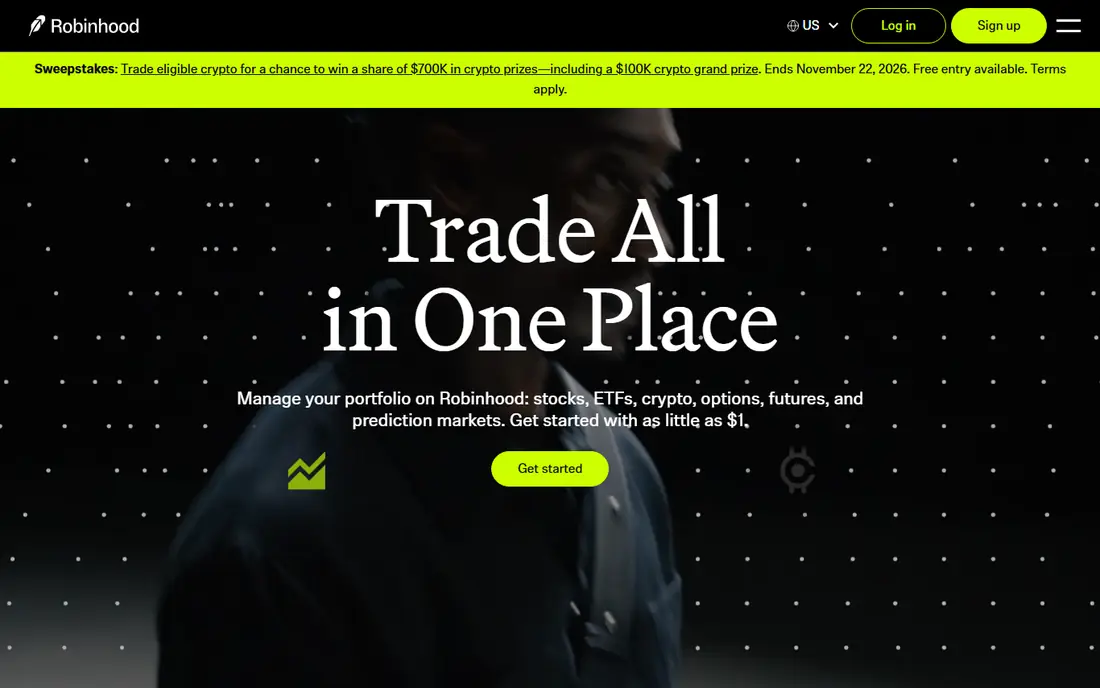
Robinhood is the easiest app here to start with, and that simplicity is its main selling point. The app is clean, opening an account takes little time, and you can trade stocks, ETFs, options, and crypto in one place, with fractional shares from $1. For a first-time investor who wants to learn by doing with small amounts, that low friction helps.
The trade-offs are real. Robinhood does not offer mutual funds, and its research is thinner than the research libraries at Fidelity and Schwab. Crypto trading also carries spreads and risk that are separate from stock investing, so treat it as a different decision, not a bonus feature. Check the fee schedule for transfer-out and other service fees before you move a larger balance in, since leaving later can cost more than it does at some rivals.
- Simple mobile app
- $0 commissions on stocks, ETFs, and options
- Fractional shares from $1
- No mutual funds
- Lighter research than Fidelity or Schwab
- Transfer-out fee can be high
Vanguard is the pick for an investor who wants to buy low-cost index funds and ETFs and leave them alone. Its funds are known for low expense ratios, which matter over decades because fund costs come out of returns every year. You can trade US stocks and ETFs online for $0 commission, and the IRA options suit retirement saving.
Vanguard is not the best pick for a frequent trader. Its app and website feel more basic than Fidelity, Schwab, or Webull, and options cost $1 per contract, higher than the $0.65 charged by Fidelity and Schwab. Some accounts also carry a service fee with waiver conditions, so read the fee schedule for your account type. For a patient, index-focused investor, those limits are a fair trade for low fund costs.
- $0 commissions on online US stocks and ETFs
- Low-cost index funds and ETFs
- Strong fit for buy-and-hold investing
- App and site feel less modern than rivals
- Options cost $1 per contract
Webull suits an active trader who wants professional-style charts without paying for a data platform. It offers $0 commissions on US stocks, ETFs, and options, real-time quotes, paper trading for practice, and extended-hours trading. That combination is useful if you follow price action closely or want to test a strategy before risking money.
Webull is less suited to a hands-off retirement saver. It does not match Fidelity or Schwab for the breadth of account types, planning tools, and in-person support, and its focus on trading can encourage more frequent trades than a long-term plan needs. Crypto is also available, with spreads that vary, so keep stock investing and crypto speculation as separate choices. Pick Webull for trading tools, not as a one-stop retirement shop.
- $0 commissions on stocks, ETFs, and options
- Detailed charts and paper trading
- Extended-hours trading
- Fewer account types and retirement tools than large brokers
- Crypto carries spreads and extra risk
SoFi Invest fits someone who wants investing alongside everyday banking, rather than a standalone broker. Active investing offers $0 commissions on US stocks and ETFs, with a low amount needed to begin, and automated investing builds a diversified portfolio for people who prefer not to pick funds themselves. Having checking, savings, and investing in one app can simplify money management for a younger investor.
The catch is depth. SoFi research and trading tools are more basic than those at Fidelity, Schwab, or Webull, and it does not offer the same range of mutual funds or advanced trading features. Automated portfolios also carry fund expenses on top of any advisory terms, so read the disclosures for the exact portfolio you choose. SoFi is a good all-in-one start, and a weaker pick if research or advanced trading drives your decisions.
- $0 commissions on stocks and ETFs
- Automated portfolios available
- Banking, loans, and career perks in the same app
- Research is thinner than at Fidelity or Schwab
- Automated portfolio terms and fund costs still apply
Betterment is the clearest hands-off pick for an investor who wants a plan, not a trading app. You set a goal, such as retirement or a major purchase, and Betterment builds and manages a diversified ETF portfolio, rebalances it, and reinvests dividends. Tax-loss harvesting is available on eligible accounts, which can help taxable investors, though tax benefits depend on your own situation.
Pricing needs care. Betterment charges $5 per month below a qualifying balance or deposit level, and 0.25% per year at higher balances, with a premium tier at a higher rate for larger accounts with advisor access. On a $1,000 balance, $5 per month is $60 per year, which is a large share of that balance, so Betterment makes most sense once your balance or monthly deposits are larger. If you want to pick individual stocks, Betterment is also the wrong shape of app, since its strength is managed portfolios.
- Goal-based portfolios and automatic rebalancing
- Tax-loss harvesting on eligible accounts
- Clear planning tools
- Monthly fee hits small balances hard
- Less control for investors who want to pick individual stocks
Wealthfront suits an investor who wants automation plus a stronger tax toolkit. Its core automated portfolio starts at $500, builds a diversified mix, rebalances over time, and offers daily tax-loss harvesting on eligible taxable accounts. The app also includes planning tools and cash management products, which can suit someone who wants investing and cash in one place.
The main catch is cost structure. Wealthfront charges an advisory fee of 0.25% per year on managed balances, and the ETFs inside the portfolio charge their own expenses on top of that. That percentage is small on a large balance and standard for a robo-advisor, but it is still a recurring cost that a DIY ETF investor at Fidelity or Schwab can avoid. Check the current fee page before you open an account, since cash products and other services carry separate terms.
- Automated diversified portfolios
- Daily tax-loss harvesting on eligible accounts
- Planning and cash tools in the same app
- $500 minimum for the core portfolio
- Advisory fee applies on top of fund expenses
Acorns is built for people who struggle to start, not for people who already invest regularly. It rounds up card purchases and invests the spare change into a diversified portfolio, which turns an everyday habit into a small investing habit. Higher tiers add retirement accounts, banking features, and extras, which can suit a household that wants one simple subscription.
The fee structure is the honest catch. Acorns charges a flat monthly subscription, starting at $4 per month for its Bronze tier, and fund expenses apply on top of that. On a $500 balance, $48 per year is a large percentage, so Acorns makes sense as a habit builder, not as the cheapest way to hold a large portfolio. Once your balance grows, compare the flat fee with a percentage-based robo-advisor or a $0 commission broker, and move if the math favors the cheaper route.
- Round-ups turn spare change into investments
- Simple portfolios for beginners
- Banking and retirement add-ons on higher tiers
- Flat monthly fee is costly on a tiny balance
- Limited control over individual investments
How we picked these
We compared official fee schedules, pricing pages, app store listings, and public reviews for investing apps that are actively available in the United States in October 2026. We looked at commissions on stocks and ETFs, options fees, account minimums, IRA and account types, fractional share minimums, advisory fees, and transfer or service fees. We did not claim hands-on testing for every app, and we left out apps that were discontinued, limited to a single country, or too narrow to serve as a main investing account.
How to choose without overpaying
Start with the account type, then the fee model. If you want an IRA, confirm the app offers the IRA type you need and check whether it offers any contribution match or bonus, and what conditions apply. If you want to pick your own investments, a $0 commission broker is usually the cheapest route, and research quality becomes the tiebreaker. If you want a managed portfolio, compare a flat monthly fee with a percentage fee on your actual balance, because the cheaper model flips as your balance grows.
Watch for costs beyond the headline commission. Options fees, transfer-out fees, fund expense ratios, spreads on crypto, and advisory fees all add up, and cash yields and margin rates vary too.
A note on risk
Investing carries risk, and the value of stocks, ETFs, and crypto can fall as well as rise. This article is for education only and is not financial advice. If you are unsure about an IRA, tax treatment, or how much risk fits your situation, speak to a qualified financial adviser before you invest.