Best Payroll Software for Small Business in 2026: 9 Software Compared
By ToolNimba Editorial Team October 28, 2026 12 min read

- Top pick
 Gusto
All-round payroll plus HR
Starting price$49 per monthCheck out GustoRead our review - Runner-up
 OnPay
Flat transparent pricing
Starting price$49 per monthCheck out OnPayRead our review - Also great
 Patriot Software
Tightest budgets
Starting price$17 per monthCheck out Patriot SoftwareRead our review
How we researched this
We compared official pricing and feature pages, app store listings, privacy policies and public user reviews. Prices change, so check the provider's site before you pay.
Key takeaways
- Gusto is the best all-round payroll pick for most small businesses, with full-service tax filing and benefits in one place.
- Patriot Software is the cheapest starting point for very small teams, while OnPay offers flat, transparent pricing without surprise fees.
- Base price alone is misleading, because most payroll tools add a per-person fee, so price your full team before you choose.
- Full-service tax filing, including federal and state filings and year-end forms, is the feature that saves the most time and risk.
- If you already use QuickBooks or Square, the payroll tool built for that system will usually save more time than a cheaper standalone tool.
Quick comparison
| Name | Best for | Starting price | Free plan | |
|---|---|---|---|---|
| Gusto | All-round payroll plus HR | $49 per month | No | Visit |
| OnPay | Flat transparent pricing | $49 per month | No | Visit |
| Patriot Software | Tightest budgets | $17 per month | Free trial | Visit |
 Square Payroll | Square sellers and restaurants | $35 per month | No | Visit |
 Wave Payroll | Very small Wave users | $40 per month | No | Visit |
 SurePayroll | Household and small employers | $29.99 per month | No | Visit |
 QuickBooks Payroll | QuickBooks Online users | See website | No | Visit |
 ADP RUN | Scaling and compliance depth | See website | No | Visit |
 Rippling | Payroll plus HR and IT | $8 per user per month | No | Visit |
The best payroll software for small business apps
Payroll software should calculate pay, withhold taxes, file federal and state taxes, pay employees by direct deposit, and produce year-end W-2 and 1099 forms. The tools below all do the core job, but they differ in price structure, benefits, HR tools, and support. We compared official pricing pages, feature pages, and pricing summaries checked in 2026, focusing on standard monthly prices before promotions.
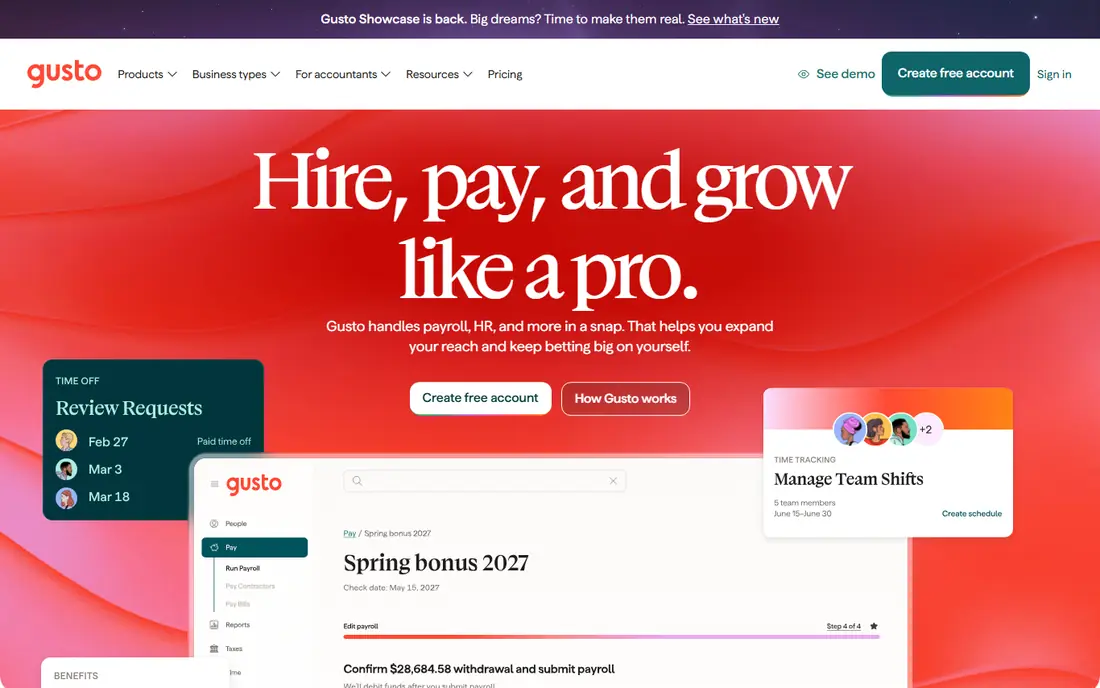
Gusto is our pick for most small businesses because it combines payroll, onboarding, benefits, and light HR in a clean interface. The Simple plan starts at $49 per month plus $6 per person, and covers full-service tax filing, contractor payments, direct deposit, and employee self-service for pay stubs and tax forms. Employees enter their own tax and bank details during onboarding, which removes a common source of errors for a founder running payroll alone.
The catch is state coverage and price at the low end. Simple covers single-state payroll, so a multi-state team needs the Plus plan at $80 per month plus $12 per person. A two-person team still pays $61 a month on Simple, which feels high for a tiny run. For teams of about five to fifty people in one or more states, though, Gusto is the easiest complete option.
- Full-service federal and state tax filing
- Guided onboarding
- Benefits administration
- Simple plan is single-state only
- Costs rise for very small teams
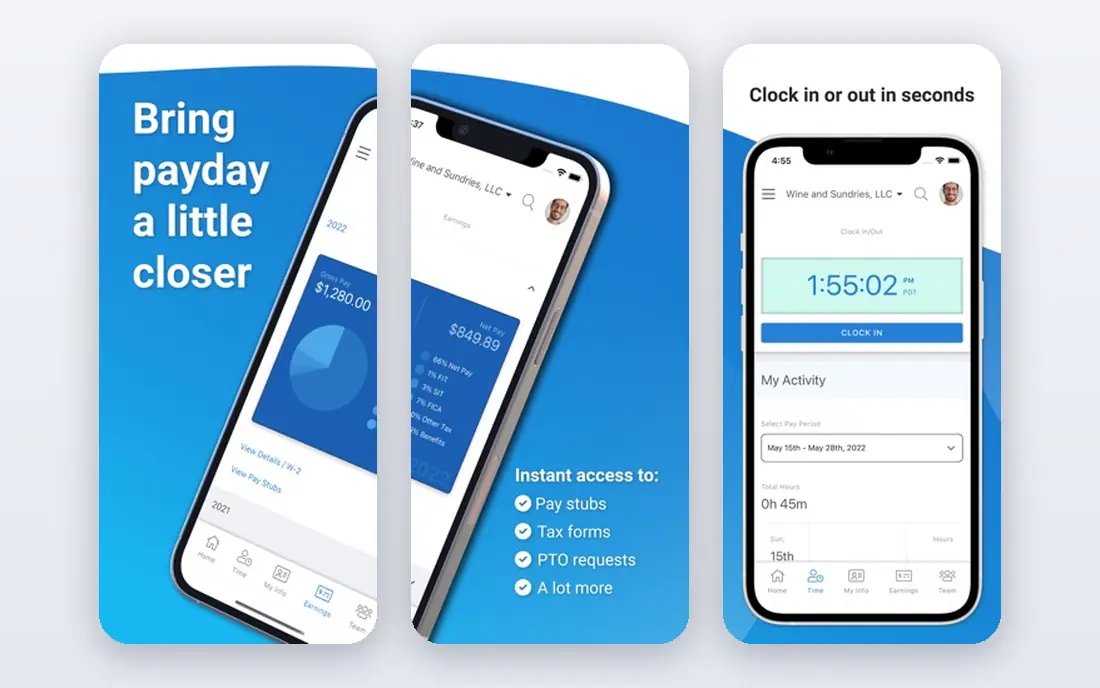
OnPay appeals to owners who hate tier math. Recent summaries put pricing at $49 per month plus $6 per person, with unlimited payroll runs and full-service tax filing included, plus simple HR tools and integrations with accounting software. There is no need to guess which tier holds the feature you need, because the core payroll service is the same for every customer.
What you give up is polish and breadth. OnPay does not match Gusto for benefits administration or design, and its integrations are solid but narrower. If you want predictable pricing, unlimited runs, and a tool that just works, OnPay is a strong alternative. If benefits are central to your hiring plan, compare Gusto first.
- One flat rate with no tier confusion
- Unlimited payroll runs
- Solid HR tools included
- Fewer benefits marketplace options than Gusto
- Interface is plainer
Patriot is the budget pick for very small US businesses. The Basic plan starts at $17 per month plus $4 per person, while Full Service starts near $37 per month plus $5 per person in recent summaries, with state filing available as an add-on on some plans. That structure lets a micro-business pay less if it is willing to handle some tax filing itself, and pay more only when it wants full service.
The trade is features. Patriot is deliberately simple, so you will not get the same benefits marketplace, onboarding depth, or HR suite as Gusto or Rippling. For a team of one to five people that wants reliable pay runs without extra tools, that simplicity is a plus. Check exactly which tax filings your plan covers before you buy, because that is where the price gap matters most.
- Lowest starting price in this list
- Simple setup
- Free employee portal
- Full-service tax filing costs more than Basic
- Fewer HR features than Gusto
Square Payroll is the obvious pick if you already run a shop, cafe, or restaurant on Square. It starts at $35 per month plus $6 per person in recent summaries, and it connects time tracking, tips, and sales data from Square into payroll without manual imports. Staff can use the Team app for pay stubs and schedules, which suits hourly teams with changing shifts.
Outside the Square world, Square Payroll loses its main advantage. HR tools and benefits are thinner than Gusto, and a business that does not use Square point of sale will find a more general tool a better fit. If Square is already your daily system, though, the time saved on imports alone can justify the choice.
- Built for Square point-of-sale users
- Team app for staff
- Straightforward pay runs
- Less useful if you do not use Square
- HR features are thinner than Gusto
Wave Payroll suits micro-businesses that already use Wave for free accounting. It starts at $40 per month plus $6 per employee and $6 per contractor in recent summaries, with full-service tax filing in the United States and an employee portal for pay stubs and W-2 forms. Keeping accounting and payroll in one system reduces double entry and reconciliation work at month end.
The limits are geographic and functional. Wave Payroll is US-focused, and it does not offer the HR depth of Gusto or Rippling. Contractor fees also add up if you pay many freelancers. For a tiny US business on Wave, it is a natural fit. For a growing team with benefits and multi-state needs, look at Gusto or OnPay instead.
- Pairs with free Wave accounting
- Full-service tax filing in the US
- Employee portal
- Available only in the US for payroll
- Fewer HR features
- Per-contractor fees add up
SurePayroll is a practical low-cost option, with recent summaries putting the starting price near $29.99 per month plus $5 per employee. It covers full-service payroll and tax filing for small employers, and it has a history of serving household employers, such as families paying a nanny or caregiver, alongside small businesses. Setup is straightforward, and the interface does not demand payroll expertise.
You will not get a full HR suite or a large benefits marketplace here, and promotional pricing, including free-month offers, can make the standard price harder to spot. Ignore the promotion and price the standard monthly rate for your team size. If you need simple, reliable payroll at a low base price, SurePayroll is worth a trial.
- Low starting price
- Simple setup
- Useful for household employers and small teams
- Fewer HR and benefits tools than larger platforms
- Promotions can confuse standard pricing
QuickBooks Payroll is the best choice for a business already running QuickBooks Online, because payroll posts directly to your books without imports or reconciliation. Recent summaries differ on tier prices, with base rates near $45 to $50 per month plus a per-employee fee, and higher tiers adding same-day direct deposit and tax penalty protection. We list pricing as See website because Intuit changes tier names and prices, and the right tier depends on your QuickBooks plan.
The downside is lock-in. If you leave QuickBooks, you lose the main advantage, and standalone payroll tools may be cheaper for a business that does not need full accounting sync. If QuickBooks is already your financial system, though, the time saved each pay run usually outweighs a small price difference.
- Native sync with QuickBooks Online
- Same-day direct deposit on higher tiers
- Penalty protection on some plans
- Pricing varies by tier and needs a website check
- Best value only inside QuickBooks
ADP RUN is the scaling pick. It is built for small to mid-size businesses that expect to grow past 25 employees, operate in multiple states, or face complex compliance needs. ADP offers tax filing, compliance tools, HR support, and a large partner ecosystem, plus dedicated representatives on many plans. For a regulated or fast-growing business, that depth is reassuring.
Pricing is quote-based, so we list it as See website, and recent summaries put typical base costs near $59 per month plus a per-employee fee, with wide variation. For a team under ten people with simple payroll, ADP RUN can feel heavy and pricey compared with Gusto or OnPay. Choose it when you need compliance depth and a vendor that can grow with you, not just a cheap pay run.
- Deep compliance and tax expertise
- Dedicated support options
- Built to scale past 25 employees
- Pricing requires a quote
- Can feel heavy for a team under ten people
Rippling is for growing tech and remote-first teams that want payroll connected to everything else. The payroll module starts near $8 per user per month in recent summaries, but the full platform, including HR, benefits, device management, and app access, is priced by quote and modules add cost. When a new hire joins, payroll, benefits, laptop setup, and app access can be provisioned from one workflow, and all of it can be removed at once when someone leaves.
That integration is powerful, but it is also the catch. A small team that only needs payroll will pay for complexity it does not use, and the final bill depends on which modules you add. If you have ten or more employees, remote staff, or IT needs alongside payroll, Rippling is worth a demo. If you just need pay runs, start with Gusto or OnPay.
- Payroll plus HR, benefits, and IT in one workflow
- Strong automation
- Global hiring options
- Full platform pricing is quote-based
- Modules add cost beyond the payroll starting price
How we picked these
We compared official pricing pages, feature pages, and pricing summaries checked in 2026 for payroll tools aimed at small businesses. We kept only tools with full-service or clearly described tax filing, direct deposit, and year-end forms, plus a published price or a clear quote model for larger platforms. We excluded tools that serve only large enterprises or only one country outside the US, except where noted, and we favored tools a small team can set up without a payroll specialist.
How to choose without paying for the wrong tier
Start by counting W-2 employees, contractors, states, and pay frequency. A tool that is cheap for five employees in one state can become expensive for fifteen employees in four states, especially when multi-state payroll sits on a higher tier. Run a test payroll with real pay types, including overtime, bonuses, or tips if you use them, before you commit to a year.
Check tax filing, support, and exit terms
Confirm which federal, state, and local filings are included, whether W-2 and 1099 forms are included or extra, and what happens if a filing is late. Check support hours and whether phone support is included on your tier, because payroll questions often arrive on payday, not during a demo. Also confirm you can export payroll history and employee records if you switch vendors later.
Price benefits and add-ons separately
Time tracking, workers compensation, health benefits, and retirement plans are often add-ons with their own fees. List the add-ons you actually need, price them for your team, and compare that total, not just the base payroll price. A tool with a higher base price but included time tracking can be cheaper than a low base price with three paid add-ons.
Sources
- https://www.gusto.com
- https://www.onpay.com
- https://www.patriotsoftware.com
- https://www.squareup.com/payroll
- https://www.waveapps.com/payroll
- https://www.surepayroll.com
- https://www.quickbooks.intuit.com/payroll
- https://www.adp.com
- https://www.rippling.com
- https://tanit365.com/en/blog/posts/best-payroll-software-small-business-2026/
- https://www.thepaystubs.com/blog/human-resources/best-payroll-software