Best Planner Apps in 2026: 9 Apps Compared
By ToolNimba Editorial Team October 28, 2026 11 min read

- Top pick
 Todoist
Fast daily task capture
Starting price$7 per monthCheck out TodoistRead our review - Runner-up
 TickTick
Tasks, habits, and calendar in one app
Starting price$4.99 per monthCheck out TickTickRead our review - Also great
 Notion
Notes and projects in one workspace
Starting price$10 per monthCheck out NotionRead our review
How we researched this
We compared official pricing and feature pages, app store listings, privacy policies and public user reviews. Prices change, so check the provider's site before you pay.
Key takeaways
- Todoist and TickTick are the strongest starting points for most people, because both pair a usable free plan with fast task capture on every device.
- Notion suits people who want notes, projects, and a planner in one workspace, but it needs more setup than a dedicated planner.
- Google Calendar and Microsoft To Do cover the basics for free, which makes them hard to beat if cost is the main concern.
- Things 3, Structured, Sunsama, and Fantastical each serve a narrower style, from Apple-only design to visual time blocking and calendar-first planning.
Quick comparison
| Name | Best for | Starting price | Free plan | |
|---|---|---|---|---|
| Todoist | Fast daily task capture | $7 per month | Yes | Visit |
| TickTick | Tasks, habits, and calendar in one app | $4.99 per month | Yes | Visit |
| Notion | Notes and projects in one workspace | $10 per month | Yes | Visit |
 Google Calendar | Free calendar planning | Free | Yes | Visit |
 Microsoft To Do | Simple lists in the Microsoft world | Free | Yes | Visit |
 Things 3 | Clean planning on Apple devices | $9.99 one-time | No | Visit |
 Structured | Visual time blocking | $29.99 per year | Yes | Visit |
 Sunsama | A calm daily planning ritual | $20 per month | Free trial | Visit |
 Fantastical | Calendar-first planning on Apple and Windows | $6.99 per month | Free trial | Visit |
The best planner apps
We compared official feature pages, pricing pages, app store listings, and public reviews, and we kept only planners that are actively sold and supported in October 2026.
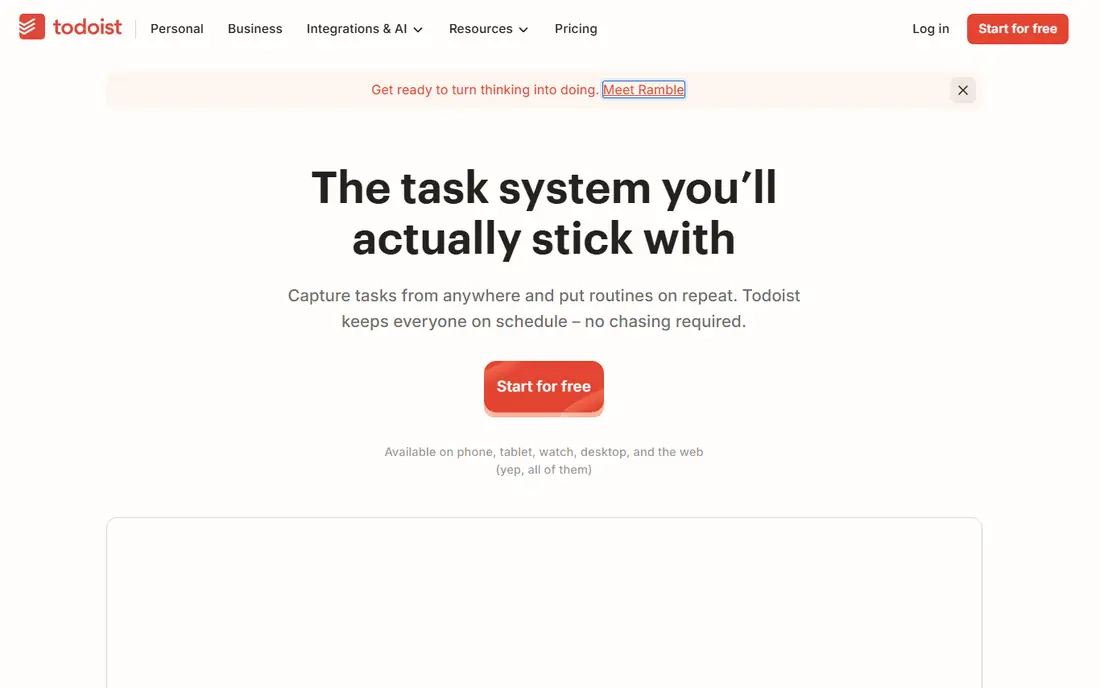
Todoist is our pick for most people who want a planner that stays out of the way. You can type a task such as "call the dentist every Monday at 9am" and it sets the date and repeat without extra taps. Projects, sections, and labels keep work, home, and personal goals separate, while filters pull up exactly what is due today.
The paid plan adds reminders, a calendar layout, task durations, deadlines, and a longer activity history. That matters once your list grows past a handful of projects, because the free plan limit of five active projects arrives sooner than many people expect. The catch is that Todoist is a task planner first, not a full calendar replacement, so many users still pair it with a calendar app for meetings.
- Natural language dates and recurring tasks
- Projects, labels, filters, and priorities
- Apps on web, desktop, and mobile
- Reminders and the calendar layout need the paid plan
- The free plan caps active projects at five
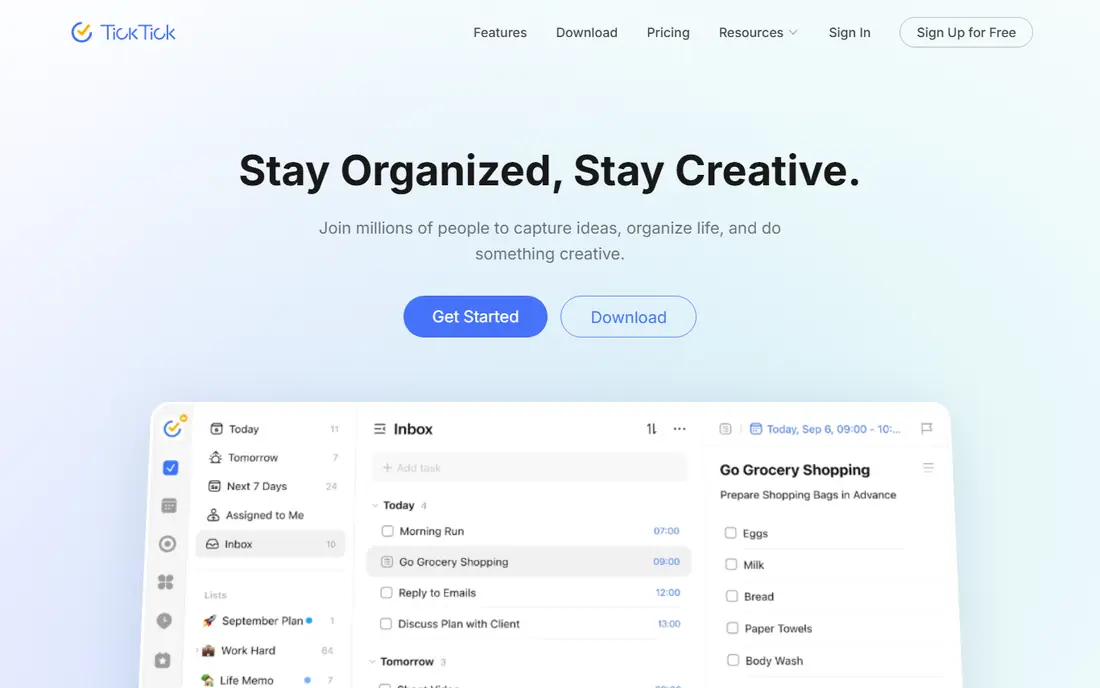
TickTick is the best choice if you want one app to hold tasks, habits, and a calendar instead of three separate tools. The calendar view lets you drag tasks into time slots, the habit tracker shows streaks beside your daily list, and the Pomodoro timer keeps focus sessions inside the same app. That combination suits students, freelancers, and anyone who plans the day in blocks rather than in a plain list.
Premium removes the free tier caps and adds full calendar functions, custom filters, and more themes and statistics. The annual price on the website is listed at $49.99 per year, while the monthly app store price is higher, so check both before you buy. The trade-off is a busier interface than Todoist, and new users may need a few days to find the settings they want.
- Built-in calendar, habit tracker, and Pomodoro timer
- Works on web, Windows, Mac, Linux, iOS, and Android
- Generous free tier for basic lists
- The free tier caps lists, tasks per list, and reminders per task
- Some advanced calendar and filter features need Premium
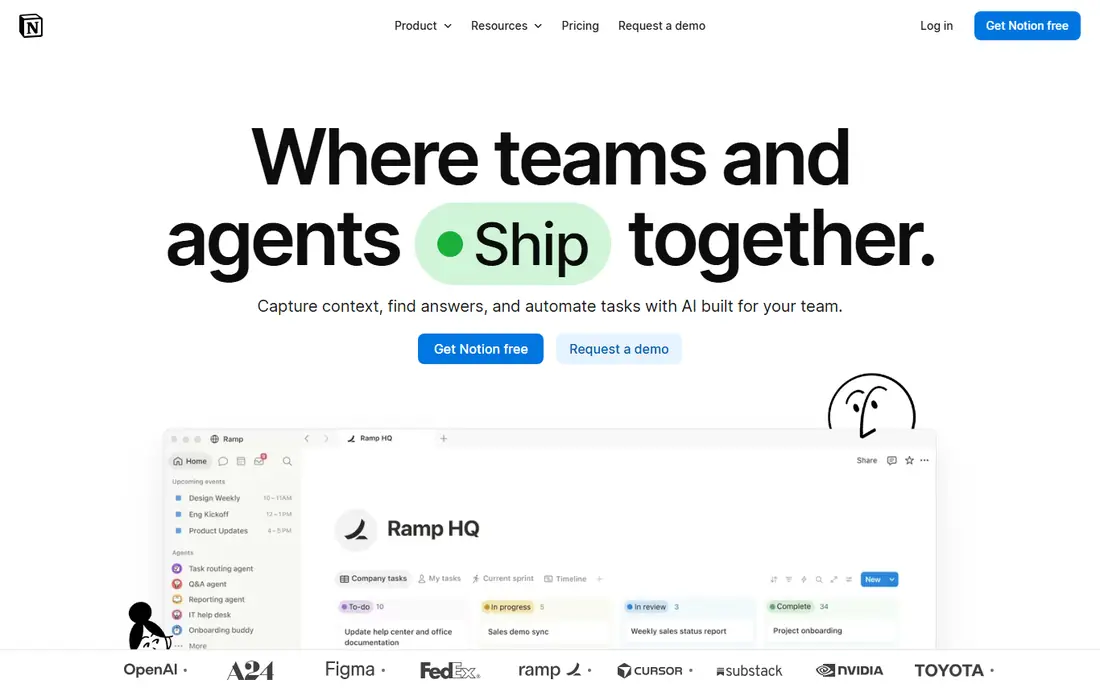
Notion fits people who already keep notes, documents, and project trackers in one place and want planning to live there too. You can build a weekly planner, a habit database, a reading list, and a project board in the same workspace, then link them together. Templates shorten the setup, and the free plan is enough for many personal uses.
The honest catch is that Notion gives you building blocks, not a ready-made daily planner. You will spend time designing views, setting filters, and deciding how tasks should repeat. If you want to open an app and see today at a glance with no setup, Todoist or TickTick will feel faster. If you enjoy shaping a system around your own work, Notion is the most flexible option here.
- Flexible pages, databases, and views for almost any system
- Strong sharing and collaboration
- Free plan for individuals
- Needs setup before it feels like a planner
- Reminders and recurring tasks are weaker than in dedicated task apps
Google Calendar is the planner most people already have, and that is a real advantage. It is free, it syncs across web, Android, and iOS, and it handles time blocking, shared family calendars, and event reminders without a subscription. Paired with Google Tasks, it covers due dates and simple checklists for many daily routines.
Its limits show up when work gets more complex. There are no project boards, no priority levels in the way Todoist offers them, and no habit tracking. Google Calendar works best as the schedule layer in your system, with tasks either in Google Tasks or in a dedicated app alongside it. For a free, low-friction daily plan, it remains a solid default.
- Free with a Google account
- Time blocking, shared calendars, and reminders
- Integrates with Gmail and Google Tasks
- Task management is basic compared with dedicated planners
- No built-in habit tracking or project views
Microsoft To Do is the obvious free planner if your email and calendar already live in Outlook. The My Day view gives you a clean daily reset, shared lists work for households and small teams, and tasks created in Outlook appear here without extra steps. It is simple by design, which keeps the daily routine short.
That simplicity is also the limit. Lists stay flat, with only one level of steps under a task, and there is no kanban board, calendar time blocking, or habit tracker built in. If your planning needs are lists, due dates, and reminders inside Microsoft 365, this is enough and it costs nothing extra. If you need projects with many layers, look at Todoist or Notion instead.
- Free with a Microsoft account
- My Day view for daily planning
- Integrates with Outlook and Microsoft 365
- Flat lists with limited hierarchy
- Fewer views and customisation options than TickTick or Notion
Things 3 is the planner for Apple users who value calm design and a clear daily structure. The Today view, Upcoming list, and Someday shelf make it easy to separate what must happen now from what can wait. Headings, tags, and checklists give projects shape without clutter, and Things Cloud sync is included at no extra subscription cost.
The price is one-time per platform, starting at $9.99 for iPhone and Apple Watch, $19.99 for iPad, and $49.99 for Mac, based on the vendor pricing pages checked for this guide. That model appeals to people who dislike subscriptions, but buying the full set adds up. Things 3 is also strictly personal, with no team features, and it will not help if you use Android or Windows at work.
- Thoughtful Today, Upcoming, Anytime, and Someday views
- One-time purchase per platform with free sync
- Polished Apple design
- Apple only, with no Windows, Android, or web app
- No team sharing or assignments
- Each platform is bought separately
Structured suits people who think in blocks of time rather than in lists. Your day appears as a timeline, so you can see at a glance how much time meetings, errands, and focus work will take, and where the gaps are. Dragging a task to a new slot reshapes the day without retyping dates, which makes it useful for routines, study plans, and shift work.
It is not a project manager. Long lists of tasks with subtasks and filters fit better in Todoist or TickTick, and Structured works best when paired with a calendar for events. The free plan covers the core timeline, while Pro, listed at $29.99 per year, adds more customisation and features. If your main problem is that days feel formless, Structured gives them visible shape.
- A clear visual timeline for the whole day
- Recurring tasks and calendar sync
- Available on iOS, Android, Mac, and web
- Less suited to long project lists
- Some features, such as extra themes and notifications, need Pro
Sunsama takes a different approach to planning. Each morning it guides you through choosing a small set of tasks, placing them on your calendar, and setting a realistic finish time. It can pull tasks from tools such as Todoist, Trello, and Asana, so you plan in Sunsama while work stays where it already lives. The weekly review then helps you close loops instead of carrying the same unfinished tasks forward.
That guided ritual is the reason people pay for Sunsama, and also the reason it is not for everyone. At $20 per month on monthly billing, with a lower annual rate, it costs more than Todoist or TickTick, and there is no permanent free plan, only a trial. If you already plan reliably on your own, the extra structure may feel unnecessary. If you keep overloading each day, Sunsama helps you plan less, more honestly.
- Guided daily planning with tasks pulled from other tools
- Calendar time blocking built in
- Weekly review and focus modes
- Higher monthly price than most planners here
- No permanent free plan
- Best value only if you use the daily ritual
Fantastical is the pick for people whose day is driven by meetings and events rather than by task lists. You can type an event in plain language, see multiple calendars side by side, and check tasks alongside appointments without switching apps. Widgets and the menu bar view on Mac make it easy to glance at the day without opening a full app.
The free version covers basic calendar use, while Premium, listed from $6.99 per month, adds features such as full task integration, interesting calendars, and more customisation. That subscription may feel steep if you only need a calendar, since Google Calendar and Apple Calendar are free. Fantastical earns its price for heavy calendar users who want faster entry and clearer views across Apple devices and Windows.
- Natural language event entry
- Strong calendar views and widgets
- Integrates tasks and calendars in one view
- Full features need a subscription
- Historically Apple focused, with Windows support more recent
How we picked these
We compared official feature pages, pricing pages, app store listings, and public reviews for each app, and we checked that each product is actively available in October 2026. We favoured planners with a usable free plan or trial and tools that cover a distinct planning style.
What to look for in a planner app
Start with how you plan, not with features
If you capture tasks on the move, natural language entry and fast mobile apps matter most. If you plan by time, a timeline or calendar view matters more than a long feature list. Choose the style first, then compare two or three apps in that style, because a powerful app in the wrong style will sit unused.
Check the free plan limits before you commit
Free plans differ in ways that only show up after a week of real use. Todoist caps active projects, TickTick caps lists and reminders, and Notion requires setup before it feels useful. Run your real tasks through a free plan for a week before paying. A paid plan should solve a limit you actually hit, not a feature you might use one day.
Sources
- https://todoist.com
- https://www.todoist.com/help/account-and-billing/plans/todoist-pro-pricing-update-in-2025-bxBvHZuJZ
- https://www.todoist.com/help/account-and-billing/plans/todoist-plans-pricing-and-billing-faq-Vq2z0HWL6
- https://ticktick.com
- https://www.notion.com
- https://calendar.google.com
- https://to-do.office.com
- https://culturedcode.com/things
- https://structured.app
- https://sunsama.com
- https://flexibits.com/fantastical
- https://2sync.com/blog/best-planner-apps
- https://2sync.com/blog/best-to-do-list-apps