Best Podcast Apps in 2026: 9 Apps Compared
By ToolNimba Editorial Team October 28, 2026 10 min read

- Top pick
 Pocket Casts
Cross-platform power listening
Starting priceFreeCheck out Pocket CastsRead our review - Runner-up
 Apple Podcasts
Apple device owners
Starting priceFreeCheck out Apple PodcastsRead our review - Also great
 Spotify
Music and podcasts in one app
Starting priceFreeCheck out SpotifyRead our review
How we researched this
We compared official pricing and feature pages, app store listings, privacy policies and public user reviews. Prices change, so check the provider's site before you pay.
Key takeaways
- Pocket Casts is our top pick for cross-platform listeners, because it syncs well across iOS, Android, and web.
- Apple Podcasts and Spotify are the easiest starting points, since most listeners already have one of them installed.
- Overcast and Castro suit power listeners who care about silence trimming, queue control, and per-show settings.
- Video podcasts and discovery push some listeners toward Spotify or YouTube Music, even if playback controls are simpler.
Quick comparison
| Name | Best for | Starting price | Free plan | |
|---|---|---|---|---|
| Pocket Casts | Cross-platform power listening | Free | Yes | Visit |
| Apple Podcasts | Apple device owners | Free | Yes | Visit |
| Spotify | Music and podcasts in one app | Free | Yes | Visit |
 Overcast | iOS audio quality and speed | Free | Yes | Visit |
 Castro | Inbox-style queue control on iOS | Free | Yes | Visit |
 Podcast Addict | Android listeners who want control | Free | Yes | Visit |
 YouTube Music | Video podcasts and interviews | Free | Yes | Visit |
 Amazon Music | Prime members and audiobooks | Free | Yes | Visit |
 Castbox | Free discovery and community | Free | Yes | Visit |
The best podcast apps
We compared official feature pages, app store listings, pricing, playback controls, and public reviews for apps that are live in 2026. The list focuses on listening apps, with notes on video, discovery, and recording where relevant, so you can pick based on how you listen rather than brand alone.
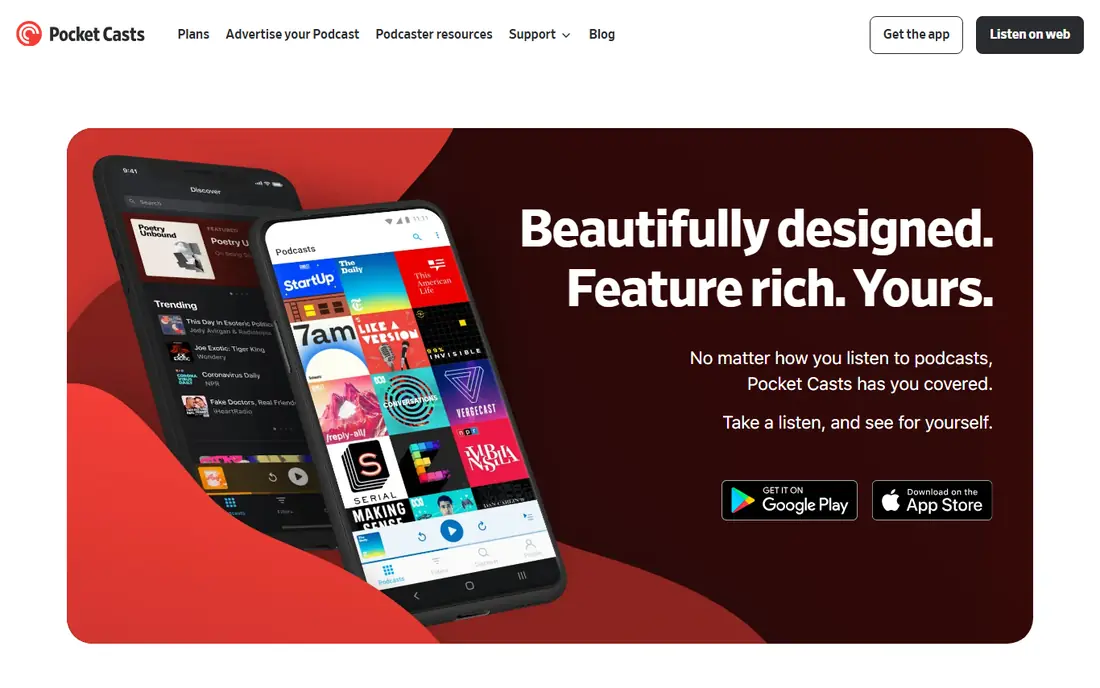
Pocket Casts is the app we recommend first for listeners who switch devices. Your subscriptions, queue, and playback position stay in sync, so you can start on your phone and finish on a computer without losing your place. Filters and folders help if you follow many shows, and per-show settings let you set speed and silence trimming for each podcast.
The free tier covers most listening needs, while Plus adds cloud storage, desktop access, and extra features. Check the current Plus price in the app store, since it varies by region. If you only use Apple devices, Overcast may feel simpler, but for mixed device homes, Pocket Casts is hard to beat.
- Sync across iOS, Android, web, and watches
- Variable speed up to 3x
- Folders, filters, and trim silence
- Some desktop and cloud features require Plus
- Discovery is less algorithm-driven than Spotify
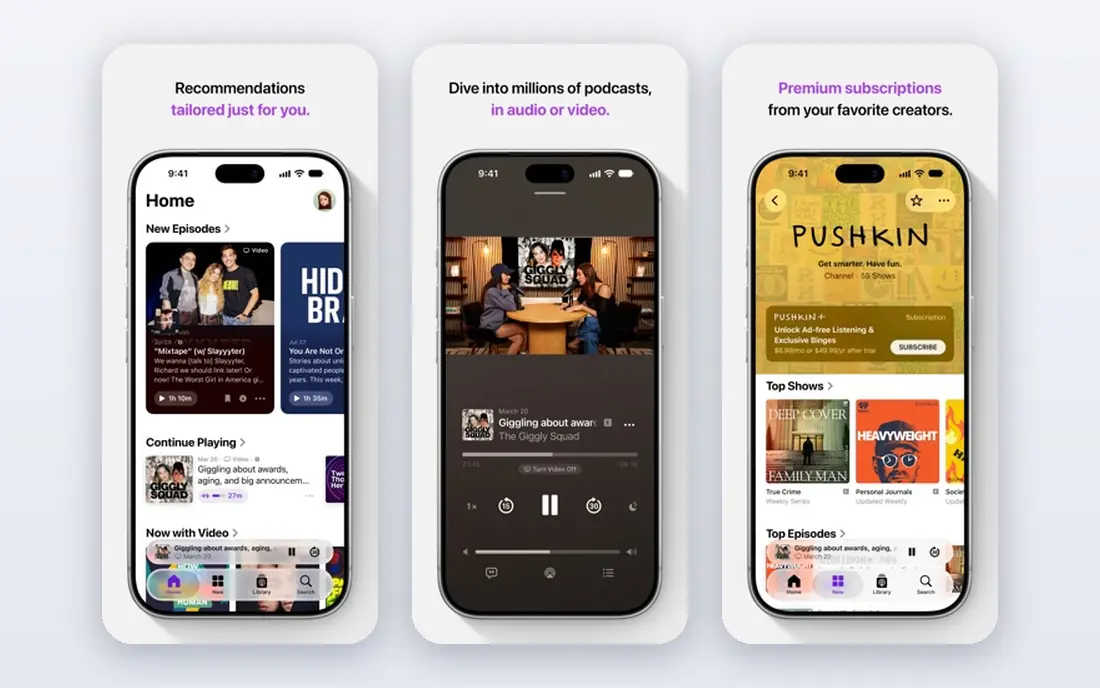
Apple Podcasts is the simplest good choice for Apple users. It is already on your phone, it syncs through iCloud, and it works well with CarPlay, Apple Watch, and Siri. Transcripts, chapters, and curated collections help you find and follow shows without learning a new app.
The limit is platform lock-in. If you move to Android or Windows, your library does not follow as easily. Playback also lacks the silence trimming and volume tools that power listeners love. For casual and regular Apple listeners, though, Apple Podcasts is free, reliable, and already set up.
- Built into iPhone, iPad, Mac, and CarPlay
- Transcripts and chapters on many shows
- ICloud sync across Apple devices
- No Android app
- Playback controls are simpler than Pocket Casts or Overcast
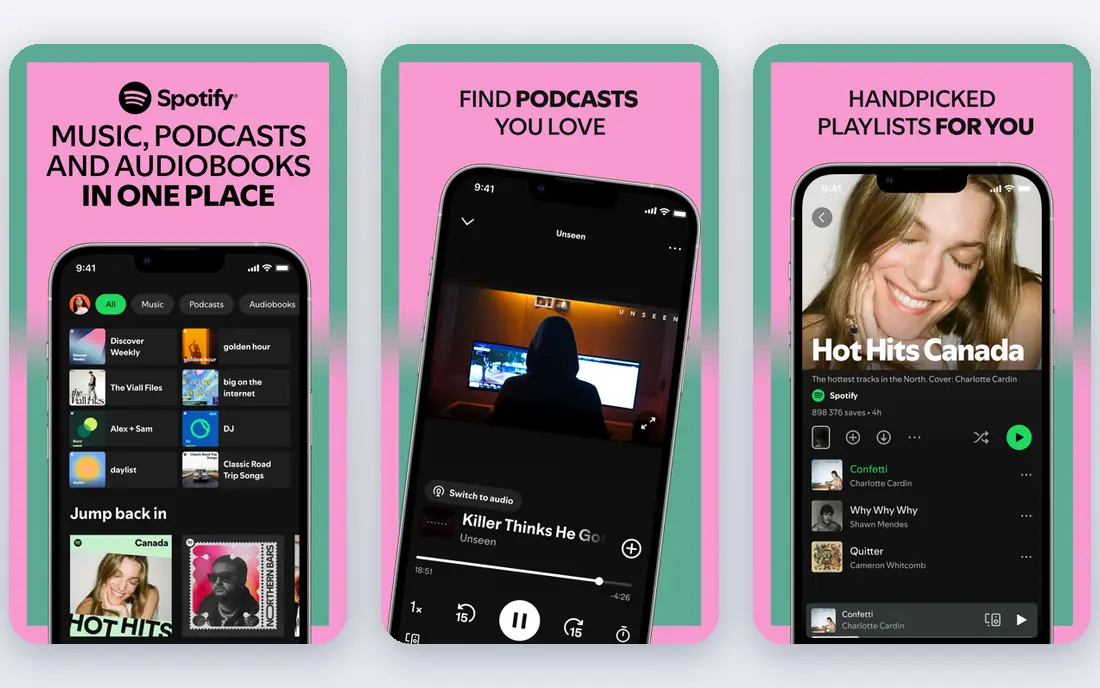
Spotify suits listeners who want one app for music, podcasts, and video shows. Recommendations help you find new podcasts based on what you already play, and video podcasts play in the same feed as audio episodes. If you already pay for Spotify Premium for music, podcasts add no extra cost for listening.
Power listeners may miss advanced features such as silence trimming, detailed queue filters, and easy subscription export. Spotify also organizes podcasts around its own recommendations, which can push popular shows over smaller independent ones. For discovery and convenience, it remains a strong all-in-one pick.
- Huge podcast and music catalog in one app
- Video podcasts
- Strong recommendations and cross-device playback
- Playback controls are basic for power users
- Some shows are exclusive to other platforms
Overcast is the favorite of many iPhone-only listeners, and the reason is audio. Smart Speed shortens pauses without making voices sound rushed, and Voice Boost makes quiet shows easier to hear in cars and on trains. Playlists are simple, and the app stays focused on listening rather than social features.
The main limit is that there is no Android or Windows version, so it is not a fit for mixed-device users. The free tier is fully usable for listening, with a small yearly subscription removing ads. If you listen daily on an iPhone and value sound quality, Overcast is worth trying first.
- Smart Speed trims silences
- Voice Boost levels volume across shows
- Clean design and per-podcast settings
- IOS only
- Free version includes podcast ads that a yearly subscription removes
Castro takes a different approach to queue management. New episodes land in an inbox, and you move only the ones you want into your queue. That system helps if you subscribe to dozens of shows but only have time for a few episodes each week. It prevents your up-next list from turning into a backlog you never clear.
The trade-off is that Castro is iOS only, and its workflow takes a day or two to learn. Paid features add more control, but the free tier covers the core inbox and queue system. If you feel overwhelmed by new episodes, Castro offers the clearest way to stay on top of them.
- Inbox and queue system for triaging new episodes
- Good for listeners with many subscriptions
- Clean iOS design
- IOS only
- Some advanced features require a paid plan
Podcast Addict is the Android answer to Pocket Casts and Overcast combined. It offers playback speed, sleep timers, playlists, automatic downloads, and detailed per-show settings. It also handles more than podcasts, including radio and audiobooks, which suits listeners who want one audio hub.
New users may find the settings menu large, since almost everything can be changed. That depth is the point for power users, but casual listeners may prefer a simpler app at first. If you use Android and want maximum control without paying, Podcast Addict is a strong free starting point.
- Very deep customization and automation
- Supports podcasts, radio, audiobooks, and RSS feeds
- Free with optional paid removal of ads
- Interface can feel busy for new users
- Android focused, with limited iOS presence
YouTube Music suits listeners who prefer video podcasts, interviews, and creator-led shows. Many podcasts now publish full video versions, and YouTube Music puts those alongside audio in one app. Discovery through YouTube recommendations also helps you find shows you would miss in a traditional podcast directory.
The catch is playback. Dedicated podcast apps offer better queue control, silence trimming, and chapter handling. YouTube Music is best as a video-first companion, not as your only podcast manager if you listen to many audio shows. For interview fans, though, its catalog is unmatched.
- Large video podcast catalog
- Interviews and visual shows in one place
- Works on iOS, Android, and web
- Podcast playback controls are simpler than dedicated apps
- Background play for video may require Premium in some cases
Amazon Music is a practical pick if you already have Prime. Podcasts are included in the app alongside music, and Alexa support makes hands-free listening easy at home and in the car. The catalog covers major shows, and the app works across phones, web, and smart speakers.
Discovery is the weak point. Amazon Music does not surface smaller podcasts as well as Spotify or Pocket Casts, and some audio features sit behind Music Unlimited. If you already pay for Prime and want podcasts without another app, it is a solid, low-friction choice.
- Included with Prime in many regions
- Podcasts alongside music
- Works with Alexa and Echo devices
- Podcast discovery is weaker than Spotify
- Some features require Prime or Music Unlimited
Castbox suits listeners who want a free app with discovery built in. You can browse trending shows, read community comments, and follow recommendations without paying. Playback includes speed control, sleep timer, and offline downloads, which cover the basics well.
The free version includes ads, and the community layer adds clutter if you only want to listen. Castbox is best for new listeners who want help finding shows and do not mind ads. If you want a cleaner, more focused player, Pocket Casts or Apple Podcasts may feel calmer.
- Free listening with a large catalog
- Community comments and recommendations
- Sleep timer and playback speed controls
- Ads in the free tier
- Interface can feel crowded with community features
How we picked these
We checked official feature pages, app store listings, pricing, platform support, and public reviews for listening apps live in 2026. We kept apps that support standard podcast feeds and regular listening, and we noted where video, music, or audiobooks change the experience. Prices vary by region, so we list free starting prices where the core app is free and direct you to the vendor site for paid tiers.
How to choose the best podcast app for you
Start with your devices
If you use only Apple devices, Apple Podcasts or Overcast will feel natural. If you mix iOS, Android, and web, Pocket Casts or Spotify will keep your place across devices. Do not pick an iOS-only app if you plan to switch phones soon, since moving subscriptions can be tedious.
Decide how much control you need
Casual listeners need only play, pause, speed, and downloads. Power listeners should look for silence trimming, per-show settings, filters, and queue control. Try a dedicated app for a week if you listen daily, since small playback features add up over many hours.
Think about discovery and video
Spotify and YouTube Music are stronger for discovery and video podcasts, while Pocket Casts and Overcast are stronger for managing a large library. If you also create podcasts, note that listening apps differ from recording software, and you may need a separate tool for recording and editing.
Sources
- https://pocketcasts.com
- https://www.apple.com/apple-podcasts/
- https://www.spotify.com
- https://overcast.fm
- https://castro.fm
- https://podcastaddict.com
- https://music.youtube.com
- https://music.amazon.com
- https://castbox.fm
- https://www.podshot.ai/tools/podcast-players
- https://www.inspirefusion.com/best-podcast-apps-2026/