Best Pokemon Card Scanner App in 2026: 8 Apps Compared
By ToolNimba Editorial Team November 13, 2026 10 min read

- Top pick
 TCGplayer
General scanning and marketplace prices
Starting priceFreeCheck out TCGplayerRead our review - Runner-up
 Collectr
Multi-game portfolio tracking
Starting priceFreeCheck out CollectrRead our review - Also great
 PriceCharting
Price history and graded values
Starting priceFreeCheck out PriceChartingRead our review
How we researched this
We compared official pricing and feature pages, app store listings, privacy policies and public user reviews. Prices change, so check the provider's site before you pay.
Key takeaways
- TCGplayer is our pick for most collectors because it pairs fast camera scanning with prices from its own large marketplace.
- Collectr suits collectors who track many games and want a portfolio view, with scanner and price updates in one app.
- PriceCharting is best for price history and graded values, although it is more of a price guide than a pure scanner.
- Prices move fast, especially after a new set release, so check more than one source before you buy, sell, or trade a valuable card.
Quick comparison
| Name | Best for | Starting price | Free plan | |
|---|---|---|---|---|
| TCGplayer | General scanning and marketplace prices | Free | Yes | Visit |
| Collectr | Multi-game portfolio tracking | Free | Yes | Visit |
| PriceCharting | Price history and graded values | Free | Yes | Visit |
 Card Catcher | Pokemon-only scanning | Free | Yes | Visit |
 Dex | Simple collection tracking | Free | Yes | Visit |
 PokeData | Price guide with sold listings | Free | Yes | Visit |
 Misprint | Graded card scanning | Free | Yes | Visit |
 Pokellector | Simple set and collection tracking | Free | Yes | Visit |
The best pokemon card scanner app
A Pokemon card scanner app uses your phone camera to identify a card, then shows its market price and adds it to a collection. Scanning quality, price source, and collection tools matter more than a long feature list, because a misidentified card or a stale price can lead to a bad trade. We compared official app pages, feature pages, and app store listings, and we kept only apps that are still available in 2026.
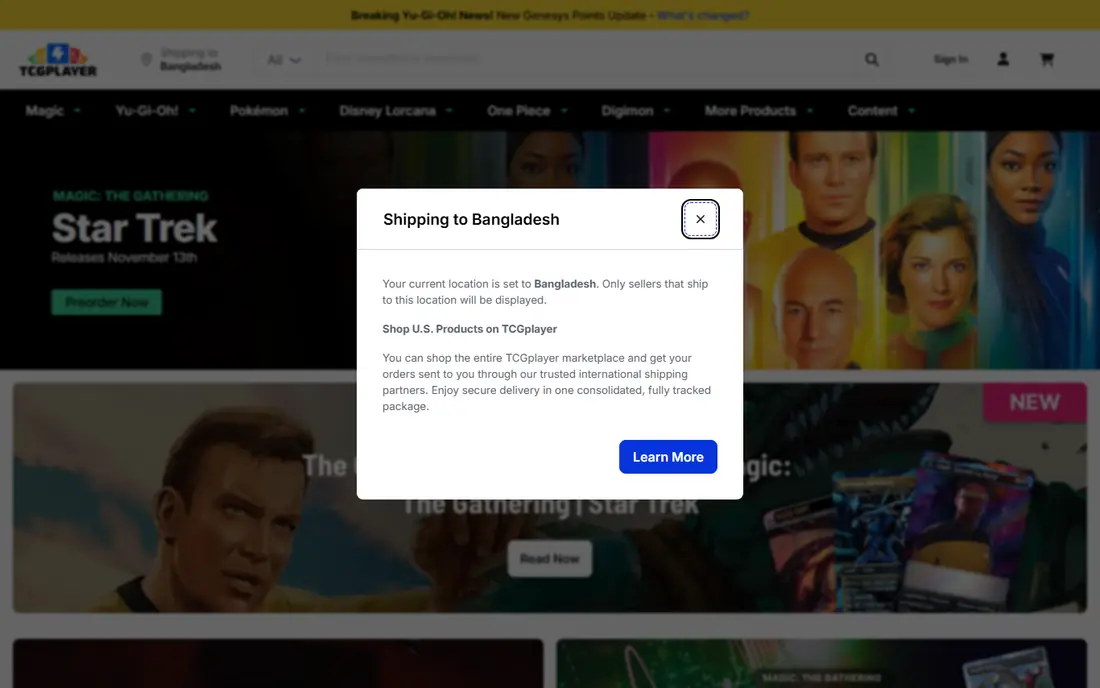
TCGplayer is the default scanner for most Pokemon collectors. The app scans a card, identifies it by name, set, and number, and shows a Market Price based on recent sales on TCGplayer. That direct link to a large marketplace makes the price more useful than a generic estimate.
Batch scanning helps when you work through a stack of commons or a new set. You can scan many cards in a row, add them to a collection, and see a total value. That speed matters for collectors who sort large collections or check trade binders at events.
The limits are graded cards and Japanese cards. TCGplayer does not scan graded slab labels well, and recognition for Japanese cards is weaker than for English cards. For ungraded, modern, English singles, it remains the best all-round scanner in this list.
- Fast camera scanning
- Prices from its own marketplace
- Batch scanning for large stacks
- Graded slab scanning is limited
- Japanese card recognition is weaker
- Prices can differ from eBay
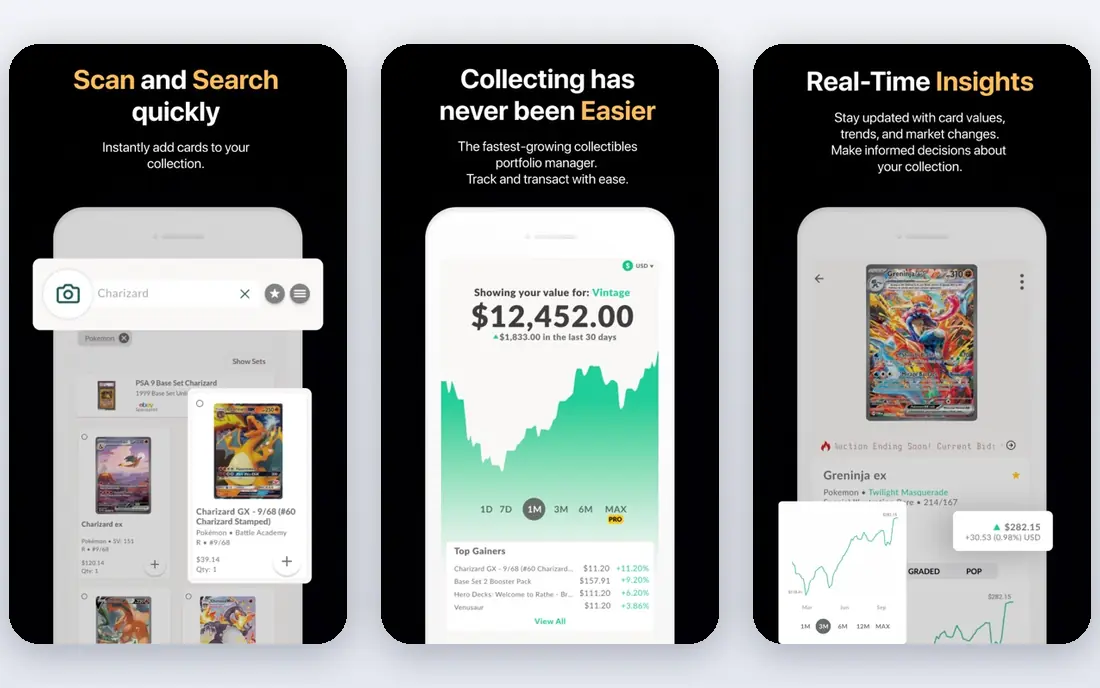
Collectr is a collector app for trading card games, with Pokemon as a major focus. You scan cards, add them to a collection, and watch a portfolio chart that shows total value over time. Prices come from sources such as TCGplayer, eBay, or Cardmarket, depending on the product.
That portfolio view suits collectors who treat cards as a collection to track, not just single cards to price. Raw, graded, and sealed items can be tracked, which helps when a collection mixes binders, slabs, and sealed boxes. The app also covers more than twenty games, so multi-game collectors can use one app.
The free version covers core scanning and tracking, while PRO adds more features for a monthly or yearly fee. Prices refresh every one to two days in many listings, so a very fast-moving card may show a slightly stale price. For portfolio tracking, Collectr is a strong pick.
- Scanner plus portfolio chart
- Covers many games
- Raw, graded, and sealed tracking
- Paid plan needed for full features
- Prices refresh every one to two days
- Interface can feel busy
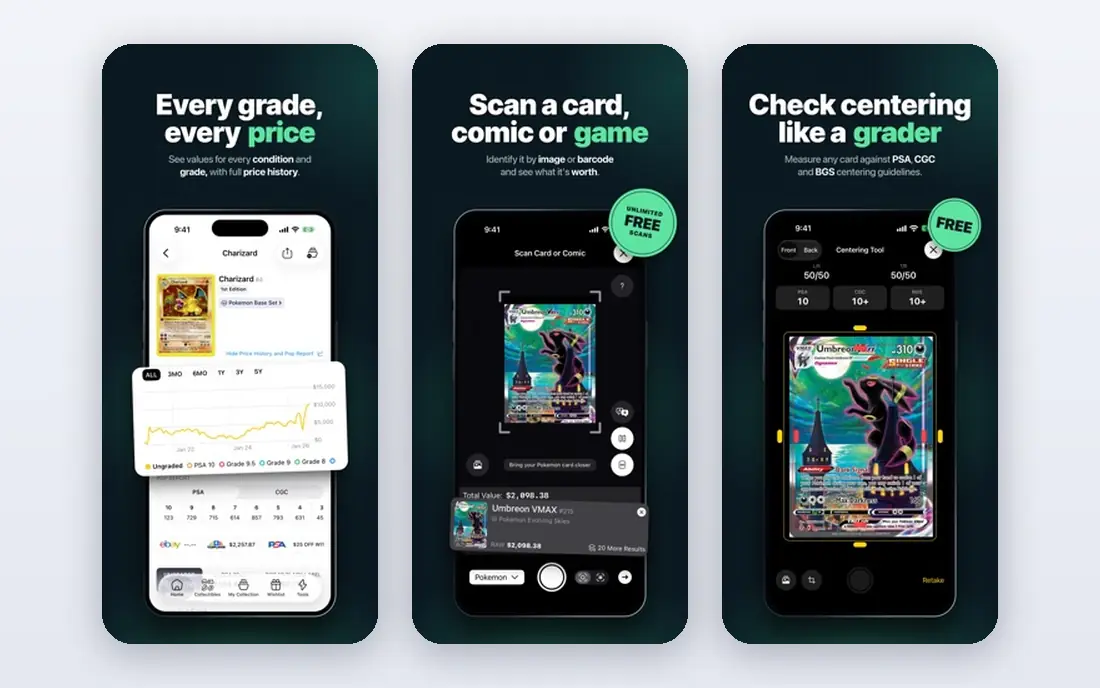
PriceCharting is best known as a price guide, and its app and site give deep price history for Pokemon cards. You can see how a card moved over time, compare grades, and check values for English and Japanese cards. That history helps you tell a brief spike from a real trend.
Graded values are a particular strength. PriceCharting shows prices by grade and by grader, including PSA, BGS, CGC, and others, which matters because the same card at different grades can be worth very different amounts. Sales data comes from eBay and its own marketplace, with TCGplayer sales added in recent listings.
The trade-off is scanning. PriceCharting is more of a research tool than a fast camera scanner, so it suits collectors who want price depth after identification. A paid Collector plan adds app features, while a free account covers core price checks. For graded and vintage cards, it is essential.
- Deep price history
- Graded values by grader
- EBay and marketplace sales data
- More of a price guide than a scanner
- Paid plan for full app features
- Interface is data-heavy
Card Catcher is a Pokemon-only scanner that identifies a card by camera and shows live prices from TCGplayer and Cardmarket. That dual-market view helps because US and European prices often differ, and a card that looks cheap in one market may be dearer in another. Price history charts cover 30, 90, and 365 days.
The scanner reads name, set, and collector number, and it falls back to the number when glare hides artwork on holo cards. That fallback is useful, because holo glare defeats many scanners. Collections total themselves as prices move, so you can see a binder value without manual math.
The limits are platform and maturity. Card Catcher is iPhone-focused in many listings, and it is newer than TCGplayer or Collectr, so its feature set is smaller. For a clean, Pokemon-only scanner with dual prices, it is a strong pick.
- Pokemon-only focus
- Live TCGplayer and Cardmarket prices
- Price history charts
- IPhone only in many listings
- Smaller feature set
- Newer app with less history
Dex is a tidy, free tracker for Pokemon cards, with folders, collection totals, and prices from TCGplayer, Cardmarket, CardTrader, and eBay shown side by side. That side-by-side view helps you compare markets without opening several apps. The design is simple and fast.
The catch is scanning. Dex keeps basic tracking free, but the scanner and CSV export sit on a paid Dex plan in many listings. That means Dex works best if you add cards by search, or if you pay for the scanner and want a clean tracker afterward.
Dex also tracks raw cards only in many listings, with no sealed product tracking and no price history. For a simple, free collection list with multi-market prices, Dex is a good choice. For scanning and history, pair it with TCGplayer or PriceCharting.
- Simple, tidy collection tracking
- Prices from several marketplaces
- Free core use
- Scanner needs a paid plan
- No price history
- Raw cards only in many listings
PokeData is a Pokemon price guide that shows sold listings next to TCGplayer and Cardmarket prices, with PSA and CGC graded prices where available. That sold-listing view helps you see what buyers actually paid, not just what sellers are asking. Six months of price history is free in many listings.
That research focus suits collectors who are about to buy or sell a valuable card. You can check a card, see recent sales, and judge whether a listing price is fair before you commit. The Gold plan adds longer history and population data for graded cards.
The limits are scanning and breadth. PokeData is more of a price guide than a fast scanner, so it works best alongside a scanner app. For price research on a specific card, especially a graded one, PokeData is a useful second source.
- Sold listings next to market prices
- PSA and CGC prices
- Six months of free price history
- Paid plan for full history
- Less of a scanner than TCGplayer
- Interface is price-focused
Misprint stands out for graded cards. Its scanner reads the label on a PSA, CGC, or BGS slab and shows pricing for that card at that grade, which most scanners cannot do. Raw card scanning has also been added, so the same app can handle a loose card and a slab.
Price context is the other strength. A scan shows raw sales, sales at each grade, and price trend over time, rather than a single number. That context helps you understand why a grade apart can change value so much, and why a raw price is not a graded price.
The limits are scale and edge cases. Misprint has a smaller user base than TCGplayer, and error or misprint cards remain hard for any scanner to handle reliably. For graded collectors, Misprint is the best scanner in this list. For general scanning, TCGplayer remains simpler.
- Scans graded slab labels
- Raw card scanning added
- Batch scanning and price context
- Smaller user base than TCGplayer
- Error and misprint cards are hard to scan
- Newer app
Pokellector is a long-running Pokemon collection app focused on sets and checklists. You can browse sets, mark cards you own, and track progress toward completing a set. That checklist view suits collectors who want to see what is missing, not just what a single card is worth.
Prices and collection totals sit alongside the checklist, although price depth is thinner than TCGplayer or PriceCharting. The app is best used as an organizer first, with a price guide added for valuable cards. That split keeps the daily job simple.
The limits are scanning and research depth. Pokellector is less of a camera-first scanner than TCGplayer, and it will not match PriceCharting for graded history. For set completion and simple collection tracking, it is a clean and easy choice.
- Simple set checklists
- Collection tracking
- Broad Pokemon set coverage
- Scanning is less central than TCGplayer
- Price depth is thinner
- Paid features for full use
How we picked these
We compared official app pages, feature pages, and app store listings for apps that are still available in 2026. We favored apps with real camera scanning or strong price data, a clear price source, and collection tools. We did not claim hands-on testing, and we avoided apps with no published price source or no recent updates.
We also kept a mix by use. General scanning, portfolio tracking, price history, graded scanning, and simple value checks are different jobs, so the list covers each. A collector can start with one scanner, then add a price guide for valuable cards.
What to check before you choose
Start with scan quality in your usual light. Scan a mix of commons, holos, and older cards, and check whether the app identifies set, number, and condition correctly. A scanner that works in bright light but fails on holo glare will frustrate you at events.
Next, check the price source and update timing. TCGplayer prices, eBay sold listings, and Cardmarket trends can differ, especially for vintage or graded cards. Use at least two sources for a valuable card, and note whether the price is for raw, graded, or sealed condition.
Finally, test collection tools with a real binder. Add cards, sort by set, and check the total value over a week. A scanner that is fast but hard to organize will slow you down when the collection grows. Choose the app that fits how you actually collect, not just how you scan once.
Sources
Frequently asked questions
How accurate are Pokemon card scanners?
Scanners work well on modern English cards in good light, but holo glare, worn cards, and Japanese cards can cause errors. Always check the set, number, and condition after a scan, especially for a valuable card.
Which app is best for graded Pokemon cards?
Misprint and PriceCharting are best for graded cards, because they show prices by grade and grader. TCGplayer is strong for raw cards, but its graded slab scanning is limited, so cross-check graded values.
Are card prices in these apps real market prices?
Prices come from marketplace sales, listings, or sold data, depending on the app, so they are market-based but not a guarantee. Prices move with demand, set releases, and condition, so check more than one source for a high-value card.
Can I scan Japanese Pokemon cards?
Some apps handle Japanese cards, but recognition is often weaker than for English cards. PriceCharting and Cardmarket offer better Japanese coverage in many cases, so use them alongside a scanner for Japanese cards.
Do these apps work for other trading card games?
Collectr and PriceCharting cover many games, while Card Catcher and Pokellector focus on Pokemon. If you collect several games, choose a multi-game app to keep all collections in one place.