Best Scanning App in 2026: 9 Apps Compared
By ToolNimba Editorial Team November 13, 2026 9 min read

- Top pick
 Adobe Scan
Best free all-round scanner
Starting priceFreeCheck out Adobe ScanRead our review - Runner-up
 Google Drive
Drive users who scan often
Starting priceFreeCheck out Google DriveRead our review - Also great
 CamScanner
Feature-rich scanning
Starting priceFreeCheck out CamScannerRead our review
How we researched this
We compared official pricing and feature pages, app store listings, privacy policies and public user reviews. Prices change, so check the provider's site before you pay.
Key takeaways
- Adobe Scan is the strongest free third-party pick for most people, with clean PDFs, text recognition, and no watermark on the free tier.
- Google Drive scanning covers Android and iPhone users who already store files in Drive, with no separate scan fee.
- Genius Scan suits users who hate subscriptions, with a capable free tier and paid upgrades that avoid a monthly bill.
- SwiftScan and Scanner Pro suit frequent scanners who want fast capture, cloud sync, and polished organization.
- Note that Microsoft Lens was retired in 2026, so do not build a new workflow on it. Use the scan feature inside OneDrive or another app on this list instead.
Quick comparison
| Name | Best for | Starting price | Free plan | |
|---|---|---|---|---|
| Adobe Scan | Best free all-round scanner | Free | Yes | Visit |
| Google Drive | Drive users who scan often | Free | Yes | Visit |
| CamScanner | Feature-rich scanning | Free | Yes | Visit |
 Genius Scan | Low-cost scanning without subscriptions | Free | Yes | Visit |
 SwiftScan | Fast capture and cloud sync | Free | Yes | Visit |
 Scanner Pro | Polished iPhone scanning | Free | Yes | Visit |
 iScanner | Extra features and polish | Free | Yes | Visit |
 TurboScan | Simple, accurate capture | Free | Yes | Visit |
 Dropbox | Scanning into Dropbox folders | Free | Yes | Visit |
The best scanning app
A good scanning app turns a phone camera into a clean, readable PDF. It should find page edges, flatten perspective, improve contrast, and, where offered, recognize text so the PDF is searchable. The apps below cover that job for casual, frequent, and business scanners.
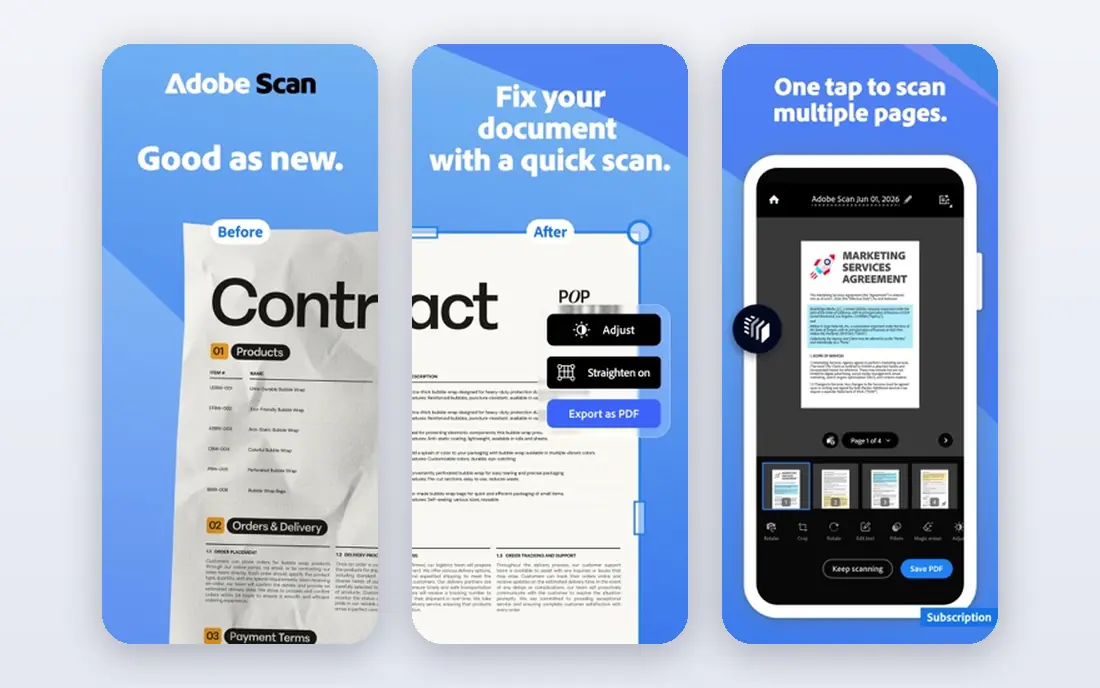
Adobe Scan auto-detects pages, cleans up the image, and runs text recognition so PDFs are searchable. Scans can be stored in Adobe cloud storage, which suits users who already use Adobe products. The free version is generous, with no watermark on basic scans, while the premium tier, listed at $9.99 per month, adds extra storage and advanced features.
The catch is that premium cost. Casual users will rarely need it, since free scanning, text recognition, and PDF export already cover receipts, forms, and documents. For most people who want one free scanner that just works, Adobe Scan is our first pick.
- Strong auto page detection and text recognition
- Clean PDFs with no watermark on free tier
- Adobe cloud storage
- Premium tier costs $9.99 per month
- Advanced edits need the paid tier
Google Drive includes a document scan feature on mobile, so Android and iPhone users can capture pages, crop, and save them as PDFs directly into Drive folders. There is no separate scan fee, though account storage limits apply once the free storage is used. Sharing from Drive is simple, which suits teams and students who already collaborate there.
The limit is depth. Drive scanning lacks some of the batch, fax, and advanced organization tools found in dedicated scanner apps. For everyday capture into Drive, though, it removes the need to install and learn another app.
- Built into an app many users already have
- No separate scan fee
- Easy Drive sharing
- Fewer scanner-specific tools than dedicated apps
- Storage limits apply to the account
CamScanner offers a wide feature set, including batch scanning, multiple export options, annotation, and cloud storage links. It suits users who scan varied documents and want detailed control over output. The app is free to download, with a premium tier listed at $9.99 per month or $69.99 per year in current guides.
The free tier is the catch. It adds watermarks and ads, and text recognition sits behind the premium tier in most listings. Users who need clean, watermark-free scans without paying should favor Adobe Scan or Genius Scan. Users who want the full feature set and accept the subscription will find CamScanner capable.
- Many export and editing options
- Batch scanning
- Wide cloud support
- Free tier adds watermarks and ads
- Premium costs $9.99 per month in current listings
Genius Scan is a quiet workhorse for receipts and documents. It scans quickly, detects edges well, exports clean PDFs, and adds no watermark even on the free tier. Paid tiers, including Genius Scan Plus and Ultra, add text recognition and cloud features, with Ultra listed at $39.99 per year in current guides.
The appeal is pricing shape. Users who dislike monthly subscriptions can pick a paid upgrade that fits their needs without a rolling bill for basic scanning. The interface is plainer than Adobe Scan or Scanner Pro, but for fast, clean capture, that simplicity is a strength.
- Fast scans with good edge detection
- No watermark on free tier
- One-time style paid upgrades
- Text recognition and cloud extras sit behind paid tiers
- Interface is plainer than rivals
SwiftScan, formerly Scanbot, is a polished scanner for travelers and freelancers who scan on the move. It offers quick capture, automatic edge detection, cloud sync to many services, and file naming and organization tools. The app is free to download, with paid Plus tiers listed at $7.99 to $9.99 per month or $59.99 per year in current guides.
The free tier watermarks scans, so users who need clean output must pay. That makes SwiftScan a better fit for frequent scanners who value speed and cloud workflow enough to subscribe, rather than for occasional users who want a free clean scan.
- Quick capture and clean interface
- Wide cloud sync
- Good automatic edge detection
- Free tier watermarks scans
- Full features, including text recognition, need a paid tier
Scanner Pro, from Readdle, is a polished scanner for iPhone and iPad. It offers fast capture, automatic edge detection, workflows for saving and sharing, and on-device text recognition on paid tiers. The app is now free to download, with paid features behind in-app purchases branded as Scanner Pro Plus.
The shift from a one-time purchase to in-app purchases confuses some long-term users, so check the current offer at checkout. For iPhone users who want a refined, all-round scanner with strong on-device processing, Scanner Pro remains a top paid choice.
- Strong iPhone and iPad experience
- On-device text recognition on paid tiers
- Clean workflow
- Free to download, but paid features sit behind in-app purchases
- IOS-focused
iScanner combines document scanning with extra tools, including AI polish for image quality, annotation, and file management. It suits users who scan varied documents, from IDs and receipts to contracts, and who want polish tools without a separate photo editor. The app is free to download, with premium listed at $9.99 per month or $19.99 per year in some guides, so check the current store offer.
The breadth can feel like overlap for users who already have a photo editor or file manager. For a single app that scans and polishes in one place, iScanner is a capable option, especially for users who scan daily.
- Many extra tools beyond scanning
- AI polish features
- Good for varied documents
- Premium costs $9.99 per month in current listings
- Some features overlap with other apps
TurboScan focuses on accurate capture and text recognition without a cluttered interface. It suits users who mainly need clean, searchable PDFs from receipts, notes, and forms, and who do not need a large cloud workflow. The Android edition is free with limits, and iOS Pro is listed at $12.99 one-time in current guides.
The limit is breadth. TurboScan has fewer cloud sync and team features than Adobe Scan, SwiftScan, or Dropbox. For a focused, accurate scanner with a one-time purchase path on iOS, it is a good fit.
- Accurate text recognition
- Simple focused workflow
- One-time Pro option on iOS
- Fewer cloud and organization features than larger rivals
- Pricing varies by platform
Dropbox mobile includes a document scan feature inside the main app, so users who already store files in Dropbox can scan straight into a folder. There is no separate scan fee, though account storage limits apply. Sharing, commenting, and folder permissions then work as they do for any Dropbox file.
Scanner-specific tools are lighter than in Adobe Scan or Genius Scan, so heavy scanners may still want a dedicated app. For a Dropbox household or team that scans into shared folders every week, the built-in scan feature removes a step and keeps files where they belong.
- Scanning inside the main Dropbox app
- Files land directly in folders
- Easy sharing
- No separate scanner price, but account storage limits apply
- Fewer scanner tools than dedicated apps
How we picked these
We compared official app pages, app store listings, and current comparison guides for apps that truly scan documents on phones. We favored apps that are available now, that cover free and paid use, and that serve different needs, from casual receipts to frequent business scanning. We did not claim hands-on testing. Where store prices varied by platform or listing, we used the most commonly listed figure and advised checking the offer at checkout.
How to get a clean scan every time
Use good light and a flat, contrasting surface. Lay the page flat, avoid shadows from your hands or phone, and let the app find the edges before tapping capture. For multi-page documents, scan in order, check each page thumbnail, and retake any blurred page at once, since fixing a bad scan later takes longer than retaking it.
Think about privacy before you scan
Some scanner apps upload every page to their own servers for processing, while others process on device. If you scan IDs, medical forms, or contracts, check the app privacy policy and favor on-device processing or a trusted cloud you already use. Delete sensitive scans from the app trash after export, and avoid free scanner apps with unclear data handling.
Sources
- https://www.adobe.com
- https://drive.google.com
- https://www.camscanner.com
- https://www.geniusscan.com
- https://swiftscan.app
- https://readdle.com/scannerpro
- https://iscannerapp.com
- https://www.piksoft.com
- https://www.dropbox.com
- https://techilu.com/best-scanner-apps-for-iphone-and-android/
- https://mioffice.ai/blog/best-free-scanner-apps-2026-compared
- https://thedolceway.com/blog/document-scanner-apps-free-vs-paid
- http://zapier.com/blog/best-mobile-scanning-ocr-apps/
Frequently asked questions
What is the best free scanning app?
Adobe Scan is the best free third-party pick for most people, with clean PDFs, text recognition, and no watermark on the free tier. Google Drive scanning is the best free built-in option for Drive users, and Genius Scan offers a strong free tier without watermarks for receipt and document capture.
What happened to Microsoft Lens?
Microsoft retired Microsoft Lens in 2026. The app was removed from app stores in February 2026 and stopped creating new scans in March 2026. Microsoft points users to the scan feature inside OneDrive instead. Do not build a new workflow on Lens.
Do scanning apps recognize text?
Many do, but the details vary. Adobe Scan includes text recognition on its free tier, while SwiftScan, Genius Scan, and CamScanner place full text recognition behind paid tiers in current listings. Check whether text is searchable in the exported PDF, not just visible in the app preview.
Can I scan without installing a new app?
Yes, in many cases. Google Drive includes scanning on mobile, Dropbox includes scanning in its main app, and Apple Notes on iPhone and iPad includes a document scanner with on-device text features. A dedicated app is worth installing only when you need batch work, cloud sync, or advanced text tools.
Which scanning app is best for receipts?
Genius Scan and Adobe Scan both suit receipts, thanks to fast capture and clean PDFs. Genius Scan suits users who want a low-cost path without a monthly bill, while Adobe Scan suits users who want free text recognition and Adobe cloud storage. For expense tracking, export scans into your accounting app promptly.