Best Small Business Accounting Software in 2026: 9 Tools Compared
By ToolNimba Editorial Team October 28, 2026 10 min read

- Top pick
 QuickBooks Online
Most small businesses
Starting price$38 per monthCheck out QuickBooks OnlineRead our review - Runner-up
 Xero
Teams with many users
Starting price$27 per monthCheck out XeroRead our review - Also great
 FreshBooks
Service businesses and freelancers
Starting price$23 per monthCheck out FreshBooksRead our review
How we researched this
We compared official pricing and feature pages, app store listings, privacy policies and public user reviews. Prices change, so check the provider's site before you pay.
Key takeaways
- QuickBooks Online is our pick for most small businesses because accountants know it well and its higher plans add inventory and project tracking.
- Wave and Zoho Books are the strongest free starting points, but Wave limits automatic bank imports to its paid plan and Zoho Books limits its free plan to lower revenue.
- Xero suits teams that need unlimited users, while FreshBooks suits service businesses that bill by time or by project.
- Bench is a service, not just software, so it costs far more but removes the monthly bookkeeping work itself.
- Check the renewal price, not just the first-month offer, because several vendors discount the opening months and then charge the full list price.
Quick comparison
| Name | Best for | Starting price | Free plan | |
|---|---|---|---|---|
| QuickBooks Online | Most small businesses | $38 per month | Free trial | Visit |
| Xero | Teams with many users | $27 per month | Free trial | Visit |
| FreshBooks | Service businesses and freelancers | $23 per month | Free trial | Visit |
 Wave | Free invoicing and basic books | Free | Yes | Visit |
 Zoho Books | Low-cost full accounting | Free | Yes | Visit |
 Sage 50 Accounting | Product and job-costing businesses | See website | See website | Visit |
 FreeAgent | Simple books for freelancers | $27 per month | Free trial | Visit |
 Bench | Owners who want bookkeeping done for them | $199 per month | No | Visit |
 Kashoo | Simple books with one clear price | $30 per month | Free trial | Visit |
The best small business accounting software
We compared official feature pages, pricing pages, app store listings, and public reviews for these tools. This list covers full ledgers, invoicing-first tools, and one done-for-you service, so you can match the tool to how your business actually bills and buys.
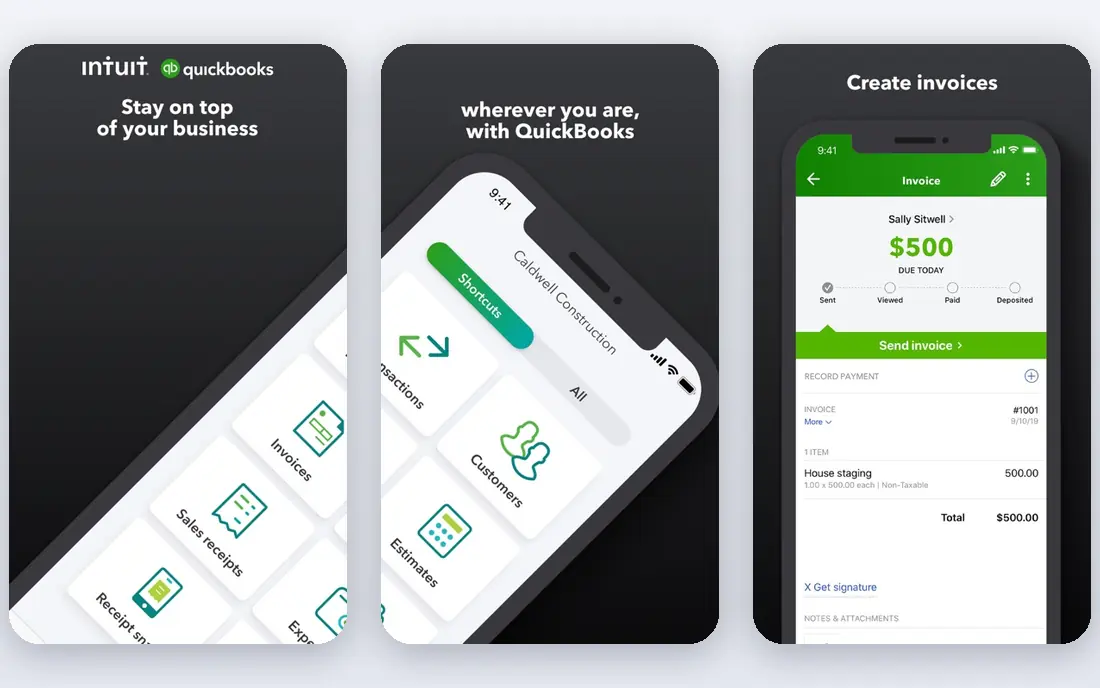
QuickBooks Online is the safe default for a business that wants full accounting and expects to work with an outside accountant. Its Simple Start plan covers invoicing, expense tracking, and core reports for one user, while Essentials adds bill management and more users. Plus adds inventory, project profitability, and budgeting, which is where many growing businesses land.
The catch is cost control. User limits push you up a plan as the team grows, and payroll is billed separately. Introductory discounts also end, so budget on the $38 starting list price and the higher prices for Essentials, Plus, and Advanced, not on a first-month offer.
- Widely used by accountants
- Strong inventory and project tools on higher plans
- Large app marketplace
- Prices rise sharply between plans
- Payroll and payments cost extra
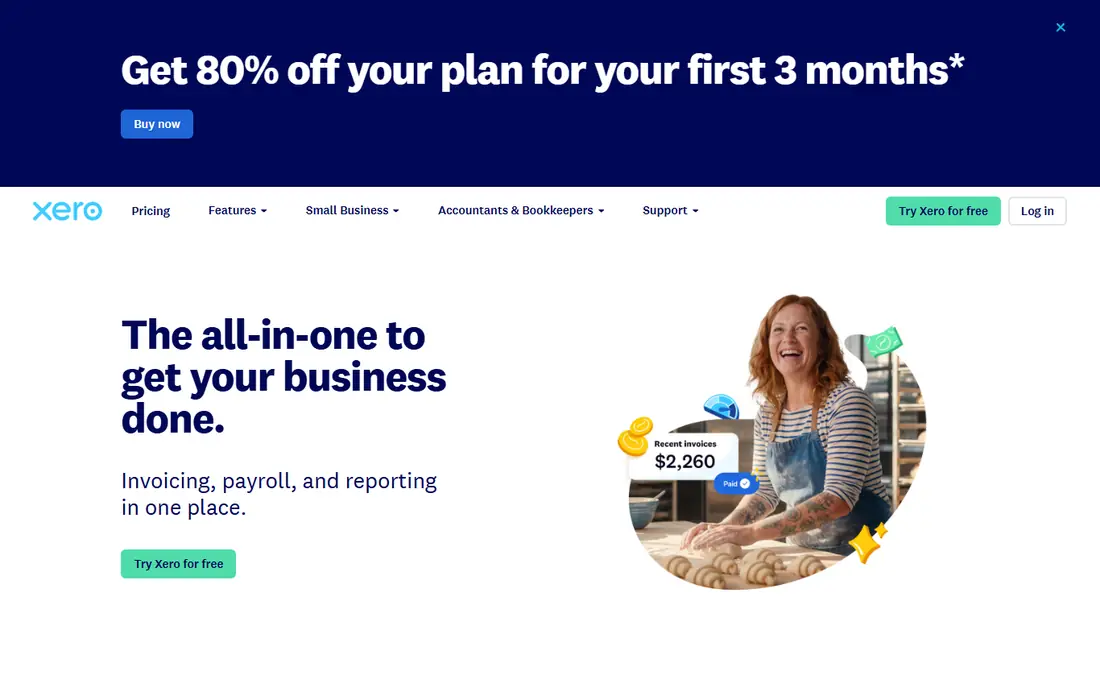
Xero stands out because it does not charge per user, which helps a business with several staff members or collaborators in the same file. Its bank reconciliation is one of the clearest in this group, and its Growing plan removes the invoice and bill caps found on Early. Established adds multi-currency support, projects, and expense claims for businesses with wider needs.
The entry plan needs care. Early allows 20 invoices and 5 bills per month, which a busy month can exceed quickly. If you expect steady volume, start with Growing rather than trying to stretch Early and then moving mid-quarter.
- Unlimited users on every plan
- Strong bank reconciliation
- Clean invoicing and reporting
- Entry plan caps invoices and bills
- US payroll usually needs an integration
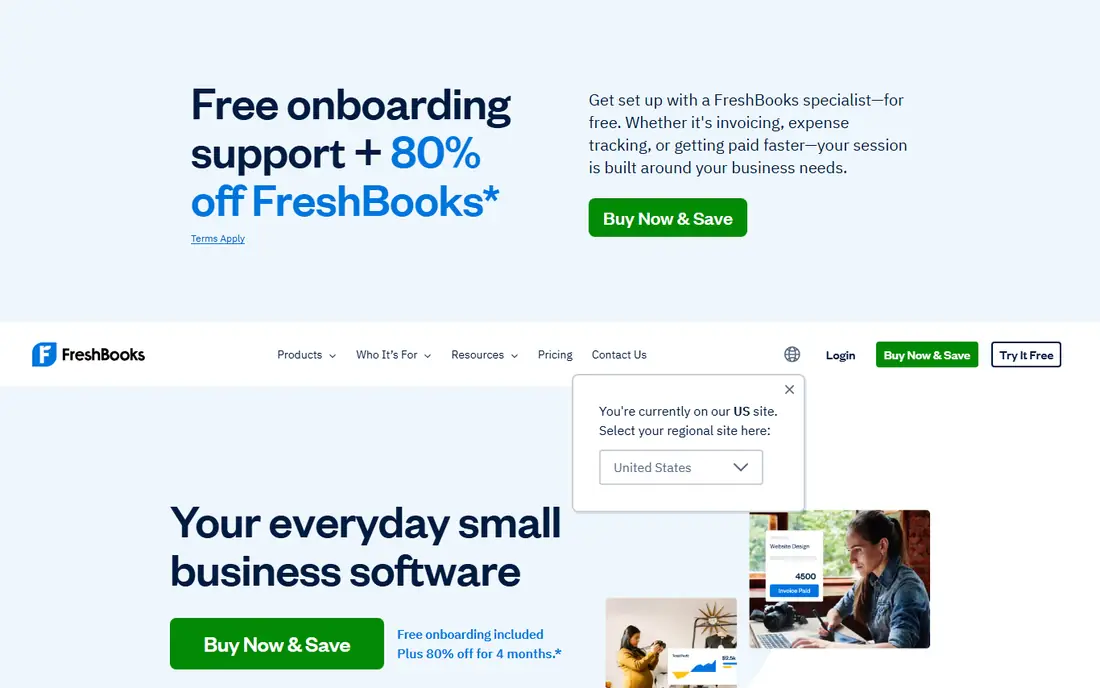
FreshBooks is built around getting paid for services, and that focus shows in its invoicing, time tracking, and project tools. Tracked hours can flow onto an invoice without retyping, and clients can pay by card or bank transfer through the portal. Plus is the realistic starting point for most active freelancers because it adds double-entry reports, bank reconciliation, and accountant access.
Lite looks cheap until the client limit matters. It allows up to 5 billable clients, while Plus allows up to 50 and Premium removes the cap. Count your active clients before you pick a plan, and add the per-member fee if anyone else needs access.
- Excellent invoicing and time tracking
- Client portal and late payment reminders
- Easy to learn
- Client caps on lower plans
- Extra team members cost extra
- No permanent free plan
Wave is the best free option for a solo owner or micro-business with simple, service-based books. The free Starter plan includes unlimited estimates, invoices, bills, and bookkeeping records, which is more than most free tiers offer. You pay only when you accept card payments or add payroll and other paid extras.
The trade-off is manual work on the free plan. Automatic bank imports, receipt scanning, and multi-user access sit on the $19 per month Pro plan in the sources we checked. If your bank account has many transactions each month, that upgrade can pay for itself in time saved.
- Free unlimited invoicing and double-entry books
- Simple setup
- Paid Pro adds automation
- No inventory or time tracking
- Automatic bank imports need Pro
- Free-tier support is limited
Zoho Books gives a small business real double-entry accounting at no cost while annual revenue stays under $50,000, with limits on invoices and users. Standard starts at $20 per month and adds bank feeds and more users, while Professional adds inventory and multi-currency support at $50 per month. That ladder is gentler than QuickBooks for a business that wants to grow in small steps.
The free plan is not a trial, but it is not open-ended for every business either. Once revenue passes the threshold, or you need payroll, you will need a paid plan or a separate Zoho payroll product. Check the revenue rule before you build a full workflow around the free tier.
- Genuine free plan for lower revenue
- Low paid prices
- Wide Zoho app integrations
- Free plan has a revenue limit
- Payroll is a separate Zoho product
- Feature depth grows slowly on low plans
Sage 50 Accounting is a better fit for businesses that track stock, jobs, and purchase orders in detail than for a solo freelancer sending a few invoices. Pro covers invoicing, inventory, and automated bank reconciliation, while Premium and Quantum add job costing, multi-company handling, and more users. That depth suits construction, manufacturing, and wholesale work.
Pricing is the part to confirm in writing before you buy. Published starting prices vary by user count, deployment, and billing term, and payroll is priced separately. Get a quote for your exact user count and check the renewal terms, since this is a subscription product.
- Strong inventory and job costing
- Desktop depth for product businesses
- Multi-user options on higher plans
- Pricing varies by users and terms
- Payroll is separate
- Can feel dated next to cloud-first tools
FreeAgent keeps the interface simple, which helps owners who do not want to learn accounting terms to send an invoice or record an expense. It covers banking, invoicing, expense tracking, and tax timelines in one account, with a 30-day trial. That simplicity is its main selling point for freelancers and very small teams.
The limit is scale. Businesses that need deep inventory, complex payroll, or a large US accountant network may find QuickBooks or Xero a better long-term home. FreeAgent works best when simple, clear books matter more than advanced features.
- Very friendly for non-accountants
- Invoicing, expenses, and bank feeds in one place
- Project tracking
- Smaller US presence than QuickBooks or Xero
- Fewer deep inventory tools
- Single flat plan structure
Bench is not comparable to the software tools above, because you buy a service. A bookkeeper reconciles your accounts each month and prepares financial statements, and higher plans add tax filing. Bookkeeping Light starts at $199 per month for businesses with revenue of $250,000 or less, with higher plans at $399 and $649 per month in the sources we checked.
That price makes sense only if bookkeeping takes real time away from running the business or causes year-end stress. If you enjoy doing the books, or your transactions are few, software at a fraction of the price will serve you better. Keep copies of your bank statements and year-end reports in your own files, whatever provider you use.
- A human bookkeeper handles monthly books
- Tax-ready financial statements
- Catch-up help available
- Far more expensive than software alone
- You do not run the software yourself
- Invoicing and payroll are not the focus
Kashoo appeals to owners who dislike tier charts. One $30 per month plan includes unlimited users, unlimited invoices, expense and bill tracking, project tracking, and multi-currency support. Bank feeds run through Plaid, and statement uploads provide a fallback for banks that are not covered.
The main gap is payroll for US employers, which is not part of the core plan, and the integration list is shorter than QuickBooks or Xero. If your books are simple and you want one price without deciding between five plans, Kashoo is easy to evaluate in its 14-day trial.
- One plan with unlimited users
- Invoicing, expenses, and multi-currency included
- Straightforward pricing
- No US payroll in the core plan
- Smaller integration list
- Less suited to complex inventory
How we picked these
We compared official feature pages, pricing pages, app store listings, privacy and support pages, and public reviews for tools that are live and aimed at small businesses. We kept only products that offer real accounting or bookkeeping for US small businesses, and we listed prices from vendor pages or recent vendor-based reporting. Where a price varies by users or terms, we wrote See website rather than guessing. This is not financial advice, and tax or payroll rules for your state and business type still matter.
What to check before you pay
Start with how you bill. A service business that bills time needs time tracking and client limits that fit, while a product business needs inventory, purchase orders, and cost tracking. A freelancer with five clients can use a cheaper plan than an agency with fifty, so count clients, users, and monthly transactions before you compare prices.
Next, test the bank feed and the reports you will actually use. Connect your main bank account during the trial, reconcile one month, and run a profit and loss report and a tax summary. If the feed fails for your bank, or the report hides the detail your accountant needs, that matters more than a pretty dashboard.
Finally, check exit costs. Export a report, an invoice list, and your chart of accounts during the trial, and confirm you can keep your data if you cancel. A tool that locks your history behind an active subscription is a risk, even if the monthly price looks low.
Sources
- https://quickbooks.intuit.com
- https://www.xero.com
- https://www.freshbooks.com/2026-faq-price-change
- https://www.waveapps.com
- https://www.zoho.com/books
- https://www.sage.com
- https://www.freeagent.com
- https://www.bench.co
- https://www.kashoo.com
- https://cpaadvisor.us/articles/kashoo-review/
- https://cpaadvisor.us/articles/zoho-books-review/
- https://cpaadvisor.us/articles/waveapps-review/