Best Software Development Tools in 2026: 9 Tools Compared
By ToolNimba Editorial Team October 28, 2026 12 min read

- Top pick
 Visual Studio Code
Everyday coding in any language
Starting priceFreeCheck out Visual Studio CodeRead our review - Runner-up
 GitHub
Code hosting and collaboration
Starting priceFreeCheck out GitHubRead our review - Also great
 IntelliJ IDEA Ultimate
Java and Kotlin development
Starting price$49.90 per monthCheck out IntelliJ IDEA UltimateRead our review
How we researched this
We compared official pricing and feature pages, app store listings, privacy policies and public user reviews. Prices change, so check the provider's site before you pay.
Key takeaways
- Visual Studio Code, GitHub, Docker, Postman, Android Studio, and Xcode all offer free starting points, so a solo developer can build a full workflow at no cost.
- GitHub is the hub of this list, because version control, pull requests, actions, and code review connect the other tools together.
- IntelliJ IDEA Ultimate suits Java and Kotlin teams that need deep framework support, while Cursor suits developers who want AI help inside the editor.
- GitLab suits teams that want source control, CI, and security scanning in one platform rather than stitching several services together.
- App development needs a device plan too, since Android Studio covers Android and Xcode is required for native iOS and macOS apps.
Quick comparison
| Name | Best for | Starting price | Free plan | |
|---|---|---|---|---|
| Visual Studio Code | Everyday coding in any language | Free | Yes | Visit |
| GitHub | Code hosting and collaboration | Free | Yes | Visit |
| IntelliJ IDEA Ultimate | Java and Kotlin development | $49.90 per month | Free trial | Visit |
 Docker | Containers and consistent environments | Free | Yes | Visit |
 Postman | API design and testing | Free | Yes | Visit |
 Android Studio | Android app development | Free | Yes | Visit |
 Xcode | iOS and macOS app development | Free | Yes | Visit |
 GitLab | All-in-one DevOps platform | Free | Yes | Visit |
 Cursor | AI-assisted coding | See website | Yes | Visit |
The best software development tools
Software development is rarely one tool. A typical project needs an editor, version control, a way to test APIs, a way to package the app, and a platform for builds and review. The tools below cover that chain, from writing code to shipping a mobile app, and they all remain actively available in October 2026. We compared official feature pages, pricing pages, documentation, and public reviews, and we focused on what each tool does well, what it costs, and where it falls short.
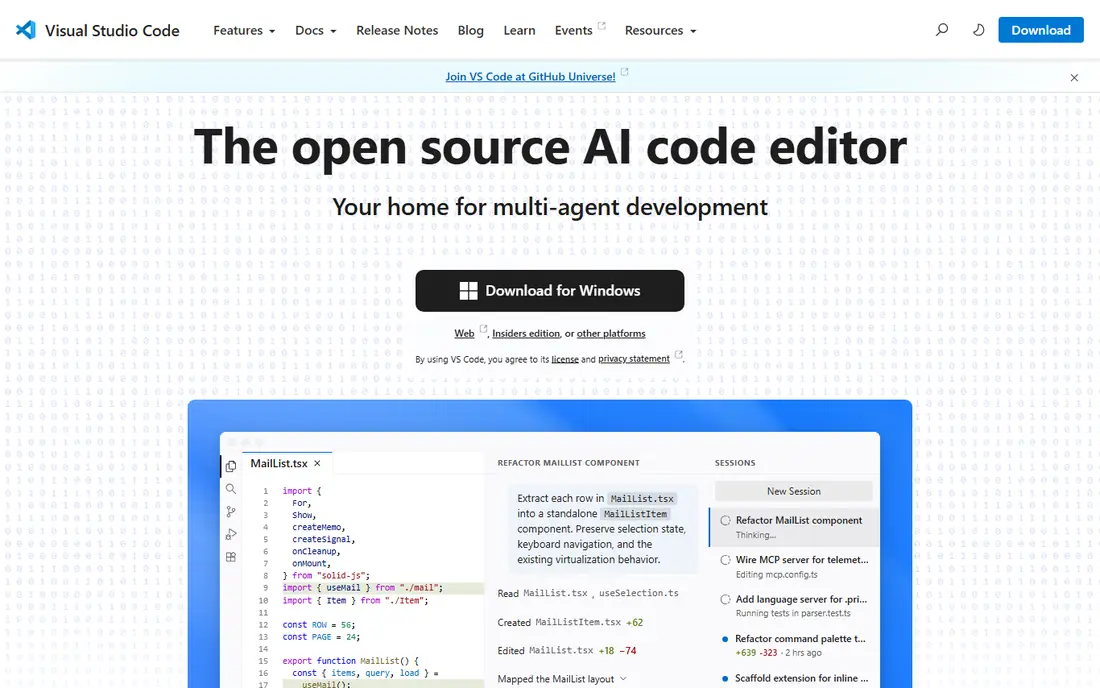
Visual Studio Code, often called VS Code, is the default editor for many developers because it is free, fast to start, and flexible enough for web, Python, Java, Go, and many other languages. It includes Git integration, debugging, a terminal, and settings sync, and its extension marketplace adds language support, linters, formatters, and AI assistants. That mix makes it a good first editor and a lasting one.
The trade-off is setup time. VS Code is a general editor, not a full IDE for every language out of the box, so you will install extensions for the stack you use and tune settings for larger projects. If you want deep, built-in framework support for Java or .NET with less setup, a dedicated IDE such as IntelliJ IDEA or Visual Studio may suit you better.
- Free and open source editor
- Huge extension library
- Built-in Git, debugging, and terminal
- Needs extensions for many languages and frameworks
- Heavy extension setups can slow older machines
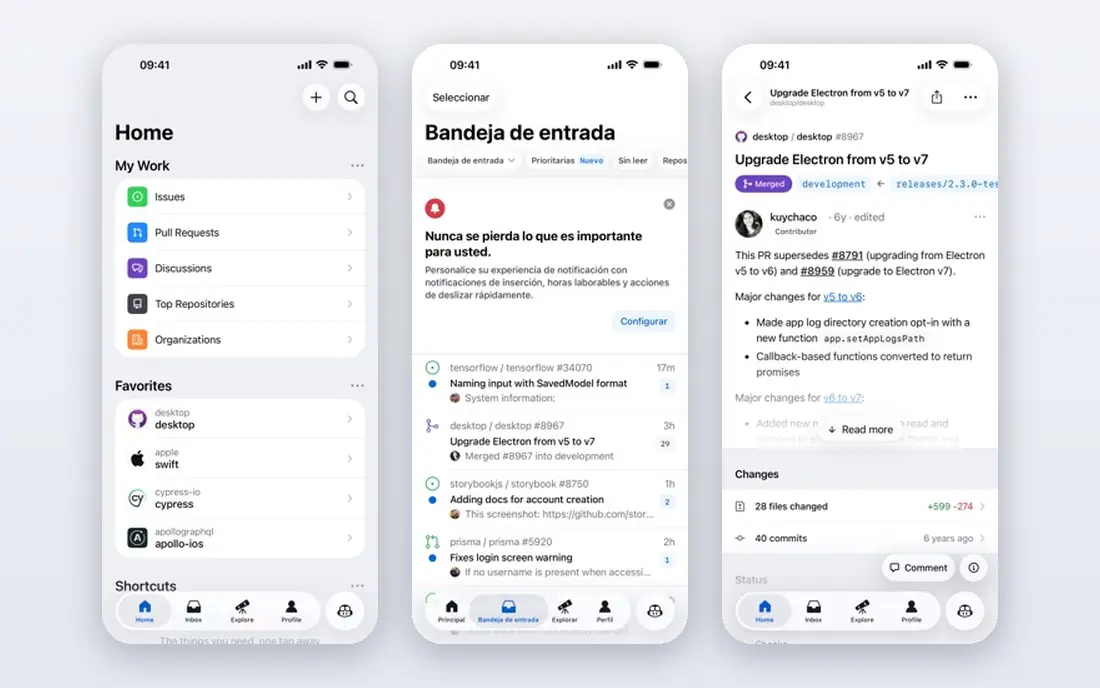
GitHub is where most of the other tools in this list meet. It hosts code, tracks issues, reviews pull requests, and runs automation with Actions, and it integrates with VS Code, JetBrains IDEs, Docker, and CI services. A free account covers unlimited public and private repositories, which is enough for personal projects, open source work, and small teams.
GitHub is not a full replacement for a dedicated DevOps platform if you need built-in deployment and security scanning in one place, and that is where GitLab can be a better fit. For most teams, though, GitHub is the safe center of a development workflow, because hiring managers and other tools all expect it.
- Unlimited public and private repositories on free accounts
- Pull requests and code review
- Actions for automation
- Advanced security and enterprise controls sit on paid plans
- Large monorepos need careful setup

IntelliJ IDEA Ultimate is the pick for a Java or Kotlin developer who spends most of the day in that ecosystem. It understands Spring, Jakarta EE, JPA, and common microservice frameworks, offers project-wide refactoring, and includes database tools, an HTTP client, and a profiler. That depth saves time on large codebases, where renaming, navigation, and framework-aware completion matter every day.
The Community edition is free but lacks many Ultimate features, including full framework and database support, so check which edition your work needs. Ultimate pricing is listed at $49.90 per user per month, or $499 for the first year, with lower renewal prices in later years, and JetBrains offers a free trial.
- Deep Java, Kotlin, Spring, and framework support
- Strong refactoring and debugging
- Database and profiler tools included
- Paid Ultimate edition is costly for solo developers
- Heavier than VS Code on modest hardware
Docker solves a common team problem, where code works on one machine and fails on another. It packages an app with its dependencies into a container, so the same image runs on a laptop, a test server, and production, with fewer surprises from version differences. Docker Desktop gives developers a local way to build and run containers, and Docker Hub hosts ready images for databases, languages, and tools.
The free Personal plan suits individuals, small teams, and open source work, while larger companies need to check Docker Desktop subscription terms for their size and use. For a team app, a microservice, or a project with a complex setup, Docker is one of the highest-value tools on this list.
- Same environment on every machine
- Docker Desktop for local work
- Huge image library on Docker Hub
- Desktop subscription terms apply to larger companies
- Container debugging still needs learning
Postman is the standard tool for working with APIs, whether you are building a mobile app backend, a web service, or a third-party integration. You can send requests, save them in collections, write tests, share examples with a team, and generate documentation from the same workspace. That shared collection becomes a living contract between frontend and backend developers, which reduces back-and-forth over endpoints and payloads.
The free plan covers personal use and small teams well, with limits that grow on paid plans. Postman is not a full backend framework or a monitoring platform on its own, but for API design, testing, and collaboration it is hard to replace.
- Fast API requests, collections, and tests
- Shared workspaces for teams
- Mock servers and documentation tools
- Advanced team, governance, and usage limits sit on paid plans
- Large collections need organisation
Android Studio is the official IDE for Android app development, built on IntelliJ IDEA, and it is free. It includes an emulator, layout tools, profiling, and support for Kotlin and Jetpack Compose, which is now the standard way to build modern Android interfaces. If you are building an Android app, this is the tool Google supports first, with templates, documentation, and updates that match each Android release.
The main limit is hardware. The emulator and Gradle builds run best on a machine with plenty of memory, and a low-spec laptop can feel slow. For a native Android app, though, there is no better starting point, and the price is right.
- Official Android IDE from Google
- Emulator and device testing built in
- Kotlin and Jetpack Compose support
- Needs a capable machine for smooth emulator use
- Mainly for Android, not for iOS
Xcode is required in practice for native iOS and macOS development, and it is free on the Mac App Store. It includes Swift and SwiftUI support, interface builders, simulators for iPhone, iPad, Mac, Watch, and TV, and tools for testing, profiling, and submitting apps to the App Store. If your product needs a native Apple app, Xcode is not optional, it is the workflow.
The limits are platform and distribution. Xcode runs only on macOS, so a Windows or Linux developer needs a Mac or a cloud Mac service for iOS work. For a cross-platform app, a framework such as Flutter or React Native can reduce duplicate work, but native Apple features still lead back to Xcode.
- Official Apple IDE for iOS, macOS, watchOS, and tvOS
- Swift and SwiftUI support
- Simulators and App Store tools built in
- Mac only
- App Store distribution needs a paid Apple Developer Program membership
GitLab suits a team that wants fewer separate services. It combines Git repositories, merge requests, CI pipelines, container registry, security scanning, and issue tracking in one platform, with a self-hosted option for teams that need to run it on their own infrastructure. That single-platform approach simplifies access control, audit trails, and onboarding, because a new team member learns one system instead of five.
The free tier covers many small teams, but larger organisations often need Premium or Ultimate for advanced planning, compliance, and security controls, and those prices are per user per month. Choose GitLab when you want an integrated DevOps pipeline, and GitHub when community and ecosystem reach matter most.
- Source control, CI, security scanning, and issue tracking in one place
- Self-hosting option
- Generous free tier
- Interface can feel dense
- Some advanced features sit on Premium and Ultimate plans
Cursor is a VS Code-based editor built around AI assistance, with Tab completion, chat, and an agent mode that can make multi-file changes, run terminal commands, and review pull requests. Because it imports VS Code extensions, themes, and settings, switching is easier than learning a wholly new editor. For a developer who already uses AI tools daily, that integrated agent workflow can save time on refactoring, boilerplate, and debugging.
Pricing is the reason to check the current page before you commit. Cursor has repriced its tiers during 2026, and the entry paid tier, usage limits, and model options differ from earlier $20 per month listings. The free Hobby tier is useful for trying the agent on small tasks, but heavy use needs a paid plan, and third-party model costs may apply on some tiers.
- AI agent and multi-file editing built into the editor
- Model choice on paid plans
- Imports VS Code setup and extensions
- Pricing and plan tiers have changed in 2026, so check the current page
- Full value depends on paid usage limits
How we picked these
We compared official feature pages, pricing pages, documentation, and public reviews for tools that are actively available in October 2026. We looked for tools that cover a distinct stage of building software, from editing and version control to API testing, containers, and mobile app development, and we checked free plans, paid starting prices, and platform limits. We did not claim hands-on testing for every tool, and we left out tools that were discontinued, invite-only, or too narrow to serve a broad development workflow.
How to build a starter stack
A solo developer can start with VS Code, GitHub, and Postman at no cost, then add Docker when the project needs a consistent environment or a database. A mobile developer should add Android Studio for Android, Xcode for Apple platforms, or both, plus a cross-platform framework if one codebase must serve both stores. A team should decide early between GitHub and GitLab as its home for code and pipelines, because moving repositories, issues, and CI later takes real effort.
Check three practical limits before you standardise on a tool. First, confirm platform support, since Xcode needs a Mac and some IDE features vary by operating system. Second, confirm free plan limits for private repositories, CI minutes, team seats, and API usage, because a free tier that fits a solo project may not fit a team. Third, confirm licence terms for commercial use, especially for Docker Desktop in a larger company and for AI coding tools that process private code. Start free, prove the workflow on a real project, and pay only for the tier that removes a limit you actually hit.
Picking an AI coding tool
AI help is now a normal part of development, but it is not a substitute for review. Use an AI assistant for boilerplate, tests, and refactoring, then read the diff, run the tests, and check security-sensitive code yourself. If your company has rules about private code leaving your network, check the AI tool privacy policy, data retention terms, and enterprise controls before you enable it on a work repository. Cursor suits developers who want an AI-first editor, while GitHub Copilot suits developers who want AI inside an editor they already use.