Best Software for Writers in 2026: 9 Apps Compared
By ToolNimba Editorial Team October 28, 2026 11 min read

- Top pick
 Scrivener
Long novels and research-heavy books
Starting price$59.99 one-timeCheck out ScrivenerRead our review - Runner-up
 Google Docs
Free collaboration and simple drafting
Starting priceFreeCheck out Google DocsRead our review - Also great
 Microsoft Word
Editors and tracked changes
Starting price$99.99 per yearCheck out Microsoft WordRead our review
How we researched this
We compared official pricing and feature pages, app store listings, privacy policies and public user reviews. Prices change, so check the provider's site before you pay.
Key takeaways
- Scrivener still gives the best value for long manuscripts, with a one-time desktop price and a trial counted by days of use.
- Google Docs and Microsoft Word remain the safest picks when sharing drafts and tracked changes with editors matters most.
- Grammarly and ProWritingAid solve different editing jobs, so many writers pair one of them with a drafting app rather than replacing it.
- Atticus and Reedsy Studio close the gap between a finished draft and a publish-ready ebook or print file.
- A free or low-cost start is realistic, but the best fit depends on manuscript length, devices, and how much structure you want.
Quick comparison
| Name | Best for | Starting price | Free plan | |
|---|---|---|---|---|
| Scrivener | Long novels and research-heavy books | $59.99 one-time | Free trial (30 days of use) | Visit |
| Google Docs | Free collaboration and simple drafting | Free | Yes | Visit |
| Microsoft Word | Editors and tracked changes | $99.99 per year | Free trial | Visit |
 Ulysses | Clean drafting on Apple devices | $5.99 per month | Free trial | Visit |
 Grammarly | Everyday grammar and tone checks | Free | Yes | Visit |
 ProWritingAid | Deep manuscript style reports | $10 per month | Yes | Visit |
 Hemingway Editor | Shorter, clearer sentences | Free | Yes | Visit |
 Atticus | Writing plus book formatting | $147 one-time | No | Visit |
 Reedsy Studio | Free book drafting and formatting | Free | Yes | Visit |
The best software for writers apps
Writers do not need one perfect app. They need a drafting space that stays out of the way, an editing pass that catches real problems, and a clean export when the work is done. The nine apps below cover those jobs in different ways, and our notes flag where each one helps and where it falls short.
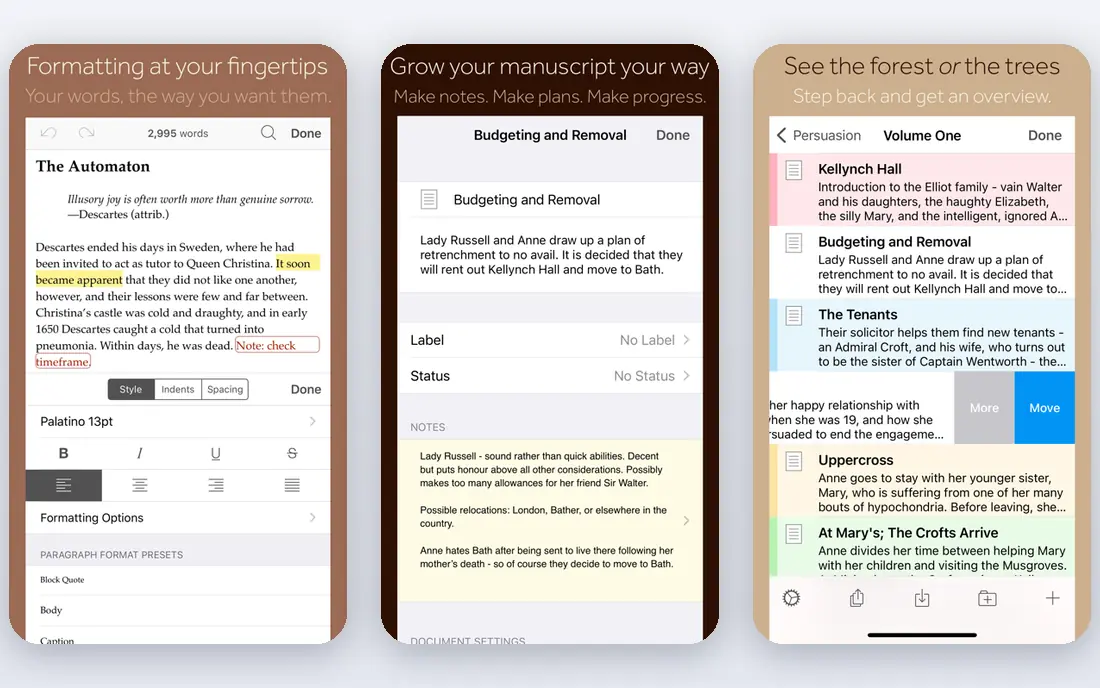
For a long book, Scrivener earns its place by keeping the whole project in one view. You can break a manuscript into scenes, move them on a corkboard, and keep character notes, images, and web pages beside the draft. That structure helps when a plot thread spans hundreds of pages and a simple document starts to feel cramped.
The catch is the setup time. Compile, the export system, offers a lot of control, and that control can slow a first project. Writers who work on short pieces or who want instant collaboration may find it heavier than they need. For a novel, a thesis, or a nonfiction book with heavy research, the one-time price and offline drafting still make it a strong first pick.
- Binder and corkboard for scenes and chapters
- Research files live inside the project
- Detailed compile to Word, EPUB, and PDF
- Learning curve is steep at first
- No Android app
- Sync needs Dropbox or a similar setup

Google Docs wins on access. Anyone with a link can comment, suggest edits, and see changes without buying software or learning a new system. For essays, articles, short stories, and shared drafts, that ease of use is hard to beat, and the built-in version history gives a useful safety net.
Long manuscripts expose its limits. There is no binder, corkboard, or scene-level view, so a 90,000-word draft becomes one long scroll. Writers who need that structure often draft chapters in Docs and move to a dedicated book app later. As a free starting point and a collaboration tool, it remains hard to fault.
- Free with a Google account
- Real-time comments and suggestions
- Works in a browser on almost any device
- Limited tools for long-book structure
- Offline use needs setup
- Formatting for print books is basic
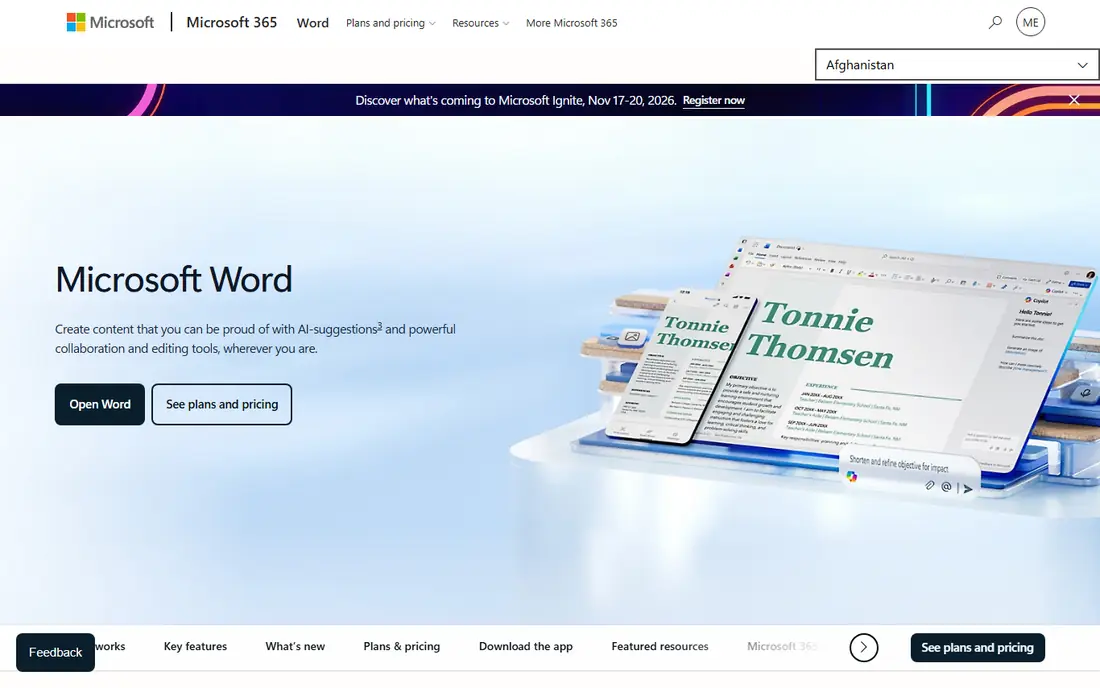
Word is the default because editors, publishers, and clients already use it. Tracked changes, comments, and styles work in a way most professionals expect, and a .docx file rarely causes a compatibility problem. The web version is free, while the desktop apps come with a Microsoft 365 Personal plan, which also includes the rest of the Microsoft 365 apps.
Word is less helpful as a planning tool. It does not offer scene cards, plot grids, or a research binder, so novelists often pair it with another app. If your main job is to send clean drafts to an editor, take feedback, and return a revised file, Word is still the most practical choice on this list.
- Industry standard for manuscripts and tracked changes
- Strong formatting controls
- Desktop, web, and mobile apps
- Annual cost adds up
- Long documents can feel slow
- Book-specific planning tools are limited
Ulysses suits writers who want a calm page and reliable sync across Apple devices. Sheets replace folders of separate files, keywords and groups help you find material fast, and the editor stays quiet while you write. For bloggers, essayists, and authors who draft on a Mac and revise on an iPad, that flow feels natural.
The limits are clear. There is no Windows or Android version, and the subscription model costs more over several years than a one-time purchase. Writers who need a deep research binder or screenwriting tools will find Scrivener stronger. For focused daily writing inside the Apple system, Ulysses is a polished pick.
- Minimal, focused writing view
- Sync across Mac, iPad, and iPhone
- Markdown-based export to Word, PDF, and EPUB
- Apple devices only
- Subscription only
- Fewer research tools than Scrivener
Grammarly is best viewed as a safety net, not a replacement for editing. It catches spelling, punctuation, and awkward phrasing as you type, and it works in more places than most writing tools. The free plan is useful for short work, while Pro, at $12 per month billed annually, adds full-sentence rewrites, tone detection, and a plagiarism checker.
It will not tell you whether a chapter drags or a character arc works. That kind of feedback still needs a human editor or a manuscript tool like ProWritingAid. For daily writing, emails, and articles, Grammarly saves time and reduces small errors before anyone else sees the draft.
- Works in browsers, Docs, Word, and email
- Free plan covers basic grammar
- Pro adds clarity, tone, and plagiarism checks
- Pro is $12 per month billed annually
- Suggestions can miss context
- No long-form manuscript reports
ProWritingAid looks at a whole document, not just one sentence at a time. Its reports flag repeated words, sticky sentences, dialogue tags, pacing, and other patterns that are easy to miss when you read your own work. That makes it a strong second pass for novels, memoirs, and long reports, and the Scrivener integration keeps the workflow in one place.
The trade-off is effort. A full set of reports can feel like a lot to work through, and the free plan is limited. The $10 per month annual price, or the $399 lifetime option, makes sense mainly for writers who revise long work often. For short daily writing, Grammarly is faster and simpler.
- More than 20 reports on style, pacing, and repetition
- Scrivener integration
- Lifetime plan available at $399
- Free plan limits checks to 500 words
- Reports take time to review
- Interface feels busy at first
Hemingway Editor does one job well. Paste in a draft and it highlights long sentences, passive voice, and adverbs, then gives a readability grade. That visual feedback helps writers cut filler and tighten prose, especially in blog posts, essays, and nonfiction. The web app is free, and the desktop app adds offline use and export for a one-time $19.99.
It does not check grammar or spelling, so it works best after a tool like Grammarly or a careful manual pass. It also lacks the structure needed for a book. Used as a clarity pass on finished chapters, it is a cheap and focused addition to a writing setup.
- Free web app highlights hard sentences
- Readability grade is easy to read
- Desktop app costs $19.99 one-time
- No grammar checking
- No browser extension
- Not a full drafting tool
Atticus answers a common frustration: the draft is done, but turning it into a book file feels like a second project. You can draft chapters, set goals, and then export EPUB and print-ready PDF files with themes, drop caps, and chapter headings. For self-publishers who want a professional result without learning a separate formatter, that combination is valuable.
It is not the best editor on this list. Writers who need deep grammar reports or a research binder will still want another app for drafting and revision. The $147 one-time price also makes sense mainly for authors who publish more than one book. For that group, Atticus can replace a separate formatting step.
- Clean drafting plus print and ebook formatting
- More than 30 themes
- Works on Mac, Windows, and in a browser
- One-time price is high for casual writers
- Editing tools are basic
- No free plan
Reedsy Studio is the best free route into book writing. It offers a clean editor, chapter organization, goals, and version history, then exports EPUB and PDF files that look ready for readers. Collaboration is built in, so a co-author or editor can work in the same project without file swaps.
Because it runs in a browser, offline writing is limited, and its planning tools are lighter than Scrivener or Dabble. Paid add-ons cover outlining and extra craft features. For a first novel on a tight budget, or for writers who want to test a book tool before paying, Reedsy Studio is a sensible place to start.
- Free book editor with chapter tools
- Professional EPUB and PDF export
- Real-time collaboration
- Web only
- Fewer planning tools than Scrivener
- Paid add-ons for outlining and craft tools
How we picked these
We compared official feature pages, pricing pages, app store listings, and public reviews for drafting, editing, and formatting tools that writers actually use in 2026. We favored apps with a clear job, current pricing we could check, and a real free plan or trial where one was claimed. We left out tools that had closed, merged into another product, or offered only a vague promise without a working app.
We also weighed fit over feature count. A tool with fewer features can still win if it does its main job well and exports clean files. That is why this list mixes one-time purchases, subscriptions, and free tools, rather than ranking by price alone.
What to check before you pay
Match the app to the manuscript
Short articles and essays need little structure, so Google Docs, Ulysses, or Word may be enough. A novel with many scenes, timelines, and research notes benefits from Scrivener or Reedsy Studio. Pick the structure first, then add editing help, not the other way around.
Test export before you commit
Write a sample chapter, add a heading, a quote, and a scene break, then export it. Check the Word, EPUB, or PDF result on a phone and a reader app. A tool that looks good in the editor but exports messy files will cost time at the end of a project.
Watch the total cost over three years
A $5.99 monthly plan costs about $216 over three years, while a $59.99 one-time purchase stays close to that price unless a paid upgrade appears. Subscriptions can still be worth it for sync and updates, but compare the three-year total, not just the monthly figure.
Keep your files portable
Choose tools that export to Word, Markdown, EPUB, or PDF without locking your text inside a closed format. Regular exports also act as backups, which matter more than any single feature when a device fails or a plan changes.