Best Stock App in 2026: 9 Apps Compared
By ToolNimba Editorial Team October 28, 2026 11 min read

- Top pick
 Fidelity
Best all-rounder
Starting priceFreeCheck out FidelityRead our review - Runner-up
 Robinhood
Beginner mobile trading
Starting priceFreeCheck out RobinhoodRead our review - Also great
 Charles Schwab
Full-service investing
Starting priceFreeCheck out Charles SchwabRead our review
How we researched this
We compared official pricing and feature pages, app store listings, privacy policies and public user reviews. Prices change, so check the provider's site before you pay.
Key takeaways
- Most major US brokers now offer $0 commission stock and ETF trades, so research, account types, and ease of use matter more than headline trade fees.
- Fidelity and Charles Schwab are strong all-round picks, while Robinhood and Webull suit mobile-first traders.
- Trading 212 is a useful option for UK investors who want a simple app with fractional shares and an ISA option, subject to current UK terms.
- News and research apps such as Yahoo Finance complement a broker, but they do not replace a trading account.
- This is not financial advice. Investing involves risk, and you can lose money. Check fees, account protection, and tax rules before you invest.
Quick comparison
| Name | Best for | Starting price | Free plan | |
|---|---|---|---|---|
| Fidelity | Best all-rounder | Free | Yes | Visit |
| Robinhood | Beginner mobile trading | Free | Yes | Visit |
| Charles Schwab | Full-service investing | Free | Yes | Visit |
 Webull | Mobile-first active trading | Free | Yes | Visit |
 Interactive Brokers | Global and professional traders | Free | Yes | Visit |
 E*TRADE | Clean design with strong tools | Free | Yes | Visit |
 Public | Community and long-term investing | Free | Yes | Visit |
 Trading 212 | UK investors | Free | Yes | Visit |
 Acorns | Hands-off spare-change investing | See website | Free trial | Visit |
The best stock apps
The best stock app depends on how you invest. Some people want a simple app for buying ETFs each month. Others want charts, news, options, and global markets. This list mixes brokers that let you trade with apps that help you research and invest automatically. We compared official feature pages, pricing pages, app store listings, and public reviews.
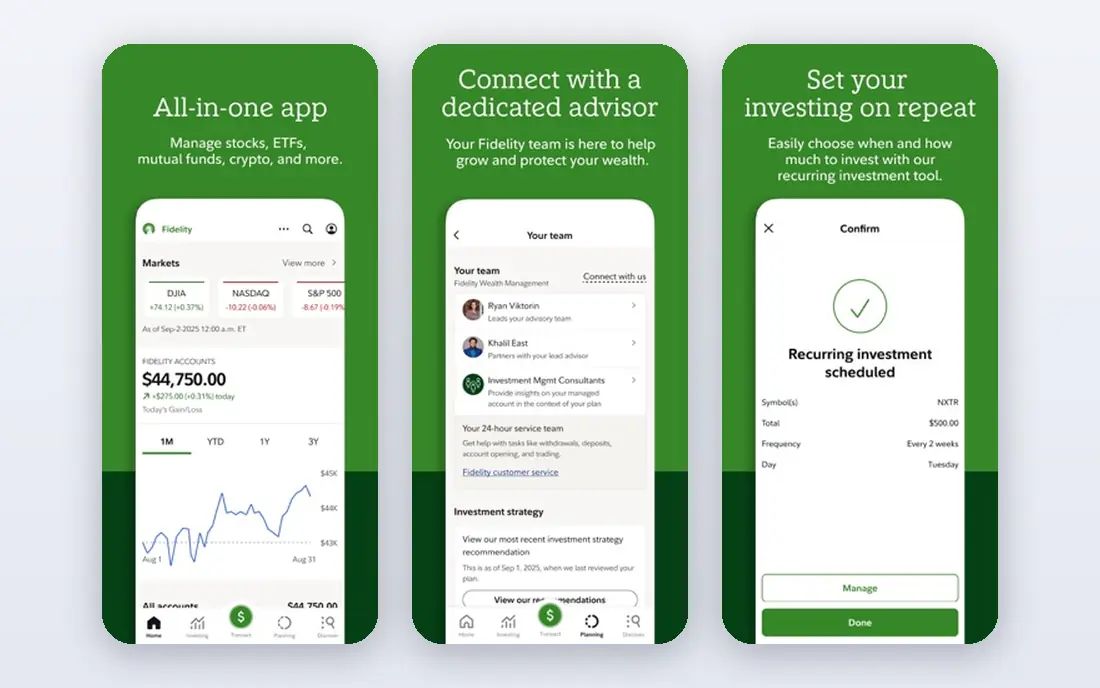
Fidelity is our pick for most investors because it covers the basics well and scales as you learn. You can trade US stocks and ETFs with $0 online commission, buy fractional shares from $1, and open retirement accounts such as IRAs in the same app. Research from several providers, screeners, and planning tools sit beside your portfolio, which helps when you move from a first ETF to a wider plan.
The catch is the learning curve. Fidelity offers a lot, and a new investor may need time to find the right view. That depth is a strength once you use it, but it can feel busy on day one. This is not financial advice, and you should check current fees for options, mutual funds, and other products before trading.
- $0 commission US stock and ETF trades online
- Fractional shares from $1
- Strong research and retirement accounts
- App can feel dense for a first-time investor
- Options and margin fees still apply

Robinhood remains one of the easiest apps for a first-time stock buyer. The interface is clean, trades are commission-free for stocks and ETFs, and fractional shares let you start small. Recurring investments help a beginner build a habit without timing the market, and the optional Gold plan adds features such as a higher cash interest rate and IRA match terms that change over time.
The limit is breadth. Robinhood does not offer the same mutual fund, bond, or research depth as a full-service broker. It suits a mobile-first investor who wants to pick stocks and ETFs simply, not someone who wants a full retirement planning service in the same app.
- Simple mobile design
- $0 commission stocks, ETFs, and options
- Fractional shares and recurring investments
- Optional Gold subscription
- No mutual funds or bonds in the main app
- Research is thinner than Fidelity or Schwab
- Gold costs extra
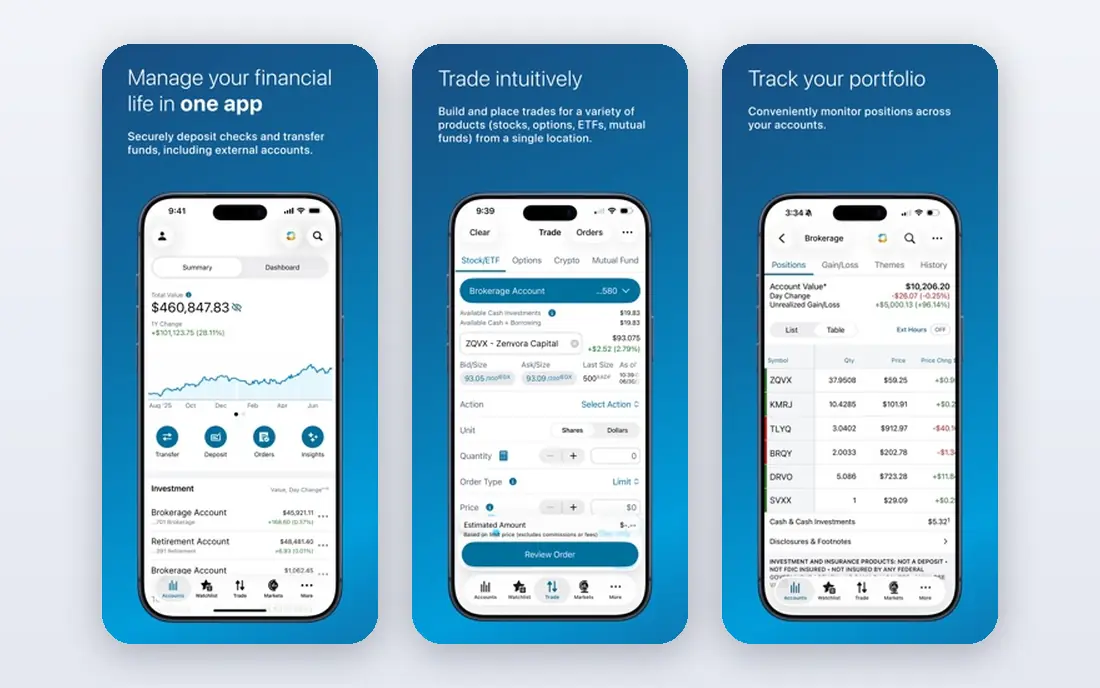
Charles Schwab is a strong alternative to Fidelity for investors who want human support alongside a good app. It offers $0 online commissions for US stocks and ETFs, fractional shares through its stock slices feature, and a wide range of accounts. Research, screeners, and educational content help newer investors, while active traders can use its more advanced desktop and mobile tools.
Schwab feels more like a traditional broker than Robinhood, which is a plus for many long-term investors and a minus for anyone who wants the simplest possible screen. If you value branches, phone support, and a broad account menu, Schwab is a safe and capable choice.
- $0 commission US stock and ETF trades online
- Strong research and customer support
- Wide account types including retirement and education
- App has many features to learn
- Options contracts still carry a per-contract fee
Webull suits active traders who want advanced mobile charting without paying for a separate platform. It offers $0 commissions on US stocks and ETFs, detailed charts, technical indicators, and paper trading to practice. Extended hours trading and a community feed also appeal to traders who follow news and price moves closely.
For a beginner, Webull can feel crowded. The same depth that active traders like can overwhelm someone who just wants to buy an index ETF each month. If you trade often and want mobile tools that match a desktop setup, Webull is one of the best free options.
- $0 commission US stock and ETF trades
- Advanced charts and level 2 data options
- Extended hours trading
- Interface can feel busy for beginners
- IRA options are more limited than Fidelity or Schwab
Interactive Brokers is our pick for serious and international traders. It gives access to stocks, options, futures, forex, and bonds across many markets, with pricing that can be very low for high-volume traders. Its Trader Workstation platform offers depth that most mobile-first apps cannot match, including advanced order types and portfolio tools.
The downside is complexity. A new investor may find account setup, market data choices, and platform options confusing. Interactive Brokers fits best when you already trade often, need global access, or want tools that a simple app cannot offer.
- Access to many global markets
- Low margin rates for eligible accounts
- Advanced trading platforms and APIs
- Complex interface for beginners
- Pricing tiers and market data fees need careful reading
ETRADE, part of Morgan Stanley, balances a clean app with serious trading tools. New investors get a clear mobile experience, while active traders can switch to Power ETRADE for charts, options analysis, and strategy tools. Retirement, education, and managed portfolio options also sit in the same account family.
The main cost to watch is options pricing, since contracts still carry a fee even though stock and ETF trades are $0 online. For most stock and ETF investors, that will not matter. For frequent options traders, compare E*TRADE with Webull, tastytrade, and Interactive Brokers before choosing.
- $0 commission US stock and ETF trades online
- Clean app design with deeper tools underneath
- Strong options and education resources
- Options contracts carry a per-contract fee
- Some advanced features sit behind the Power E*TRADE platform
Public suits long-term investors who like to learn from other investors without the noise of a pure trading forum. It offers $0 commission stock and ETF trades, fractional investing, and a feed where members share theses, news, and portfolio moves. Themed portfolios can also help a beginner explore sectors such as AI or clean energy in a structured way.
The honest catch is that social investing can tempt you to copy trades without doing your own checks. Use Public for ideas and discussion, then verify a company with its filings, earnings, and your own plan. This is not financial advice, and past performance does not guarantee future results.
- $0 commission US stock and ETF trades
- Fractional shares and themed portfolios
- Social feed for investor discussion and research
- Research depth is thinner than Fidelity or Schwab
- Social content is not financial advice and needs careful reading
Trading 212 is a useful pick for UK investors who want a simple, low-cost app. It offers commission-free investing for stocks and ETFs in its Invest account, fractional shares, and a Stocks and Shares ISA for eligible UK residents. The app is clean, account setup is mobile-first, and pies let you build a recurring portfolio from several ETFs or stocks.
UK buyers should still check current terms, ISA limits, and currency conversion fees, since those details change and vary by account type. Trading 212 also offers CFD trading, which is a separate, high-risk product and is not suitable for most long-term investors. Keep the Invest account and CFD account distinct in your mind and in your plan.
- Simple app for UK and European investors
- Fractional shares
- Stocks and Shares ISA option in the UK, subject to eligibility and tax rules
- Not a US broker for US residents
- Product availability and fees vary by country
- CFD trading is separate and high risk
Acorns is our pick for people who struggle to invest regularly. It rounds up card purchases and invests the spare change into a diversified ETF portfolio, and you can add recurring deposits on top. That habit-first design helps a beginner who wants to start with small amounts and not think about stock picks each week.
The catch is the monthly fee relative to a small balance. If you only invest a few pounds or dollars a month, a flat fee takes a larger share than a $0 broker would. Acorns fits best once your round-ups and deposits add up, or when the automatic habit is worth more to you than the lowest possible fee. This is not financial advice.
- Round-ups invest spare change automatically
- Diversified ETF portfolios
- Retirement and family account options
- Monthly fee can be high as a share of a tiny balance
- Less control than a full brokerage
How we picked these
We compared official feature pages, pricing and fee schedules, app store listings, and public reviews for each app. We favored apps that are available and working in 2026, clearly state stock and ETF commissions, and offer a usable mobile experience. We included a UK option because many readers search for investment apps in the UK, and we noted where availability differs by country. We did not include ToolNimba itself. Fees change, so check the broker fee schedule before you open an account.
How to choose a stock app
Start with your investing style, not the app store rating. A monthly ETF buyer needs low fees, fractional shares, and automatic investing. An active trader needs charts, fast orders, and low options or margin costs. A retirement saver needs IRA or ISA options and planning tools. Matching the app to that style saves you from switching accounts later.
Check the full fee picture
Stock and ETF commissions are $0 at many major brokers, but options contracts, margin interest, currency conversion, and market data can still cost money. Read the fee schedule for the products you will actually use. Also check whether a free app earns money from payment for order flow or premium subscriptions, and whether that affects your choice.
Check news, research, and alerts
A good stock news app helps you follow earnings, company news, and market moves without chasing headlines. Fidelity, Schwab, and E*TRADE offer research from several providers, while Yahoo Finance and similar news apps can complement any broker. Set price and news alerts for holdings you own, and ignore most alerts for stocks you do not plan to buy.
Check account protection and tax rules
In the US, check SIPC protection and whether your account is a taxable brokerage, IRA, or other account type. In the UK, check FSCS protection and ISA eligibility. Keep records of trades for tax reporting, and ask a tax professional if you are unsure how dividends, gains, or foreign withholding apply to you.
Sources
- https://www.fidelity.com/trading/commissions-margin-rates
- https://robinhood.com/us/en/about/pricing/
- https://www.schwab.com/pricing
- https://www.webull.com/pricing
- https://www.interactivebrokers.com/en/pricing/
- https://www.etrade.com/pricing-and-rates
- https://public.com/disclosures/fees
- https://www.trading212.com/pricing
- https://www.acorns.com/pricing