Best Survey Apps in 2026: 8 Apps Compared
By ToolNimba Editorial Team October 28, 2026 8 min read

- Top pick
 Google Forms
Free simple surveys
Starting priceFreeCheck out Google FormsRead our review - Runner-up
 SurveyMonkey
All-round business surveys
Starting price$39 per monthCheck out SurveyMonkeyRead our review - Also great
 Typeform
Conversational surveys
Starting priceSee websiteCheck out TypeformRead our review
How we researched this
We compared official pricing and feature pages, app store listings, privacy policies and public user reviews. Prices change, so check the provider's site before you pay.
Key takeaways
- Google Forms and Tally are the strongest free options, with unlimited responses on their free tiers.
- SurveyMonkey remains the safest all-round pick for business surveys, branching, and reporting.
- Typeform suits conversational surveys where completion rates matter more than long research questionnaires.
- Response limits, not design, are the main reason most teams upgrade, so check limits before you launch.
Quick comparison
| Name | Best for | Starting price | Free plan | |
|---|---|---|---|---|
| Google Forms | Free simple surveys | Free | Yes | Visit |
| SurveyMonkey | All-round business surveys | $39 per month | Yes | Visit |
| Typeform | Conversational surveys | See website | Yes | Visit |
 Jotform | Forms with payments and workflows | $34 per month | Yes | Visit |
 Microsoft Forms | Microsoft 365 teams | Free | Yes | Visit |
 Tally | Free modern forms | Free | Yes | Visit |
 SurveySparrow | Conversational feedback | $19 per month | Yes | Visit |
 QuestionPro | Research and academic surveys | $99 per month | Yes | Visit |
The best survey apps apps
Survey apps look similar at first, but they differ on response limits, logic, analysis, and privacy controls. The best pick depends on whether you need a quick poll, a customer feedback program, or a research study with strict methods.

Google Forms is our default recommendation when budget is zero and the survey is simple. You can build a survey in minutes, share a link, and watch responses land in a spreadsheet. For internal polls, class feedback, and event sign-ups, that is often all you need.
The limits show up on longer or more complex surveys. Branching exists, but it is less flexible than dedicated survey tools, and design control is limited. If you need advanced logic, quotas, or polished reporting, a paid tool will save time.
- Free with unlimited responses for most use
- Simple sharing and Sheets export
- Easy for schools and small teams
- Logic and design options are basic
- Analysis tools are limited
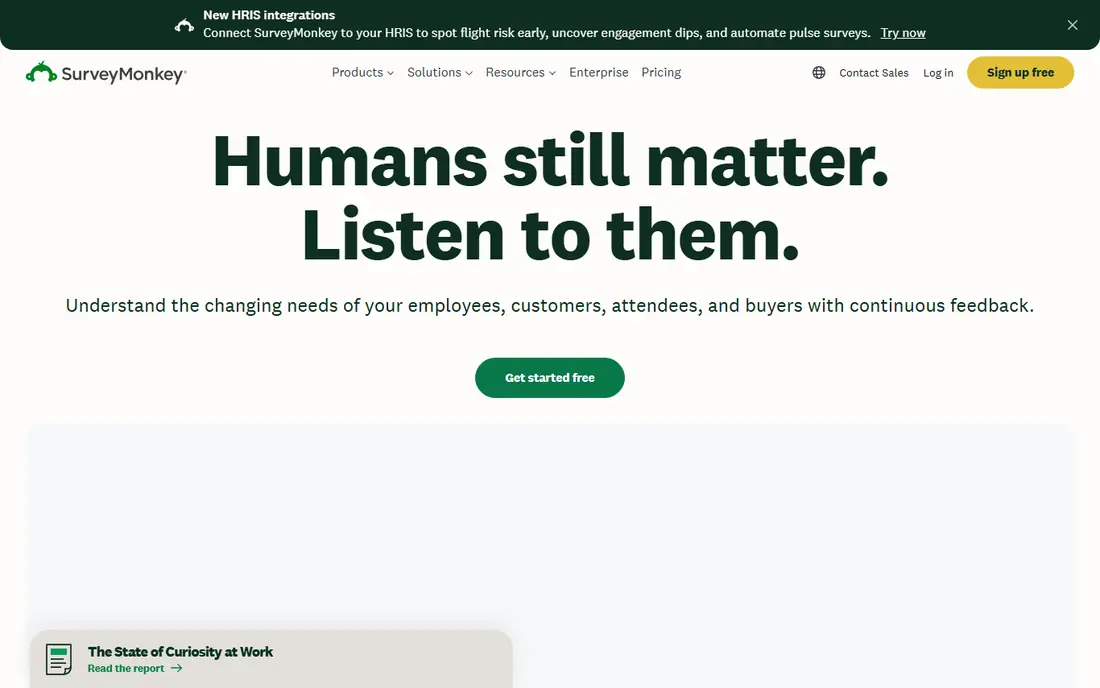
SurveyMonkey remains the most familiar survey platform for business teams, and that familiarity helps with response rates. Respondents recognize the format, and teams get templates for customer satisfaction, employee engagement, and market research, plus branching, quotas, and reporting in one place.
The free plan is limited, so most serious use needs a paid plan. That cost is worth it when you run surveys regularly, need to compare results over time, or need to share clean reports with stakeholders. Occasional users should check Tally or Google Forms first.
- Wide question types and branching
- Strong templates and analysis
- Integrations with common business tools
- Free plan limits questions and responses
- Paid price is high for occasional use
Typeform is built around a simple idea: show one question at a time, in a clean layout, and more people will finish. That works well for lead capture, onboarding feedback, and short customer surveys where design and flow matter. Logic, scoring, and integrations help route responses to the right team.
It is less suited to long research questionnaires, where respondents may prefer to see many questions at once. Pricing also varies by billing term and plan, so check the current response limit for the plan you need before launching a large survey.
- One-question-at-a-time design
- Strong branding and design control
- Good completion rates for short surveys
- Response limits arrive quickly on paid plans
- Long research surveys can feel slow
Jotform sits between a form builder and a survey tool, which is useful when a survey is part of a wider workflow. You can collect a response, take a payment, request a signature, and trigger an approval, all from one form. Templates cover events, health intake, applications, and feedback.
For pure research, Jotform analysis is less specialized than QuestionPro or Qualtrics-style tools. It shines when the survey needs to do something after submission, such as route a request, book a slot, or collect a fee.
- Very large template library
- Payments, signatures, and approvals
- Strong conditional logic
- Survey analysis is less focused than SurveyMonkey
- Free plan limits submissions
Microsoft Forms is the obvious pick for teams already using Microsoft 365. It is simple to share inside an organization, works well for quizzes and quick polls, and sends results to Excel for analysis. For internal feedback, it often beats buying a separate tool.
Outside Microsoft 365, its appeal drops. Design options are limited, and advanced survey logic is thinner than in SurveyMonkey or QuestionPro. If your team lives in Google Workspace instead, Google Forms is the closer match.
- Included for many Microsoft 365 users
- Simple quizzes and polls
- Results flow into Excel
- Design and logic are basic
- Best value only inside Microsoft 365
Tally is the free option that surprised us most. Its free plan includes unlimited forms and responses, with logic and design options that other tools reserve for paid plans. That makes it a strong choice for startups, nonprofits, and creators who need a polished form without a monthly bill.
The trade-off is depth. Reporting, team controls, and research features are lighter than in paid survey platforms. If you need panel management, quotas, or advanced analysis, a research tool will still be better, but for most everyday surveys Tally is hard to beat on value.
- Free plan includes unlimited forms and responses
- Modern design
- Logic and payments without a paywall for many features
- Analysis and enterprise controls are lighter
- Template library is smaller than Jotform
SurveySparrow takes the conversational idea from Typeform and adds a feedback-program layer. Chat-style surveys feel friendly on mobile, and recurring surveys help teams track customer satisfaction over time. NPS, CSAT, and employee feedback templates give a fast start.
Pricing starts lower than SurveyMonkey, but response limits on lower plans still matter. It fits teams that want ongoing feedback, such as monthly customer checks or post-support surveys, rather than a single large research study.
- Chat-style surveys
- Recurring and omnichannel feedback
- NPS and CSAT templates
- Free plan limits responses
- Some features need higher plans
QuestionPro is built for research that needs rigor. It offers advanced logic, quotas, panel management, and analysis tools that suit academic studies, market research, and large employee surveys. Sentiment analysis on open text helps teams read hundreds of comments without manual coding.
That power comes with cost and complexity. Casual users will find it more than they need, and the starting price is higher than most tools here. For research teams, though, the method controls and reporting justify the plan.
- Advanced logic and question types
- Panel and distribution tools
- Sentiment and analysis features
- Higher starting price
- Interface takes time to learn
How we picked these
We compared official feature pages, pricing pages, app store listings, and public reviews, focusing on tools that are actively sold and supported in October 2026, with clear plans for everyday users and researchers alike. We favored apps with clear free plans or trials, stated response limits, and distinct strengths, from free simplicity to research depth. Where pricing varied by billing term, we listed See website rather than a single figure that could mislead.
How to pick a survey app without regret
Response limits and privacy rules matter more than templates. Check both before you send a survey to a large list.
Count responses, not just questions
A plan that allows 100 responses a month will fail on a 500-person launch. Estimate your largest single survey, add a margin for sharing, and pick a plan that covers it. Free tools with unlimited responses remove this risk for simple surveys.
Test on a phone first
Many respondents answer on mobile, so a survey that looks good on desktop can still fail on a small screen. Test branching, long questions, and matrix questions on a phone before launch, and keep surveys short when completion matters.
Check privacy and consent
For employee or health-related surveys, check data storage, access controls, and whether anonymous responses are truly anonymous. Anonymous survey tools still need clear consent wording, and results with very small groups can identify people even without names.
Plan for analysis before launch
Decide how you will group results before you write questions. If you need to compare departments, regions, or customer types, add those grouping questions at the start, while responses are still easy to segment. Avoid adding a grouping question after launch, since early responses will lack that field and comparisons will be incomplete.