Best Task Apps in 2026: 8 Apps Compared
By ToolNimba Editorial Team October 28, 2026 9 min read

- Top pick
 Todoist
Fast capture on every platform
Starting price$7 per monthCheck out TodoistRead our review - Runner-up
 TickTick
Calendar, habits, and focus timer in one app
Starting price$49.99 per yearCheck out TickTickRead our review - Also great
 Things 3
Apple-only design and one-time purchase
Starting price$9.99 one-timeCheck out Things 3Read our review
How we researched this
We compared official pricing and feature pages, app store listings, privacy policies and public user reviews. Prices change, so check the provider's site before you pay.
Key takeaways
- The best task app is the one you open every day, so speed and platform support matter more than a long feature list.
- Todoist is our pick for most people, thanks to fast capture, natural language dates, and apps on every platform.
- Microsoft To Do, Google Tasks, and Apple Reminders cost nothing and suit people already inside those ecosystems.
- Paid apps earn their price only if you use reminders, calendar views, filters, or shared lists every week.
Quick comparison
| Name | Best for | Starting price | Free plan | |
|---|---|---|---|---|
| Todoist | Fast capture on every platform | $7 per month | Yes | Visit |
| TickTick | Calendar, habits, and focus timer in one app | $49.99 per year | Yes | Visit |
| Things 3 | Apple-only design and one-time purchase | $9.99 one-time | No | Visit |
 Microsoft To Do | Outlook and Microsoft 365 users | Free | Yes | Visit |
 Google Tasks | Gmail and Google Calendar users | Free | Yes | Visit |
 Any.do | Guided daily planning | $7.99 per month | Yes | Visit |
 Remember The Milk | Fast one-line task entry | $49.99 per year | Yes | Visit |
 Apple Reminders | Simple lists on Apple devices | Free | Yes | Visit |
The best task apps
We compared official feature pages, pricing pages, and app store listings, with a focus on capture speed, reminders, sharing, and platform coverage. A good to-do list app should make adding a task take seconds, not minutes.
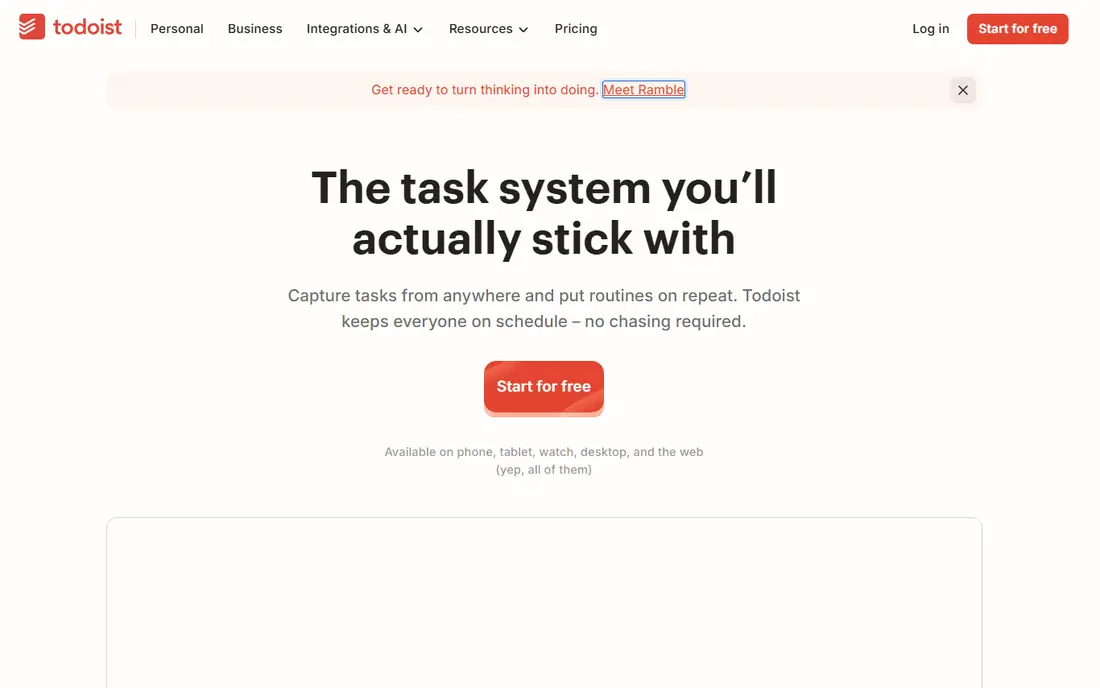
Todoist wins on capture speed. Type a task in plain words, such as call the bank every first Monday, and it sets the date and recurrence for you. Projects, labels, priorities, and filters help you sort a long list without turning task management into a second job.
The free plan covers basic use, but it caps active projects at five and limits collaborators. Pro, at $7 per month or $60 per year, raises those limits and adds calendar views, larger uploads, and more filters. If you want one list app that works everywhere, start here.
- Natural language dates and projects
- Apps on every major platform
- Many integrations
- Free plan limits projects to five
- Calendar views need the paid plan
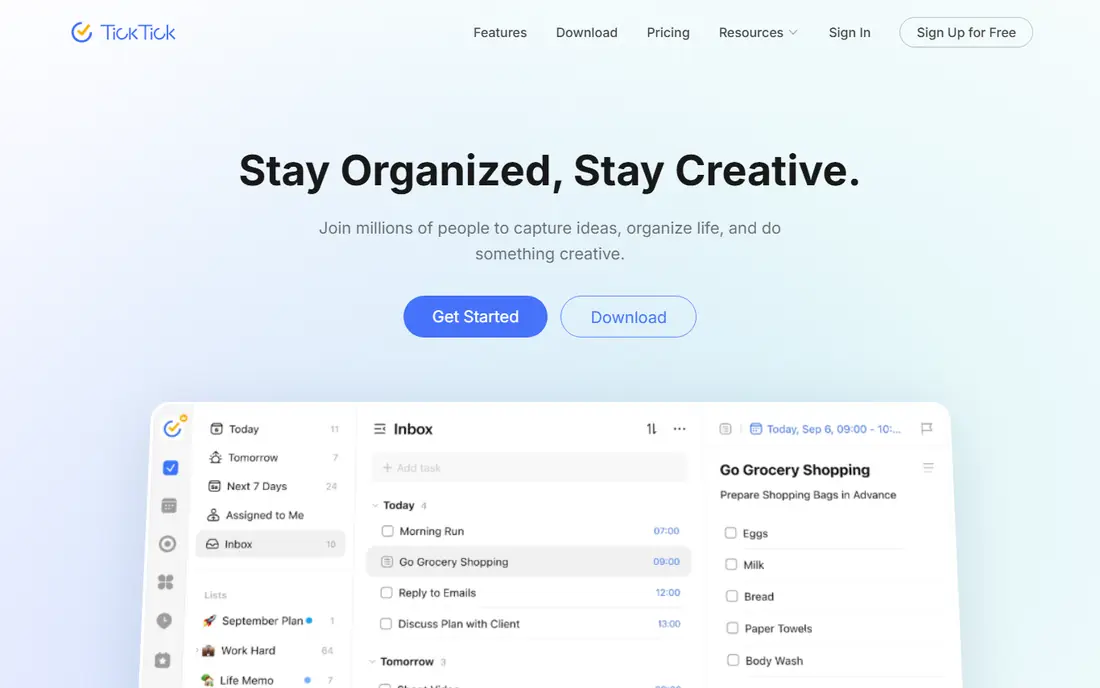
TickTick is the all-in-one pick. It combines tasks with a calendar view, habit tracking, and a focus timer, so you may not need separate apps for each habit. Reminders can nag until you act, which helps for tasks that are easy to postpone.
The trade-off is visual density. TickTick packs more tools into each screen, so it can feel busy if you only want a simple list. Premium costs $49.99 per year and lifts list, task, and checklist limits. Choose it if you plan your week in a calendar grid.
- Built-in calendar, habit tracker, and Pomodoro timer
- Generous free plan
- Persistent reminders
- Interface feels denser than Todoist
- Team features are basic
Things 3 is the most pleasant app on this list to look at, and its one-time pricing is rare in 2026. The iPhone app costs $9.99, the iPad app $19.99, and the Mac app $49.99, bought separately, with no subscription after that. Areas, projects, and a Today view keep daily planning simple.
Apple-only support is the hard limit. If your work computer runs Windows or Android, Things cannot help during work hours, and there is no way to share lists with a partner or team. For Apple-only users who hate subscriptions, it remains a strong pick.
- Clean, calm design
- No subscription
- Fast sync through Things Cloud
- Apple devices only
- No web or Android app
- No collaboration features
Microsoft To Do is the free app that surprises people with how much it covers. It offers lists, steps inside tasks, due dates, reminders, and a My Day view for daily planning. Lists can be shared, and tasks sync with Outlook, which suits work accounts.
It lacks the deep filters, natural language input, and integrations of paid rivals. That matters less if your day already runs on Outlook and Microsoft 365. For a no-cost upgrade from sticky notes, Microsoft To Do is the best app for to do list use inside that ecosystem.
- Free
- My Day planning
- Shared lists and Outlook sync
- Fewer power features than Todoist
- Calendar view is limited
Google Tasks is the lightest app here, and that is its appeal. It lives inside Gmail, Calendar, Chat, and Drive, so a task can start from an email in one click. Once a task has a date, it shows on Google Calendar, which helps with time blocking.
Sharing is the gap. Google Tasks does not offer shared lists with assignment, so families or teams need another app. If you want the best to-do list app that stays out of the way and costs nothing, and you already use Google tools, this is it.
- Free
- Turns Gmail messages into tasks
- Tasks appear on Google Calendar
- No shared lists
- Fewer organizing features than paid apps
Any.do stands out for its morning routine. The daily planner walks you through today's tasks and helps you choose what matters, rather than showing a long undated list. The free Personal plan has no task limit, and Premium adds recurring tasks, location reminders, color tags, and AI features.
Premium costs $7.99 per month, or $4.99 per month on annual billing. The Family plan covers four people for $8.33 per month on annual billing, with a shared family space and grocery list. Pick Any.do if you want a guided start to each day.
- Daily planner ritual
- Calendar and reminders
- Family plan for four people
- Kanban boards and some features need Premium
- Monthly price is higher than annual
Remember The Milk has been around since 2005, and its Smart Add still feels fast. One line can set a due date, priority, repeat pattern, and tags, which suits people who capture many tasks by keyboard or email. Reminders can arrive by email, text, and voice assistants on supported plans.
The design is less modern than Todoist or TickTick, and the free Basic plan limits sharing and keeps only a short completed archive. Pro costs $49.99 per year and adds subtasks, unlimited sharing, and automation links. Power users who love keyboard entry should give it a week.
- Smart Add sets date, priority, and tags in one line
- Email and voice capture
- Strong search
- Interface looks dated
- Subtasks and unlimited sharing need Pro
Apple Reminders is the app most iPhone owners already have, and for simple lists it is enough. You can set location-based reminders, ask Siri to add a task hands-free, and use smart lists to group flagged or scheduled items. It also works on the web through iCloud, though the full experience is on Apple devices.
Complex projects expose its limits. There are no deep filters, no cross-platform apps, and no advanced team features. If your lists are mostly errands, appointments, and household tasks, Apple Reminders may be the best do list app for you, because it costs nothing and needs no setup.
- Free and already installed
- Siri and location reminders
- Smart lists
- Apple devices only
- Weaker for complex projects
How we picked these
We compared official feature pages, pricing pages, and app store listings for task and to-do apps that are actively supported in 2026. We kept apps that cover the core job: capture a task, set a date, remind you, and let you check it off. We did not claim hands-on testing. Prices are the monthly-billed entry price unless an annual price is stated, and app store prices can vary by region.
How to pick a task app that sticks
Match the app to where your day already happens. Gmail users get more from Google Tasks, Outlook users from Microsoft To Do, and Apple-only users from Reminders or Things 3. Switching ecosystems for a task app rarely lasts, because the friction shows up every morning.
Try one app for two weeks
Pick one finalist and put every task in it for two weeks, including errands, work items, and vague follow-ups. Review the list once a day at the same time. If you still open it without being reminded after two weeks, you have found your app.
Count the cost over five years
Free apps cost nothing over five years, while a $60 per year app costs $300. That is fine if you use it daily, but not if you only open it once a week. Things 3, with its one-time purchase, can be cheaper over time for Apple users, even though the upfront total across devices is about $80.