Best Tax Software in 2026: 9 Products Compared
By ToolNimba Editorial Team October 28, 2026 11 min read

- Top pick
 TurboTax
Guided filing with expert help
Starting priceFreeCheck out TurboTaxRead our review - Runner-up
 H&R Block
Online filing plus in-person backup
Starting priceFreeCheck out H&R BlockRead our review - Also great
 FreeTaxUSA
Free federal filing at any complexity
Starting priceFreeCheck out FreeTaxUSARead our review
How we researched this
We compared official pricing and feature pages, app store listings, privacy policies and public user reviews. Prices change, so check the provider's site before you pay.
Key takeaways
- FreeTaxUSA and Cash App Taxes are the cheapest legitimate routes for most confident filers, because federal filing is free in both, and Cash App Taxes also charges nothing for state filing.
- TurboTax offers the most guided experience, but its free edition covers only simple returns, and paid federal tiers start at $79 for Deluxe and $139 for Premium in the prices we checked.
- H&R Block is the strongest middle option for filers who want online filing plus the option of in-person help, with a free online tier and paid tiers from $65.
- TaxAct and TaxSlayer sit in the value middle, with lower paid prices than TurboTax and H&R Block, while still covering rentals, investments, and self-employment income.
- Tax software prices change during filing season and state fees are often extra, so confirm the total at checkout before you file. This is not tax advice, and tax rules change, so check current IRS guidance or a tax professional for your situation.
Quick comparison
| Name | Best for | Starting price | Free plan | |
|---|---|---|---|---|
| TurboTax | Guided filing with expert help | Free | Yes | Visit |
| H&R Block | Online filing plus in-person backup | Free | Yes | Visit |
| FreeTaxUSA | Free federal filing at any complexity | Free | Yes | Visit |
 Cash App Taxes | Completely free federal and state filing | Free | Yes | Visit |
 TaxAct | Value filing for complex returns | Free | Yes | Visit |
 TaxSlayer | Low cost paid tiers | Free | Yes | Visit |
 Jackson Hewitt Online | Flat price for multi-state filing | $25 flat | No | Visit |
 IRS Free File | Free filing for eligible incomes | Free | Yes | Visit |
 Drake Tax | Professional preparers | See website | No | Visit |
The best tax software
Tax software should match your return, not just your budget. A simple W-2 return needs little guidance, while rentals, investments, and self-employment income need the right forms and clear questions about deductions. The products below cover simple filers, investors, freelancers, and professional preparers, and we note where state filing adds cost.

TurboTax is our pick for filers who want the most hand holding and are willing to pay for it. The interview style asks about life changes, income, and deductions in plain language, then fills in the forms behind the scenes.
The catch is the free label. Free Edition covers simple Form 1040 returns only, and common items such as investments, rental income, and self-employment income trigger an upgrade. Expert Assist from $59 and Expert Full Service from $129 give you live help or a pro who files for you, but those upgrades change the total a lot.
- Step by step guidance in plain language
- Imports W-2, 1099, and brokerage data
- Expert help and full service upgrades are available
- Free Edition covers only simple returns
- Paid tiers and state fees add up fast
- Prices can rise as the filing deadline nears

H&R Block is the best choice if you want a solid online product with a real world fallback. Free Online covers simple returns at no federal or state cost for qualifying filers, while Deluxe starts at $65, Premium at $105, and Self-Employed at $130 in the October 2026 prices we checked.
The trade-off is that the headline price is rarely the final price. State returns, expert help, and audit support can add fees, and the free tier still excludes some complex situations. H&R Block suits filers who want confidence without paying TurboTax prices, especially if an office nearby makes a tricky return feel less stressful.
- Free Online tier covers more situations than some rivals
- Thousands of offices for in-person help
- Paid online tiers from $65 in the prices we checked
- State fees are extra on paid tiers
- Expert help and full service cost more
- Pricing changes during the season
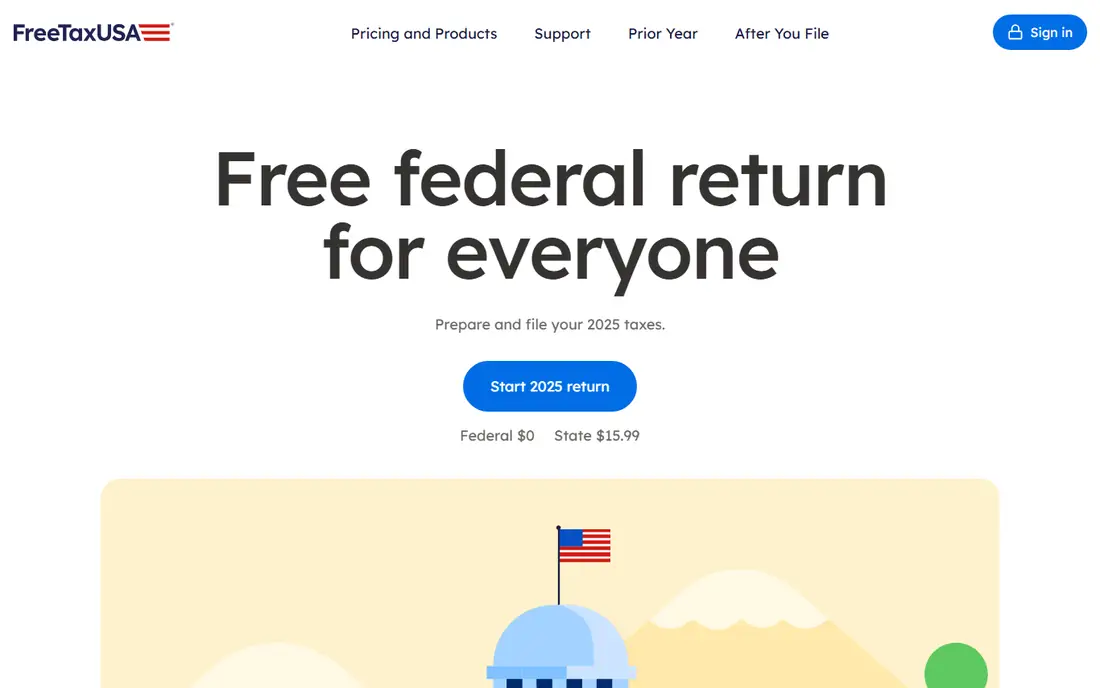
FreeTaxUSA is our value pick for confident filers who know their return and want to keep the bill close to zero. Unlike many free tiers, its federal filing is free for all forms, so Schedule C, Schedule D, and Schedule E do not force an upgrade.
The honest catch is guidance. FreeTaxUSA asks clear questions, but it does not hold your hand the way TurboTax does, and first time filers may need to look up terms on their own. If you are comfortable reading forms and checking your own entries, it is hard to beat.
- Federal filing is free for every tax situation, including self-employment, rentals, and investments
- State filing is $15.99 per state
- A Deluxe upgrade adds live chat support
- The interface is plainer than TurboTax
- Less hand holding for first time filers
- State fees apply even though federal filing is free
Cash App Taxes is the simplest price story in this list, because there is no price. Federal and state filing are free, there are no paid tiers to upsell you into, and audit support is included.
The limits matter for some filers. Cash App Taxes does not support multi-state filing, and it does not offer live access to a tax expert, so a complex return with several states or a tricky business question may fit better elsewhere. It also requires a Cash App account to file, which is fine for existing users but an extra step for others.
- Free federal and state filing with no paid tiers
- Covers many common forms
- Free audit support is included
- No multi-state filing in the same return
- No live tax expert access
- Fewer import options than paid rivals
TaxAct suits filers who want a mainstream guided product without TurboTax prices. The free tier covers simple returns, while Deluxe and Premier add itemised deductions, investments, and rental property.
The interface is functional rather than friendly, and some users find the question flow less clear than TurboTax or H&R Block. State fees also add a meaningful amount, so a Premier return with one state can cost far more than the federal headline price.
- Free tier for simple filers
- Deluxe from $59.99 federal and Premier from $99.99 federal in the prices we checked
- Business returns for partnerships and S corporations
- State filing is extra and costs $64.99 per state on Premier in the prices we checked
- The interface is less polished than TurboTax
- Expert help is an add-on
TaxSlayer is a strong pick for value shoppers with moderately complex returns. Classic at $44.99 federal undercuts TurboTax Deluxe by a clear margin, and Self-Employed at $74.99 federal covers Schedule C without pushing you into a premium tier.
The free tier is narrow, so most filers with investments, rentals, or self-employment income will pay for Classic or higher. State filing at $47.99 per state also adds up, especially for multi-state filers. If your return is simple enough for a free tier elsewhere, start there.
- Classic starts at $44.99 federal and Self-Employed at $74.99 federal in the prices we checked
- Military members can file federal returns free in some cases
- Pro support is included on paid tiers
- Simply Free covers only narrow simple situations
- State filing is $47.99 per state on paid tiers
- The design feels dated next to TurboTax
Jackson Hewitt Online stands out for its flat pricing. At $25 flat for federal and state filing, it removes the usual guessing about which tier your forms require, and multi-state filers avoid paying per state on top of a federal fee.
There is no free plan, so a simple return that is free elsewhere costs $25 here. The online product also offers less live expert depth than TurboTax or H&R Block, and in-person office pricing is quoted separately and varies.
- Flat $25 price covers federal and state filing for all tax situations in the online product
- In-person offices add a fallback
- Simple pricing with no tier guessing
- No free plan
- Online support is thinner than TurboTax expert help
- In-person pricing varies by location and is not the same as the online flat price
IRS Free File is the official free route that many filers overlook. If your adjusted gross income is $89,000 or less, you can use partner software through the IRS Free File site to prepare and file a federal return at no cost, and many partners also offer free state filing.
Eligibility is the limit. Higher income filers cannot use Free File, and each partner sets its own age, state, and form limits, so you may need to try more than one partner to find a fit. There is also no live expert help built in.
- Free guided filing through IRS partner software for eligible filers
- No upsell to a paid tier within the Free File program
- The official government route
- Income limits apply, with adjusted gross income of $89,000 or less in the 2026 guidance we checked
- Partner offers and state coverage vary
- No expert help included
Drake Tax is the only product here aimed at preparers rather than individual filers. It handles high volumes, multiple clients, and entity returns such as Form 1065, Form 1120-S, and Form 1120, with tools for e-filing, client management, and review that consumer products do not offer.
It is not a sensible choice for filing your own return once. Pricing is set for professional use, the interface assumes tax knowledge, and you will not find the guided interview style of TurboTax or H&R Block. If you prepare returns for clients, or you are choosing software for a small practice, Drake Tax belongs on your shortlist.
- Built for preparers handling many clients and entity returns
- Strong form coverage for partnerships, S corporations, and corporations
- Used by professional firms across the US
- Priced for firms, not for a single personal return
- The learning curve is steeper than consumer software
- Pricing is quoted rather than a simple consumer tier
How we picked these
We compared official feature and pricing pages, IRS guidance, and public reviews for consumer and professional tax software available to US filers in October 2026. We favoured products with clear form coverage for common situations, a usable free tier or a clear flat price where one exists, and a track record of IRS e-filing. Prices move during filing season, so we report the federal starting price and state cost separately where vendors charge them, and we mark pricing as see website where a vendor quotes rather than publishes a consumer rate.
How to choose tax software without overpaying
Match the tier to your forms, not to the brand
List your forms before you compare prices. W-2 income and the standard deduction fit a free tier, while Schedule C, Schedule D, Schedule E, and multi-state income usually require a paid tier or a product with free federal filing for all forms. A cheap tier that excludes your main form is not cheap once the upgrade appears at checkout.
Add state fees before you compare
Federal prices hide the real total for many filers. A $79 federal tier plus $64 per state costs far more than a free federal product plus $15.99 per state, and a flat $25 product can beat both for multi-state returns. Count every state you must file, then compare totals, not headlines.
Decide how much help you need
Guided interviews, live chat, and expert review are worth paying for when a return is new, complex, or high stakes. They are less valuable for a stable return you have filed the same way for years. If you are unsure about a deduction or a new income type, a product with expert help or a short consultation with a tax professional can cost less than an error.