Best Teleprompter App in 2026: 8 Apps Compared
By ToolNimba Editorial Team November 13, 2026 9 min read

- Top pick
 Teleprompter.com
All-round prompting and recording
Starting price$19.99 per monthCheck out Teleprompter.comRead our review - Runner-up
 BIGVU
Captions and business video
Starting price$24.99 per monthCheck out BIGVURead our review - Also great
 PromptSmart Pro
Voice tracking for speakers
Starting price$29.99 one-timeCheck out PromptSmart ProRead our review
How we researched this
We compared official pricing and feature pages, app store listings, privacy policies and public user reviews. Prices change, so check the provider's site before you pay.
Key takeaways
- Teleprompter.com is the strongest all-round pick, with recording, voice tracking, and apps for iOS, Android, Mac, and the web.
- QMe Prompter is the budget pick for voice-following scripts, starting at $2.99 per month.
- If you want captions and editing in the same app, BIGVU and Teleprompter for Video bundle those features with the prompter.
- Free plans usually cap recording quality, add a watermark, or limit script length, so check the recording terms before you rely on one.
Quick comparison
| Name | Best for | Starting price | Free plan | |
|---|---|---|---|---|
| Teleprompter.com | All-round prompting and recording | $19.99 per month | Yes | Visit |
| BIGVU | Captions and business video | $24.99 per month | Yes | Visit |
| PromptSmart Pro | Voice tracking for speakers | $29.99 one-time | No | Visit |
 Teleprompter Pro | Professional rigs and presentations | $59.99 per year | Yes | Visit |
 Teleprompter for Video | Recording plus editing | $8.99 per month | Yes | Visit |
 Prompster | Hands-free voice following | $7.99 per month | Yes | Visit |
 QMe Prompter | Budget voice following | $2.99 per month | Yes | Visit |
 Speakflow | Web-based voice scrolling | $19 per month | Yes | Visit |
The best teleprompter apps
A good teleprompter app keeps your eyes near the camera, scrolls at your speaking pace, and records clean video. These eight cover that job on phones, tablets, and the web, from free tools to pro rigs.
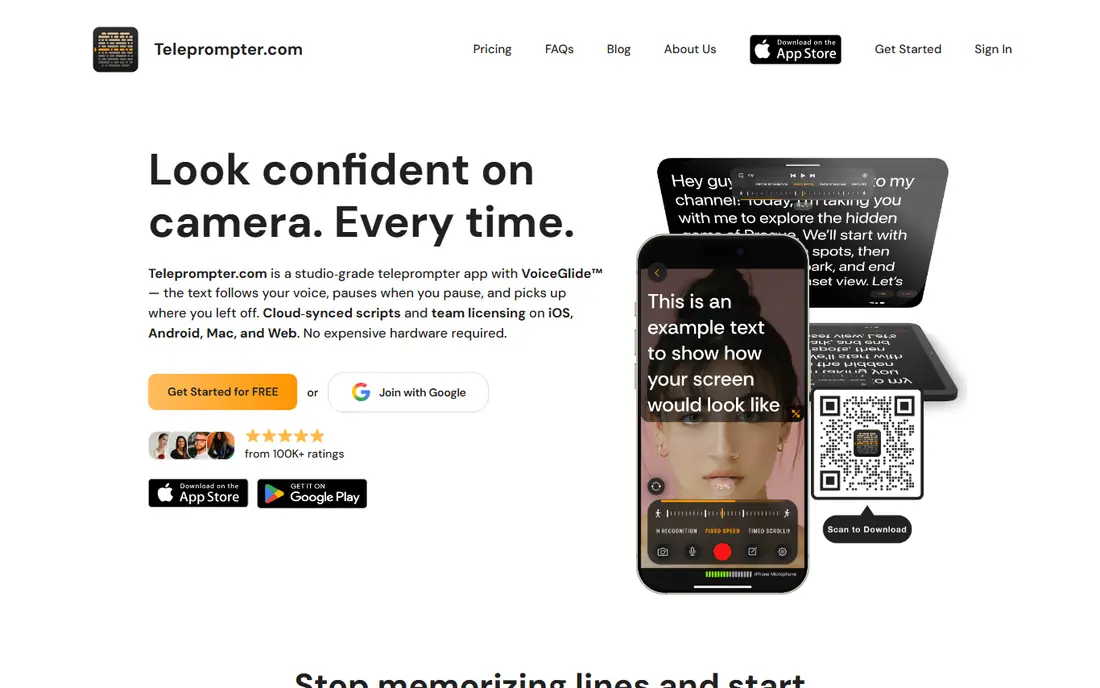
Teleprompter.com is our pick for most creators because it does the whole job in one app. You write or import a script, it scrolls while you record, and its VoiceGlide feature follows your speech so the text keeps pace when you pause or speed up. Recordings support subtitles and trimming, which saves a round trip to an editor.
The free plan records at 1080p with a watermark, so it suits practice and drafts rather than published video. Paid plans start at $19.99 per month, or less per month when billed yearly, with Pro listed from $89.99 per year in some listings. If you record weekly, the yearly plan is the sensible buy.
- Voice-following scroll
- Recording up to 4K
- Works on iOS, Android, Mac, and web
- Free exports carry a watermark
- Yearly pricing is much cheaper than monthly
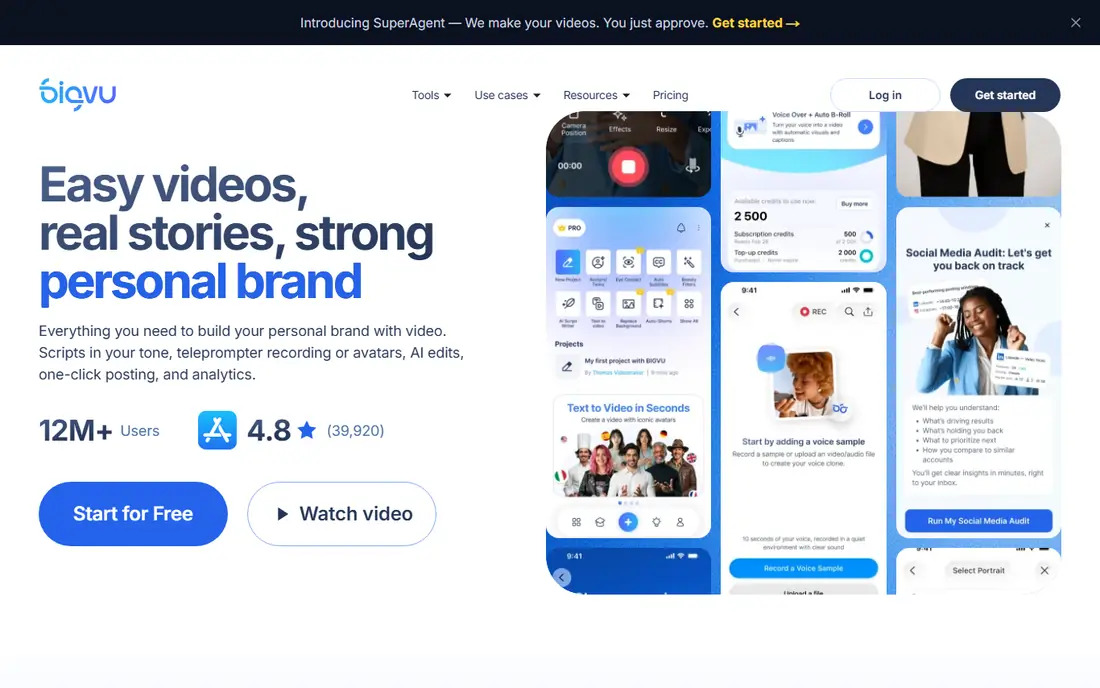
BIGVU is the pick if your video needs more than a script. It bundles a teleprompter with recording, automatic captions, background replacement, and trimming, so a business owner can record, caption, and post from one app. That bundle matters for teams making regular social and training videos.
The free plan lets you try the prompter, but recordings are limited to 9 minutes at 720p with a watermark in the comparisons we found. Paid plans start at $24.99 per month on app stores, or less per month on yearly billing. If you only need scrolling text, a cheaper app on this list will do. If you need finished captioned video, BIGVU earns its price.
- Teleprompter plus captions and green screen
- Multi-take recording
- Social publishing tools
- Free recordings are capped in length and resolution
- Paid plan costs more than a basic prompter
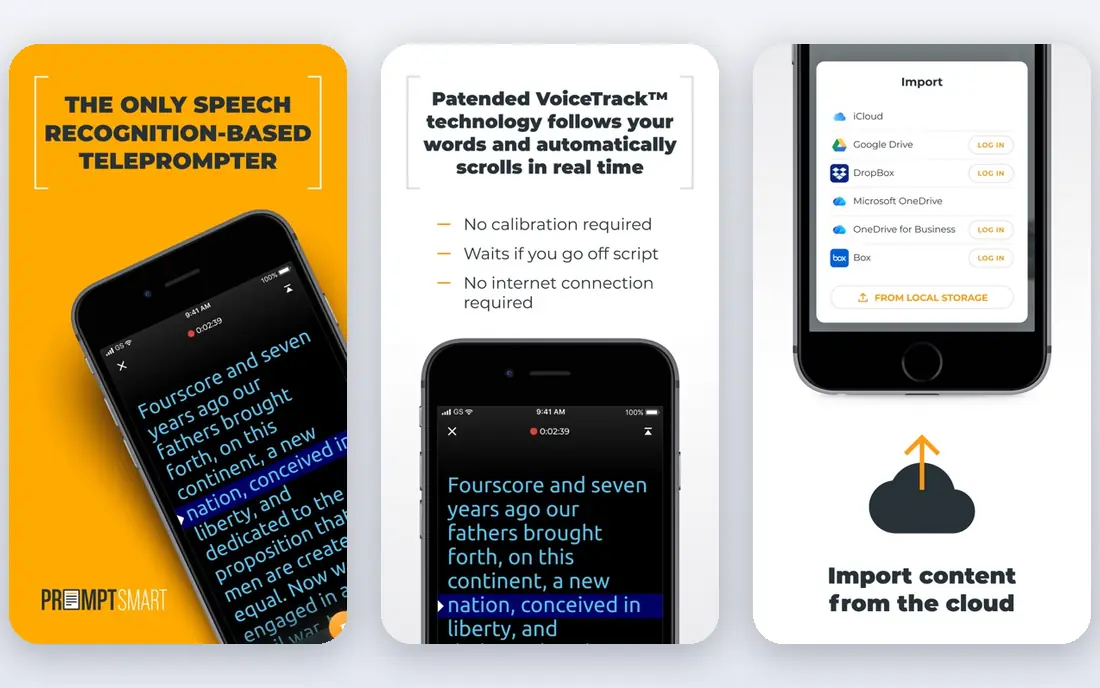
PromptSmart Pro is built for speakers rather than social creators. Its VoiceTrack feature listens as you speak and scrolls the script to match, even without an internet connection, which helps on stage or in a room with weak Wi-Fi. The app costs $29.99 as a one-time purchase, with an optional subscription for extra features.
The trade-off is video. Recording is basic, and you will likely edit elsewhere if you need captions or polished cuts. Voice tracking is also limited to English, so presenters working in other languages should look at Teleprompter.com or Prompster instead. For a keynote or a class lecture, though, its offline voice following is a genuine advantage.
- VoiceTrack follows your speech and works offline
- No subscription needed for the core app
- Good for speeches and presentations
- Voice tracking covers English only
- Recording features are basic compared with video-first apps
Teleprompter Pro, also known as Teleprompter Premium, is the choice for presenters who use real prompter hardware. It mirrors text for a beam-splitter rig, accepts remote and game controller input, and lets an Apple Watch control scrolling. It is widely used in studio settings, and its feature set reflects that background.
Pricing is $59.99 per year, or $159.99 as a one-time purchase, with a free version for basic use. The limits are platform and video: it runs on iPhone, iPad, and Mac only, and recording goes through a companion video app. If you present from a laptop or a rig, it is excellent. If you record social video on Android, pick another app here.
- Mirror mode for physical prompter rigs
- Remote and controller support
- Apple Watch control
- Apple devices only
- No Windows or Android version
- Video needs a companion app
Teleprompter for Video suits creators who want to record and finish a video without leaving the app. It combines a teleprompter with recording, trimming, and captions, and its scroll can follow your voice. It also supports Apple Watch control and runs on iPhone, iPad, and Apple Vision Pro.
The free plan is limited to scripts of up to 750 characters, which covers short clips but not a full presentation. Premium starts at $8.99 per month or $59.99 per year. For short-form creators on Apple devices, that price is fair for a combined prompter and editor. For long scripts, the free plan will push you to pay quickly.
- Recording, editing, and captions in one app
- Voice-following scroll
- Apple Watch support
- Apple devices only
- Free scripts are capped at 750 characters
Prompster keeps the job simple: your script scrolls as you speak, hands free, on iPhone, iPad, and Mac. That focus makes it easy to learn, and at $7.99 per month or $49.99 per year for Pro, it undercuts several video-first rivals. It is a good middle ground between a free web prompter and a full video suite.
The limits are scope and platform. It has fewer editing and publishing tools than BIGVU, and there is no Android version. If your main need is reliable hands-free scrolling for talks and recordings, Prompster covers it at a fair price. If you need captions and posting built in, look at BIGVU or Teleprompter for Video.
- Voice-following scroll
- Simple interface
- Works on iOS and Mac
- Smaller feature set than Teleprompter.com
- No Android app
QMe Prompter is the budget surprise on this list. Pro costs $2.99 per month, $29.99 per year, or $149.99 for lifetime access, and the free plan covers three scripts. Voice following keeps the text in step with your speech, and musicians get lyrics and chords that move over their own picture while a backing track plays.
The catch is breadth. QMe does not match BIGVU for captions, editing, and publishing, and its video tools are simpler. But for a creator who mainly needs words that keep pace, at a fraction of the price of bigger apps, it is hard to argue with. Try the free scripts first to confirm the voice following suits your pace.
- Very low price for voice following
- Lyric and chord display for musicians
- Web console included
- Smaller app with fewer video features
- Best for talking and music, not full video production
Speakflow is the pick if you want a prompter that lives in the browser. It works on any device with a web browser, and its voice-activated scrolling follows your speech during a talk or a recording session. Paid plans add desktop apps for Mac and Windows, which helps presenters who work from a laptop.
Pricing starts at $19 per month, or $15 per month when billed yearly. The free plan covers voice scrolling with limits, but recording starts on paid plans, so it is not the pick for free video recording. For a speaker who presents from different machines and wants the same prompter everywhere, the browser approach is a real plus.
- Runs in a browser on any device
- Voice-activated scrolling
- Desktop apps on paid plans
- Recording needs a paid plan
- Free voice scrolling is limited
How we picked these
We compared official app store listings, pricing pages, and current October 2026 teleprompter comparisons, and kept only apps that are live, scroll a script, and record or support presenting. We favored a mix of free, budget, and pro options across iOS, Android, Mac, and the web, and we noted where free plans add watermarks, cap length, or limit recording. We did not claim hands-on testing.
What to check before you choose
Start with how you record. If you film on your phone, pick an app with recording built in. If you present live or from a laptop, a browser or desktop prompter may matter more. Voice following is worth testing with your own pace, since it helps some speakers a lot and distracts others.
Next, check the free plan limits that affect published video: watermark, resolution, recording length, and script length. A free plan that looks generous for scrolling can still block a clean export. Finally, confirm the platform. Several strong apps here are Apple-only, so Android and Windows users should filter the list first.
Sources
- https://www.teleprompter.com
- https://www.bigvu.tv
- https://www.promptsmart.com
- https://www.teleprompterpro.com
- https://www.teleprompterforvideo.com
- https://www.prompster.com
- https://www.qmeprompter.com
- https://www.speakflow.com
- https://qmeprompter.com/guides/best-teleprompter-app-content-creators-2026
- https://jupitrr.com/best/teleprompter-apps
- https://filmora.wondershare.com/basic-video-editing/best-teleprompter-apps-for-iphone.html
Frequently asked questions
What is the best free teleprompter app?
For free scrolling, several web prompters cost nothing, and Teleprompter.com and BIGVU offer free plans with recording. The catch is usually a watermark, a resolution cap, or a length limit on free recordings. For a published video, budget for at least one paid month.
Do teleprompter apps work with my eyes looking at the camera?
They help, but they do not fully hide reading. Place the phone or tablet as close to the camera lens as you can, keep the text size large, and practice so your eyes move less. Voice-following apps also help, since the text moves at your pace rather than forcing you to chase it.
Which teleprompter app is best for YouTube videos?
Teleprompter.com and BIGVU are the strongest all-round picks for YouTube, since both record and support captions and trimming. Teleprompter for Video is a good Apple-only alternative that bundles editing. Pick based on whether you need captions, since that feature decides the workflow.
Can I use a teleprompter app on Zoom or Teams calls?
Yes, with the right setup. Some apps offer an overlay window you can place near your camera, and browser prompters like Speakflow work alongside a call. Check whether the app supports a floating or transparent window on your device, since that feature varies.
Is voice-following scrolling worth paying for?
It is worth it if you pause, improvise, or vary your pace, since the script follows you instead of running ahead. If you read steadily at a fixed speed, a timed auto-scroll works fine and costs less. Try a free or trial version with a real script before you pay.