Best To Do List Apps in 2026: 9 Apps Compared
By ToolNimba Editorial Team October 28, 2026 11 min read

- Top pick
 Todoist
Fast task capture on any device
Starting price$7 per monthCheck out TodoistRead our review - Runner-up
 TickTick
Tasks, calendar, and habits in one app
Starting price$4.99 per monthCheck out TickTickRead our review - Also great
 Things 3
Polished planning on Apple devices
Starting price$9.99 one-timeCheck out Things 3Read our review
How we researched this
We compared official pricing and feature pages, app store listings, privacy policies and public user reviews. Prices change, so check the provider's site before you pay.
Key takeaways
- Todoist is the best all round to do app for most people, thanks to natural language entry, recurring tasks, and apps on every major platform.
- TickTick offers the most value in one app, combining tasks, a calendar, habits, and a focus timer, with a usable free plan.
- Microsoft To Do, Google Tasks, and Apple Reminders are strong free options inside their own ecosystems, and they cost nothing extra.
- Things 3 and OmniFocus serve Apple users who want depth and design, while Any.do and Superlist suit shared lists and simpler daily planning.
Quick comparison
| Name | Best for | Starting price | Free plan | |
|---|---|---|---|---|
| Todoist | Fast task capture on any device | $7 per month | Yes | Visit |
| TickTick | Tasks, calendar, and habits in one app | $4.99 per month | Yes | Visit |
| Things 3 | Polished planning on Apple devices | $9.99 one-time | No | Visit |
 Microsoft To Do | Free lists in the Microsoft world | Free | Yes | Visit |
 Any.do | Simple daily lists with a calendar | $7.99 per month | Yes | Visit |
 Google Tasks | Simple lists beside Gmail and Calendar | Free | Yes | Visit |
 Apple Reminders | Free lists on Apple devices | Free | Yes | Visit |
 OmniFocus | Deep task management for Apple power users | $99.99 per year | Free trial | Visit |
 Superlist | Modern shared lists for people and teams | See website | Yes | Visit |
The best to do list apps
We compared official feature pages, pricing pages, app store listings, and public reviews, and we kept only apps that are actively sold and supported in October 2026.
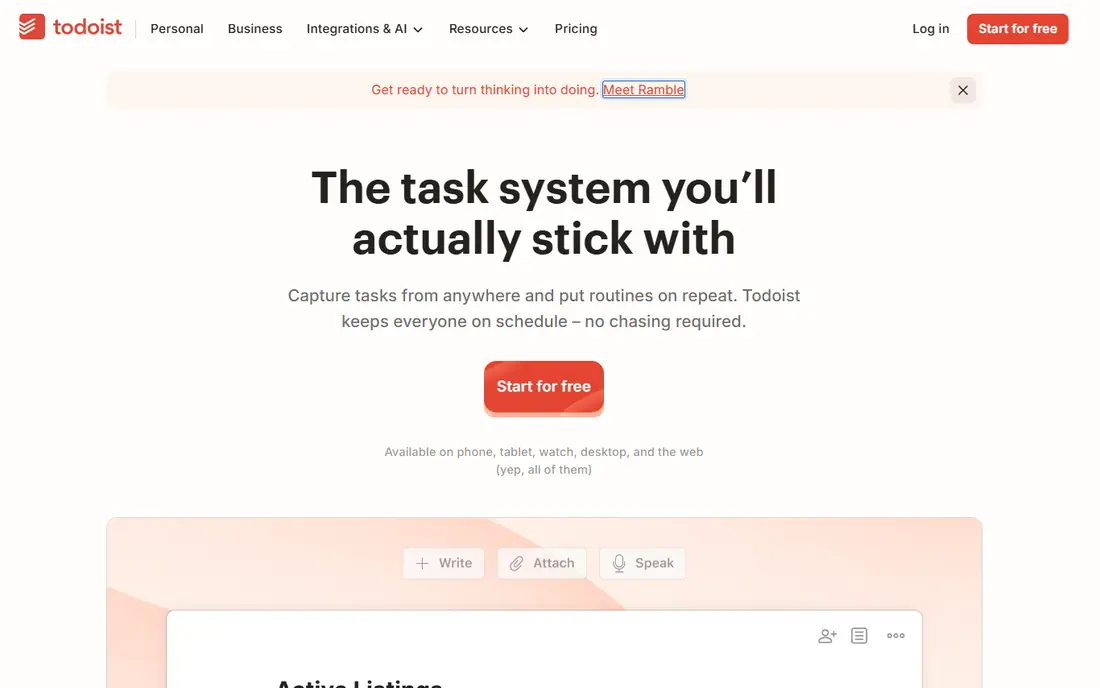
Todoist wins on capture speed. You can add a task from your phone, browser, email, or watch, type the date in plain words, and let Todoist sort it into the right project and priority. Recurring tasks, subtasks, and sections keep longer projects organised without turning the list into a project management tool, and filters let you build views such as "work due this week" in a few taps.
Pro, at $7 per month or $60 per year, adds reminders, the calendar layout, task durations, deadlines, and full activity history. That is the plan most regular users will need once reminders matter, because the free plan does not include them. The limit to watch is project count, since five active projects fill up fast if you separate work, home, health, and personal goals.
- Natural language dates, priorities, labels, and filters
- Projects and sections for work and home
- Web, desktop, and mobile apps
- Reminders and the calendar layout need Pro
- Free plan caps active projects at five and filter views at three
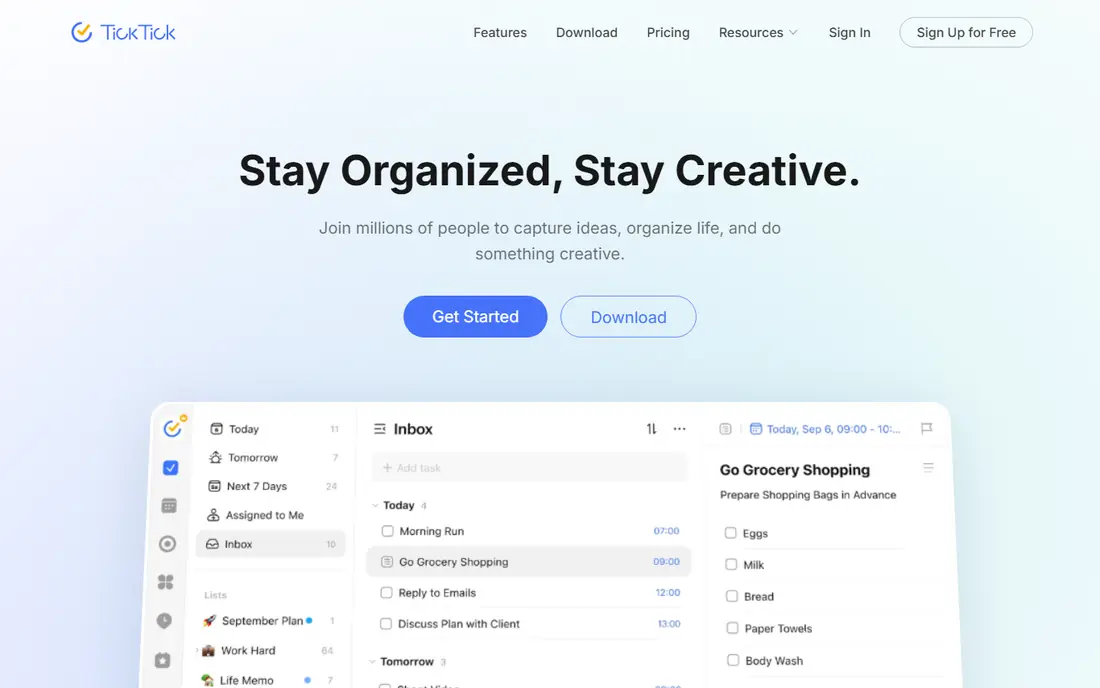
TickTick is the app to pick if you want fewer apps on your phone. Tasks live beside a calendar, so you can drag a task into a time slot, and habits sit in the same daily view, so a streak is visible next to the work that fills the day. The Pomodoro timer and white noise options help with focus sessions without opening another tool.
Premium is listed at $49.99 per year on the website, with a monthly app store price of $4.99, and it removes the free caps while adding custom filters, full calendar functions, and more themes. The interface is busier than Todoist, and some people will prefer a simpler list. If you like having tasks, habits, and time in one place, that extra density is a fair trade.
- Calendar view, habit tracker, and Pomodoro timer built in
- Syncs across web, Windows, Mac, Linux, iOS, and Android
- Strong free tier
- Free tier caps lists, tasks per list, and reminders per task
- Full calendar and filter features need Premium
Things 3 feels different from most task apps because it is built around a daily and weekly rhythm rather than a long list. The Today view shows what you chose for today, Upcoming shows the week ahead, and Someday holds ideas without cluttering the present. Headings inside projects and a clean checklist view keep larger goals readable.
Pricing is one-time per platform: $9.99 for iPhone and Apple Watch, $19.99 for iPad, and $49.99 for Mac, with Things Cloud sync included. That suits people who dislike subscriptions, but it also means there is no free plan to try the full app before paying, beyond the App Store refund policy in your region. Things 3 is personal only, so households and teams that need shared assignments should look elsewhere.
- Clear Today, Upcoming, Anytime, and Someday structure
- One-time purchase per platform with free sync
- Calm, focused design
- Apple only
- No team sharing
- Each platform is bought separately, so the full set costs more than one purchase
Microsoft To Do is the simplest strong option on this list, and that is its strength. The My Day view asks you to pick a small set of tasks each morning, shared lists work for a household or a small team, and tasks from Outlook and Microsoft Planner appear in the same place. If your work email is Outlook, this app removes friction that other apps add.
The limits are real. A task has only one level of steps, there is no board view, and customisation is thin compared with Todoist or TickTick. For many people that is enough, because a to do list should be short. If you need projects with nested sections, filters, and priorities, a dedicated task app will serve you better, but it will cost money or setup time that Microsoft To Do does not ask for.
- Free with a Microsoft account
- My Day view for a daily reset
- Shared lists and Outlook integration
- Flat structure with limited hierarchy
- No kanban, time blocking, or habit tracking built in
Any.do suits people who want a pleasant daily list without learning a task system. The planner view walks through today, tomorrow, and upcoming tasks, the calendar view shows events beside tasks, and the mobile apps are quick to open and update. Voice entry and WhatsApp capture, where available, help when you think of a task away from your desk.
Premium is listed at $7.99 per month, or $4.99 per month when billed annually, and it adds features such as unlimited reminders, custom recurring tasks, and more themes and integrations. The free plan covers basic lists and sharing, which is enough to test whether the daily planner workflow fits. Any.do is less suited to heavy project work, since its strength is the day, not the database behind it.
- Clean daily planner and calendar in one view
- Voice entry and location reminders on paid plans
- Apps on web, iOS, and Android
- Premium features, including advanced reminders, need a subscription
- Less depth for complex projects than Todoist or TickTick
Google Tasks is the right to do app if you already live in Gmail and Google Calendar and want the smallest possible addition. A task created from an email stays linked to that email, due dates appear in Calendar, and the mobile app is fast for checking off a short list. There is nothing to configure, and nothing extra to pay for.
That minimal design is also the ceiling. There are no priority levels, tags, or custom filters, and recurring options are basic. People with more than a few lists, or with work that needs sorting by project and urgency, will outgrow Google Tasks quickly. As a free companion to Google Calendar, though, it covers daily errands and simple work tasks without fuss.
- Free with a Google account
- Sits inside Gmail, Calendar, and Google Workspace
- Simple lists and subtasks
- No priorities, tags, or advanced filters
- No natural language entry
- Limited views
Apple Reminders has improved into a capable free task app for Apple users. You can ask Siri to add a reminder, set a location trigger such as "when I get home", build smart lists from tags and dates, and share a grocery or household list with family. It is already on every iPhone, iPad, and Mac, so there is no new account or app to learn.
The trade-off is ecosystem lock-in. There is no native Android or Windows app, and web access is limited compared with cross-platform tools. Project handling is also simpler, with sections and tags rather than the filters and boards in Todoist or TickTick. If everyone in your household uses Apple devices and your lists are straightforward, Apple Reminders is hard to beat for price and convenience.
- Free and built into iOS, macOS, and watchOS
- Location and time reminders, smart lists, and Siri entry
- Shared lists for households
- Apple only, with limited web access
- Weaker project views and filters than Todoist or TickTick
OmniFocus is built for people who run a complete personal task system, often based on the Getting Things Done method. Perspectives let you build custom views for contexts, projects, and review dates, defer dates hide tasks until they are actionable, and the review cycle prompts you to revisit projects so nothing goes stale. Automation and Shortcuts support add depth for power users who want tasks to flow between apps.
That power comes with a learning curve and a price. The subscription is listed at $99.99 per year, with a free trial available, and one-time purchase options are also offered on the vendor site. OmniFocus is Apple only, so it will not help if you work on Windows or Android. For most people it is more system than they need, but for a committed Apple user with many projects, it is the deepest option here.
- Powerful perspectives, defer dates, and review cycles for a full task system
- Strong Apple integration and automation
- One-time purchase options also exist
- Apple only
- Steep learning curve
- Higher price than most personal task apps
Superlist is a newer option that focuses on shared lists that feel good to use. You can keep personal tasks, household lists, and small team work in one app, add notes to tasks, and share a list with a link or an invitation. The design is clean and fast, and it suits people who found older task apps either too plain or too complex.
Because Superlist is still growing, its integration list and template library are smaller than those of Todoist or TickTick, and pricing should be checked on the vendor site before you commit, since plans and regional prices change. The free plan is enough to test personal and shared lists. If you want a modern shared list app and you do not need the deepest automation, Superlist is worth a trial week.
- Fast, modern interface for personal and shared lists
- Tasks, notes, and lists in one place
- Collaboration for households and small teams
- Newer and smaller ecosystem than Todoist or TickTick
- Some advanced features need a paid plan
- Pricing varies by plan and region
How we picked these
We compared official feature pages, pricing pages, app store listings, and public reviews, and we kept only to do apps that are actively available in October 2026. We looked for fast capture, reliable reminders, and a usable free plan or trial.
How to choose a to do app that sticks
Match the app to your daily review
The app you open each morning matters more than the feature list. If you review a Today view, pick an app with a strong daily view such as Todoist, Things 3, or Microsoft To Do. If you plan by time, TickTick or Any.do, with their calendar views, will fit better. Try each candidate for a real week, with real tasks, and keep the one you actually opened.
Watch the limits that force an upgrade
Free plans hide their limits in different places. Todoist caps projects, TickTick caps lists and reminders, and Apple Reminders and Google Tasks cap depth rather than price. Before paying, list the features you use every day, then check whether the free plan covers them. A subscription should remove a limit you hit weekly, not add features you admire in a demo.
Sources
- https://todoist.com
- https://www.todoist.com/help/account-and-billing/plans/todoist-plans-pricing-and-billing-faq-Vq2z0HWL6
- https://ticktick.com
- https://culturedcode.com/things
- https://to-do.office.com
- https://www.any.do
- https://tasks.google.com
- https://www.apple.com
- https://www.omnigroup.com/omnifocus
- https://www.superlist.com
- https://2sync.com/blog/best-to-do-list-apps
- https://nagmelater.com/blog/best-reminder-apps-iphone.html