Best Tools for Drawing Diagrams in 2026: 8 Tools Compared
By ToolNimba Editorial Team November 13, 2026 9 min read

- Top pick
 diagrams.net
Free professional diagrams
Starting priceFreeCheck out diagrams.netRead our review - Runner-up
 Lucidchart
Team diagramming and collaboration
Starting price$7.95 per monthCheck out LucidchartRead our review - Also great
 Miro
Whiteboards and workshops
Starting price$8 per member per monthCheck out MiroRead our review
How we researched this
We compared official pricing and feature pages, app store listings, privacy policies and public user reviews. Prices change, so check the provider's site before you pay.
Key takeaways
- diagrams.net is the best free diagram tool for most people, with no seat fees and full core features.
- Lucidchart suits teams that need polished diagrams, collaboration and a large template library.
- Miro suits workshops and brainstorming, where diagrams sit alongside sticky notes and boards.
- Microsoft Visio remains the natural pick for teams already deep in Microsoft 365.
Quick comparison
| Name | Best for | Starting price | Free plan | |
|---|---|---|---|---|
| diagrams.net | Free professional diagrams | Free | Yes | Visit |
| Lucidchart | Team diagramming and collaboration | $7.95 per month | Yes | Visit |
| Miro | Whiteboards and workshops | $8 per member per month | Yes | Visit |
 Microsoft Visio | Microsoft 365 diagramming | $5 per user per month | No | Visit |
 SmartDraw | Fast business diagrams | $9.95 per month | Free trial | Visit |
 Creately | Diagrams plus project work | $5 per month | Yes | Visit |
 Whimsical | Fast, clean diagrams | $10 per month | Yes | Visit |
 EdrawMax | Wide diagram type range | See website | Yes | Visit |
The best tools for drawing diagrams
A good diagram tool should make a flowchart, org chart or network diagram fast, and keep it readable when someone else opens it. The tools below cover free solo work, team collaboration and technical diagrams, so pick by how you work, not by feature count alone.
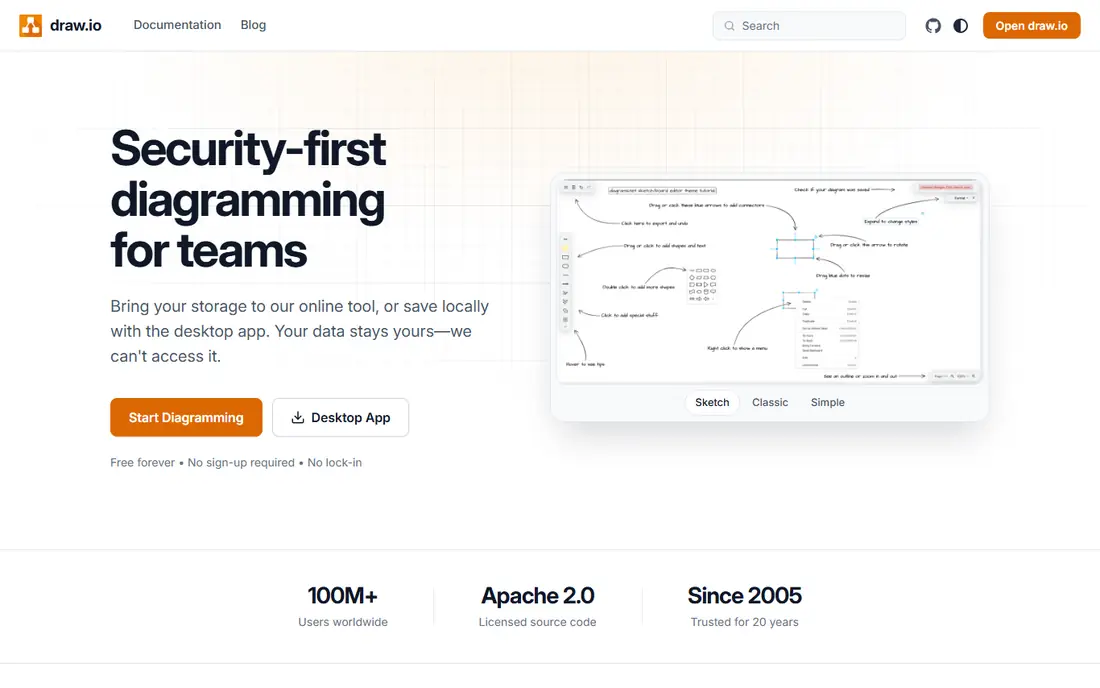
diagrams.net, formerly draw.io, is the tool we recommend first for anyone who just needs good diagrams without a subscription. Flowcharts, UML, network diagrams, org charts and wireframes are all included, and files can be saved to your own drive or device. There is no seat fee and no premium tier locking core shapes behind a paywall.
The trade off is polish and team workflow. Real time collaboration and approval features are thinner than paid rivals, and the interface favors function over style. For solo work, students, developers and budget conscious teams, that trade is easy to accept, since the diagrams themselves are clean and export well.
- Fully free web and desktop apps
- Works with Google Drive and OneDrive
- Large shape libraries
- Collaboration is more basic than Lucidchart
- Interface looks plain next to Miro

Lucidchart is the professional standard for teams that diagram every week. Templates cover flowcharts, org charts, UML, network maps and process diagrams, and multiple people can edit, comment and review the same document. Integrations with Google Workspace, Microsoft and Slack help diagrams live where teams already work.
Individual plans start at $7.95 per month on annual billing, with Team plans from around $9 per user per month. The free plan is limited to three editable documents, so it suits a trial rather than ongoing work. If your team shares diagrams often and needs version control and comments, Lucidchart earns its price.
- Strong templates and shape libraries
- Real time collaboration
- Good integrations
- Free plan limits editable documents
- Team plans need at least three users

Miro is a whiteboard first, with diagramming as one part of a larger canvas. That makes it ideal for workshops, brainstorming, user journey mapping and agile planning, where a flowchart sits next to sticky notes, images and comments. Teams can work together live or leave comments for later.
Starter costs $8 per member per month on annual billing, with a free plan limited to three editable boards. For pure technical diagrams, Lucidchart or diagrams.net give more precision. For collaborative sessions where diagrams evolve in a meeting, Miro is often the better room to work in.
- Infinite canvas for workshops
- Huge template range
- Strong real time collaboration
- Diagram precision lags dedicated tools
- Costs rise per member
Visio fits organizations that already live in Microsoft 365. Diagrams link to Excel data, files live in OneDrive and SharePoint, and the desktop app handles complex technical drawings. Plan 1 starts near $5 per user per month for web use, with higher plans adding the desktop app and more features.
Casual users may find Visio heavier than Lucidchart or diagrams.net, and the plan structure takes care to compare. If your company already pays for Microsoft 365, check whether Visio is included in your plan before buying a separate diagram tool.
- Deep Microsoft 365 integration
- Strong for network and engineering diagrams
- Desktop app available
- Web only on lower plans
- Less friendly for casual users
- Pricing varies by plan
SmartDraw appeals to business users who want a diagram fast without learning a design tool. Drop in shapes and the tool handles spacing, alignment and connectors, which helps for org charts, floor plans and process maps. Templates cover business, engineering and healthcare use cases.
Plans start near $9.95 per month. The interface is less modern than rivals, and team collaboration is not its strength. For a solo professional or small team that values speed and automatic layout over live co editing, SmartDraw remains a practical choice.
- Automatic formatting
- Large template range including floor plans
- Works on web and desktop
- Interface feels dated
- Collaboration is weaker than Lucidchart and Miro
Creately blends diagramming with lightweight project work, so a flowchart can connect to tasks, timelines and team assignments. That suits project managers who want a visual plan and a task list in one place, rather than a diagram that lives apart from the work. Plans start near $5 per month, with a free plan for basic use.
The shape and template range is good, though not as deep as Lucidchart for technical diagrams. Teams that need strict UML or network standards may prefer a dedicated tool. For business process maps, org charts and project visuals, Creately offers good value.
- Diagrams linked to tasks and projects
- Good template range
- Low entry price
- Smaller community than Lucidchart
- Advanced diagram features are thinner
Whimsical is built for speed. Flowcharts, wireframes, mind maps and sticky note boards can be made in minutes, and the output looks clean without fiddling with styles. Startups and product teams like it for early planning, when a clear diagram matters more than a formal standard.
Paid plans start near $10 per month, with a free plan for personal use. Whimsical is not the tool for a 200 shape network diagram or a detailed engineering drawing. For everyday product, design and process diagrams, its speed is a real advantage.
- Very fast to use
- Clean minimalist output
- Good for flowcharts, wireframes and mind maps
- Fewer diagram types than EdrawMax
- Paid plans start higher than some rivals
EdrawMax covers an unusually wide range of diagrams, from flowcharts and org charts to floor plans, electrical diagrams, infographics and mind maps. That breadth suits technical professionals, teachers and small businesses that need many diagram types in one tool, rather than a separate app for each job.
Pricing varies by subscription and license type, so we list See website rather than a single figure that may not match your platform. A free plan lets you test the core tools. If you need one tool for many diagram styles and you like a desktop app, EdrawMax is worth trying alongside Lucidchart.
- Very wide diagram range, over 200 types
- Desktop and web apps
- Large template library
- Pricing varies by plan and platform
- Interface can feel busy
How we picked these
We compared official pricing pages, free plan limits, diagram types, collaboration features and export options. We favored tools that are actively maintained and that a US user can buy or use free today. Where pricing varied by platform or was not published in a single clear figure, we wrote See website.
How to choose a diagram tool
Start with the diagram you make most. Flowcharts and org charts work well in almost every tool here, while UML, network and engineering diagrams favor Lucidchart, Visio, diagrams.net or EdrawMax. If you diagram in meetings, Miro or Whimsical will feel faster than a formal tool, even if they offer fewer technical shapes.
Next, check sharing and export. Your team needs to open, comment on and export diagrams without buying a license for every viewer, in most cases. Look at PDF, PNG, SVG and native file export, and test how a diagram looks when printed or pasted into a document. A beautiful canvas that exports poorly will frustrate everyone downstream.
Free versus paid diagram software
Free tools have improved a lot. diagrams.net handles most professional diagrams at no cost, and Google Drawings covers quick simple diagrams inside Google Workspace. Paid tools earn their price through collaboration, templates, data linking and support. Pay when diagrams are a team workflow, not a solo task, or when you need data linked diagrams that update from a spreadsheet.
Tips for clearer diagrams
Keep one idea per diagram, label connectors in plain words, and use consistent shapes for the same kind of step. Start with a rough sketch on paper or a whiteboard before opening a tool, since a clear structure matters more than a large shape library. Finally, name files by project and date, so a diagram found six months later is still useful.
Sources
- https://www.diagrams.net
- https://www.lucidchart.com
- https://www.miro.com
- https://www.microsoft.com
- https://www.smartdraw.com
- https://www.creately.com
- https://www.whimsical.com
- https://www.edrawmax.com
- https://kurums.com/best-diagram-software-2026-comparison/?v=653f5ac96a69
- https://diagrams.so/blog/drawio-vs-lucidchart-vs-miro
Frequently asked questions
What is the best diagram drawing software for free?
diagrams.net is the best free choice for most people, with full core features and no seat fees. Google Drawings is a simpler free option inside Google Workspace. For team collaboration, a paid tool such as Lucidchart or Miro is usually worth the cost.
What is the best software for drawing flowcharts?
Lucidchart, diagrams.net and Whimsical are all strong for flowcharts. Lucidchart suits teams, diagrams.net suits free solo work, and Whimsical suits fast product diagrams. Choose by team size and how often you share diagrams, not by template count alone.
Is Lucidchart or Miro better for diagrams?
Lucidchart is better for formal, precise diagrams with templates and data. Miro is better for workshops and collaborative sessions where diagrams sit alongside notes and boards. Many teams use both: Miro for early thinking, Lucidchart for final documentation.
Can I draw diagrams in Microsoft Visio for free?
Visio is not free as a standalone product, though some Microsoft 365 plans include a web version. Check your current plan before buying, since the included version may cover basic diagrams. For a free standalone tool, diagrams.net is the closer match.
What tool is best for UML and network diagrams?
diagrams.net, Lucidchart and Visio all handle UML and network diagrams well, with shape libraries for servers, routers and UML notation. EdrawMax also covers these types plus many others. Test your most complex diagram in the free plan before committing to a paid tier.