Best Trading App in 2026: 9 Apps Compared
By ToolNimba Editorial Team October 28, 2026 12 min read

- Top pick
 Fidelity
Most investors
Starting price$0 per tradeCheck out FidelityRead our review - Runner-up
 Charles Schwab
Full-service investing
Starting price$0 per tradeCheck out Charles SchwabRead our review - Also great
 Robinhood
Simple mobile investing
Starting price$0 per tradeCheck out RobinhoodRead our review
How we researched this
We compared official pricing and feature pages, app store listings, privacy policies and public user reviews. Prices change, so check the provider's site before you pay.
Key takeaways
- Stock and ETF commissions are $0 at every platform on this list for online trades, so tools, research, and account options matter more than the headline price.
- Fidelity is our pick for most people because it pairs $0 trades with strong research, retirement accounts, and fractional shares from $1.
- Robinhood and Webull are the simplest mobile-first choices, while Interactive Brokers and tastytrade suit traders who need wider markets or options tools.
- This is not financial advice; trading carries risk, and you can lose money, especially with margin, options, and short-term trading.
Quick comparison
| Name | Best for | Starting price | Free plan | |
|---|---|---|---|---|
| Fidelity | Most investors | $0 per trade | Yes | Visit |
| Charles Schwab | Full-service investing | $0 per trade | Yes | Visit |
| Robinhood | Simple mobile investing | $0 per trade | Yes | Visit |
 Webull | Active mobile traders | $0 per trade | Yes | Visit |
 E*TRADE | Research and trading tools | $0 per trade | Yes | Visit |
 Interactive Brokers | Serious and global traders | $0 per trade | Yes | Visit |
 tastytrade | Options traders | $0 per trade | Yes | Visit |
 SoFi Invest | Beginner investors | $0 per trade | Yes | Visit |
 Public | Social and fractional investing | $0 per trade | Yes | Visit |
The best trading apps
These nine platforms cover the main ways people invest in the United States, from a first brokerage account to a daily trading setup. We compared official pricing pages, account features, research tools, and app store listings.
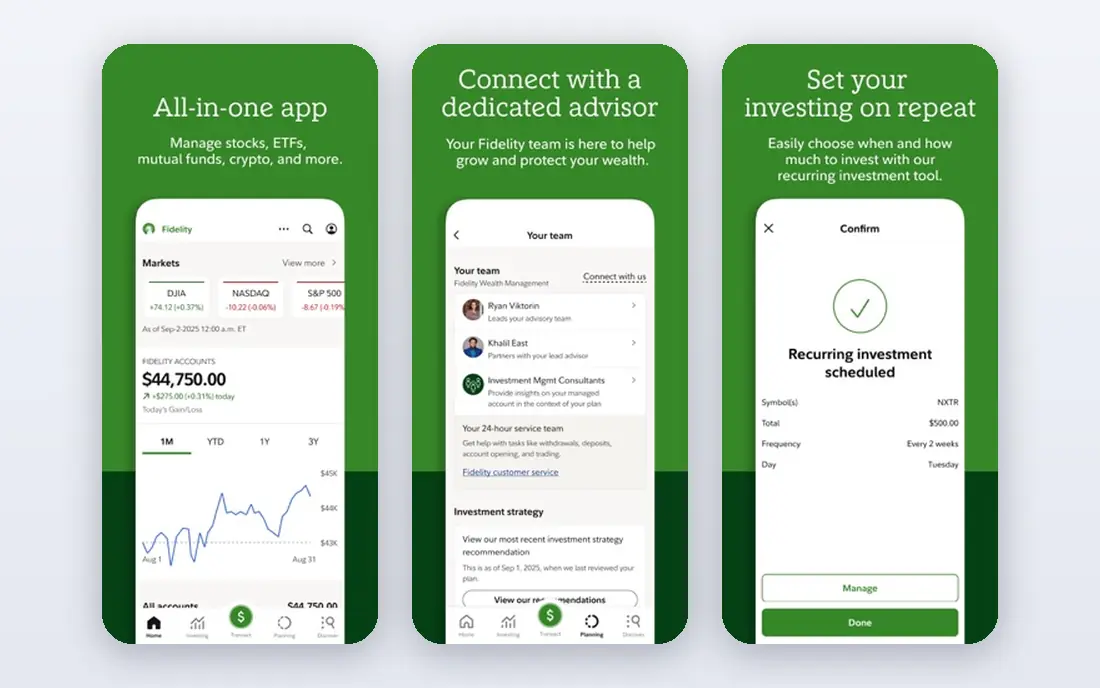
Fidelity is the easiest recommendation for most readers because it does very little badly. You can open a brokerage account, an IRA, a Roth IRA, or a health savings account in one place, and you can trade stocks, ETFs, mutual funds, and options without paying a commission on online stock and ETF trades. Fractional shares let you start with $1, which helps when a single share of a popular company costs far more than a beginner wants to spend.
The research side is where Fidelity pulls ahead of simpler apps. It offers screeners, analyst reports, educational articles, and planning tools that help you compare funds and check whether a portfolio matches a retirement goal. Its mobile app is clear enough for a basic buy order, while Active Trader Pro on desktop gives active traders charts and order tools. The honest catch is choice overload. New investors may need time to find the right account type and ignore features they do not need yet.
- $0 online stock and ETF trades
- Strong research and retirement tools
- Fractional shares from $1
- Options cost $0.65 per contract
- The platform can feel large for a first-time investor
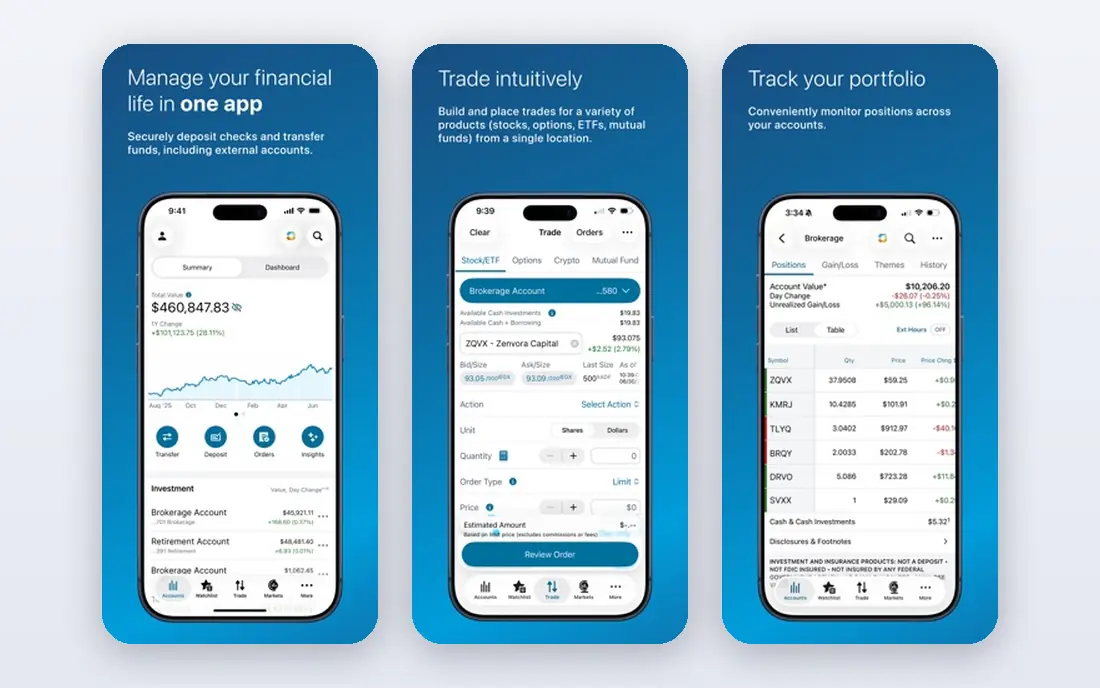
Charles Schwab suits investors who want a large firm behind their account and a person to call when something goes wrong. It offers $0 online stock and ETF trades, fractional shares through its stock slices program, retirement accounts, and managed portfolios for people who would rather hand over day-to-day decisions. Branches and phone support give it an edge over app-only brokers for complex questions about rollovers, inherited accounts, or tax documents.
The mobile app handles everyday trading well, and the desktop platform adds deeper charting and research. Schwab also links investing to banking products, which some households prefer for moving cash. The trade-off is that Schwab is a big system with many menus, and its most powerful tools are not as immediately obvious as those in a smaller app. If you want human help and a long track record, that trade-off is worth it.
- $0 online stock and ETF trades
- Branches and phone support
- Broad account and banking options
- Options cost $0.65 per contract
- Some advanced tools take time to learn
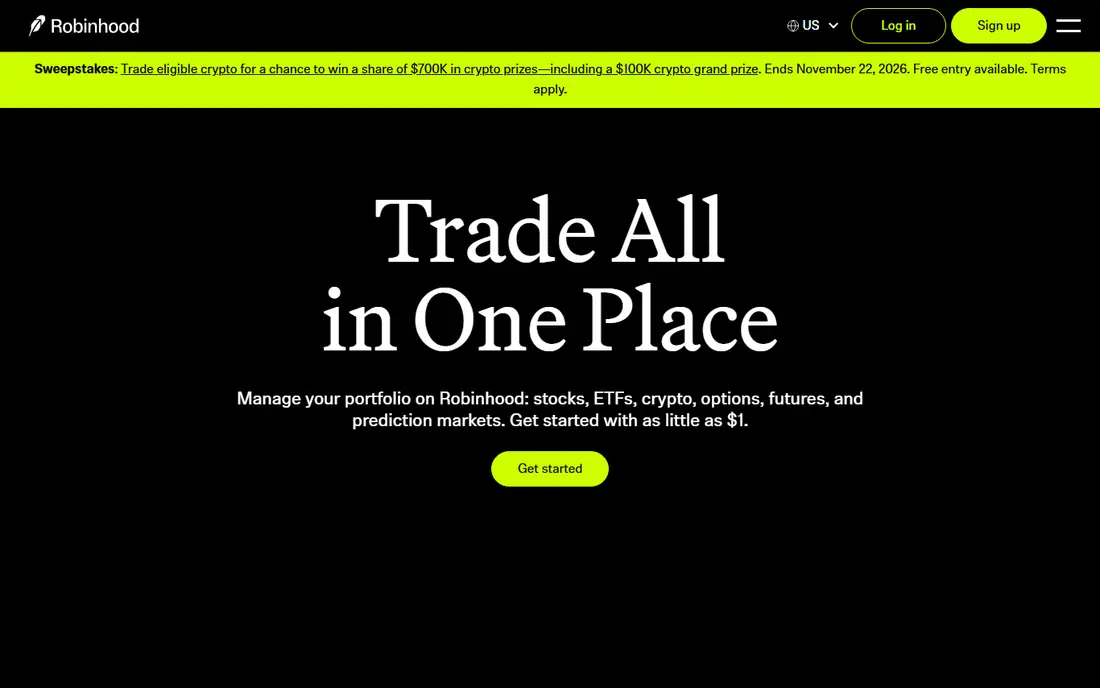
Robinhood remains the clearest choice for someone who wants to open an account on a phone and place a first trade without a long tutorial. The app keeps the order screen short, shows your portfolio at a glance, and offers stocks, ETFs, options, and crypto through related services. Fractional shares from $1 make it easy to start small, and retirement accounts are available for people who want to invest for the long term.
What Robinhood gives up is depth. Its research, charting, and educational material are thinner than what you get at Fidelity, Schwab, or Interactive Brokers, so active traders often outgrow it. Robinhood Gold, a paid subscription, adds features such as larger instant deposits and interest on uninvested cash, but it is not required to trade. Robinhood fits best as a starting app or a second account for simple trades, not as a full research desk.
- $0 stock, ETF, and options trades
- Very simple mobile app
- Fractional shares from $1
- Research is lighter than at Fidelity or Schwab
- Gold subscription adds cost for extra features
Webull is built for people who like to study a chart before they trade. Its mobile app packs in indicators, drawing tools, screeners, and extended-hours trading, while the desktop version adds multi-chart layouts and hotkeys for faster orders. Paper trading lets you practice with virtual money before risking real cash, which is a genuine help for new active traders.
The platform also offers fractional shares, retirement accounts, and crypto through related services. The catch is that Webull assumes you already know what you are looking for. It does not guide a beginner through a first portfolio in the way Fidelity or Schwab does, and some premium market data is paid. Recent public scrutiny of Webull's ownership has also led some investors to ask harder questions about where they hold assets, so check current news and disclosures before you choose it.
- $0 stock, ETF, and options trades
- Advanced charts and screeners
- Paper trading for practice
- Research and education are less guided than at larger brokers
- Some market data costs extra
ETRADE, part of Morgan Stanley, sits between a simple app and a professional trading desk. Its main app is clean enough for everyday investing, while Power ETRADE gives active traders advanced charts, options tools, and strategy analysis. Research from Morgan Stanley and other providers, plus screeners and educational content, helps you move from a ticker symbol to a reasoned decision.
You can also open retirement accounts, managed portfolios, and bank accounts within the same group, which suits households that want fewer logins. The downside is that ETRADE offers several platforms and account types, and it is not always obvious which one fits a given task. Start with the main app, then move to Power ETRADE only if you trade options or watch charts closely.
- $0 online stock and ETF trades
- Strong research and Power E*TRADE platform
- Retirement and managed options
- Options cost $0.65 per contract
- The range of platforms can confuse new users
Interactive Brokers is the platform traders graduate to when they need more than US stocks. It offers access to stocks, options, futures, forex, bonds, and markets outside the United States, plus professional-grade tools in Trader Workstation. IBKR Lite offers $0 commissions on US stock and ETF trades, while IBKR Pro uses a per-share or per-trade pricing model that can suit high-volume traders.
That power comes with complexity. The account setup asks detailed questions, the desktop platform has a steep learning curve, and market data subscriptions can add cost if you want real-time data beyond the basics. Interactive Brokers is not our pick for a first account, but for a serious trader who needs global access and low margin rates, it is hard to beat.
- Access to many global markets
- Low margin rates for qualified accounts
- Powerful Trader Workstation platform
- The platform is complex for beginners
- Pricing plans and market data fees need careful reading
tastytrade is designed around options, and its pricing shows it. Stock and ETF trades are $0, and options trades are priced per contract to open, with a cap per leg, and $0 to close, based on its published fee schedule. That structure helps traders who place multi-leg options strategies, where per-contract fees at other brokers add up quickly.
The platform also offers a large library of educational videos and live shows that explain options mechanics, volatility, and risk in plain terms. That teaching focus is a real strength, but it also signals who tastytrade is for. If you mainly buy index funds and hold them for years, you will not use most of what tastytrade offers, and options trading can lose money fast. Use it only if you understand options risk and have a clear plan.
- $0 stock and ETF trades
- Options pricing capped per leg
- Education focused on options and trading mechanics
- Less suited to long-term index investors
- Options trading carries high risk and needs approval
SoFi Invest fits people who want investing to sit next to their bank account, student loan, or personal loan in one app. It offers $0 stock and ETF trades, fractional shares, retirement accounts, and automated investing for people who would rather set a plan and leave it alone. The interface is friendly, and the learning material is written for beginners rather than market professionals.
Active traders will find SoFi thin. Charts, screeners, and options tools are limited compared with Webull, E*TRADE, or tastytrade, and the platform is clearly aimed at long-term investing rather than daily trading. If you already bank with SoFi or want one app for several money tasks, it is a convenient start. If you plan to trade often, pair it with a more powerful platform or choose one of those instead.
- $0 stock and ETF trades
- Fractional shares from $5
- Investing sits beside banking and loans in one app
- Trading tools and research are basic
- Options cost $0 per contract but the platform is not built for active traders
Public combines a brokerage account with a social feed where investors share ideas, explain trades, and follow themes such as clean energy or artificial intelligence. It offers $0 stock and ETF trades, fractional investing, retirement accounts, and crypto through related services. For a beginner who learns by watching others, the community can make investing feel less lonely.
The risk is also the appeal. Seeing another investor buy a stock is not a reason to buy it yourself, and Public's research tools are lighter than those at Fidelity or Schwab. Treat the feed as a source of ideas to check, not as advice. Public works best for a small, curious investor who wants a simple app and is willing to do their own research before following any idea.
- $0 stock and ETF trades
- Fractional shares and themed lists
- Community features for learning from other investors
- Research tools are lighter than at large brokers
- Social features can encourage copying trades without research
How we picked these
We compared official pricing pages, account features, and app store listings for major US brokers, then checked which platforms truly fit everyday investors and active traders. We looked at commissions on stocks, ETFs, and options, fractional share minimums, retirement account options, research tools, and support channels. We also weighed honest limits, such as a thin research library or a complex platform, because a low headline price does not help if the tools do not fit how you invest.
We did not claim hands-on testing, and we did not rank these platforms by invented scores. Our order reflects fit for common reader needs: broad all-rounders first, then mobile-first apps, then specialist platforms for active and options traders. Prices can change, so check the broker's own fee schedule before you open an account or place a trade.
What to check before you open an account
Start with the account type, not the app design. A Roth IRA, a traditional IRA, and a taxable brokerage account have different tax rules, and the right choice depends on your income, age, and goals. If you are unsure, read the broker's account guide or speak to a tax professional before you fund an account. A simple app will not fix a wrong account choice.
Next, check the full fee schedule, not just the commission line. Options per-contract fees, margin interest, wire fees, and market data subscriptions can matter more than a $0 stock trade once you trade often. Also check whether fractional shares, dividend reinvestment, and recurring investments are available, because those features help small, regular investors more than a fancy chart.
Finally, think about how much help you want. A large broker with phone support and branches suits complex rollovers and family accounts. A mobile-first app suits a confident investor who trades rarely and wants a low-friction setup. Pick the platform you will actually use, keep position sizes small while you learn, and never borrow money to trade unless you fully understand margin risk.
Sources
- https://www.fidelity.com
- https://www.schwab.com
- https://www.robinhood.com
- https://www.webull.com
- https://www.etrade.com
- https://www.interactivebrokers.com
- https://www.tastytrade.com
- https://www.sofi.com
- https://www.public.com
- https://rankite.com/blog/best-brokerage-platforms
- https://www.brokerage-review.com/discount-broker/compare-brokerage-commissions.aspx