Best Travel Apps in 2026: 10 Apps Compared
By ToolNimba Editorial Team October 28, 2026 11 min read

- Top pick
 Google Flights
Flight search and tracking
Starting priceFreeCheck out Google FlightsRead our review - Runner-up
 Skyscanner
Global flight deals
Starting priceFreeCheck out SkyscannerRead our review - Also great
 TripIt
Itinerary from booking emails
Starting priceFreeCheck out TripItRead our review
How we researched this
We compared official pricing and feature pages, app store listings, privacy policies and public user reviews. Prices change, so check the provider's site before you pay.
Key takeaways
- No single app covers a whole trip, so build a small set: one for flights, one for stays, one for itineraries, one for maps, and one for money.
- Google Flights and Skyscanner are the strongest free flight search pair, with Google Flights best for tracking and Skyscanner best for low-cost carriers.
- TripIt remains the easiest way to turn booking emails into one itinerary, while Wanderlog is better for planning a trip together on a map.
- For international trips, add Google Translate with offline packs, Google Maps with offline areas, and a data or money app before you leave home.
- Most core travel apps are free, so pay only for a Pro tier when you fly often enough that alerts, fare tracking, or offline access save real money.
Quick comparison
| Name | Best for | Starting price | Free plan | |
|---|---|---|---|---|
| Google Flights | Flight search and tracking | Free | Yes | Visit |
| Skyscanner | Global flight deals | Free | Yes | Visit |
| TripIt | Itinerary from booking emails | Free | Yes | Visit |
 Wanderlog | Collaborative trip planning | Free | Yes | Visit |
 Booking.com | Hotels and stays worldwide | Free | Yes | Visit |
 Airbnb | Homes and apartments | Free | Yes | Visit |
 Google Maps | Navigation and offline maps | Free | Yes | Visit |
 Google Translate | Language help abroad | Free | Yes | Visit |
 Hopper | Price predictions and alerts | Free | Yes | Visit |
 Wise | Money and exchange abroad | Free | Yes | Visit |
The best travel apps
A good travel set keeps logistics out of the way so you can enjoy the trip. The ten apps below each do one job well, and together they cover flights, stays, plans, navigation, language, and money without forcing you into a single paid bundle.
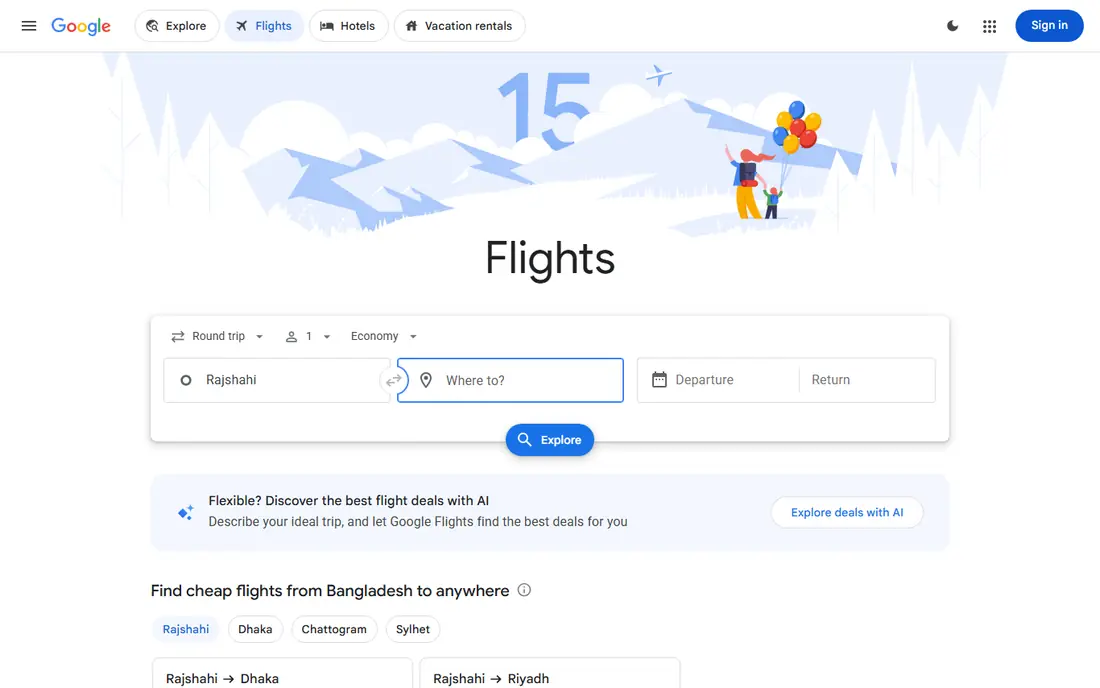
Google Flights is the benchmark for flight search because it is fast and clear. You can search flexible dates, track a route and get alerts when the price moves, and use the explore map when you know your dates but not your destination. Price history helps you judge if a fare is high, average, or low for that route.
The limit is coverage and booking. Some low-cost carriers do not appear with full booking options, and the price guarantee feature is US-only in published comparisons. Use Google Flights to find and track the fare, then compare with the airline site before you book, since booking direct often makes changes easier.
- Fast flexible-date search
- Price tracking and history
- Explore map for flexible trips
- Does not book every low-cost carrier directly
- Price guarantee is limited by region
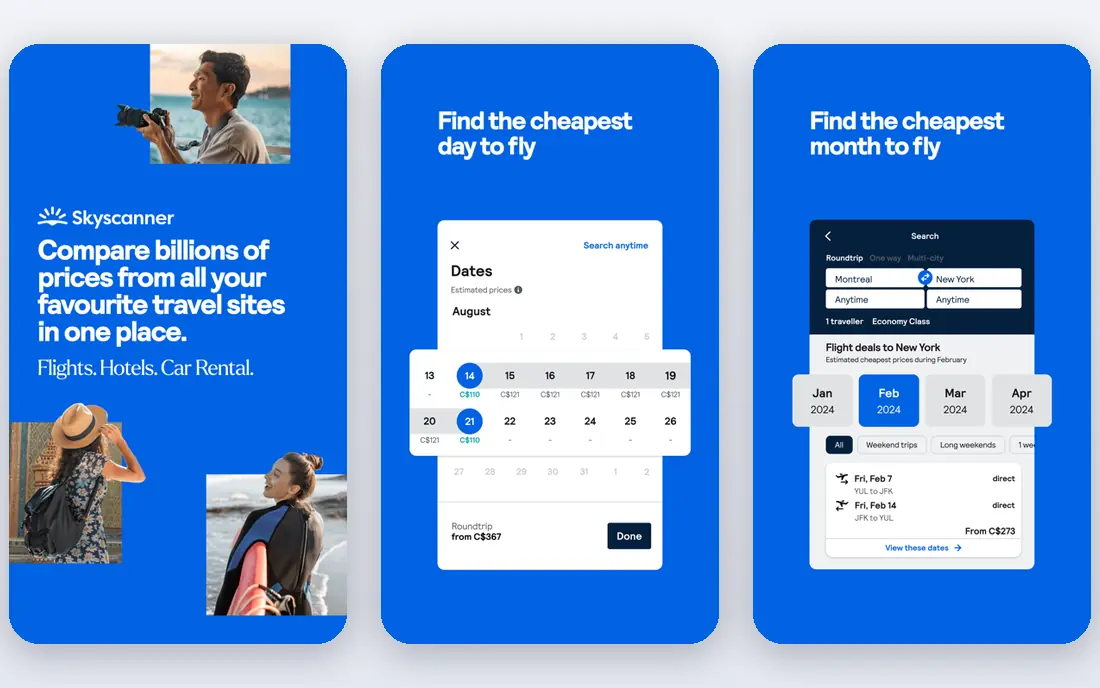
Skyscanner is the best companion to Google Flights, especially outside North America. It covers a wide range of airlines, including low-cost carriers in Asia and Eastern Europe that other search tools miss, and its Everywhere search lets you pick the cheapest destination from your home airport. Price alerts are free and easy to set.
Skyscanner is a search tool, not a booking agent in most cases, so you will be redirected to an airline or partner to complete the purchase. Check baggage, change fees, and total price on that final screen, since partner fees can change the deal. Used side by side with Google Flights, Skyscanner catches fares the other tool misses.
- Covers 180 countries in published comparisons
- Strong low-cost carrier coverage
- Everywhere search for flexible travelers
- Prices redirect to booking partners
- Fare details vary by partner
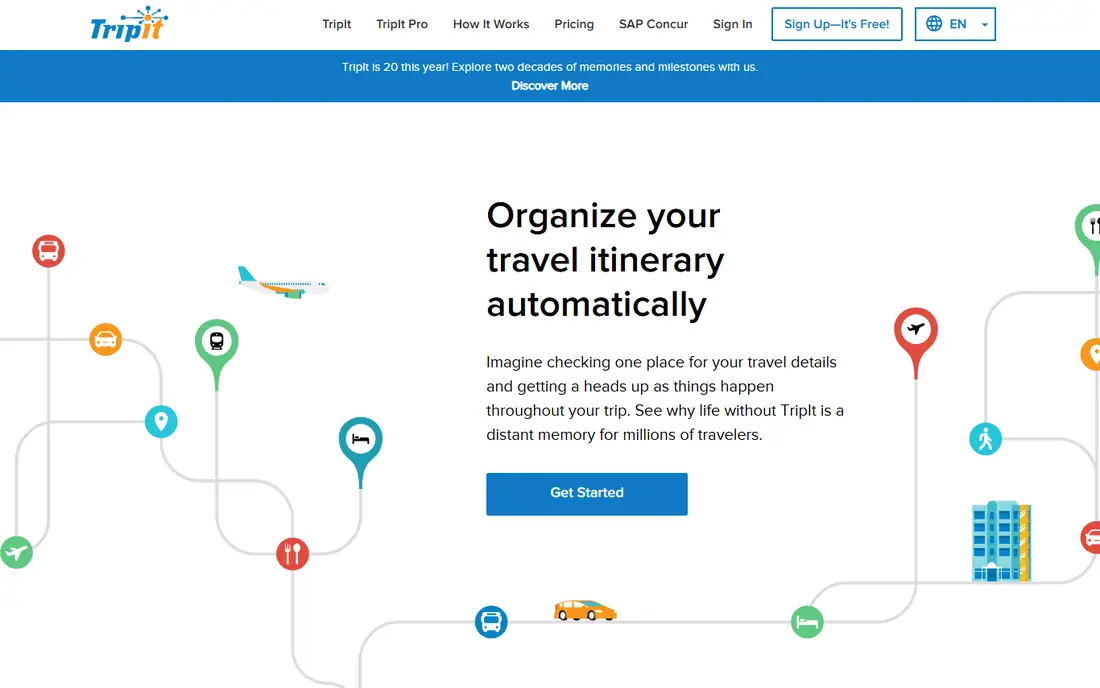
TripIt solves the inbox problem. Forward a flight, hotel, or car confirmation, and TripIt builds a day-by-day itinerary with times, confirmation numbers, and maps in one place. The free tier covers that core job, plus calendar sync and sharing, which is enough for most casual travelers.
TripIt Pro costs $49 per year and adds real-time flight alerts, fare-drop monitoring, a seat tracker, alternate-flight help during disruption, and higher document limits. That tier pays for itself if you fly monthly, but casual travelers can skip it and rely on airline apps for alerts. For a single source of truth on a multi-stop trip, TripIt is still the easiest pick.
- Turns forwarded booking emails into one itinerary
- Calendar sync
- Works offline for stored trips
- Real-time alerts and fare tracking need TripIt Pro at $49 per year
Wanderlog is built for planning a trip with other people. You can build a day-by-day plan on a map, add places, notes, and reservations, and let travel partners edit the same plan in real time. The free plan covers the map builder, manual budget tracking, and group editing, which is enough for most group trips.
Wanderlog Pro costs $39.99 per year, or $17 per month if you pay monthly, and adds offline access, route optimization, deal alerts, and unlimited attachments, with a 7-day trial in published comparisons. If you travel offline often or want automated route help, Pro is worth it. For group planning on a map, Wanderlog beats a shared spreadsheet by a wide margin.
- Map-based itinerary builder
- Real-time group editing
- Free plan covers core planning
- Pro at $39.99 per year needed for offline access and full AI planning help
Booking.com is the most comprehensive place to start for stays. It lists hotels, guesthouses, and apartments in most destinations, shows free-cancellation options clearly, and its Genius program gives discounts after a few completed stays. Filters for breakfast, parking, and guest rating help narrow a long list quickly.
The app is free to use, and you pay the property, not Booking.com, for the stay itself, though taxes and fees vary by listing. Always compare the total price, including taxes, with the hotel's direct site, since the same room can cost less direct or include a perk like breakfast. For breadth and flexible cancellation, Booking.com remains a top pick.
- Huge hotel and apartment inventory
- Many free-cancellation options
- Genius loyalty discounts
- Prices for the same room vary by platform
- Service fees can appear on some bookings
Airbnb fits trips where a hotel room feels too small. A full apartment gives you a kitchen, laundry, and space for a family or a longer stay, and host reviews help you judge cleanliness and communication before you book. The app is free, and you pay per stay, with prices set by hosts.
Fees are the catch. Cleaning fees and Airbnb service fees can add a large share to a short stay, so a two-night booking can cost more than a hotel once the total is shown. Read recent reviews, confirm the local rules for short stays, and compare the all-in total with Booking.com. For stays of four nights or more, Airbnb often wins on space and value.
- Full homes, kitchens, and longer stays
- Host reviews and clear house rules
- Flexible cancellation on many listings
- Cleaning and service fees can raise the total sharply
- Quality varies by host
Google Maps is the navigation app most travelers already have, and it earns its place by doing several jobs at once. It gives walking, driving, and transit directions, shows opening hours and reviews, and lets you save places to lists for a trip. Downloading an offline area before you leave home covers navigation when data is slow or expensive abroad.
Live traffic, transit updates, and rerouting need a connection, so offline maps are a backup, not a full replacement for live data. Battery drain on a long walking day is real, so carry a power bank. For getting around a new city without a separate GPS device, Google Maps is the simplest reliable choice.
- Walking, driving, and transit directions worldwide
- Offline areas you download in advance
- Reviews and hours for places
- Needs a data connection for live traffic unless offline areas are saved
- Battery use is high on long navigation days
Google Translate turns a language barrier into a manageable problem. Point your camera at a menu or sign, type or speak a phrase, or use conversation mode for a back-and-forth chat with a shopkeeper or driver. Offline language packs, downloaded before you travel, keep the core features working without data.
Accuracy is good for everyday phrases and directions, but weaker for idioms, formal documents, and medical terms, so double-check anything important with a local speaker when it matters. The app is free, which makes it an easy addition to every international trip. Download packs for each country on your route before you board.
- Free with camera, conversation, and offline language packs
- Covers many languages
- Instant sign translation
- Translations can miss nuance in menus and legal text
- Offline packs need downloading in advance
Hopper adds a prediction layer to flight search. Its algorithm estimates if a fare is likely to rise or fall and tells you to book now or wait, which helps travelers with flexible dates decide with more confidence. The app is free, with price alerts and hotel search included, and it covers many popular routes.
Predictions are not promises, and a predicted drop may not happen, so treat Hopper as a second opinion beside Google Flights and Skyscanner. Paid add-ons at checkout, such as disruption protection, can also raise the total, so read each add-on before you accept it. For a traveler who can wait a few days for a better fare, Hopper is a useful extra signal.
- Price predictions that suggest booking now or waiting
- Free alerts
- Hotel and flight coverage
- Predictions are estimates, not guarantees
- Paid add-ons at checkout can raise the total
Wise helps you spend abroad without the hidden markup many banks add to exchange rates. You can hold balances in several currencies, convert at the shown rate with a clear fee, and spend with a Wise card where it is available. The app is free to download, and you pay fees per transfer or conversion, not a monthly subscription for the basic account.
Wise is not a full bank replacement in every country, and ATM withdrawal limits and fees vary, so check the terms for your destination. It also does not replace travel insurance or a backup card. For international trips where your home bank charges foreign transaction fees, Wise is one of the simplest ways to cut that cost.
- Multi-currency account and card
- Transparent exchange fees shown upfront
- Fast transfers in many currencies
- Not a full bank in every country
- ATM and card fees vary by region and plan
How we picked these
We compared official app pages, app store listings, pricing pages, and 2026 travel roundups, plus flight-tracker comparisons that tested coverage outside the United States. We favored apps that are free to start, work internationally, and have a clear core job, rather than all-in-one apps that do many jobs poorly. We excluded apps that had shut down, required a paid subscription for basic search, or could not be verified from a vendor page or a current review.
How to build your travel app set
Keep the set small, or you will spend the trip switching apps. Pick one flight search pair, one stay app, one itinerary app, and the on-trip trio of maps, translate, and money. Download offline content before you leave, and test each app on a short local trip first.
Before you leave home
Download offline maps for each city, offline language packs for each country, and your boarding passes and hotel confirmations into TripIt or Wanderlog. Set flight price alerts at least three weeks before departure, and check that your money app card works for the currencies you need.
On the trip
Use one itinerary app as the source of truth, and let airline apps handle check-in and gate changes. Save important documents offline, keep a backup payment card separate from your main wallet, and screenshot confirmation numbers in case data fails at the airport.