Best Universal Remote App in 2026: 9 Apps Compared
By ToolNimba Editorial Team November 13, 2026 10 min read

- Top pick
 Samsung SmartThings
Samsung TV owners
Starting priceFreeCheck out Samsung SmartThingsRead our review - Runner-up
 LG ThinQ
LG TV owners
Starting priceFreeCheck out LG ThinQRead our review - Also great
 Roku
Roku players and TVs
Starting priceFreeCheck out RokuRead our review
How we researched this
We compared official pricing and feature pages, app store listings, privacy policies and public user reviews. Prices change, so check the provider's site before you pay.
Key takeaways
- Most universal remote apps work over Wi-Fi, not infrared, so your phone and TV must share a network for most features.
- Samsung SmartThings and LG ThinQ are the best free universal remote apps for owners of those brands, with full TV control included.
- Roku, Apple TV Remote, and Fire TV apps are best if you mainly control a streaming box rather than the TV itself.
- BroadLink and SofaBaton are the only options here that add infrared control for older devices, but both need extra hardware.
- Check your TV brand and model before you install any third-party remote app, because support varies widely by year and region.
Quick comparison
| Name | Best for | Starting price | Free plan | |
|---|---|---|---|---|
| Samsung SmartThings | Samsung TV owners | Free | Yes | Visit |
| LG ThinQ | LG TV owners | Free | Yes | Visit |
| Roku | Roku players and TVs | Free | Yes | Visit |
 Apple TV Remote | Apple TV owners | Free | Yes | Visit |
 Google Home | Chromecast and Google TV | Free | Yes | Visit |
 Amazon Fire TV | Fire TV owners | Free | Yes | Visit |
 Alexa | Voice control for many TVs | Free | Yes | Visit |
 BroadLink | Infrared devices with a hub | See website | Yes | Visit |
 SofaBaton | App plus physical remote | See website | Yes | Visit |
The best universal remote apps
A universal remote app turns your phone into a TV remote, and in some cases into a controller for your whole living room. The best choice depends on your TV brand, whether you use a streaming box, and whether you still own older infrared devices. The apps below are all actively available and free to download, though two need extra hardware for full control.
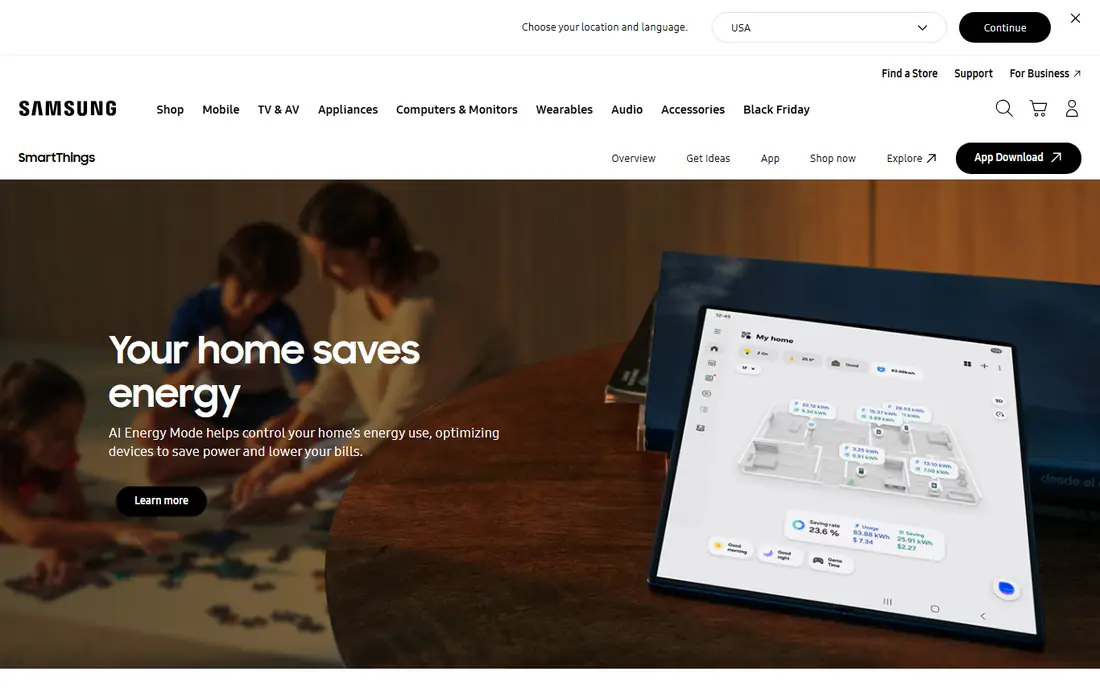
SmartThings is the closest thing to a true universal remote app for Samsung households, because it is made by Samsung and covers the full TV remote, not just power and volume. You get channel and volume control, a keyboard for searching, and access to apps, plus control of other Samsung smart home devices in the same app. Setup takes a few minutes once both devices share a Wi-Fi network and you sign in with a free Samsung account.
The limit is brand scope. SmartThings works best with Samsung TVs and devices, and it will not replace a remote for an LG TV or an older infrared sound system on its own. If your living room is mostly Samsung, though, it is free, polished, and hard to beat.
- Full Samsung TV remote in the app
- Also controls Samsung smart home devices
- Free with a Samsung account
- Best only for Samsung devices
- Needs phone and TV on the same Wi-Fi network for setup
LG ThinQ gives LG TV owners a full remote on their phone, with power, volume, channels, navigation, and a keyboard that makes searching far easier than pecking at an on-screen keyboard with arrow keys. Voice control is included on supported models, and the same app can control LG washers, fridges, and other appliances, which suits a home that already uses LG products.
As with SmartThings, the app is built for its own brand first. Support varies by model year, so an older LG TV may offer fewer features than a recent one. For a recent LG TV, ThinQ is free, well designed, and the obvious first app to try before any third-party option.
- Full LG TV remote with voice and keyboard
- Also controls LG appliances
- Free app
- LG-only focus
- Some features vary by TV model and year
The Roku app is a strong remote for anyone whose main watching happens through Roku. It covers navigation, playback, volume, and voice search, and it adds private listening, so you can listen through headphones connected to your phone while the TV stays quiet. That feature alone makes it worth installing for late-night viewers.
The app controls the Roku device, not the TV brand around it, though on Roku TVs the two overlap closely. If you use Roku alongside a cable box or a game console, you will still need another remote for those devices. For Roku-first households, it is free and excellent.
- Full Roku remote with voice search
- Private listening through the phone
- Free app
- Controls Roku, not other TV brands directly
- Needs same Wi-Fi network
Apple TV Remote is not a separate app to hunt for, because it lives in iPhone Control Center and in the Apple TV Remote area of iOS settings. It gives full navigation, playback, volume, and a proper keyboard for searching, and it pairs quickly with an Apple TV on the same network. For iPhone owners with an Apple TV, it is the simplest remote in this list.
The scope is narrow by design. It will not control a Samsung or LG TV directly, and it will not help with an old infrared device. If Apple TV is your main box, use this first and keep your TV remote only for power and input changes.
- Built into iPhone Control Center
- Full Apple TV navigation and keyboard
- No separate download needed
- Apple TV only
- No control for non-Apple TVs or older infrared gear
Google Home turns your phone into a remote for Chromecast and Google TV devices, with playback, volume, and navigation, plus voice control through Google Assistant. It also manages other Google smart home devices, so a Chromecast household can control the TV and the lights from one app. Setup is straightforward once the phone and the device share a network.
Power and input control depend on the TV model and its HDMI-CEC support, so some TVs still need their own remote for switching on. If you already use Google devices, Google Home is free and convenient. If you use a different streaming platform, the matching brand app will usually work better.
- Controls Chromecast and Google TV devices
- Voice control with Google Assistant
- Free app
- TV power and input control varies by model
- Best inside the Google ecosystem
The Amazon Fire TV app gives Fire TV owners a full remote with navigation, playback, volume, and voice search through Alexa, plus a keyboard that makes typing show titles far less painful. It is free, and it pairs with Fire TV sticks, boxes, and Fire TVs on the same Wi-Fi network after you sign in with an Amazon account.
Like the other brand apps, it is built for its own platform. It will not control a Roku, an Apple TV, or an older infrared device. For a Fire TV household, it is the best free remote app available, and it is a useful backup when the physical remote goes missing.
- Full Fire TV remote with voice search
- Keyboard for searching
- Free app
- Fire TV only
- Needs same network and Amazon account sign-in
Alexa earns a place here because it can control many TVs by voice, either directly for supported brands or through Fire TV and compatible smart home skills. You can ask for a show, change volume, or switch inputs on supported sets, and routines can dim the lights and start a film in one command. The app itself is free, and many users already have it installed.
Voice control is less precise than buttons for navigating menus, and the exact commands vary by brand and model, so you may need to check your TV maker support pages first. Alexa works best as a hands-free companion to a button remote app, not as a complete replacement for one.
- Voice control across many TV brands and Fire TV
- Routines can combine TV and smart home actions
- Free app
- Voice commands vary by TV brand
- Less precise than a button remote for menus
BroadLink is different from the brand apps above, because it can control older infrared devices that have no Wi-Fi at all. You buy a BroadLink hub, such as the RM4 series, place it where it can see your devices, and the BroadLink app sends commands through the hub. That covers old TVs, air conditioners, and fans that no brand app will ever support.
The app itself is free, but the hub is a separate purchase, so the total cost is higher than a free brand app, and setup takes longer, with device learning for remotes the database does not already know. The hub also works on 2.4 GHz Wi-Fi only, which matters if your router splits bands. If you still own infrared gear, BroadLink is the most practical way to bring it under phone control.
- Adds infrared control for older TVs and air conditioners
- App controls many device types
- Works without line of sight once hub is placed
- Needs a BroadLink hub purchase
- Hub supports 2.4 GHz Wi-Fi only
- Setup takes more time
SofaBaton pairs a phone app with a physical remote, which solves the main complaint about phone remotes: the lack of real buttons. The app handles setup, button customisation, and macros that turn on several devices with one press, while the remote adds a screen, a scroll wheel, and rechargeable power over USB-C. It supports infrared, Bluetooth, and learnable signals, so it covers a wider range of gear than a Wi-Fi-only app.
You must buy the remote, so this is the most expensive option here, and initial setup can take a while as you add each device. For a home theatre with several brands and older gear, that effort pays off, because one remote and one app finally replace a drawer full of plastic remotes.
- App plus a physical remote with buttons
- Supports infrared, Bluetooth, and learnable signals
- Macros for one-touch activities
- Needs a SofaBaton remote purchase
- Setup can take time
- Some features depend on device compatibility
How we picked these
We compared remote apps that are actively available for iOS or Android, offer a real remote function rather than just casting, and belong to a brand or hardware maker with a working official homepage. We checked brand apps against their makers, and hardware apps against their hub and remote products, and we excluded discontinued remote lines. We favoured free brand apps for the most common TVs and streaming boxes, plus two hardware options for older infrared gear, so readers can match an app to their actual living room.
How to choose a free universal remote app
Start with your TV or streaming box brand. Samsung owners should try SmartThings, LG owners ThinQ, Roku owners the Roku app, Apple TV owners the built-in iPhone remote, and Fire TV owners the Fire TV app. That brand app will almost always work better than a generic third-party app, because it is built for your device and updated by its maker. Check that your phone and TV share a Wi-Fi network, and that your TV software is up to date, before you judge an app as broken.
If you still own older infrared devices, budget for a hub or a hardware remote such as BroadLink or SofaBaton, because no free Wi-Fi app can send infrared signals on its own. Be wary of generic third-party remote apps that ask for broad permissions or show heavy ads, and prefer the official brand app where one exists. Keep the physical remote somewhere safe as a backup, because a phone with a dead battery is a poor remote.
Sources
Frequently asked questions
What is the best free universal remote app?
For Samsung owners it is SmartThings, for LG owners ThinQ, for Roku owners the Roku app, and for Apple TV owners the built-in iPhone remote. The best free app depends on your device, because brand apps work far better than generic apps for their own hardware.
Can my phone control any TV as a universal remote?
Most modern smart TVs can be controlled over Wi-Fi by their brand app, but older TVs without Wi-Fi need an infrared hub such as BroadLink. Check your TV brand and model, and whether your phone and TV share a network, before you install an app.
Do universal remote apps need Wi-Fi?
Most brand apps do, because they send commands over your home network. Infrared control needs either a phone with an infrared blaster, which few modern phones have, or a hub that sends infrared signals on the app behalf.
Is there a universal remote app for all TV brands?
No single free app controls every brand equally well. Brand apps are best for their own TVs, while BroadLink and SofaBaton cover more brands by adding infrared hardware, at extra cost.
Why does my remote app not find my TV?
The usual causes are different Wi-Fi networks, an outdated TV software version, or a TV model that does not support remote control over the network. Put both devices on the same network, update the TV, restart both devices, and try setup again.