Best Web Scraping Tools in 2026: 9 Apps Compared
By ToolNimba Editorial Team October 28, 2026 9 min read

- Top pick
 Apify
Ready-made scrapers and cloud runs
Starting priceSee websiteCheck out ApifyRead our review - Runner-up
 Octoparse
Point-and-click extraction
Starting price$69 per monthCheck out OctoparseRead our review - Also great
 Browse AI
Monitoring pages and extracting data
Starting price$49 per monthCheck out Browse AIRead our review
How we researched this
We compared official pricing and feature pages, app store listings, privacy policies and public user reviews. Prices change, so check the provider's site before you pay.
Key takeaways
- No-code tools like Octoparse and Browse AI suit small teams, while Apify and scraping APIs suit repeatable pipelines.
- Open-source libraries cost nothing for software, but you still pay in hosting, proxies, and maintenance time.
- Firecrawl is a strong pick when scraped pages need to feed an AI workflow as clean text or structured data.
- Bright Data and Zyte fit large or hard targets, but their usage pricing needs a careful volume estimate first.
Quick comparison
| Name | Best for | Starting price | Free plan | |
|---|---|---|---|---|
| Apify | Ready-made scrapers and cloud runs | See website | Yes | Visit |
| Octoparse | Point-and-click extraction | $69 per month | Yes | Visit |
| Browse AI | Monitoring pages and extracting data | $49 per month | Yes | Visit |
 ParseHub | Visual scraping of complex pages | $189 per month | Yes | Visit |
 Bright Data | Large-scale scraping and proxies | See website | Yes | Visit |
 Firecrawl | AI-ready web data | $16 per month | Yes | Visit |
 ScraperAPI | Simple scraping API | $49 per month | Yes | Visit |
 ScrapingBee | Rendering and proxy handling | $49 per month | Free trial | Visit |
 Scrapy | Free code-first crawling | Free | Yes | Visit |
The best web scraping tools apps
Scraping tools differ more than their home pages suggest. Some are visual apps for one-off jobs, some are APIs for developers, and some are full platforms for scheduled pipelines. Match the tool to how often you need the data and who will maintain the scraper.

Apify is our pick when a target is already covered by a ready-made scraper. Its marketplace, called Actors, includes scrapers for common sites and tasks, so teams can run a job without building a crawler from scratch. Cloud scheduling, storage, and an API make it easier to turn a one-off scrape into a repeatable pipeline.
The catch is cost control. Usage depends on compute time, memory, and other factors, so a badly set job can run longer than expected. Test with a small run, set limits where the platform allows, and check the usage dashboard before scaling up.
- Large library of ready-made Actors
- Cloud scheduling and storage included
- API for developers
- Pricing is usage-based and can be hard to predict
- Smaller jobs can feel heavyweight
Octoparse suits people who need data but do not want to write code. You click the fields you want on a page, set pagination and scrolling, and export the result to a spreadsheet or database format. Templates for popular sites shorten the first run, and paid plans add cloud runs so your computer does not need to stay on.
Maintenance is the honest cost. When a site changes its layout, a workflow may need repair, and that work grows with the number of scrapers you run. Octoparse is strongest for stable pages and moderate volumes, rather than dozens of fragile targets.
- Visual workflow builder
- Templates for common sites
- Cloud extraction and scheduling on paid plans
- Site changes can break workflows
- Desktop setup adds friction for some teams
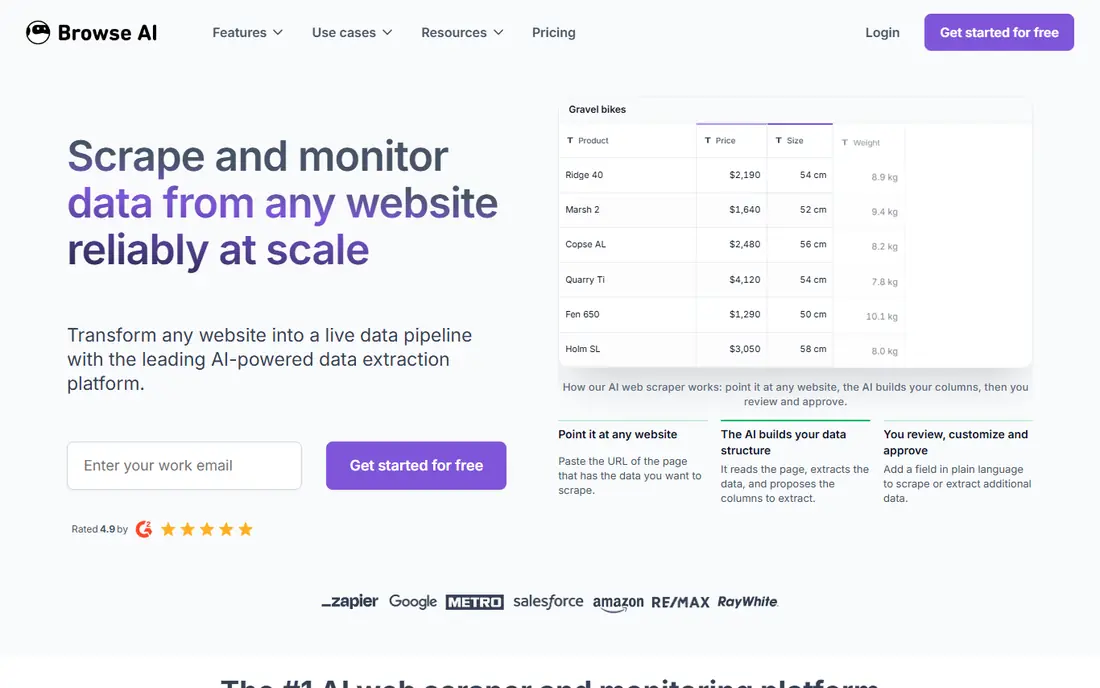
Browse AI is useful when the question is not just what is on a page now, but how it changes over time. You train a robot on the fields you want, schedule it, and get fresh data when prices, listings, or availability change. That monitoring angle sets it apart from tools built only for one-time extraction.
Watch the credit model before you schedule many robots at short intervals. Frequent checks on large pages consume credits faster than a weekly check on a small list. Start with the most valuable pages, then expand once you know the monthly cost.
- Easy robot setup for monitoring
- Scheduled checks on pages
- Spreadsheet-style exports
- Credit use can rise with frequent checks
- Complex logins and interactions can be limited
ParseHub is a good choice for pages that need interaction before data appears. It can click through menus, fill forms, handle infinite scroll, and follow links, all through a visual interface. That makes it useful for directories and catalogs where a simple page fetch would miss the data.
Price is the main barrier. The free plan is useful for learning and small tests, but paid plans start higher than Octoparse or Browse AI. It makes sense when the target is complex and the data is valuable enough to justify the plan.
- Handles clicks, forms, and dynamic pages
- Desktop app with visual selection
- API on paid plans
- Higher starting price than most no-code tools
- Large projects need careful planning
Bright Data is built for scale and difficult targets. Its proxy infrastructure helps crawlers reach sites that block datacenter traffic, and its scraper APIs return structured data for common sources such as search, shopping, and social pages. Enterprises use it when reliability and coverage matter more than a low entry price.
For a small project, that power can be overkill. Pricing is usage-based and varies by product, so get a clear estimate for records, bandwidth, or requests before you commit. A free tier or trial run on a limited target is the safest way to judge fit.
- Very large proxy network
- Pre-built scrapers for many sites
- Strong tools for hard targets
- Pricing and setup are complex
- Small teams can overpay if volume is low
Firecrawl is the tool we reach for when scraped content needs to feed an AI workflow. It converts pages into clean Markdown or structured JSON, handles JavaScript-rendered content, and can crawl a site rather than fetching one URL at a time. That output saves a lot of cleaning work before indexing or summarization.
The limit to watch is credits. Large crawls and deep site maps consume credits quickly, so set crawl depth and page limits with care. For a focused set of pages, though, Firecrawl is one of the simplest ways to get usable data without building a full pipeline.
- Clean Markdown and structured output
- Handles JavaScript rendering
- Simple API for developers
- Credit costs vary by page size and crawl depth
- Newer than some rivals
ScraperAPI is a practical middle ground for developers. Instead of managing proxy rotation, retries, and blocks yourself, you send a URL to the API and get the page back. That keeps your own code simpler, especially for straightforward sites that do not need a full browser farm.
It does not parse data into fields for you, so you still need code to extract what matters. If you want structured output with little parsing, a tool like Firecrawl or a ready-made Apify Actor may fit better.
- One API call handles proxies and retries
- JavaScript rendering available
- Easy to add to existing code
- It returns HTML rather than structured data
- Parsing is still your job
ScrapingBee follows a similar idea to ScraperAPI, with a focus on rendering. It can load JavaScript-heavy pages in a real browser context, rotate proxies, and return HTML or a screenshot. For developers who need a page rendered before parsing, that saves a lot of infrastructure work.
Pricing is credit-based, and rendering uses more credits than a simple fetch. Test on your hardest pages first, since a scraper that works on simple pages may cost much more on dynamic ones. Set request limits in code to avoid surprise bills.
- Handles headless browsing and proxies
- JavaScript rendering and screenshots
- Simple API design
- Trial credits are limited
- Heavy JavaScript pages cost more credits
Scrapy is the free option for developers who want full control. It is a Python framework for crawling at scale, with built-in handling for requests, retries, and item pipelines. Combined with Playwright for JavaScript pages, it can handle most crawling tasks without a subscription.
The cost is time and infrastructure. You manage servers, proxies, monitoring, and repairs when sites change. For a long-running project with a developer on staff, that trade is often worth it. For a one-off data pull, a no-code tool will usually finish faster.
- Free and open source
- Fast and flexible for large crawls
- Large Python ecosystem
- Needs coding skill
- Proxies, scheduling, and storage are your responsibility
How we picked these
We compared official feature pages, pricing pages, documentation, and public reviews, focusing on whether each tool is actively maintained in October 2026 and whether it truly fits web scraping rather than general automation. We included no-code apps, developer APIs, a managed platform, and an open-source framework, so readers with different skills and budgets can find a fit. Where pricing was usage-based or only shown after sign-up, we listed See website.
How to choose without overpaying
Start small, measure the real cost per thousand records, and only then scale. A tool that looks cheap per month can become expensive when credits, compute, or proxy bandwidth grow.
Check the site rules first
Read the target site terms, robots file, and any API it offers. Many data needs can be met with an official API, a data export, or a licensed feed, which is more stable than scraping. Respect rate limits and avoid collecting personal data you do not need.
Match the tool to the refresh rate
A weekly price check needs a different tool than a real-time inventory feed. No-code monitoring tools suit slower checks, while APIs and code frameworks suit frequent, high-volume pipelines. Overbuying for a weekly job wastes money.
Plan for breakage
Sites change layouts, add blocks, and change URLs. Budget time for repairs, add alerts for empty or failed runs, and keep a sample of expected output so you can spot a broken scraper quickly.