Best Writing Software for Authors in 2026: 10 Tools Compared
By ToolNimba Editorial Team October 28, 2026 11 min read

- Top pick
 Scrivener
Complex novels and research
Starting price$59.99 one-timeCheck out ScrivenerRead our review - Runner-up
 Atticus
Writing and book formatting
Starting price$147 one-timeCheck out AtticusRead our review - Also great
 Dabble
Simple fiction drafting
Starting price$10 per monthCheck out DabbleRead our review
How we researched this
We compared official pricing and feature pages, app store listings, privacy policies and public user reviews. Prices change, so check the provider's site before you pay.
Key takeaways
- Scrivener is the best pick for complex novels and research-heavy manuscripts, thanks to its binder, corkboard, and compile tools.
- Atticus is the best pick for self-published authors who want writing and book formatting in one tool.
- Reedsy Studio and Google Docs are the best free starting points, with Reedsy adding formatting and export for publishing.
- Ulysses suits Apple users who want clean, synced writing, while Dabble suits fiction writers who want a simpler cloud workflow.
- The best writing app is the one you open daily, so test the free trial with a real chapter before you pay.
Quick comparison
| Name | Best for | Starting price | Free plan | |
|---|---|---|---|---|
| Scrivener | Complex novels and research | $59.99 one-time | Free trial | Visit |
| Atticus | Writing and book formatting | $147 one-time | No | Visit |
| Dabble | Simple fiction drafting | $10 per month | Free trial | Visit |
 Plottr | Visual plotting and timelines | See website | Free trial | Visit |
 Ulysses | Apple users and clean writing | $39.99 per year | Free trial | Visit |
 Reedsy Studio | Free writing and formatting | Free | Yes | Visit |
 Google Docs | Simple drafting and collaboration | Free | Yes | Visit |
 Novlr | Goal-driven drafting | $10 per month | Free trial | Visit |
 iA Writer | Distraction-free minimal writing | $49.99 one-time | Free trial | Visit |
 Obsidian | Connected notes and worldbuilding | Free | Yes | Visit |
The best writing software for authors
These tools cover novels, nonfiction, formatting, and planning, so pick by manuscript type and platform, not by feature count alone.
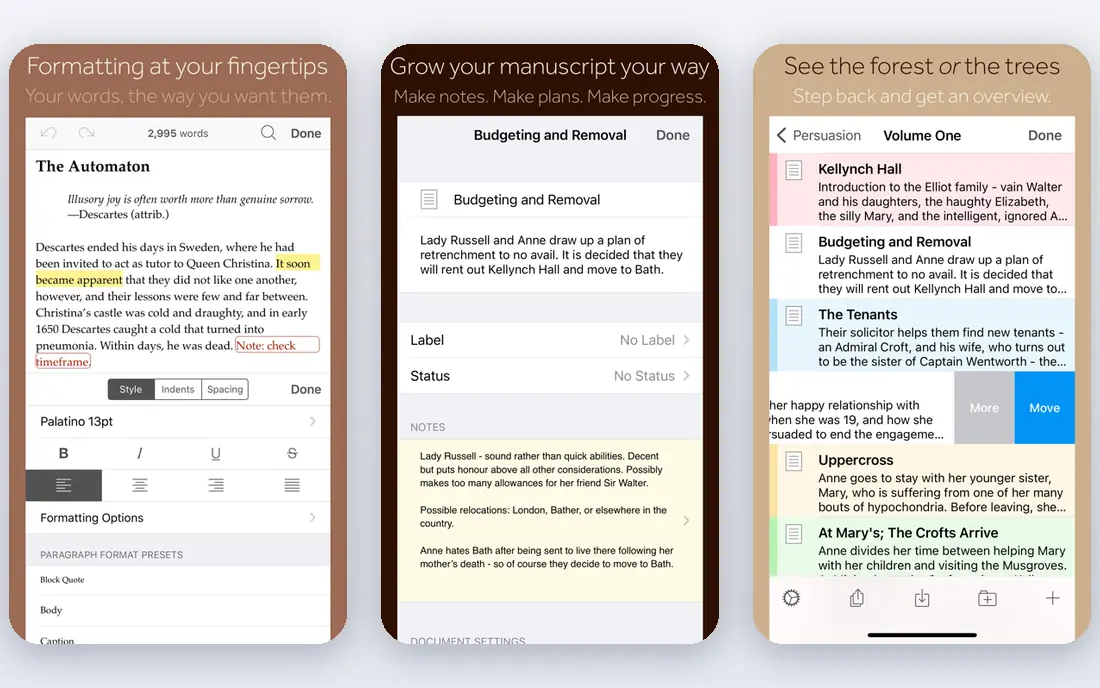
Scrivener is our pick for most authors with a long or complex manuscript. It works like a digital binder: each chapter and scene is a separate document inside one project, with research notes, character sheets, and images alongside the draft. The corkboard view lets you move scenes by dragging cards, which is far easier than cutting and pasting in a single long document.
The compile tool exports to Word, PDF, EPUB, and other formats, but it takes time to learn, and that setup is the main complaint from new users. Take the 30-day trial, import a real chapter, and try compiling it before you buy. If you write long books with research, Scrivener repays that learning time many times over.
- Binder organizes chapters, scenes, and research in one project
- Corkboard for rearranging scenes
- Powerful compile to DOCX, PDF, and EPUB
- Learning curve is steep at first
- No real-time collaboration
- Sync needs Dropbox or iCloud setup
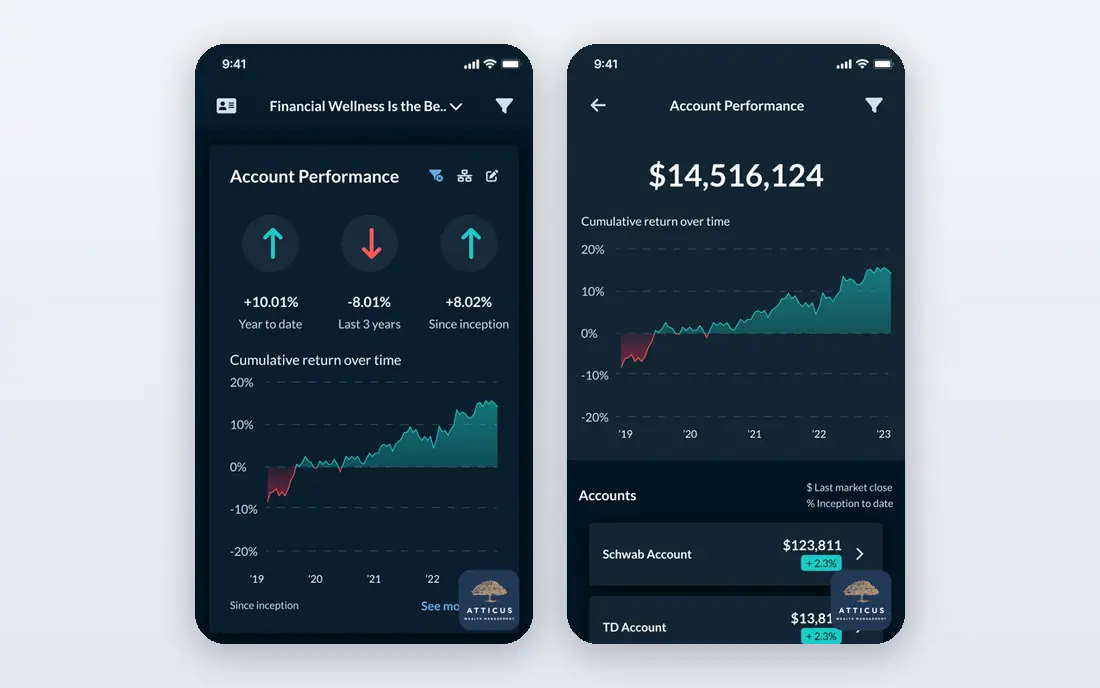
Atticus solves the step many self-published authors dread: turning a finished draft into a book that looks professional. You write in Atticus, choose a theme, add front and back matter, and export a typeset EPUB and a print-ready PDF for retailers and print services. That single workflow replaces separate writing and formatting tools for many authors.
At $147 one-time, Atticus costs more than Scrivener, but there is no monthly bill, and it runs in a browser across Windows, Mac, Linux, and Chromebook. If you already format with another tool or publish through a traditional publisher, Atticus adds less value. If you self-publish and want formatting handled well, it is a strong investment.
- Writing and professional book formatting in one tool
- EPUB and print PDF export
- Themes for print and ebook
- One-time price is higher than a simple editor
- Formatting focus means fewer planning tools than Scrivener
- No free plan
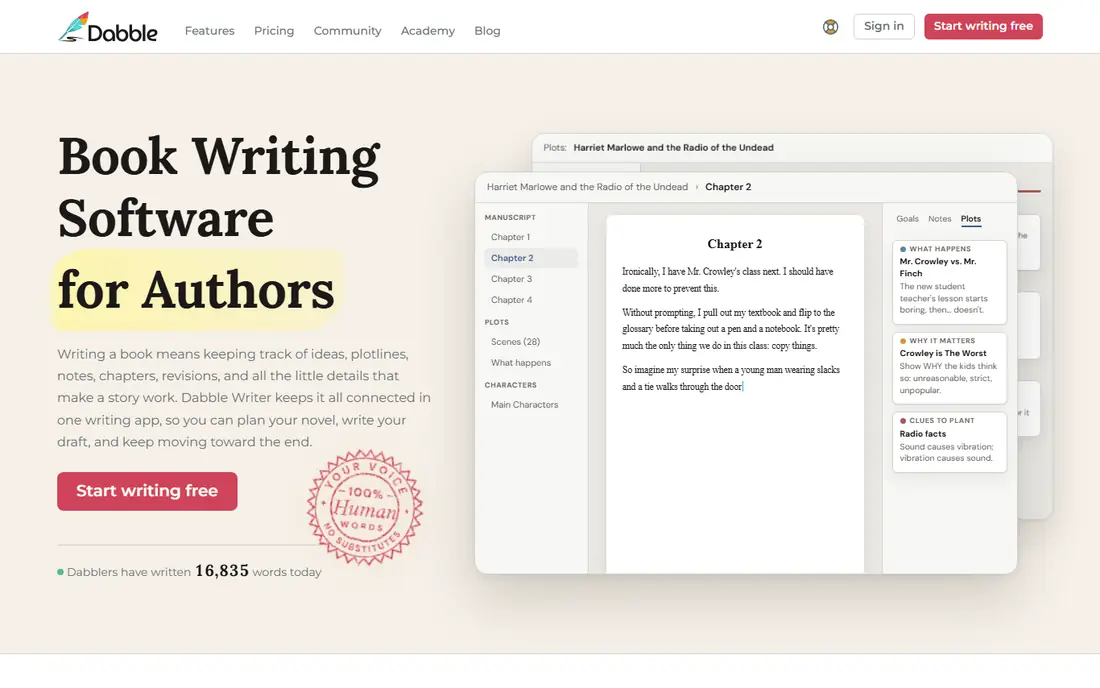
Dabble is for fiction writers who find Scrivener too much and Google Docs too plain. The editor stays out of the way, while plot tools, character notes, and a story bible sit alongside the manuscript. Cloud sync means you can move from desktop to phone without file juggling, and goals and word counts help build a daily habit.
Export is more limited than Scrivener or Atticus, with DOCX as the main route, so you will still need a formatting step for publishing. At $10 per month in recent guides, Dabble is a steady subscription, not a one-time buy. If you want a simple, pleasant fiction workflow and you write regularly, the monthly cost is easy to justify.
- Clean, distraction-free drafting
- Plot grid and story notes built in
- Cloud sync across devices
- Export is mainly DOCX
- Fewer research tools than Scrivener
- Subscription cost adds up over years
Plottr is not a replacement for a writing app. It is a planning tool that shows your story as timelines, plot lines, and character arcs, so you can see where a subplot drops or a timeline breaks before you draft it. Series writers use it to track books, characters, and places across volumes, which is hard to do in a plain document.
Because Plottr plans rather than drafts, most authors pair it with Scrivener, Dabble, or another editor, and export the outline to that tool. Pricing varies by subscription or lifetime plan, so check the official site for current US pricing. If outlining is where your books stall, Plottr is worth the trial. If you already outline in notes, skip it.
- Visual timelines, plot lines, and character arcs
- Story bible for series
- Exports to Scrivener and Word
- Planning only, not a full drafting tool
- Pricing varies by plan
- Best paired with a separate editor
Ulysses is the best writing app for authors who live in the Apple world and want writing to feel calm. The editor uses Markdown, so formatting stays simple while you draft, and the library organizes sheets into groups for chapters, articles, or books. iCloud sync keeps Mac, iPad, and iPhone in step without extra setup, and goals and deadlines help track progress.
The limits are platform and price model. Ulysses does not run on Windows or Android, and it costs $39.99 per year rather than a one-time fee. If you write on Apple devices and value a clean, synced workspace over novel-planning depth, Ulysses is a pleasure to use daily. Windows authors should look at Scrivener or Dabble instead.
- Clean Markdown editor with library organization
- ICloud sync across Mac, iPad, and iPhone
- Exports to DOCX, PDF, and EPUB
- Apple only
- Subscription rather than one-time purchase
- No corkboard-style novel planning like Scrivener
Reedsy Studio is the best free option for authors who plan to self-publish. The browser editor is simple, chapters are easy to organize, and you can invite an editor or co-author to work with tracked changes and comments. When the book is ready, you export a typeset EPUB and a print-ready PDF without paying for formatting software.
The core is free, with optional add-ons for outlining and craft features, listed around $4.99 to $10.99 per month in recent guides. Because Reedsy is web only, you need an internet connection to write, and offline drafting is not its strength. For a free, publish-ready workflow, Reedsy Studio is hard to beat.
- Free core writing and formatting
- EPUB and print PDF export
- Collaboration with tracked changes and comments
- Web only, no offline desktop app
- Advanced outlining and craft tools cost extra
- Formatting themes are fewer than Atticus
Google Docs is the writing tool most authors already know, and that familiarity is a real advantage. It is free with a Google account, saves automatically, tracks versions, and lets editors and beta readers comment in real time. For a first draft, a memoir, or a nonfiction book with collaborators, Docs removes friction that specialist tools add.
Long novels can strain Docs, with slower loading and harder navigation once a manuscript passes tens of thousands of words. There are no corkboard, timeline, or story bible tools, and publishing formatting still needs Reedsy, Atticus, or a similar tool. Start in Docs if you want zero cost and easy sharing, and move to Scrivener or Reedsy when the manuscript outgrows it.
- Free and familiar
- Real-time collaboration and comments
- Autosave and version history
- Works on any device
- Long manuscripts can slow down
- No novel planning tools
- Formatting for publishing needs another tool
Novlr suits writers who need a nudge to write every day. Goals, streaks, and progress charts sit next to a focused editor, and the browser-based tool works on any computer without installs. Writing courses and community features add support for newer authors who want structure beyond the editor itself.
The trade-off is depth. Novlr exports a basic EPUB but no print-ready PDF, and it lacks the research and planning depth of Scrivener. At $10 per month in recent guides, it is priced like Dabble but simpler. If daily habit and a clean draft space matter most, Novlr is a good fit. If formatting or planning matters more, pick Reedsy or Scrivener.
- Focused drafting with goals and progress tracking
- Cloud-based, works in a browser
- Writing courses and community features
- Export is basic EPUB, no print PDF
- Web only
- Subscription cost for a fairly simple editor
iA Writer is for writers who want the screen to disappear. The editor shows only text, with optional focus mode and syntax highlighting that dims everything except the sentence or part of speech you are working on. That restraint helps many authors draft faster, because there is nothing to tweak except the words.
It is not a novel manager. There is no binder, corkboard, or story bible, so long manuscripts need a folder system you manage yourself. Pricing is per platform, with Mac listed at $49.99 one-time in recent guides. If you draft in short pieces, essays, or chapters that you later assemble elsewhere, iA Writer is an excellent focused tool.
- Minimal, focused Markdown editor
- Syntax highlighting for parts of speech
- Exports to DOCX, PDF, and HTML
- No novel organization or planning tools
- Mac price is $49.99 one-time, other platforms priced separately
- Plain by design
Obsidian is a notes app that many fiction and nonfiction authors adapt into a writing system. Notes link to each other, so characters, places, research, and chapters form a web you can explore in a graph view. Files are plain Markdown stored locally, which means you own them and can use them in any editor, now or in ten years.
That flexibility needs setup. Obsidian is not a ready-made novel editor, and you will configure folders, templates, and plugins to make it behave like one. Official sync costs $5 per month, though you can sync with your own cloud service instead. If you love connected notes and worldbuilding, Obsidian is powerful and free. If you want a tool that works as a book editor on day one, Scrivener is simpler.
- Free for personal use
- Linked notes and graph view for worldbuilding
- Local files you control
- Large plugin community
- Needs setup to work as a book editor
- Formatting for publishing needs plugins or another tool
- Sync costs $5 per month if you want official sync
How we picked these
We compared official pricing pages, feature pages, and recent writing app guides, and we checked that each homepage loads and belongs to the product named. We favored tools that authors actually use for books, with a working free plan or trial where offered, and we included free, one-time, and subscription options so the list fits different budgets. Prices can change, so check the vendor site before buying, and test any paid tool with a real chapter during its trial.
Choosing writing software by book type
For a novel with many scenes and research, start with Scrivener. For a self-published book where formatting matters, start with Atticus or Reedsy Studio. For a memoir or nonfiction book with collaborators, start with Google Docs. For a daily writing habit, try Dabble or Novlr. The tool should match the hardest part of your process, whether that is organizing, drafting, collaborating, or publishing.
One-time purchase versus subscription
One-time tools such as Scrivener, Atticus, and iA Writer cost more up front but nothing each month, which suits authors who write steadily for years. Subscriptions such as Ulysses, Dabble, and Novlr spread the cost and fund ongoing updates, but they add up if you use the tool only now and then. If you are unsure, start with a free tool, then buy once you know which features you use weekly.
Test before you commit
Use the trial to write a full chapter, not just a paragraph. Import existing work, try exporting it, and check how the tool handles footnotes, images, or comments if your book needs them. A tool that feels good for ten minutes can still frustrate you at chapter ten, and the trial is the cheapest way to find out.
Sources
- https://www.literatureandlatte.com
- https://www.atticus.io
- https://www.dabblewriter.com
- https://plottr.com
- https://ulysses.app
- https://reedsy.com
- https://docs.google.com
- https://www.novlr.org
- https://ia.net
- https://obsidian.md
- https://spines.com/writing-apps/
- https://reedsy.com/studio/resources/scrivener-alternatives/