Best Writing Software in 2026: 9 Apps Compared
By ToolNimba Editorial Team October 28, 2026 11 min read

- Top pick
 Scrivener
Long books and research-heavy projects
Starting price$59.99 one-timeCheck out ScrivenerRead our review - Runner-up
 Google Docs
Free collaboration
Starting priceFreeCheck out Google DocsRead our review - Also great
 Ulysses
Apple writers who publish often
Starting price$5.99 per monthCheck out UlyssesRead our review
How we researched this
We compared official pricing and feature pages, app store listings, privacy policies and public user reviews. Prices change, so check the provider's site before you pay.
Key takeaways
- Scrivener remains the strongest pick for long manuscripts, while Ulysses and iA Writer suit writers who want a cleaner, distraction-free draft.
- Google Docs is still the best free starting point, especially for collaboration, comments, and easy sharing with editors.
- Grammarly and ProWritingAid are editing aids, not drafting apps, so they work best paired with a main writing tool rather than replacing one.
- One-time purchases like Scrivener and Atticus can cost less over three years than a yearly subscription, if you stay on one platform.
- The best app is the one you will open daily, so trial the top two on your real project before you pay.
Quick comparison
| Name | Best for | Starting price | Free plan | |
|---|---|---|---|---|
| Scrivener | Long books and research-heavy projects | $59.99 one-time | Free trial | Visit |
| Google Docs | Free collaboration | Free | Yes | Visit |
| Ulysses | Apple writers who publish often | $5.99 per month | Free trial | Visit |
 iA Writer | Distraction-free Markdown writing | See website | Free trial | Visit |
 Atticus | Formatting books for publishing | See website | No | Visit |
 Dabble | Plot-first novel drafting | $10 per month | Free trial | Visit |
 ProWritingAid | Deep editing and style checks | See website | Yes | Visit |
 Grammarly | Everyday grammar and clarity | Free | Yes | Visit |
 Obsidian | Linked notes and research | Free | Yes | Visit |
The best writing software apps
Writing software splits into two jobs: getting the draft down, and getting it ready to share. The nine apps below cover both jobs, from a free browser doc to a full manuscript manager, so you can pick by project type rather than by hype.
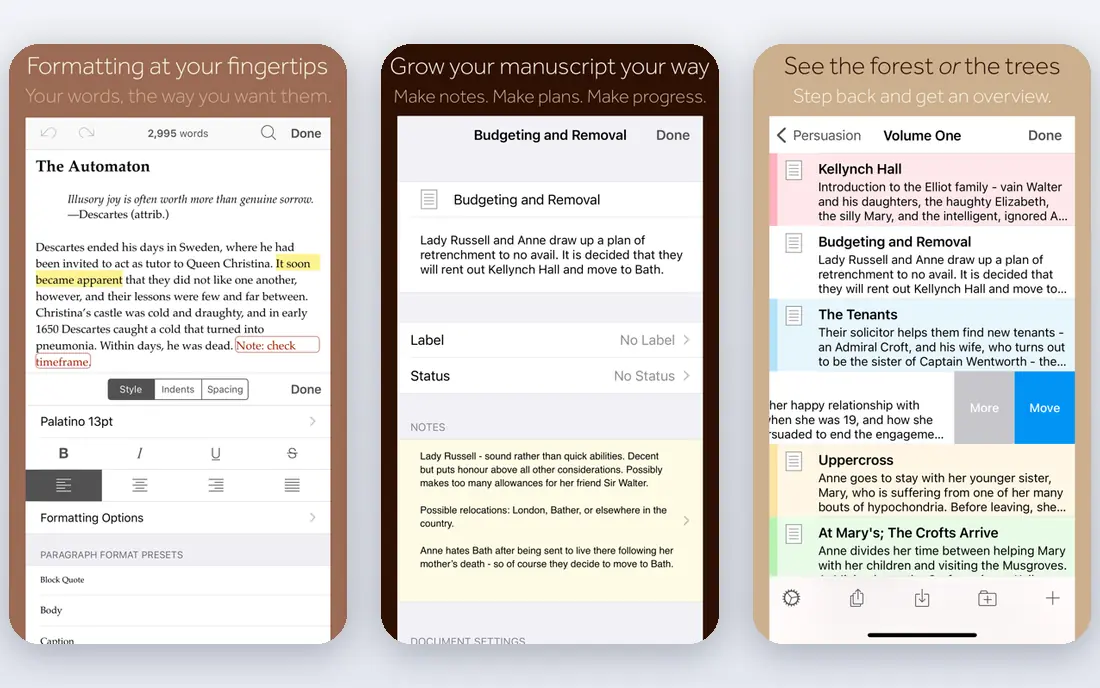
Scrivener treats a book as a set of movable parts, not one long scroll. Chapters and scenes live in the Binder sidebar, research notes sit beside the draft, and the corkboard view lets you reorder scenes by dragging cards. That structure is why so many novelists and nonfiction authors still pick it for projects with dozens of chapters, interviews, or source notes.
The learning curve is real. Compile, the step that turns your draft into a Word file, PDF, or ebook, takes time to learn, and the interface can feel crowded at first. Scrivener costs $59.99 for Mac or Windows as a one-time purchase, with a 30-day trial counted by days of actual use, and iOS is sold separately at $23.99. If you write long work and want to own your tool, that price is easy to justify.
- Binder, corkboard, and outliner for complex manuscripts
- One-time purchase, not a subscription
- Strong compile and export options
- Steep learning curve
- No Android app
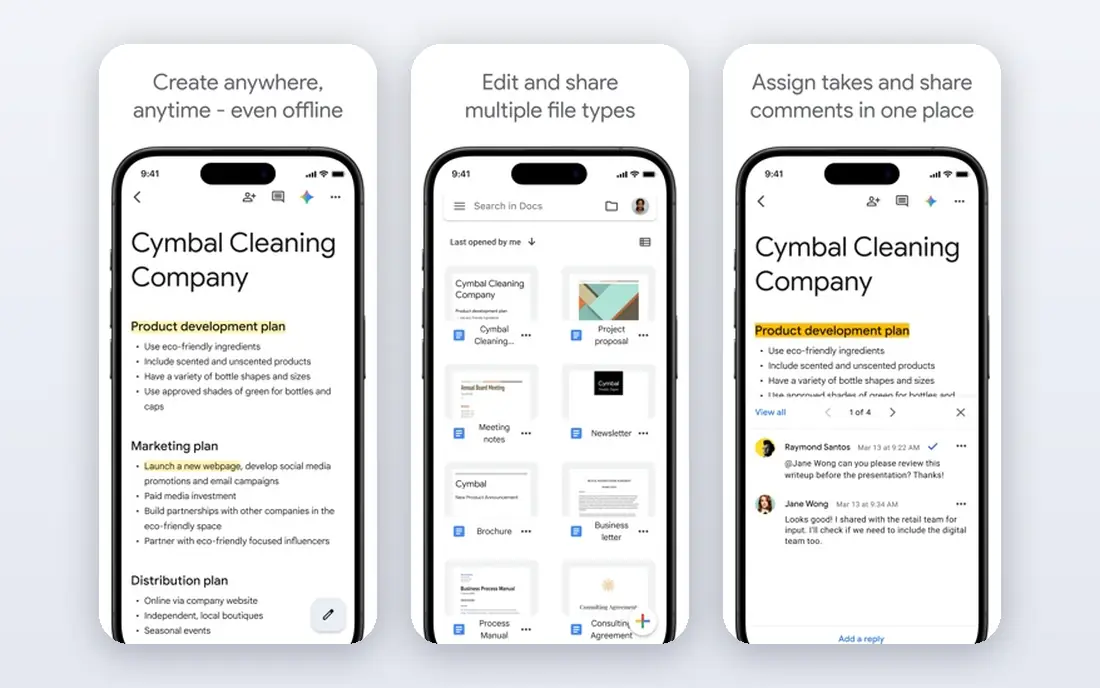
Google Docs is the default for a reason. It opens in a browser, autosaves every change, and lets an editor leave suggestions without touching your original text. For articles, essays, short stories, and co-written work, that simplicity beats a heavier app, and the price is hard to argue with at free.
Long books expose its limits. A 100,000-word manuscript with many headings can feel slow, and chapter reordering means cutting and pasting rather than dragging cards. Docs also needs a Google account and works best online, though offline mode exists in Chrome. Start here if you are unsure, and move to Scrivener or Dabble when the project outgrows a single document.
- Free with a Google account
- Real-time comments and suggestions
- Autosaves to the cloud
- Weak for very long manuscripts
- Limited offline structure for books
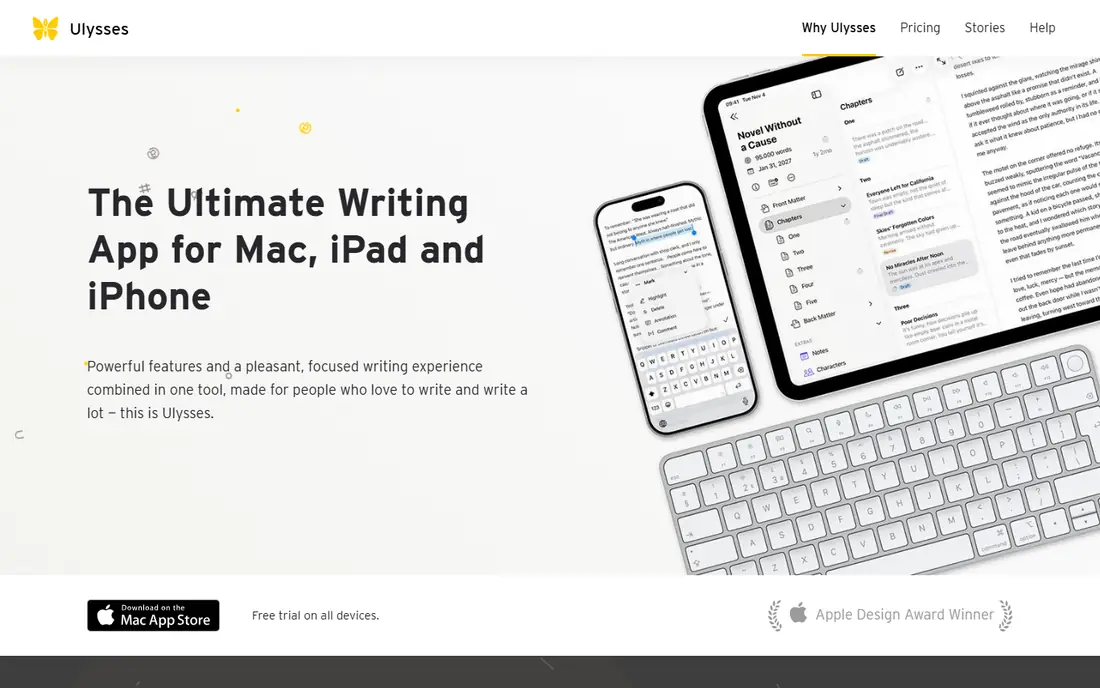
Ulysses is the calmest way to write on a Mac, iPad, or iPhone. Sheets act as chapters or articles, groups collect them into projects, and research sheets stay out of the final export. A built-in grammar and style checker, writing goals, and export to PDF, Word, and EPUB cover most of the path from draft to publishable file.
The catch is platform. There is no Windows or Android version, so mixed-device writers should look elsewhere. Pricing is $5.99 per month or $39.99 per year, with a trial period, and students can get a discount. If you live inside Apple devices and publish to the web, Ulysses is a strong, focused choice.
- Clean Markdown editor with iCloud sync
- Projects, goals, and deadlines
- Direct publishing to WordPress and Ghost
- Apple devices only
- Subscription only for full access
iA Writer strips writing back to words on a page. Focus mode dims everything except the sentence or paragraph you are working on, and syntax highlighting shows headings, lists, and emphasis without clutter. Files stay in plain Markdown, so you can open them in almost any other app later, which protects your work from lock-in.
That minimalism is also its limit. iA Writer does not manage characters, plot threads, or research the way Scrivener does, and it is best as a drafting tool paired with an editor. Pricing varies by platform and store, so check the official site or app store listing for your device before buying. For writers who get distracted easily, it is one of the best tools available.
- Focus mode that highlights the current sentence
- Clean Markdown with syntax highlighting
- Plain-text files you own
- No manuscript binder or plotting tools
- Paid per platform in many cases
Atticus tries to close the gap between draft and finished book. You can write chapters, set up front and back matter, and apply a theme for print or ebook without learning a separate formatter. Published pricing in 2026 roundups put Atticus at $147 as a one-time purchase, which undercuts hiring a formatter for a single book and stays flat if you publish several titles.
It is not a full replacement for Scrivener. Research management and complex restructuring are thinner here, so many authors draft elsewhere and move to Atticus for the final format. If your main pain is formatting for Amazon and other stores, Atticus saves the most time per dollar.
- Writes and formats in one app
- Print and ebook themes
- One-time purchase model
- Less flexible than Scrivener for research
- Formatting focus means a narrower drafting toolset
Dabble is built for novelists who plan as they write. The plot grid maps scenes against plot lines, story notes hold world details, and character sheets sit beside the manuscript. Cloud sync means you can start on a laptop and continue on a tablet without manual file transfers, and word-count goals keep a daily habit visible.
Pricing is $10 per month or $100 per year in published 2026 roundups, with a trial to test the plot tools on your own story. Nonfiction writers and journalists will find less to use here, and the subscription adds up if you write slowly. For fiction writers who outline in scenes, Dabble is a clear Scrivener alternative with a gentler learning curve.
- Plot grid, story notes, and character sheets built in
- Cloud sync across devices
- Goal tracking
- Subscription only
- Weaker for nonfiction and articles
ProWritingAid is an editor, not a drafting app, and it shines in revision. It flags repeated words, long sentences, passive constructions, pacing issues, and readability, then explains each suggestion so you learn as you edit. Integrations with Word, Google Docs, and Scrivener mean you do not have to copy text back and forth for every pass.
The free tier covers basic checks, while premium opens the full report set, with published pricing around $79 per year or a lifetime option in past offers. Check the current pricing page, since plans change. New writers should run one report at a time, or the volume of suggestions can stall a revision.
- Detailed reports on style, repetition, and readability
- Integrates with Word, Google Docs, and Scrivener
- Lifetime option has been offered
- Reports can overwhelm new writers
- Premium needed for full checks
Grammarly fits writers who need clean everyday prose more than manuscript structure. It checks grammar, spelling, punctuation, and tone as you type in a browser, in Google Docs, in Word, and in email, so a blog post or a work email gets the same polish as a chapter. The free plan covers the core checks that catch most typos.
Premium adds vocabulary, clarity, and full-sentence rewrites, and pricing should be confirmed on the Grammarly site for your region. Grammarly will not plan a novel or format a book, so pair it with Docs, Ulysses, or Scrivener for long work. As a daily safety net, it is the easiest of these tools to adopt.
- Works across browsers, docs, and email
- Fast grammar and tone suggestions
- Free tier covers core checks
- Premium needed for advanced style help
- Not a book-planning tool
Obsidian suits writers whose research is as large as their draft. Notes link to each other, backlinks show every note that mentions a character or topic, and a graph view reveals connections you might have missed. Because files are plain Markdown stored locally, you keep full control of your work and can open it in other apps.
The trade-off is setup time. Obsidian is a toolkit, not a ready-made novel app, and its best features come from learning its linking habits and, if you want them, community plugins. Sync across devices and publishing are paid extras, while the core app is free for personal use. For research-heavy nonfiction and worldbuilding, it is a strong companion to a drafting app.
- Free for personal use
- Notes link together like a personal wiki
- Files stay as plain Markdown on your device
- Learning curve for plugins and themes
- Sync and publish are paid add-ons
How we picked these
We compared official feature pages, current pricing pages and app store listings, platform support, export options, and public reviews from Reedsy, Scribe Media, and other 2026 roundups. We favored tools that are actively maintained, work on current systems, and let writers export their work in standard formats. We excluded tools that had shut down, required a single closed format with no export, or could not be verified from a vendor page or a current review.
How to choose the right writing app
Match the app to the job, not to the feature list. A novel with fifty scenes needs structure, an article with an editor needs comments, and a daily journal needs speed. Pick one drafting app and one editing aid, then give that pair a full week on a real project before you add a third tool.
Start with your project type
For books, shortlist Scrivener, Dabble, and Atticus. For articles and web writing, shortlist Google Docs, Ulysses, and iA Writer. For research notes, add Obsidian beside your drafting app, and use Grammarly or ProWritingAid only at revision time so editing does not interrupt drafting.
Test export before you commit
Write a short test chapter, then export it to Word, PDF, and EPUB if you need those formats. Check that headings, italics, and chapter breaks survive, and confirm you can open the files in another app. A tool that traps your manuscript is a poor long-term home, even if drafting feels pleasant.