Canva Alternatives in 2026: 9 Tools Compared
By ToolNimba Editorial Team October 28, 2026 11 min read

- Top pick
 Adobe Express
All-round Canva replacement
Starting price$9.99 per monthCheck out Adobe ExpressRead our review - Runner-up
 VistaCreate
Budget social graphics
Starting price$10 per monthCheck out VistaCreateRead our review - Also great
 Figma
Team and interface design
Starting price$16 per monthCheck out FigmaRead our review
How we researched this
We compared official pricing and feature pages, app store listings, privacy policies and public user reviews. Prices change, so check the provider's site before you pay.
Key takeaways
- Adobe Express is the closest all-round swap for Canva, with Premium at $9.99 per month against Canva Pro at $18 per month.
- VistaCreate and Snappa suit small teams that mainly need social graphics, while Piktochart and Visme suit reports, infographics, and presentations.
- Photopea, Microsoft Designer, and Affinity give strong free routes, but each one asks for a trade-off in templates, polish, or editing depth.
- Figma is the pick for teams that design with developers, not for people who only want quick social posts.
- Check the free plan limits before you switch, because download caps, watermarks, and premium template locks vary a lot.
Quick comparison
| Name | Best for | Starting price | Free plan | |
|---|---|---|---|---|
| Adobe Express | All-round Canva replacement | $9.99 per month | Yes | Visit |
| VistaCreate | Budget social graphics | $10 per month | Yes | Visit |
| Figma | Team and interface design | $16 per month | Yes | Visit |
 Piktochart | Infographics and reports | $14 per month | Yes | Visit |
 Visme | Presentations and interactive content | $12.25 per month | Yes | Visit |
 Kittl | Logos, merch, and typography | $12 per month | Yes | Visit |
 Snappa | Fast social media graphics | $10 per month | Yes | Visit |
 Photopea | Free browser photo editing | Free | Yes | Visit |
 Microsoft Designer | Free AI-assisted design | Free | Yes | Visit |
The best Canva alternatives
Canva is popular because it is fast, template rich, and easy to learn. The tools below cover the main reasons people leave it: price, a narrower focus, more professional control, or a free plan with fewer locks. We compared official feature pages, pricing pages, app store listings, and public reviews, and we kept only tools that are actively available in October 2026.
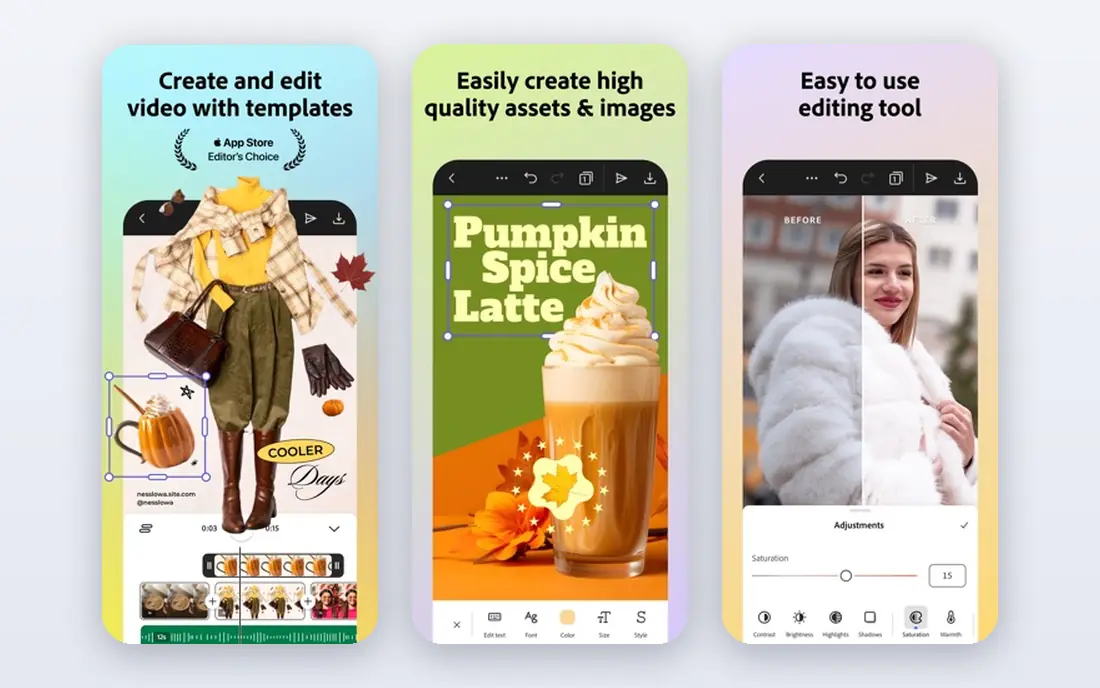
Adobe Express feels the most like Canva in daily use, with templates for social posts, flyers, videos, and presentations, plus a drag-and-drop editor that needs little learning. Adobe Stock assets and Adobe Fonts give it a clear edge for people who care about type and imagery, and the free plan is genuinely usable for basic content rather than a short demo.
Premium adds 250 monthly generative credits, premium templates and assets, brand kits, 100GB of storage, and one-click resize, which matters if you repurpose one design across many sizes. The catch is that Express is still a simplified editor. If you need precise print control or complex illustration work, you will still want Photoshop or Illustrator, and that is a separate cost and learning curve.
- Large template and stock library
- Background removal on the free plan
- Brand kits and resize tools on Premium
- Less depth than full Adobe desktop apps
- Some premium templates and assets stay behind the paywall
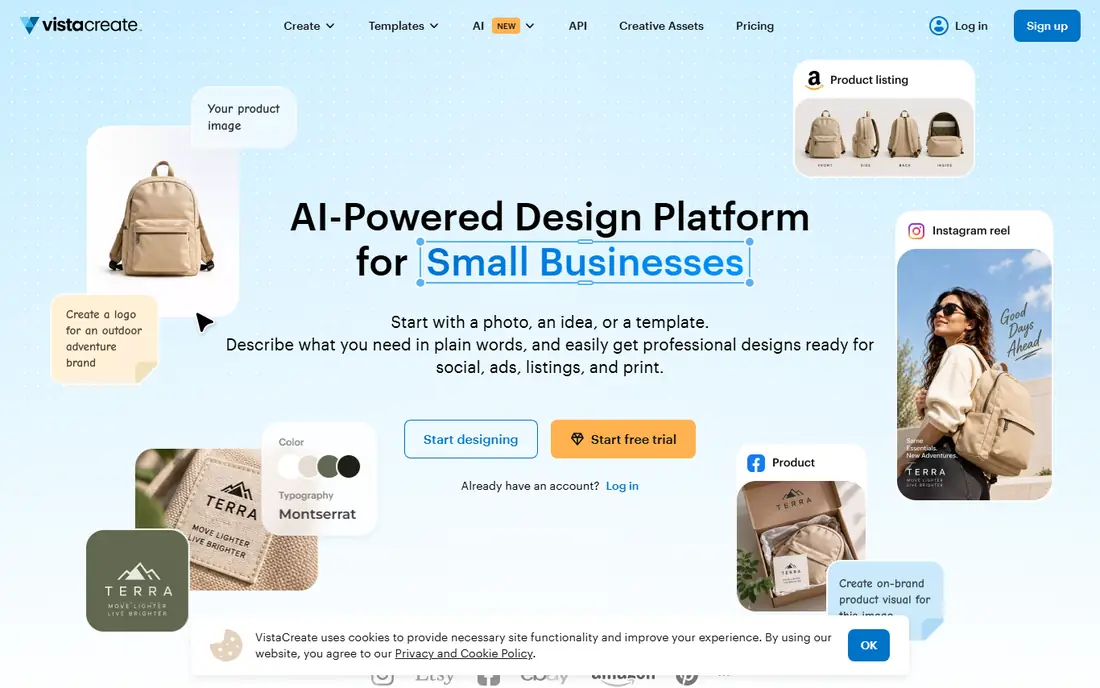
VistaCreate is the closest visual match to Canva for social-first creators, with thousands of templates, animated designs, and a straightforward editor. It is a good fit for a small business or creator who posts often and wants fresh graphics without learning a professional design app.
Pro is billed annually at $10 per month and adds a much larger stock library, multiple brand kits, unlimited storage, and team accounts for up to 10 members. That team setup is a practical plus for a small marketing group. The limit is scope. VistaCreate is weaker for multi-page reports, detailed infographics, and print-heavy work, so pair it with a specialist tool if those jobs matter to you.
- Large template library for social content
- Animated templates included
- Team accounts on the paid plan
- Less suited to long documents and complex layouts
- Some stock and brand features require Pro
Figma started as an interface design tool, and it still shines when a team designs websites, apps, and shared brand systems together. Multiple people can work in the same file at once, leave comments in place, and reuse components, which keeps a design system consistent across pages and products. Its community files also give you a head start on layouts and wireframes.
For a solo creator who only needs Instagram posts, Figma is more tool than you need, and its template style is less plug-and-play than Canva. It also lacks native social scheduling, so you will export and publish elsewhere. Choose Figma when collaboration, reusable components, and developer handoff matter more than one-click social templates.
- Real-time collaboration built in
- Strong vector and interface tools
- Large community library of files and plugins
- Not built for quick social scheduling
- Paid seats can add up for larger teams
Piktochart earns its place when your work is mostly information, not decoration. It is built for infographics, reports, presentations, and posters, with chart types and data tools that make numbers easier to read at a glance. If you regularly turn survey results, annual figures, or how-to steps into a visual, this focus saves time.
The free plan is best treated as a trial for real work, because it limits downloads, so check how many exports you need before you rely on it. Paid plans add more downloads, premium assets, and brand controls. Piktochart is not the best pick for a creator who mainly needs animated social posts, but for data-led content it is one of the clearest Canva alternatives.
- Clear infographic and report templates
- AI tools that turn text into visuals
- Chart and data tools built in
- Free plan limits downloads
- General social design is narrower than Canva
Visme suits teams that need presentations, documents, and infographics that do more than sit still. You can add animation, interactive hotspots, embedded video, and charts, which helps for sales decks, training material, and client reports. Its template range covers business documents better than most social-first tools.
That depth comes with a trade-off. Visme takes longer to learn than Canva, and a quick social graphic can feel like overkill in this editor. The Starter plan, at $12.25 per month when billed annually, is the sensible entry point for regular business content, while Pro adds more storage, controls, and integrations. Pick Visme when your output is a deck or a report, not a daily feed post.
- Interactive presentations and documents
- Many chart and graph types
- Live data options on higher plans
- Learning curve is steeper than Canva for simple posts
- Best interactive features sit on paid plans
Kittl is the specialist pick for people who sell designs or build a brand identity. Its strength is typography, logo work, labels, and merchandise artwork, with textures, effects, and mockups that suit print-on-demand products. If your main output is a T-shirt, mug, poster, or logo, Kittl gives you tools that Canva only approximates.
The free plan is fine for trying ideas, but it is limited to personal use, so a business needs a paid plan for commercial work. Paid plans start at $12 per month when billed annually and add more AI credits, premium assets, and commercial rights. Kittl is not a full replacement for Canva if you also need documents and video, but for design-led products it is a strong second tool.
- Strong type and vintage design tools
- Merch-ready artwork and mockups
- Commercial licence on paid plans
- Less general-purpose than Canva
- Free plan is for personal use only
Snappa is built for speed. You pick a social size, choose a template, swap in your text and image, and export, which makes it a good fit for a busy owner or social manager who needs several graphics a week. The interface stays simple, and you do not have to wade through features you will never use.
The free plan caps monthly downloads, so it works for occasional posts but not for a daily publishing schedule. The paid plan, at $10 per month when billed annually, removes that cap and adds unlimited downloads and more team features. Snappa will not replace a full design suite, and it is not the pick for long reports, but for fast, clean social graphics it does the job with little friction.
- Very fast editor for social sizes
- Ready-made templates and stock photos
- Simple team sharing
- Free plan limits monthly downloads
- Fewer advanced editing and document features
Photopea is different from every other tool here, because it is an editor first and a template tool second. It runs in a browser, handles layered files including PSD, and gives you masks, adjustments, and selection tools that are closer to Photoshop than to Canva. That makes it ideal when you already have an image or design file and need to edit it properly.
It is not a Canva replacement for someone who wants to start from a finished template, because you build more from scratch. The free version shows ads, and a paid Premium plan removes them. If your main need is photo editing, retouching, or file conversion without installing software, Photopea is hard to beat for the price.
- Opens PSD, XCF, and common image files in a browser
- Layer-based editing with no install
- Free to use with ads
- No template library like Canva
- Ads on the free version
- Best for editing, not for starting a design from scratch
Microsoft Designer is the low-friction free option, especially if you already use a Microsoft account. You describe what you want, and it generates design options, images, and layouts that you can then edit. For a quick post, invitation, or ad variation, that prompt-first flow can be faster than browsing a template library.
The trade-off is control and range. Designer has fewer ready templates than Canva, and AI-generated text and layouts can need fixing before they are publishable. It is also best viewed as a companion tool rather than a full brand system, since brand kit and team controls are thinner. Still, for free, occasional design work, it is a practical place to start, and it pairs well with a paid tool if your needs grow.
- Free with a Microsoft account
- AI generation from a short prompt
- Useful for quick social and marketing images
- Smaller template range than Canva
- AI output still needs checking and editing
- Features vary by account and region
How we picked these
We compared official feature pages, pricing pages, app store listings, and public reviews for tools that are actively sold and supported in October 2026. We favored tools that cover a real Canva use case, such as social graphics, presentations, infographics, logos, or photo editing, and we checked free plan limits, paid starting prices, and export rules rather than headline claims alone. We did not claim hands-on testing for every tool, and we left out tools that were discontinued, invite-only, or too narrow to replace a meaningful part of Canva.
What to check before you switch
Start with your most common output, not with a feature list. A social manager needs fast sizes, brand colors, and a download allowance that matches a posting schedule. A report writer needs charts, multi-page layouts, and PDF export. A merch seller needs commercial rights and print-ready files. Write down the three jobs you do every week, then test each shortlisted tool on those exact jobs during its free plan or trial.
Check three limits that catch people out. First, free plans may cap downloads, add watermarks, or lock premium templates, so a tool that looks free can become paid quickly. Second, brand kits, team seats, and white-label options are often paid extras, and seat prices add up fast. Third, confirm export formats and sizes for print, video, and social, because a design you cannot export cleanly is not a finished design. Keep your Canva files exported as well, since moving complex designs between tools is rarely clean.
If you only need one tool
Pick Adobe Express if you want the closest Canva-like experience at a lower monthly price. Pick VistaCreate if budget and social templates matter most. Pick Figma if you design with a team or with developers. For a free-first route, try Microsoft Designer for quick AI designs and Photopea for serious image edits, and add a paid tool only when a limit starts to slow you down.