ChatGPT Alternatives Free in 2026: 10 Apps Compared
By ToolNimba Editorial Team October 28, 2026 12 min read

- Top pick
 Google Gemini
Free all-rounder and Google users
Starting priceFreeCheck out Google GeminiRead our review - Runner-up
 Claude
Long writing and coding
Starting priceFreeCheck out ClaudeRead our review - Also great
 Perplexity
Research with sources
Starting priceFreeCheck out PerplexityRead our review
How we researched this
We compared official pricing and feature pages, app store listings, privacy policies and public user reviews. Prices change, so check the provider's site before you pay.
Key takeaways
- Gemini offers the broadest free all-rounder, with chat, research, image tools, and Google Workspace links in one free account.
- Claude is the best free alternative for long documents, careful writing, and code, with Sonnet and Haiku models on the free plan.
- Perplexity is the best free alternative for research, since answers include sources you can check.
- DeepSeek gives strong free reasoning and coding without a subscription, and its API is pay-as-you-go for developers.
- Most free plans work well for daily use, but limits on models, uploads, image creation, and deep research push heavy users to paid plans from about $20 per month.
Quick comparison
| Name | Best for | Starting price | Free plan | |
|---|---|---|---|---|
| Google Gemini | Free all-rounder and Google users | Free | Yes | Visit |
| Claude | Long writing and coding | Free | Yes | Visit |
| Perplexity | Research with sources | Free | Yes | Visit |
 DeepSeek | Free reasoning and coding | Free | Yes | Visit |
 Microsoft Copilot | Microsoft 365 users | Free | Yes | Visit |
 Grok | Live news and X topics | Free | Yes | Visit |
 Meta AI | Chat inside WhatsApp and Instagram | Free | Yes | Visit |
 Mistral Le Chat | Privacy-focused EU alternative | Free | Yes | Visit |
 Poe | Many models in one app | Free | Yes | Visit |
 You.com | Search-led answers | Free | Yes | Visit |
The best chatgpt alternatives free apps
Free AI chat has changed fast. The free tier is no longer a weak demo in many cases, but limits still matter, and each app trades strength in a different area. Some excel at writing, some at research, and some at working inside apps you already use. The ten options below are all usable free in 2026, with paid upgrades noted where they change the experience.
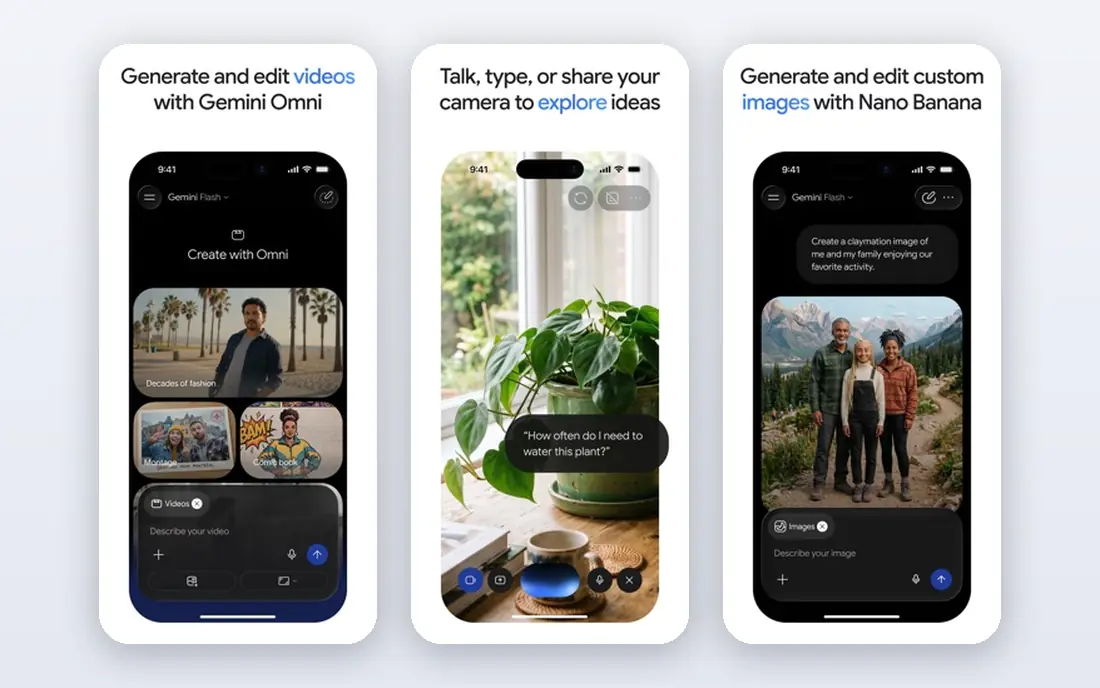
Gemini is our first free pick for most people because it does many jobs well without a subscription. The free plan covers chat, Deep Research, image generation, and tools like Canvas and Gems, and it connects to Gmail, Docs, and Drive when you allow it. For students, office workers, and creators who already use Google, that integration saves steps.
Limits still apply. Free use runs lighter models than paid plans, and heavy image, voice, or research use hits caps sooner. Google AI Pro at $19.99 per month raises those limits and adds stronger models. For daily questions, drafting, and research at no cost, Gemini is hard to beat as a starting point.
- Strong free tier with chat, research, and image tools
- Links to Gmail, Docs, and Drive
- 15GB Google storage included
- Paid AI Pro is $19.99 per month for higher limits
- Free model is lighter than paid models
- Answers vary by model
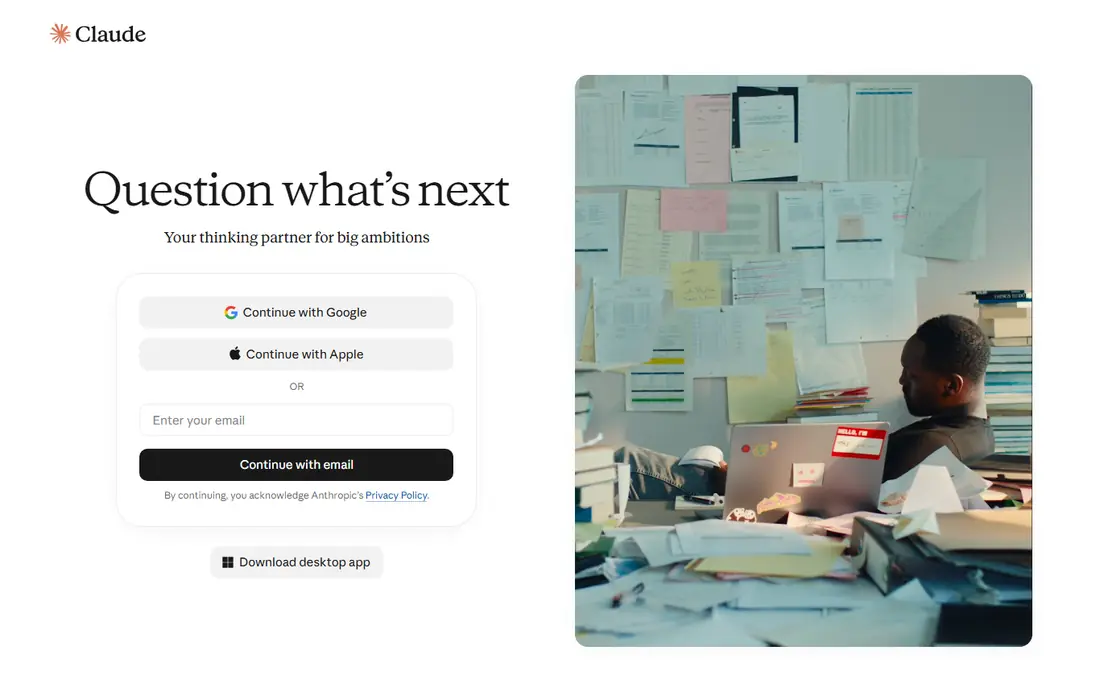
Claude is the best free alternative when the work involves long text. It reads large documents, keeps context across a project, and writes in a clear, careful style that suits reports, essays, and code review. The free plan includes Sonnet and Haiku models, web search, file creation, and up to five projects, which covers a lot of daily work.
Free usage is measured over a rolling five-hour window rather than a fixed daily count, so heavy sessions can pause until the window resets. Pro at $20 per month raises limits and adds Opus models. For writing, analysis, and coding where accuracy matters more than speed, Claude is the free tool we return to most.
- Strong writing and reasoning
- Handles long documents well
- Web search, file creation, and projects on free plan
- Free usage measured over a rolling five-hour window
- Opus needs a paid plan
- Pro is $20 per month
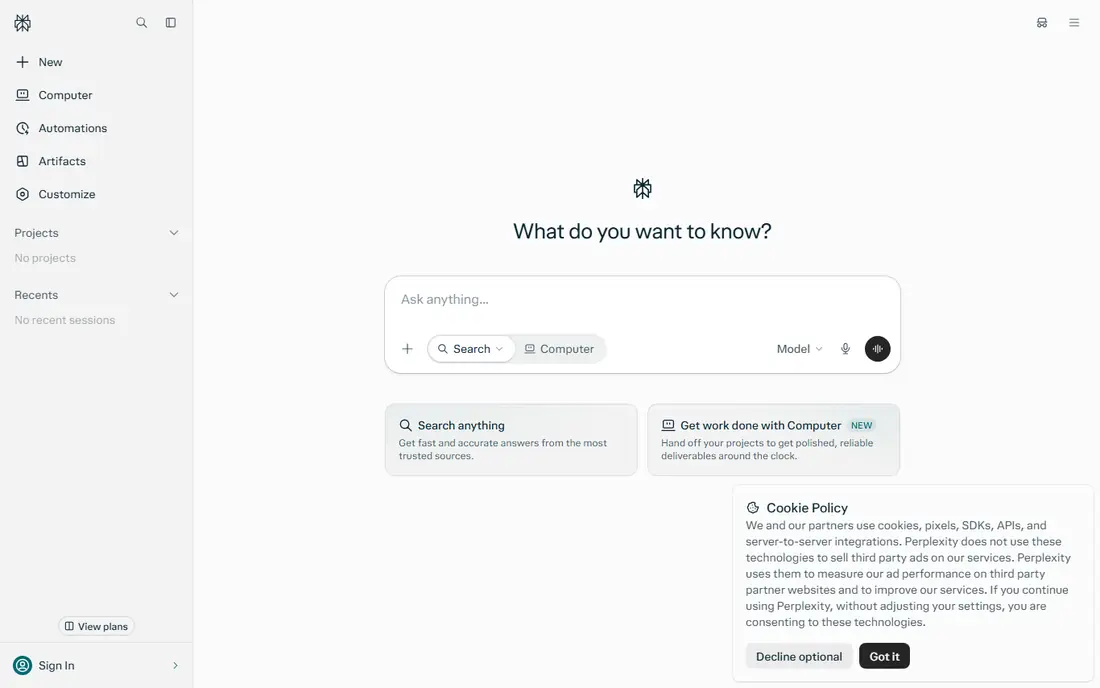
Perplexity is built for questions where the source matters. Ask about a fact, a product, or a news event, and it returns an answer with links you can check, rather than asking you to trust the text alone. That makes it a strong second app alongside a general chat tool, especially for research, fact-checking, and current topics.
The free plan covers everyday searches, while Pro at $20 per month adds more deep research, stronger models, and higher limits. Perplexity is less of a writing partner than Claude, and its creative output can feel plain. For research first, and chat second, it is the best free pick here.
- Answers include sources you can open
- Fast web research
- Free plan covers everyday searches
- Pro is $20 per month for deeper research
- Free searches have limits
- Less suited to long creative writing
DeepSeek stands out because its free app gives access to strong reasoning and coding models without a subscription. It handles math, logic, and code tasks well, and its long context helps with large files and multi-step problems. Developers also like its API, which is priced pay-as-you-go at low per-token rates rather than a flat monthly fee.
The app itself is simpler than Gemini or Claude, with fewer integrations into email, docs, or office tools. That makes DeepSeek a specialist, not a full workspace. For free, heavy reasoning and coding, especially for students and developers, it offers value that is hard to match.
- Free app with strong reasoning and coding
- Long context for large tasks
- API is low-cost pay-as-you-go
- Fewer app integrations than Gemini or Copilot
- Interface is simpler
- Support and uptime vary by region
Copilot is the natural free alternative if you live in Microsoft tools. The free chat covers web search, drafting, and everyday questions, and it appears in Edge, Windows, and Microsoft apps. For users who already use Word, Excel, Outlook, and Teams, that placement reduces switching between apps.
Deep Office integration, such as drafting in Word or summarizing in Outlook with full Copilot features, needs a paid Microsoft 365 Copilot plan, often around $20 per month per user in business plans. Free Copilot still works well as a general chat tool. Choose it when Microsoft apps are your daily workspace, and choose Gemini or Claude when they are not.
- Free chat with web search
- Works in Edge, Windows, and Microsoft apps
- Paid Copilot adds Word, Excel, and Outlook help
- Full Microsoft 365 Copilot needs a paid plan
- Free limits vary
- Best value inside Microsoft tools
Grok, from xAI, is best for what is happening now. It can search live web and X posts, which helps for breaking news, sports, trends, and public reaction that older training data misses. Its tone is more direct and informal than Claude or Gemini, which some users prefer for quick takes and brainstorming.
Free access is limited, and higher limits come through paid plans linked to X Premium or standalone Grok plans, with prices that have varied from about $8 to $30 per month depending on tier. Grok is not the best choice for long, formal writing or deep document analysis. For live topics and social context, it adds something other free tools do not.
- Strong for live topics and X posts
- Direct, informal style
- Image and voice features on supported plans
- Free use is limited
- Paid plans vary by X subscription
- Less strong for long formal writing
Meta AI wins on access. It lives inside WhatsApp, Instagram, Facebook, and Messenger, so many users can ask a question without installing a new app or creating a new account. It handles everyday chat, ideas, translations, and image generation well enough for casual use, and it is free for everyday users.
It is not a specialist. Coding, long document work, and source-backed research are stronger in Claude, DeepSeek, and Perplexity. Privacy settings also deserve a check, since Meta AI sits inside social apps with their own data policies. For quick help inside apps you already open daily, Meta AI is the lowest-friction free option.
- Free and built into WhatsApp, Instagram, and Messenger
- No new app needed for casual chat
- Image tools included
- No paid upgrade path for most users
- Privacy controls need checking
- Less strong for coding and long docs
Mistral, through its Le Chat app, offers a free alternative from a European company with a focus on open-weight models and EU data rules. It covers chat, web search, image generation, and document work in a clean interface, and its models are fast for everyday questions. For users who prefer a non-US provider or who need EU data considerations, that origin matters.
Paid Pro from about $14.99 per month adds higher limits and stronger models. Le Chat has fewer integrations than Gemini or Copilot, and its ecosystem of third-party apps is smaller. For a private, fast, free chat tool with a European base, Mistral is a credible alternative to the larger US apps.
- Free chat with open-weight models
- EU company with data residency focus
- Fast responses for everyday tasks
- Paid Pro from about $14.99 per month
- Fewer integrations than Gemini
- Smaller app ecosystem
Poe solves a common problem: you want to try Claude, Gemini, DeepSeek, and other models without paying for each one. It puts many models in one app, with free daily points that let you chat, compare answers, and find which model suits a task. That comparison value is useful for students, writers, and developers who are still choosing a main tool.
Free points run out faster on stronger models, and the subscription at $19.99 per month raises limits. Poe is a gateway, not a replacement for a native app, since some features and integrations live only in the original apps. For testing models free, and for occasional use across models, Poe is the most flexible pick.
- Try many leading models in one app
- Free daily points for chats
- Useful for comparing answers side by side
- Free points limit heavy use
- Subscription is $19.99 per month
- Quality depends on the model you pick
You.com blends search and chat. Ask a question and it returns an answer with sources, related links, and follow-up options, which suits research, product comparisons, and current topics. The free plan covers everyday search-led chat, and the interface stays simple for users who want answers without learning a new system.
Paid plans from $15 per month add stronger models and higher limits. Creative writing, long documents, and coding are stronger in Claude, Gemini, and DeepSeek. For a free tool that starts from search and shows its sources, You.com is a useful alternative to Perplexity, especially for users who like a search-first workflow.
- Free search-led chat with sources
- Useful for research and shopping questions
- Simple interface
- Paid plans from $15 per month
- Creative writing lags Claude
- Model choice affects answer quality
How we picked these
We compared official pricing pages, free plan pages, and public reviews for chat apps that offer a real free tier in 2026. We favored apps with a working free chat, clear limits, and a distinct strength, rather than apps that only offer a short trial. We checked model access, search, image tools, and integrations, since those features decide whether a free plan is useful day to day or only for a quick test.
We also noted where free plans change. Providers swap models, move limits, and add features without much notice, so we describe limits in general terms where a vendor does not publish a fixed count. Check the current plan page before relying on a free tier for heavy work.
How to get the most from free AI chat
Pair two free tools, not one
Use one tool for writing and long context, such as Claude, and one for high-volume or search-led work, such as Gemini or Perplexity. When one hits a limit, the other often still works. That pairing covers most daily needs without a subscription.
Check sources for facts that matter
Free chat can be confident and wrong, especially on prices, dates, and medical or legal topics. For facts that affect money, health, or a deadline, open the source, check a second tool, or verify on an official page. Perplexity and You.com make that step easier by linking sources.
Protect private material
Do not paste passwords, private client data, or unpublished work into a free chat tool unless you have checked its privacy policy and your workplace rules. For sensitive documents, use a local tool, a paid plan with stronger controls, or redact details before pasting. Free does not mean private by default.
Know when to pay
Pay when you hit the same limit every week, need a stronger model for coding or writing, or need higher limits for images and research. Most paid plans start at about $20 per month, so compare one paid plan against two free tools before upgrading. Often, one paid plan plus one free tool covers everything.