ChatGPT Alternatives in 2026: 9 Tools Compared
By ToolNimba Editorial Team October 28, 2026 12 min read

- Top pick
 Claude
Long writing and document analysis
Starting price$20 per monthCheck out ClaudeRead our review - Runner-up
 Gemini
Google Workspace users
Starting price$4.99 per monthCheck out GeminiRead our review - Also great
 Perplexity
Research with cited sources
Starting price$20 per monthCheck out PerplexityRead our review
How we researched this
We compared official pricing and feature pages, app store listings, privacy policies and public user reviews. Prices change, so check the provider's site before you pay.
Key takeaways
- Claude is the strongest alternative for long writing, document analysis, and code review, while Gemini is the cheapest paid entry point at $4.99 per month for Google users.
- Perplexity is the best pick for research with checkable sources, and NotebookLM is the best free pick for research limited to documents you upload yourself.
- DeepSeek offers a fully free chat app for general use, and Mistral offers a European option with a free tier and a $14.99 per month Pro plan.
- Most paid plans cluster around $20 per month, so the choice should turn on ecosystem, source checking, and usage limits, not on headline price alone.
Quick comparison
| Name | Best for | Starting price | Free plan | |
|---|---|---|---|---|
| Claude | Long writing and document analysis | $20 per month | Yes | Visit |
| Gemini | Google Workspace users | $4.99 per month | Yes | Visit |
| Perplexity | Research with cited sources | $20 per month | Yes | Visit |
 DeepSeek | Free general chat and coding help | Free | Yes | Visit |
 Mistral | Privacy-focused European alternative | $14.99 per month | Yes | Visit |
 Microsoft Copilot | Work inside Microsoft 365 | $19.99 per month | Yes | Visit |
 Grok | Current events and X conversation | $8 per month | Yes | Visit |
 Meta AI | Everyday help inside social apps | Free | Yes | Visit |
 NotebookLM | Research on your own documents | Free | Yes | Visit |
The best chatgpt alternatives
We compared official pricing pages, feature pages, model pages, and public reviews for assistants that work as a general chat tool, not only as an API. The list below covers writing, research, coding, office work, and free use, so you can switch for a specific reason rather than for novelty. Prices reflect US consumer listings checked in October 2026, and usage limits change often, so check the vendor page before you pay.
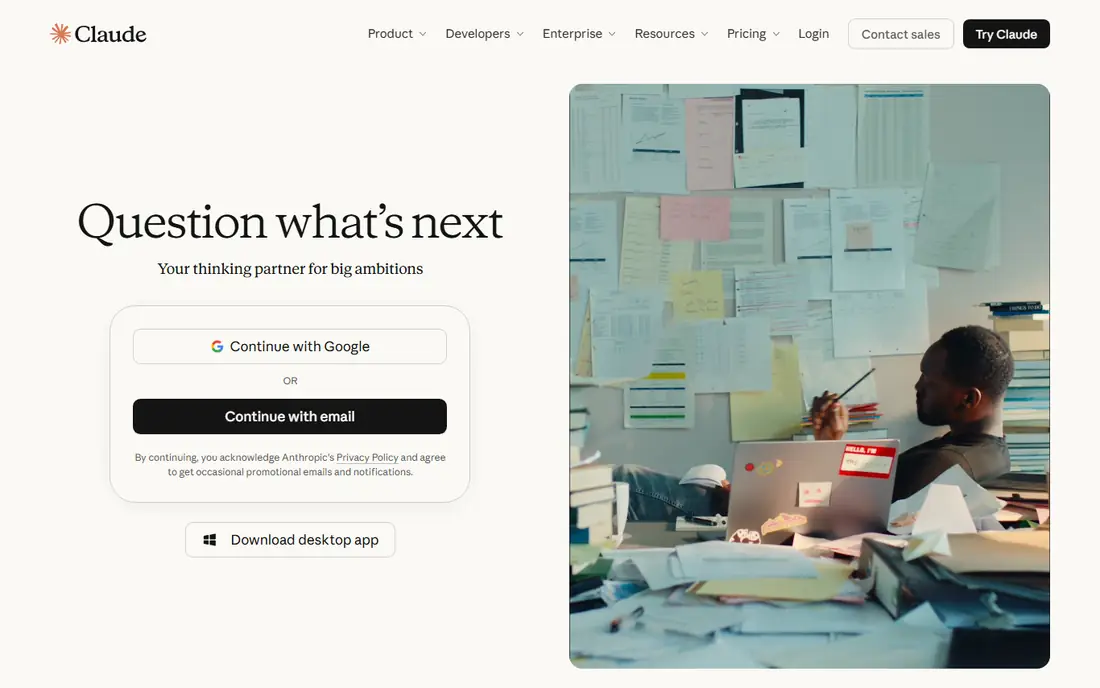
Claude, from Anthropic, is the first alternative we suggest for work that involves writing, editing, or reading long documents. It holds structure across a long brief, report, or codebase better than most general chatbots, and its answers tend to be organized, careful, and easy to edit. For drafting, rewriting, summarizing, and reviewing, that tone and structure save real editing time.
The free tier covers everyday chats, but heavy use, large documents, and the most capable models require Pro at $20 per month, or $17 per month on annual billing where offered. Team plans are also available for shared workspaces. If your main use is short, casual questions, a free tier from Gemini or DeepSeek may be enough. If you live in long documents and code, Claude is worth the $20 test month.
- Strong, clear prose for long documents
- Large context for whole PDFs and codebases
- Good code review and structured analysis
- Pro costs $20 per month, the same as many rivals
- Free tier has usage limits and does not include the top models
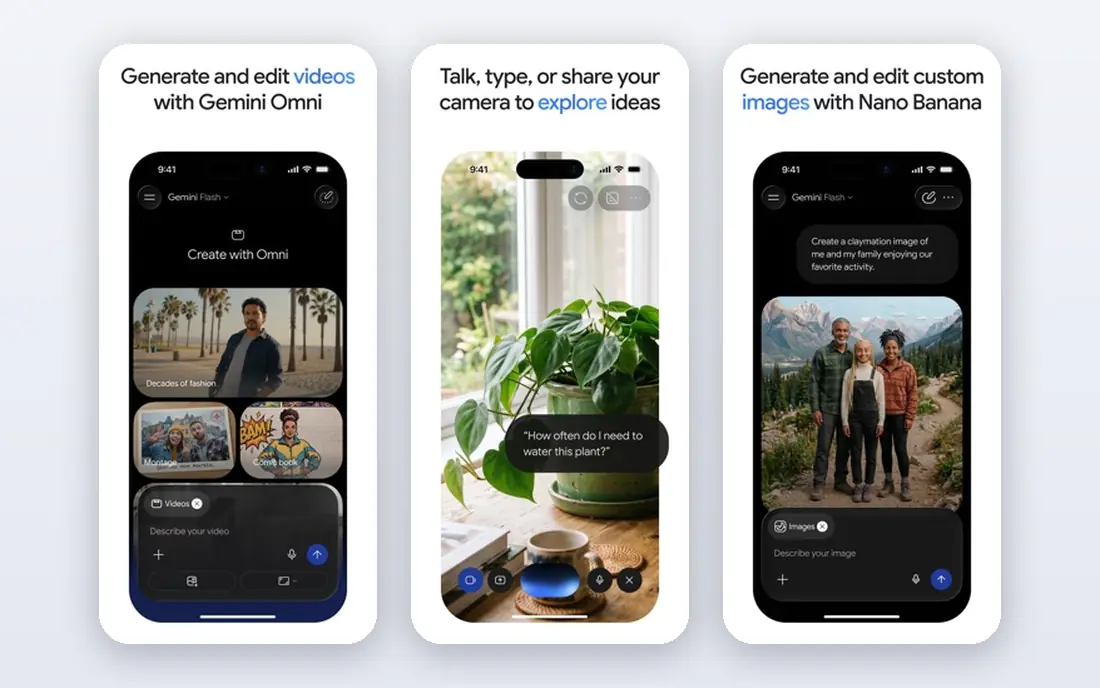
Gemini is the natural alternative if your work already lives in Google apps. It can summarize Gmail threads, help draft Docs, work with Sheets data, and search Drive files, without copying text between apps. That integration is the main reason to pick Gemini over a standalone chatbot, especially for students, small businesses, and households that already pay for Google storage.
Pricing is another draw. Google AI Plus starts at $4.99 per month, while Google AI Pro costs $19.99 per month and adds more usage, storage, and access to stronger models. The free tier covers everyday chats with a lighter model. If you do not use Google apps, Claude or Perplexity may fit better, but for Google-centered work, Gemini is the lowest-cost paid path in this list.
- Deep Gmail, Docs, Sheets, and Drive integration
- Cheapest paid entry at $4.99 per month for AI Plus
- Strong multimodal work with images, video, and long documents
- Higher tiers cost $19.99 per month or more for the best models and storage
- Answers can vary in depth for complex reasoning tasks

Perplexity works more like an AI search engine than a general chatbot, and that difference matters for research. You ask a question, it searches the web, and it returns a summary with citations you can open and verify. That makes it useful for fact-checking, market research, product comparisons, and learning a new topic quickly, where a plain chatbot answer without sources would need extra checking anyway.
The free tier covers basic searches with limits on advanced searches. Pro at $20 per month adds more Pro searches, file uploads, and model options, while higher Max plans cost far more for heavy professional use. Perplexity is not the best tool for drafting a long report from scratch, but as a research companion alongside Claude or Gemini, it fills a gap ChatGPT free tiers do not always cover as clearly.
- Answers include links to sources you can check
- Good for news, comparisons, and unfamiliar topics
- Pro adds more advanced searches and model choices
- Pro costs $20 per month, or $17 per month on annual billing in some listings
- Not the best pick for long creative writing or large document editing
DeepSeek is the best free alternative in this list for general use. The web and mobile chat app costs nothing for everyday questions, drafting, and coding help, with no $20 monthly plan standing between you and the main assistant. That makes it ideal for students, curious users, and anyone who wants to test AI assistance without a subscription.
The trade-off is ecosystem. DeepSeek does not integrate with Gmail, Docs, or Microsoft 365 in the way Gemini and Copilot do, and its business controls are less familiar to US companies than those from Google, Microsoft, or Anthropic. Read its privacy policy and data handling terms before you paste sensitive work documents, and keep personal or client data out of any free chatbot unless you understand how it is stored. For low-cost, everyday help, DeepSeek is hard to beat.
- Chat app is free with no paid consumer tier in most listings
- Strong for math, logic, and coding help
- API is billed separately for developers who need it
- Fewer office integrations than Gemini or Copilot
- Support, privacy, and data residency questions deserve a careful read before business use
Mistral, through its Le Chat app and Vibe plans, is the best alternative for users who want a European provider and a lower paid price. Pro at $14.99 per month sits between Gemini AI Plus and the $20 standard tier, and the free tier covers basic chats. Mistral also emphasizes deployment control and data residency options for business users, which appeals to companies with specific privacy requirements.
The ecosystem is smaller than Gemini or Copilot, so you will not get the same Gmail or Office integration. For general writing, coding help, and everyday questions, Mistral is a capable, cheaper alternative to the $20 plans. For users who already live in Google or Microsoft tools, the integration gap may matter more than the $5 monthly saving.
- European provider with a privacy-focused pitch
- Free tier for everyday chat
- Pro at $14.99 per month undercuts the $20 standard tier
- Smaller ecosystem than Google or Microsoft
- Model and feature availability can vary by plan and region
Microsoft Copilot is the right alternative if your work lives in Word, Excel, PowerPoint, Outlook, and Teams. Copilot Chat is free for basic questions, while Microsoft 365 Premium at $19.99 per month and higher business Copilot plans add in-app help, such as drafting a document from an outline, summarizing an email thread, or analyzing a spreadsheet. For office workers, that in-app placement saves copying text back and forth.
Cost needs careful reading. Some Copilot business plans are add-ons that require a separate Microsoft 365 base license, so the total monthly cost can be higher than the headline figure. Copilot is also less focused on long creative writing than Claude. Choose Copilot when Microsoft 365 is already your office, and choose Claude or Gemini when you want a standalone writing or research assistant.
- Works inside Word, Excel, PowerPoint, and Outlook for subscribers
- Free Copilot Chat covers basic questions
- Good for Excel analysis and document drafting
- Full Microsoft 365 Copilot features often require a base Microsoft 365 plan plus an add-on, so total cost can exceed $19.99 per month
Grok, from xAI, is the alternative to consider if you follow news, sports, markets, or public discussion closely. Its connection to X gives it a view of current conversation that other chatbots may summarize less directly, and its free tier covers basic chats. X Plus at $8 per month is the lowest paid entry in many listings, while Premium and higher tiers cost more and add more model access.
Grok is not the best pick for careful long-form writing or cited research. Its style is more conversational and less structured than Claude, and its content filters differ from other providers. Use Grok as a second assistant for current events, and keep Claude or Perplexity for work that needs careful sourcing or polished prose.
- Strong for current events and public conversation on X
- Free tier for basic use
- X Plus at $8 per month is a low entry point for paid access
- Paid tiers and model access vary by X subscription level
- Tone and filtering differ from Claude and Gemini, which will not suit every user
Meta AI is the most convenient alternative for casual, everyday use, because it is already inside apps many people open daily. You can ask a question in WhatsApp, Instagram, Facebook, or Messenger without opening a separate chatbot, and the standalone Meta AI app covers the same assistant for general chats. Everyday use is free, which makes it a low-friction starting point.
The limits are scope and privacy. Meta AI is not designed as a long-document editor or a research tool with citations, and its paid Core plan, where offered at $7.99 per month, focuses on creative usage rather than office integration. Because it lives inside social apps, review your privacy and data settings before you share sensitive work. For quick help and ideas, Meta AI is a useful free companion, not a full replacement for Claude or Gemini.
- Free for everyday use
- Built into WhatsApp, Instagram, Facebook, and Messenger
- Good for quick questions, ideas, and image help
- Paid Meta One Core plan, where available, adds creative usage but is not a full $20 office assistant
- Privacy settings need review because it lives inside social apps
NotebookLM, from Google, is the best free research tool in this list for a specific job: understanding your own documents. You upload PDFs, Google Docs, slides, or web pages, and NotebookLM answers questions using only those sources, with citations back to the exact passages. That grounding reduces the risk of invented facts, which matters for study, legal review, policy work, and academic research.
The limit is also the point. NotebookLM will not browse the open web for a general question, so it cannot replace Perplexity for news or market research. It is free for basic use, with higher limits on paid Google plans. Use NotebookLM when you have a set of documents to master, and use Perplexity when you need to discover new sources on the open web.
- Free for basic use
- Answers are grounded in sources you upload, such as PDFs, Docs, and web pages
- Audio overviews and study guides help with learning
- Works only with sources you provide, so it cannot answer general web questions like Perplexity
- Larger or team use may require a paid Google plan
How we picked these
We compared official pricing pages, feature pages, and model pages for each assistant, then checked public reviews for recurring themes on writing quality, source checking, limits, and ecosystem fit. We kept only assistants with a real consumer chat app in 2026, and we left out API-only tools that require coding to use. We did not rank by benchmark scores alone, because a high score on a reasoning test does not guarantee a good daily writing or research experience. Prices reflect US consumer listings checked in October 2026, and free tier limits change often, so check the vendor page before you commit.
How to choose a ChatGPT alternative without paying for two plans
Start with the job, not with the brand. If you write long reports, test Claude free tier for a week. If you work in Google apps, test Gemini free tier. If you research with sources, test Perplexity free tier. If you only need casual help, DeepSeek or Meta AI may cover you for free.
Test limits before you pay
Free tiers look similar until you hit a daily limit, a model limit, or a file upload limit. During a trial week, do your real work: upload a long PDF, draft a report, research a purchase, and summarize a meeting. Note where the free tier stops, and compare that stopping point with the paid plan price. Paying $20 per month makes sense only if you hit those limits regularly.
Sources
- https://claude.com
- https://gemini.google.com
- https://www.perplexity.ai
- https://www.deepseek.com
- https://mistral.ai
- https://copilot.microsoft.com
- https://grok.com
- https://www.meta.ai
- https://notebooklm.google.com
- https://aipricecompare.org/alternatives/chatgpt-alternatives.html
- https://aipricecompare.org/best/best-ai-chatbot.html