Best AI Tool for Finance Reports in 2026: 9 Tools Compared
By ToolNimba Editorial Team October 25, 2026 12 min read How we test

- Top pick
 Fathom
Small businesses and accountants producing management reports
Starting price$59 per monthCheck out FathomRead our review - Runner-up
 Julius
Ad hoc reports from spreadsheets and data files
Starting priceFree (Plus $20 per month)Check out JuliusRead our review - Also great
 Zoho Analytics
Budget-friendly dashboards with an AI assistant
Starting priceFree (Basic $24 per month billed annually)Check out Zoho AnalyticsRead our review
How we researched this
We compared official pricing and feature pages, app store listings, privacy policies and public user reviews. Prices change, so check the provider's site before you pay.
Key takeaways
- Fathom starts at $59 per month for one company with a 14-day free trial, and its Pro plan includes an AI Commentary Writer for management reports.
- The cheapest ways to start are free or near free: Zoho Analytics has a free plan (2 users, 10K rows), Julius has a free plan, and Power BI Pro is $14 per user per month.
- Datarails and Cube sell by quote only, so expect a sales call before you see a price.
- QuickBooks Online lists its AI chat as beta with limited capacity, so do not treat it as a full reporting assistant yet.
- Whatever you choose, have a person review AI-written commentary and figures before they go to a bank, investor or client.
Quick comparison
| Name | Best for | Starting price | Free plan | |
|---|---|---|---|---|
| Fathom | Small businesses and accountants producing management reports | $59 per month | Free trial (14 days) | Visit |
| Julius | Ad hoc reports from spreadsheets and data files | Free (Plus $20 per month) | Yes | Visit |
| Zoho Analytics | Budget-friendly dashboards with an AI assistant | Free (Basic $24 per month billed annually) | Yes | Visit |
 QuickBooks Online | Reports inside the accounting software you already use | $38 per month ($19 for the first 3 months) | Free trial (30 days) | Visit |
 Puzzle | Startups that want AI to draft books and statements | $30 per month | Free trial | Visit |
 Power BI | Teams already invested in Microsoft | Free (Pro $14 per user per month) | Yes | Visit |
 Datarails | Finance teams that live in Excel | See website | See website | Visit |
 Cube | Multi-entity FP&A and board reporting | See website | See website | Visit |
 Jirav | Accounting and CFO firms serving clients | See website | See website | Visit |
The best AI tool for finance reports
This is general information, not financial, accounting or tax advice, and AI output should always be reviewed by someone who understands the numbers. We looked at nine tools that produce financial reports with some AI help, from commentary writers to chat assistants, and we grouped them from small-business friendly to finance-team heavy. Prices come from vendor pricing pages, and quote-only tools say so.
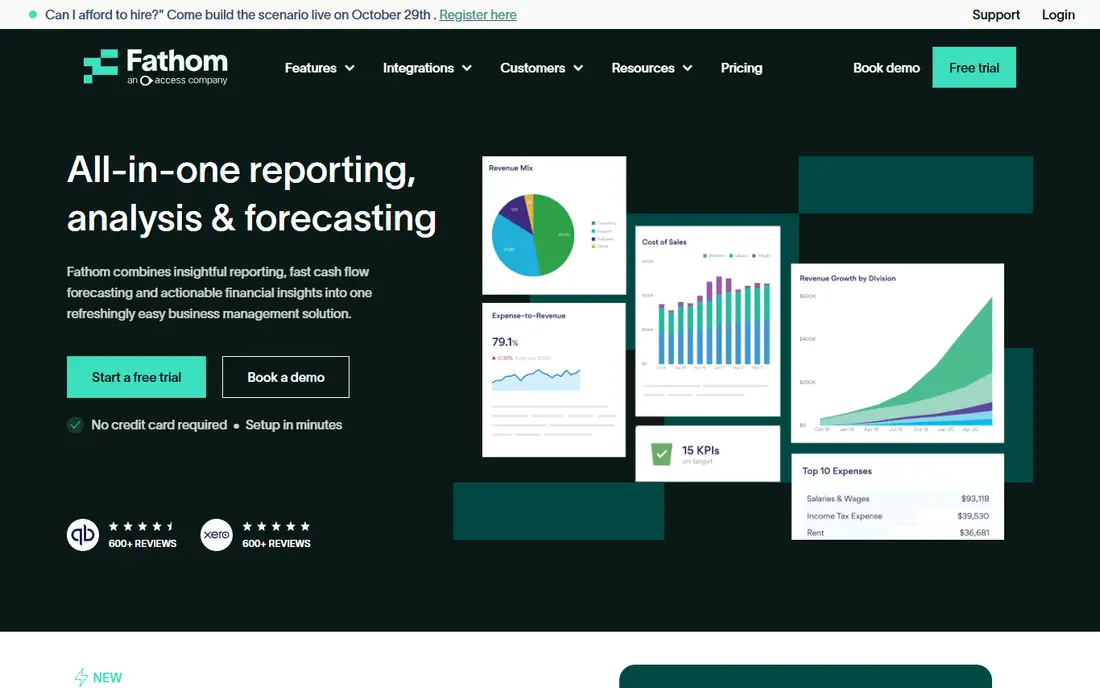
Fathom is our pick for most small businesses and accounting firms. Its pricing page lists Fathom Pro from $59 per month for one company, plus $59 for each extra company, with a 14-day free trial. Pro includes branded management reports per client, three-way cash flow forecasting, budgets and scenarios, custom KPIs, multi-currency consolidations and a Commentary Writer for AI commentary.
Integrations matter for reporting, and Fathom lists Xero, QuickBooks Online and Desktop, MYOB, FreeAgent and Excel imports. For accounting firms there is a separate Portfolio plan at $67 per month for 100 companies, which gives a portfolio view with summary reports rather than the full Pro toolset.
The catch is per-company pricing. A business with several entities, or a firm with many clients on Pro, will pay for each one, so run the numbers before you commit.
- AI Commentary Writer included in Pro
- Branded management reports per client
- Integrates with Xero, QuickBooks, MYOB, FreeAgent and Excel
- $59 per extra company adds up quickly
- Pro is priced per connected company

Julius is a broader AI workspace than a finance product, which is exactly why it suits one-off questions. Its pricing page says you can analyze data, create reports and dashboards, and build presentations, with a free plan to start. Plus is $20 per month with 2,000 credits and 100 daily refresh credits, Pro is $45 with 5,000 credits, and Business is $450 with 60,000 credits and up to 50 team members.
A common use is dropping in a trial balance or an export from your accounting system and asking for a chart or a variance table. Business plans add data connectors for Postgres, BigQuery, Snowflake and others, which is where it starts to look like a reporting layer.
Remember that Julius does not know your chart of accounts. Check formulas, period labels and totals against your source system, because a clean-looking chart can still rest on a misread column.
- Free plan to start
- Analyze files and create charts, reports and presentations
- Business adds Postgres, BigQuery and Snowflake connectors
- A general data workspace, not accounting software
- Usage is credit-based
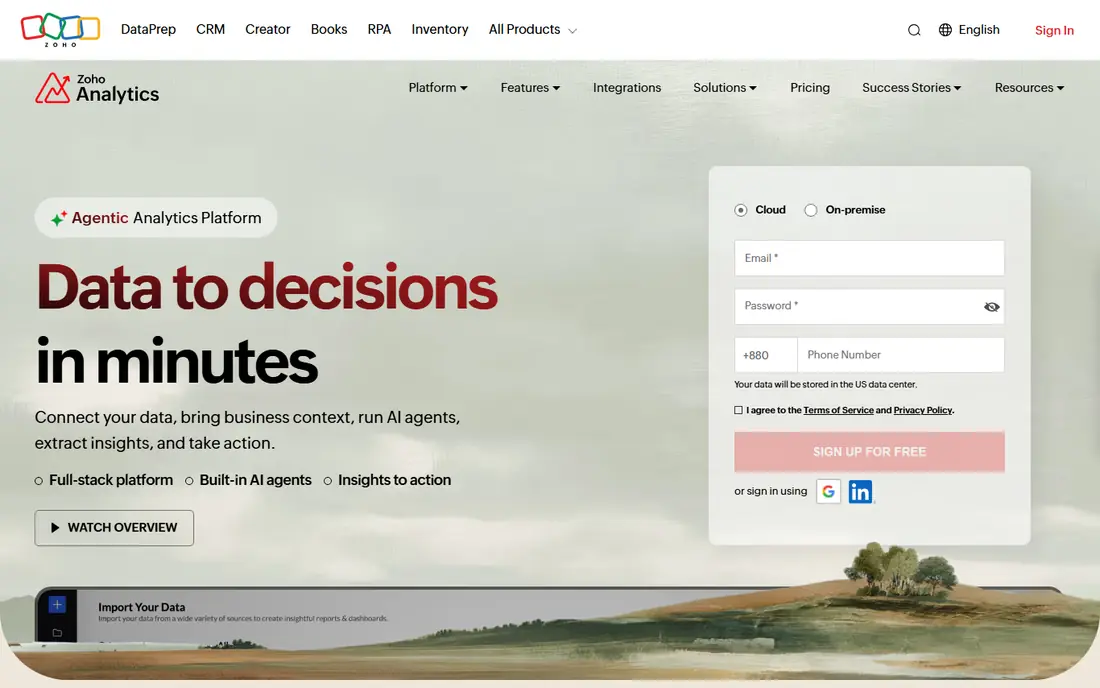
Zoho Analytics is a business intelligence tool with a finance angle, and it is one of the cheapest options here. The pricing page lists a Free plan with 2 users, 10K rows, 5 workspaces and unlimited reports and dashboards. Basic is $24 per month billed annually for 2 users and 0.5M rows, Standard is $48, and there is a 15-day free trial of paid plans.
Its financial analytics page describes on-demand profit and loss, balance sheet and cash flow statements, budget versus actual tracking, and scheduled PDF or email reports. The Zia assistant answers questions in plain language, generates insights and flags anomalies in financial KPIs, and the page lists forecasts for revenue, expenses and cash flow.
You do get a toolkit rather than a finished report pack, so expect some setup time. The page also says multi-organization support covers Zoho Books and QuickBooks, with Xero listed as coming soon.
- Free plan with 2 users and 10K rows
- Zia answers plain-English questions and flags anomalies
- Connectors for QuickBooks, Xero and Zoho Books
- You build much of the reporting yourself
- Basic is capped at 0.5M rows
QuickBooks Online
Best for: Reports inside the accounting software you already use
QuickBooks Online is the easy option if your books are already there. Simple Start lists at $38 per month with 50 percent off for three months, and the page offers a 30-day free trial. Essentials is $85, Plus is $140 and Advanced is $340 before the promotion.
Intuit's AI layer, Intuit Intelligence, appears in each tier. Simple Start lists an AI chat for instant insights, marked beta with limited capacity. Plus lists profit and loss insights and a beta feature to chat through scenarios and save them as budgets. Advanced lists Finance AI, customizable dashboards with personalized KPIs, and unlimited classes, locations and custom KPIs.
The weakness is depth and maturity. Several AI features carry beta labels, and the full reporting tools sit on the pricier plans, so a company needing consolidated or board-level reports may outgrow it.
- Reports sit next to your books
- Plus and Advanced add AI insights and scenario planning
- Advanced offers custom KPI dashboards
- AI chat is beta with limited capacity
- The better reporting needs the higher plans
Puzzle is accounting software built around AI, so reports come from the books themselves. Its pricing page lists Starter at $30 per month, Core at $72, Complete at $120 and Scale at $360, each with a free-trial button. It says Starter categorizes 85 to 90 percent of transactions automatically and drafts financial statements for you to review.
Core adds insights such as cash, burn, runway and margin, variance analysis and advanced reporting. Complete adds AI-powered accuracy review, reconciliations and insights, with 100 AI credits per month.
Be aware of the credit limits. Starter and Core list 25 lifetime AI credits, so the AI features run out early on the cheaper plans. Puzzle also asks you to move your books over, and it sells a $149 migration add-on for that.
- Auto-drafted financial statements
- Core adds cash, burn, runway and variance analysis
- Includes an AI suite with chat, cowork and close tools
- AI credits are limited on lower plans
- It replaces your accounting system rather than adding to it
Power BI is the standard choice for organizations that already run on Microsoft 365. The pricing page lists a Free account, Power BI Pro at $14 per user per month paid yearly, and Premium Per User at $24. The free account lets you create reports, but you need Pro or Premium to share them.
For finance reports, Power BI works best when someone builds a clean data model from your ledger. The comparison table lists model size limits of 1 GB on Pro and 100 GB on Premium Per User, and 8 refreshes a day on Pro versus 48 on Premium.
AI features are the part to verify. The comparison table lists Advanced AI and Copilot in Fabric as separate rows, so confirm exactly which licenses include Copilot before you budget for it. Expect setup effort too, since this is a BI platform rather than a finance product.
- Free account lets you build reports
- Pro is $14 per user per month paid yearly
- Premium Per User raises refresh and model limits
- You need a paid license to share reports
- Copilot sits under Microsoft Fabric, so check what your license includes
Datarails keeps finance teams in Excel while adding a governed data layer behind it. Its homepage says it connects live data from more than 600 sources to Excel, with version control, audit trails and permission settings, and it lists AI insights, anomaly detection and scenario modeling.
The pricing page has three plans, all by quote: Professional with 2 users and 1 integration, Premium with 5 users and 2 integrations, and Expert with 15 users plus 50 viewers and 3 integrations. It says there are no consultant fees ever. AI Storyboards are listed for Premium and Expert, not Professional.
The trade-off is access. You have to talk to sales to learn the price, and the entry plan's user and integration limits are small. It suits a finance team that already trusts its Excel models.
- Excel-native with 600+ data sources
- AI Suite and a FinanceOS AI Connector
- No consultant fees stated on the pricing page
- Quote-only pricing
- Professional is limited to 2 users and 1 integration
Cube is an FP&A platform that pulls data from ERP, CRM, HR and payment systems into models that stay in your spreadsheets. Its homepage describes four AI agent types, including Analysts that explain variances down to individual transactions and flag anomalies, and Planners that rerun forecasts as new actuals arrive.
Plans are Bronze for one legal entity, Silver for up to 10 and Gold for up to 50 with multicurrency consolidation, and all are by quote. Cube says every AI insight traces back to its source transaction or assumption, and it lists SOC 1 and SOC 2 Type 2 certification and HIPAA compliance.
The site claims a path from closed books to a board-ready deck in about 30 minutes, which is a vendor claim we did not verify. Cube is aimed at finance teams with several entities, so a one-person shop will find it more than it needs.
- Native in Excel and Google Sheets
- AI agents explain variances and flag anomalies
- SOC 1 and SOC 2 Type 2 and HIPAA
- Quote-only pricing
- Built for FP&A teams rather than small businesses
Jirav is a forecasting, budgeting, reporting and dashboarding platform for accounting firms and businesses. Its firm pricing page lists Controller Essentials starting at $50 per month and CFO Enterprise starting at $150 per month, and it mentions auto-generated intelligent budgets and forward-looking AI forecasts.
For client work, it offers reports and dashboards, budget versus actuals analysis, an executive summary report, KPI libraries and white labeling. The page says firm plans include unlimited read-only users, and up to 15 end-client admin or editor users.
Those figures are wholesale prices for accounting firms, not what a business pays, and the homepage points businesses to a demo. We could not find a free trial. Jirav is best seen as a client-advisory tool for a firm that wants to build a forecasting practice.
- Driver-based forecasts of profit and loss, balance sheet and cash flow
- White labeling with your firm's logo
- Unlimited read-only users on firm plans
- Published pricing is wholesale pricing for accounting firms
- Businesses must request a demo
How we picked these
We chose tools that produce finance reports with documented AI features and that are live in October 2026. We read each vendor's pricing page and, where useful, its product or finance pages, and we listed prices only where the vendor shows them. Where a plan is quote-only, we wrote See website.
We did not test report accuracy in each tool, so we do not rank on output quality. Our order moves from small-business tools to finance-team platforms, with clear pricing and a way to try before buying counted in a tool's favor.
How to choose an AI tool for finance reports
Start with the report you need
Management reports for a bank, a monthly board pack, a cash flow forecast and a quick variance chart are different jobs. Fathom and Jirav lean toward recurring client or management reports, Cube and Datarails toward FP&A, and Julius toward ad hoc analysis.
Check your accounting integrations
Make sure the tool connects to your ledger without manual exports. Fathom lists Xero, QuickBooks, MYOB and FreeAgent, Zoho Analytics lists QuickBooks, Xero and Zoho Books, and Datarails lists NetSuite, Xero, QuickBooks and Sage.
Review AI output before it goes out
AI commentary can sound confident and still misread a number. Compare totals to your books, and keep a person responsible for sign-off. Ask each vendor whether AI outputs trace back to source transactions, as Cube says it does.
Ask about security and data use
Financial data is sensitive. Look for security certifications, permission controls and audit trails, and ask in writing how your data is stored and whether it is used to train models.
Sources
- https://www.fathomhq.com/pricing
- https://julius.ai/pricing
- https://www.zoho.com/analytics/pricing.html
- https://www.zoho.com/analytics/financial-analytics.html
- https://quickbooks.intuit.com/pricing/
- https://puzzle.io/pricing
- https://www.microsoft.com/en-us/power-platform/products/power-bi/pricing
- https://www.datarails.com/pricing/
- https://www.datarails.com/
- https://www.cubesoftware.com/pricing
- https://www.cubesoftware.com/
- https://www.jirav.com/pricing
- https://www.jirav.com/